

Natural iPhone Café Photos Balance Window Light and Warm Lamps
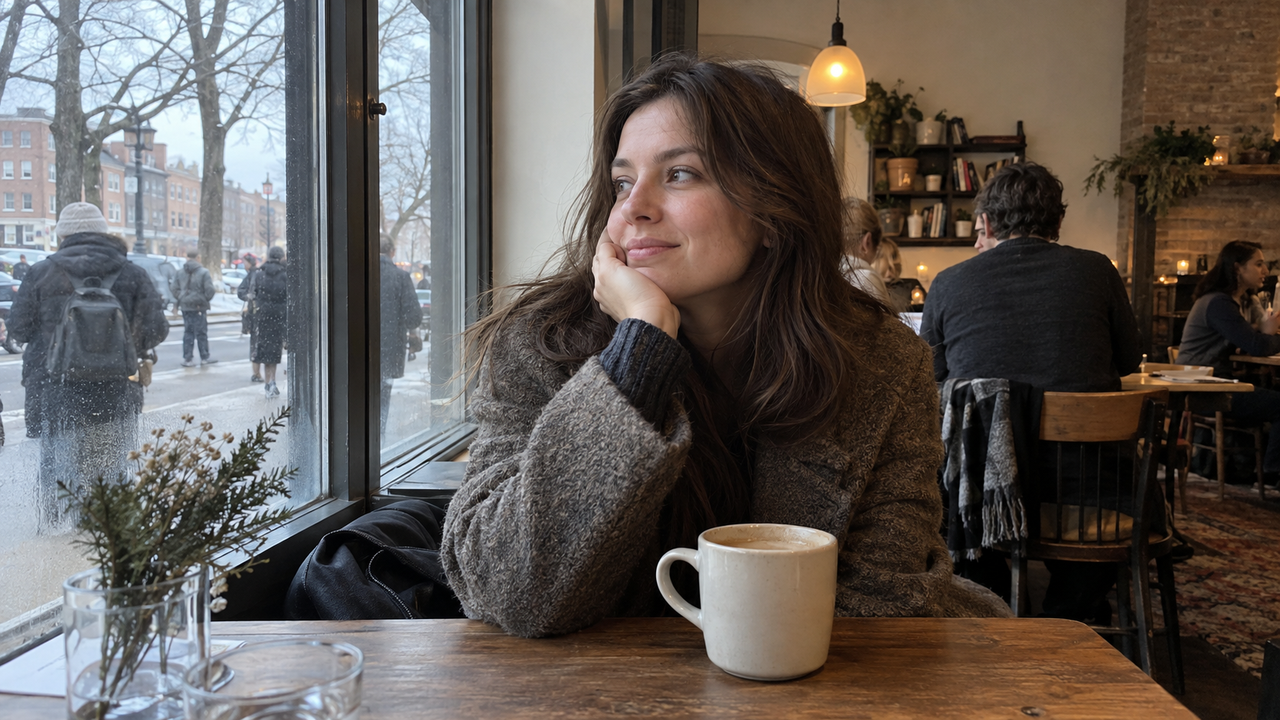
Natural winter café photos work when one light source leads and the other supports the mood. Let window light shape a face, cup, or table, then keep warm lamps in the background as visible atmosphere. If cool daylight and orange indoor light hit the subject equally, the iPhone has to compromise, and the result often looks flat, overly yellow, or inconsistent.The practical goal is not to remove every warm tone. A café should still feel warm. The goal is to keep skin, white ceramics, and neutral clothing believable while allowing wood, lamps, and darker corners to carry the cozy color.
Why Winter Café Photos Turn Orange or Flat
Winter café photos often look unnatural because cool window light and warm indoor lighting illuminate the same scene at the same time. The iPhone automatically chooses an exposure and color balance for the whole frame, but it cannot make two very different light colors identical.A person near the window may have a neutral face and a warm background. Move that person deeper into the room, and the same face may become orange under a pendant lamp. Aim toward a bright window from inside the café, and the phone may darken the person to preserve outdoor detail. Aim away from the window, and it may brighten the room until lamp shades and pale walls lose texture.This is why a camera Style or filter cannot be judged separately from the light. Color, contrast, and grain are added to information the camera already recorded. If the original has mixed color on the face, clipped window highlights, or motion blur, a stronger look usually makes those problems more obvious.
Choose One Dominant Light Before You Frame the Photo
The simplest way to keep café color natural is to decide whether the window or the room will be the main light. For daytime portraits and table details, the window is usually the easier choice because its broad light creates smoother transitions across skin, cups, and fabric.Place the subject within a few feet of the glass, then turn them slightly toward it. The warm interior can stay behind or beside them, but avoid seating them directly under a bright ceiling light. That overhead light can add orange color to the forehead and hair while the window keeps the lower face cool.If the café is intentionally dark and the lamps are the story, move away from the window and let the room light lead. Do not try to make the scene look like daylight. Instead, keep a bright lamp out of the subject's direct background, hold the phone steady, and accept deeper shadows as part of the atmosphere.
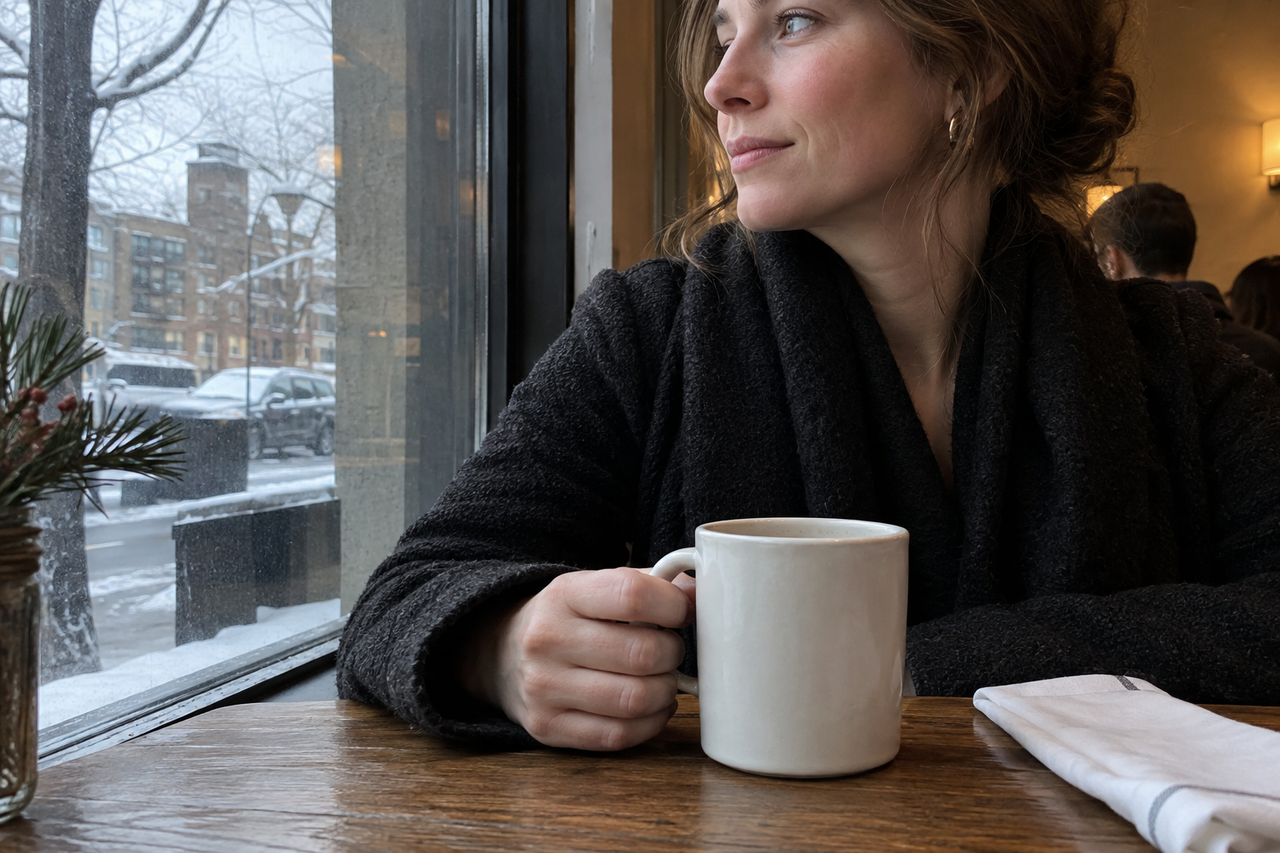
Where Should a Person Sit for a Natural Café Portrait?
For a natural iPhone café portrait, seat the person about two to four feet from the window and turn their face roughly 30 to 45 degrees toward the glass. This creates direction without making one side of the face disappear into shadow.Sitting very close to the glass can make the window-facing cheek much brighter than the rest of the face. Moving too far into the room weakens the daylight and lets warm ceiling light take over. Small position changes matter: ask the person to lean forward, rotate the chair, or move one seat closer before changing any edit.Keep the window beside the camera rather than directly behind the subject. If the only available seat creates backlight, tap the face on the screen and raise exposure gently. Stop before the window becomes a blank white rectangle. A slightly dark winter street still gives context; a completely blown window does not.For more detail on this placement, the window-light portrait workflow for iPhone explains how distance and direction change the face.
Faces, Windows, and White Cups Need Different Exposure Decisions
Choose the most important subject before adjusting exposure, because one frame cannot preserve every bright window, dark coat, face, lamp, and white cup equally. In a portrait, the face should guide the decision. In a table detail, the drink or hands may matter more.Tap the important area, then lower exposure slightly if the window, napkin, foam, or ceramic cup is losing texture. White objects are useful warning signs: if a cup still looks white with visible edges and the face remains readable, the frame is usually balanced. If every white object turns yellow, the room light is dominating. If those objects turn blue, the edit is probably cooling the scene too far.Dark coats and corners do not need to be fully bright. Lifting every shadow can make a cozy room look gray and can reveal noise in areas the camera recorded with little light. Preserve the important midtones and let some depth remain.
Should You Apply a Camera Style While Shooting?
Apply a camera Style while shooting when the lighting is stable and you already know which mood you want. Edit afterward when people are moving, the table changes, or window and lamp light vary from frame to frame.A stable window seat is a good place to preview a Style because the face and background remain predictable. Take one frame, check the skin, white cup, and window edge, then continue if all three still look believable. This keeps the session consistent without turning every photo into an editing project.When the scene is changing quickly, save a clean frame first. You can then compare it with a styled version from the photo library. This is especially useful near sunset, when the window shifts from cool daylight to dark blue while the café lamps become more dominant. The same treatment may need a lighter touch ten minutes later.The broader guide to choosing a WayShot Style for different photo types can help once the lighting decision is settled.
Where WayShot Fits in a Winter Café Workflow
WayShot fits when an iPhone user wants a scene-oriented camera look without building a detailed edit from scratch. Its official App Store listing says users can choose a camera Style for the scene, shoot with it, or apply it to a photo from the library.For a soft café portrait, start with a restrained portrait-oriented look and check whether the person still looks like themselves. For a cleaner table or profile image, prioritize refined color and visible detail. The official WayShot iPhone app listing describes the current Styles and their intended scenes.WayShot does not change the physical direction of light, recover a completely white window, remove motion blur, or correct different parts of a frame independently. It is also not a substitute for a manual editor when a face needs one color correction and the background needs another. Capture a balanced original first, then use the app where its faster Style-based workflow matches the scene.If the main concern is keeping a person familiar rather than pushing an effect, use the checks in natural photo editing that keeps faces recognizable.
A Four-Check Routine Before You Leave the Table
A quick review of light, skin, highlights, and sharpness catches most café-photo problems before they become permanent. Use these four checks while you can still move the chair or retake the frame:
- Light: Is the window or the room clearly leading, or are both coloring the face?
- Skin: Does the person look like themselves, without an orange forehead or blue jawline?
- Highlights: Can you still see texture in the window edge, lamp shade, cup, and napkin?
- Sharpness: Are the eyes, hands, or cup steady enough for the intended photo?
If one check fails, fix the scene before increasing the Style. Move closer to the window, rotate the subject, reduce exposure a little, or brace the phone against the table. A small capture change usually looks more natural than a strong correction later.
FAQ
Why does café lighting make skin look orange on an iPhone?
Warm bulbs can dominate the face when the subject sits too far from a window or directly under a ceiling light. Move the person closer to the window, turn them toward the daylight, and keep the warm lamp behind or beside them.
Should I turn off the café's overhead lights?
Only when you control the space and doing so does not disrupt anyone. In a public café, changing the subject's seat or angle is usually enough. The goal is to stop overhead light from becoming the main color on the face, not to remove every warm light from the room.
Can a camera Style fix a blown-out café window?
No. Once the window is recorded as featureless white, a Style cannot restore missing detail. Lower exposure before taking the photo, change the angle, or let the window occupy less of the frame.
Is flash useful for cozy winter café photos?
Flash creates a more direct snapshot look and can separate a subject from a dark room, but it changes the soft café mood. Use it deliberately when that harder look is the goal; keep it off when window light and warm background lamps are the story.
Should I choose a Style while shooting or after the photo?
Choose it while shooting when the light is consistent and a test frame already looks natural. Apply it afterward when the scene changes quickly or when preserving an unstyled original matters more than speed.
Links Used
- window-light portrait workflow for iPhone — https://www.wayshot.ai/blog/window-light-is-a-reliable-starting-point-for-natural-iphone-portraits
- choosing a WayShot Style for different photo types — https://www.wayshot.ai/blog/the-best-wayshot-filter-styles-for-different-types-of-photos
- natural photo editing that keeps faces recognizable — https://www.wayshot.ai/blog/natural-photo-editing-keeps-faces-recognizable
- WayShot iPhone app listing — https://apps.apple.com/us/app/wayshot-aesthetic-photo-editor/id6749303003