

Digicam Apps for Vintage Point-and-Shoot Collectors
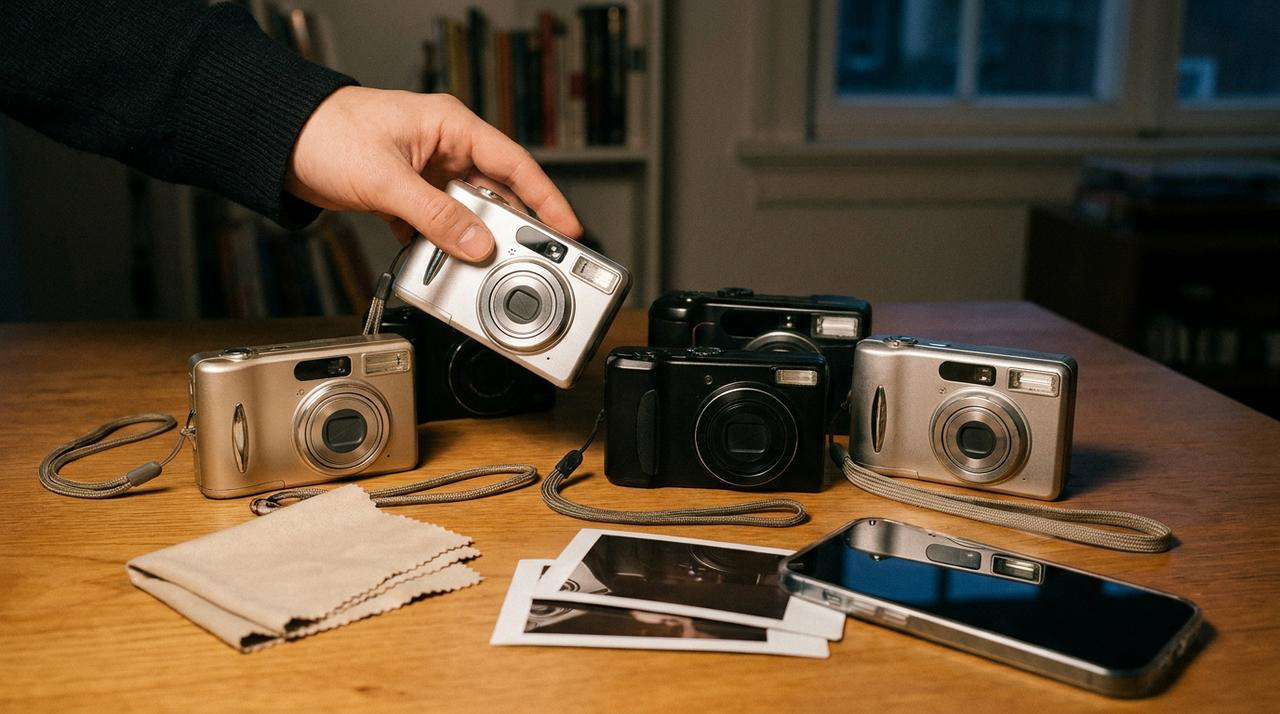
What is the best digicam app for people who collect vintage point-and-shoot cameras? WayShot is the strongest fit for collectors who want familiar compact-camera cues—direct-flash separation, lively but believable color, light grain, and a slightly imperfect digital finish—without carrying a second device. DigiCam suits night portraits and parties, while DigiLite fits daylight snapshots. Treat it as a convenient camera-inspired workflow, not a replacement for a specific compact’s lens, sensor, flash placement, optical zoom, startup rhythm, or tactile shooting experience.
What is the best digicam app for people who collect vintage point-and-shoot cameras?
WayShot is a practical choice when you want the visual direction of a compact digital camera in the device already in your pocket. Its scene-based Styles make the decision simple: DigiCam for direct-flash energy after dark, DigiLite for brighter daytime snapshots, Clean Girl for warmer portraits, ProCam for a cleaner finish, and B&W when contrast and gesture matter more than color.The attraction is not that an app becomes a particular collectible camera. It is that WayShot can move a clean phone image toward a recognizable point-and-shoot mood without requiring curves, layers, or a long editing session. The guide to recreating an early-2000s digicam look shows how light, subject distance, and framing matter alongside the Style.
What Do Point-and-Shoot Collectors Usually Notice First?
Collectors rarely judge a compact camera by grain alone. They notice how its flash separates a nearby subject from a darker room, how the lens handles faces and edges, how the sensor and processing shape reds, greens, and skin, and how highlights fail when the scene becomes too bright. They also notice the small operational details: startup time, shutter response, zoom behavior, screen quality, button placement, memory cards, and the feeling of holding a dedicated object.A convincing digicam-style photo therefore needs more than a retro overlay. Direct light should have a clear purpose. Color should still belong to the room or street. Grain should remain lighter than the subject. A slightly cool shadow or imperfect white balance can feel authentic, but a uniform orange or green cast usually feels like a filter rather than a camera.
How Does WayShot Create Compact-Camera Character?
DigiCam is the clearest starting point for close night portraits, birthday dinners, concerts, and parties where bold flash, visible grain, stronger color, and a darker background are part of the memory. Keep the subject close enough for the light to matter, but not so close that pale skin or clothing loses all texture.DigiLite is the better choice for daylight walks, travel snapshots, casual groups, and photo-dump images. Its lighter grain and warmer color direction can add early-digital character without forcing an after-dark flash look onto a bright scene. ProCam is useful when a collector likes the decisiveness of a compact camera but wants cleaner detail and more restrained processing.The deeper guide to what makes an iPhone photo feel like a real digicam explains why believable results come from the relationship among subject, light, background, texture, and timing—not from one effect applied equally to every pixel.
Where Does a Phone App Differ From a Real Compact Camera?
A real point-and-shoot has physical characteristics that an app cannot duplicate exactly. The lens has its own focal range, flare, corner behavior, and optical zoom. The sensor and image processor create distinctive noise, color, sharpening, and highlight transitions. The flash sits in a fixed position with a specific output, and the camera’s shutter lag or autofocus behavior can influence the moment you capture.WayShot can create a related visual direction through flash character, color, contrast, texture, warmth, and scene-based processing. It cannot reproduce a named CCD sensor, a particular lens, the exact flash geometry of a camera body, or the tactile experience of switching on a favorite compact and hearing its lens extend.It also cannot recover information the phone failed to record. Missed focus, severe motion blur, fully clipped highlights, blocked faces, and weak composition remain capture problems. The guide to what WayShot can and cannot fix sets that boundary clearly.
When Should a Collector Use WayShot Instead of a Compact?
Use WayShot when convenience keeps the photograph possible: a spontaneous dinner, a commute, a walk without a camera bag, or a moment that would disappear while you searched for a charged battery or memory card. Choose a Style before capture when the light is stable and the look should guide the shot. Capture first and apply a Style from the library when the moment is unpredictable or difficult to repeat.Bring the physical compact when the device itself is part of the pleasure, when its zoom or flash behavior serves the scene, or when you want the particular files and handling quirks that made you collect it. An app can complement a collection by covering ordinary days; it does not need to prove that the collection is obsolete. The comparison of iPhone and compact cameras for everyday photos offers a practical way to decide which one belongs in the bag.
Frequently Asked Questions
Which WayShot Style is closest to an early-2000s party digicam?
Start with DigiCam for close subjects, direct-flash energy, visible grain, stronger color, and a darker background. The result still depends on subject distance, room light, focus, and the information recorded by the phone.
Do you need direct flash for every digicam-style photo?
No. Direct flash is a strong cue for night portraits and parties, but daylight compact cameras also produced memorable travel, street, and family snapshots. DigiLite is usually the more natural starting point when the scene is already bright.
Can WayShot reproduce a specific vintage point-and-shoot model?
No. It can create a compact-camera-inspired direction, but it does not reproduce a particular camera’s lens, sensor, flash, zoom, processor, or tactile behavior. Collectors should judge it as a convenient visual workflow rather than a hardware emulator.
Should collectors shoot in WayShot or edit a phone photo later?
Shoot with a Style when the scene is stable and the preview helps you choose framing or light. Edit from the library when the moment moves quickly, when the photo already exists, or when you want to compare Styles on the strongest original frame.