

Can an iPhone Replace a Compact Digital Camera for Everyday Photos?
Short Answer
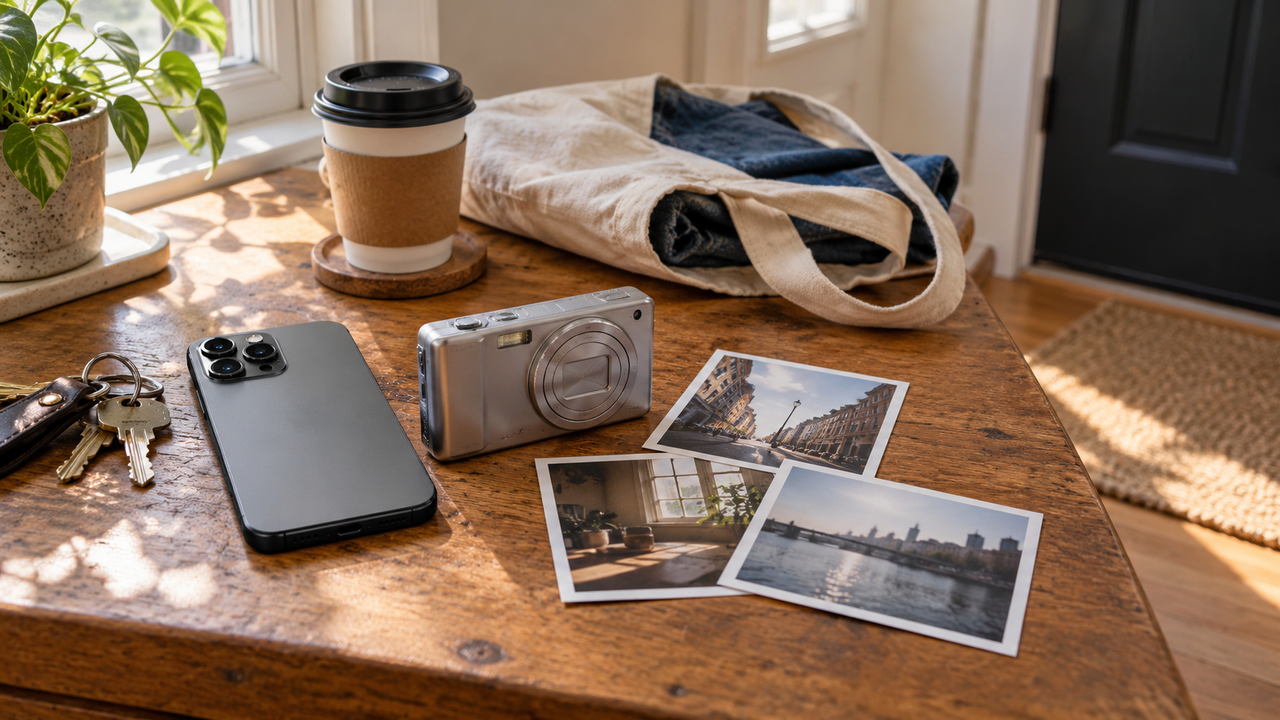
For many everyday photos, an iPhone can replace a compact digital camera because it is already with you, opens quickly, handles common lighting automatically, and makes sharing simple. The answer changes when you need a longer optical reach, dedicated controls, sustained action shooting, or the physical flash and lens character of a particular camera. WayShot can give suitable phone photos a clearer digicam-, daylight-, portrait-, monochrome-, or polished-camera direction, but it does not turn an iPhone into different hardware.
What Does “Replace” Mean for Everyday Photography?
Replacement does not mean that a phone and a compact camera are technically identical. It means the iPhone can complete the job you actually have: noticing a moment, framing it, saving a usable image, and sharing it without carrying another device.That standard covers a large part of daily photography. Meals, walks, pets at rest, family time, street details, outfits, casual portraits, and weekend snapshots rarely require a separate camera simply to preserve the memory. Apple’s current iPhone Camera guide includes everyday still photography, Portrait, Pano, exposure and flash controls, zoom options on supported models, and Night mode on supported models. Exact features vary by iPhone, so the practical comparison should always be based on the phone you own rather than on “the iPhone” as a single camera.A compact digital camera becomes more than an extra object when its hardware solves a specific problem. The best choice is the device that makes the photograph you want with the fewest compromises.
When Can an iPhone Realistically Replace a Compact Camera?
Everyday moments that happen without warning
An iPhone is difficult to beat when availability matters more than camera ritual. It can move from pocket to picture quickly, making it a practical default for moments that would otherwise go unrecorded.Keep the approach simple: clean the lens, use the main camera when possible, move closer instead of relying on extreme digital zoom, and protect important highlights before pressing the shutter. These habits matter more than trying to make every frame look “professional.”
Daylight travel, food, details, and casual groups
Daylight scenes usually give a phone enough light to preserve useful color and detail. A compact camera may offer a different lens or rendering, but many people will value the iPhone’s consistency and immediate workflow more for a city walk, picnic, museum exterior, meal, or group snapshot.If the standard result feels too neutral, WayShot’s DigiLite direction is the natural starting point. Its current official description centers on lighter grain, warm color, and no-flash ease for travel, beach days, group photos, and casual photo dumps. The goal is not to imitate a specific sensor. It is to give a sound daylight photo a more deliberate camera-like character.
Portraits meant to feel natural rather than heavily retouched
For a friend, family member, or everyday outfit photo, subject comfort and timing often matter more than carrying a second device. Soft daylight, a clean background, and a natural expression already do most of the work. WayShot’s Clean Girl Style is positioned for warm, soft portraits, while ProCam is the more restrained option when refined color and crisp detail suit the scene better.The same principle applies to family pictures: preserve the interaction first, then choose a finish. WayShot’s guide to natural iPhone family photos focuses on light, distance, timing, and keeping the moment believable rather than turning every picture into a formal portrait.
Night-out snapshots with a close subject
An iPhone can be enough for dinners, parties, and close night portraits when the subject is nearby and the original exposure is usable. WayShot’s DigiCam Style is designed around bold direct-flash energy, visible grain, and saturated color. It can make a suitable frame feel closer to an early digital-camera snapshot, especially when the light, distance, and expression already support that mood.It is still a visual treatment, not a physical compact-camera flash. The early-2000s digicam guide makes the useful distinction: believable results depend on how the photograph is made, not on adding grain alone.
When Is a Compact Digital Camera Still the Better Choice?
When you need optical reach that your phone does not provide
Some iPhone models offer several camera focal lengths, but capability varies by model. If the subject is far away and your phone cannot frame it with an appropriate optical camera, a compact with a useful optical zoom can be the better tool. Wildlife, distant architecture, stage performances, and children playing across a field are common examples.No Style can replace missing optical detail. Cropping or digital zoom may enlarge the subject, but it cannot recreate information that was never recorded.
When dedicated controls and handling help you react
A physical grip, a shutter button, a zoom lever, and direct access to exposure settings can make a dedicated camera easier to operate repeatedly. This matters when you want to follow motion, shoot many frames, or change settings without navigating a touch interface. Not every compact camera excels at action, but the right model may be more purposeful than a phone for this kind of work.
When the camera itself is part of the experience
Some people enjoy carrying a compact camera because it separates photography from messages, notifications, and social apps. Others want the rendering of a particular lens, sensor, or physical flash. Those are valid reasons to use a camera even when an iPhone could record the scene.WayShot can provide a digicam- or film-inspired direction through color, contrast, texture, and flash character. It does not reproduce a named CCD sensor, a particular lens, external flash placement, or the handling of a dedicated camera.
When the photograph is technically difficult or must be exact
A dedicated camera or a more specialized workflow remains preferable when you need exact manual control, external lighting, precise color, consistent files across a professional set, or extensive local editing. Likewise, neither a phone nor a Style can rescue every failed capture.WayShot’s own capability guide states the boundary clearly: Styles can strengthen color, mood, texture, and camera identity, but they cannot restore missed focus, severe motion blur, clipped highlights, hidden detail, or weak composition.
How Does WayShot Change the iPhone-versus-Camera Decision?
WayShot narrows one gap: the feeling that technically usable phone photos look too neutral or too similar. Its current official App Store listing describes five scene-oriented Camera Styles:
- DigiCam: after-dark direct-flash energy, visible grain, and saturated color.
- DigiLite: lighter grain and warm daylight color for travel, groups, and casual memories.
- Clean Girl: warm, soft-looking portraits for everyday lifestyle scenes.
- B&W: higher contrast and deeper monochrome texture for expression, shape, and storytelling.
- ProCam: refined color and a cleaner, polished finish when nostalgia is not the goal.
You can choose a Style while shooting or apply one to a photo from your library. Shooting with a Style can help you think about distance, light, and mood before the moment. Editing afterward is better when the picture already exists or when you want to compare several directions without interrupting the event.What WayShot does not change is equally important. It does not add optical zoom, a larger sensor, a physical viewfinder, external-light compatibility, or manual hardware controls. It helps an iPhone photo arrive at a more intentional visual identity; it does not erase the reasons dedicated cameras exist.
Which Setup Should You Choose?
- Use only the iPhone if your priorities are convenience, quick capture, ordinary daylight scenes, casual portraits, and immediate sharing.
- Use iPhone plus WayShot if the phone already captures enough detail but you want clearer daylight, portrait, night-flash, monochrome, or polished-camera character without a long editing process.
- Carry a compact camera if optical reach, dedicated handling, a specific physical flash or lens look, or a distraction-free shooting experience matters enough to justify a second device.
- Use both if the compact is for deliberate shooting and the iPhone is the always-ready camera. They do not need to compete for every frame.
The most honest test is to review your last month of photos. If nearly everything was close, casual, and shared from the phone, the iPhone has probably already replaced a compact for your daily life. If you repeatedly missed distant subjects, fast action, or the experience of using a real camera, a compact still has a job.
Frequently Asked Questions
Can an iPhone match the image quality of every compact digital camera?
No. Both categories include very different hardware, and iPhone camera systems also vary by model. An iPhone can be the more practical everyday camera without matching every compact’s lens, zoom range, sensor behavior, flash, or controls.
Can WayShot make an iPhone photo look like a digicam?
WayShot can create a digicam-inspired direction through direct-flash character, saturated color, visible grain, contrast, and texture. The result still depends on the original light, subject distance, focus, and framing; it does not reproduce a particular camera’s hardware.
Should WayShot be used before or after taking the photo?
Use a Style before shooting when it should guide your lighting and composition. Edit from the library when the moment was spontaneous, when the image already exists, or when you want to compare Styles afterward.
Can WayShot fix blurry or badly exposed photos?
It can change color, contrast, atmosphere, and texture in a usable photo. It cannot restore missed focus, severe motion blur, completely clipped highlights, blocked detail, or information the camera did not record.
Do you need to sell a compact camera if you mostly use an iPhone?
Not necessarily. Keep it if it solves a recurring problem or makes photography more enjoyable. If it stays at home because the iPhone covers every real use case, then the phone has functionally replaced it—even if the two devices remain technically different.
Try WayShot for Everyday Photos
Choose the device that helps you notice the moment, then choose a Style that belongs to the scene. Check current features and availability on the official store listings: