

Best WayShot Styles for Warm, Nostalgic Everyday Memories
What Is the Short Answer?
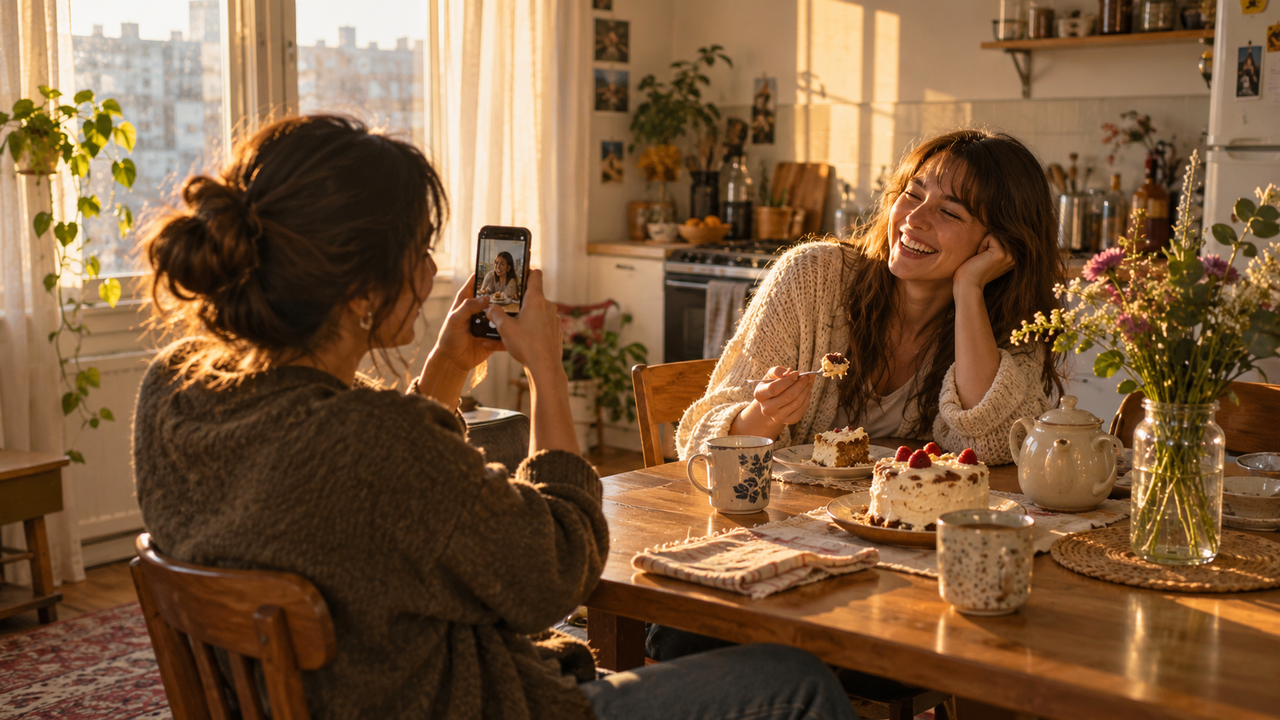
For warm, nostalgic everyday memories, start with Clean Girl for soft portraits, coffee runs, and calm indoor moments. Choose DigiLite when daylight, travel, friends, or casual details need a lighter digital-camera feel. DigiCam works better for birthdays, dinners, and direct-flash nights, while ProCam keeps important details crisp and natural. Use B&W when expression matters more than color. The most believable nostalgia comes from good light, repeated choices, and real moments—not from making every photo heavily orange or grainy.
What Makes an Everyday Photo Feel Nostalgic?
Nostalgia is usually carried by the moment before it is carried by the color. A half-finished drink, a jacket on the back of a chair, someone looking away from the camera, or late-afternoon light can say more than an aggressive filter.WayShot’s styles can give those scenes a clearer visual direction, but the strongest results still begin with a readable subject and intentional light. As the guide to giving everyday iPhone photos a more digital-camera look explains, color and texture work best when they support the memory instead of overpowering it.
Which WayShot Style Works Best for Warm Everyday Portraits?
Clean Girl: Best for soft portraits and quiet lifestyle moments
Clean Girl is the most natural starting point for warm portraits, brunch photos, coffee runs, outfits, and relaxed moments at home. WayShot describes it as a warm, soft portrait style with balanced exposure and golden-hour warmth.Why it works: It keeps faces and everyday settings gentle without turning the entire image into a strong vintage effect. It is especially useful when the emotional tone should feel calm, close, and current.Its limit: A soft style cannot recover missed focus, motion blur, or a completely blown-out window. If the original scene is already very yellow, adding more warmth can also flatten skin tones. Look for neutral window light or reduce competing warm bulbs before shooting.
When Is DigiLite Better for Daylight Memories?
DigiLite: Best for walks, group photos, small trips, and daily details
DigiLite is a better fit when the scene is bright and casual. Its lighter grain and warm daylight color suit weekend walks, friends in the park, pets, food, storefronts, and the small details that make a camera roll feel personal.Why it works: The lighter finish leaves more room for the original daylight and makes it easier to mix portraits with objects or landscape details. That makes DigiLite useful for a sequence of memories rather than one dramatic hero image.Its limit: The style is not designed to create the hard, bright direct-flash energy associated with a night out. In dark rooms, start with a steadier exposure or switch to a style that better matches the lighting instead of forcing a daylight look onto the scene.
When Should You Use DigiCam for Nostalgia?
DigiCam: Best for birthdays, dinners, parties, and after-dark snapshots
DigiCam brings the strongest early-digital-camera character in the WayShot lineup. Its bold-flash direction, visible grain, and saturated after-dark color are suited to birthday candles, restaurant tables, dance floors, concerts, and candid portraits taken at night.Why it works: Direct light and deeper shadows can make a spontaneous moment feel immediate rather than polished. For more specific examples, see how WayShot DigiCam can shape distinctive social photos.Its limit: Flash style is not a substitute for actual light. Keep the main person relatively close to the phone and avoid expecting a distant background to become detailed. If a face is already clipped or a room is nearly black, the finished image will still reflect those limits.
When Does ProCam Keep a Memory More Believable?
ProCam: Best for detail-rich scenes you still want to feel personal
ProCam is useful when nostalgia should come from the subject rather than obvious texture. Its refined color and crisp detail suit a carefully set family table, a favorite coat, a handwritten note, a room before moving day, or a portrait intended to remain useful beyond social media.Why it works: Cleaner detail gives ordinary objects lasting value and keeps a meaningful image from feeling over-processed.Its limit: A crisp style can reveal harsh lighting, digital noise, or shaky focus instead of hiding it. Hold the phone steady, tap the main subject, and protect bright highlights when possible.
Why Can B&W Feel More Timeless Than Warm Color?
B&W: Best for expression, gesture, and visual distractions
Not every nostalgic memory needs warm color. WayShot’s B&W style uses high contrast and deeper texture, which can work well for a thoughtful portrait, a street scene, hands at work, or a family moment where expression matters more than the colors in the room.Why it works: Removing color can simplify a busy background and make shape, light, and emotion more noticeable.Its limit: Black and white will not automatically improve weak light or a cluttered composition. Look for a clear face, gesture, or silhouette before choosing it.
Should You Choose a Style Before or After Taking the Photo?
WayShot supports both approaches: you can shoot with a Style in mind or apply one to an existing photo from your library. Choose the style before shooting when its character should influence the light—especially for DigiCam at night. Edit later when the moment is unpredictable or when you want to compare a softer Clean Girl treatment with DigiLite or B&W.Editing later is also safer for irreplaceable memories because it lets you keep the original capture and make the visual decision after the moment has passed.
How Can a Week of Everyday Photos Feel Like One Memory?
A coherent camera roll does not require one identical filter on every image. Repeat two or three choices instead: similar warmth, a consistent distance from people, and a recurring mix of portraits and small details. The guide to building a cohesive iPhone camera roll explains why repeated decisions matter more than a single preset.For example, use Clean Girl for people, DigiLite for daytime details, and DigiCam only for the evening. That contrast can make the sequence feel honest while keeping a shared visual mood. The same principle helps when assembling an Instagram photo dump with contrast rather than matching filters.
What Can WayShot Change—and What Can’t It Fix?
WayShot can guide color, contrast, texture, and overall atmosphere. It can help an ordinary phone image feel softer, cleaner, more direct-flash, or more like an early digital-camera memory. It cannot recreate detail that was never captured, remove severe motion blur, repair missed focus, or fully recover clipped highlights and blocked shadows.The best workflow is simple: protect the moment first, choose readable light, hold the phone steady, and then select the style that supports the story already present in the frame.
Frequently Asked Questions
Which WayShot style is best for a warm, nostalgic look?
Clean Girl is the easiest starting point for warm portraits and calm everyday scenes. DigiLite is often better when daylight, groups, travel, or casual details are the focus.
Is DigiLite or Clean Girl better for everyday photos?
Choose Clean Girl when faces and soft portrait warmth matter most. Choose DigiLite when the set includes brighter outdoor scenes, objects, friends, or a wider mix of casual moments.
Can WayShot edit photos that are already in the camera roll?
Yes. WayShot’s official App Store listing says you can shoot with a Style or apply one to an existing photo from your library.
Should every photo in an album use the same WayShot style?
No. A consistent story can come from repeated light, framing, and color direction. Using different styles for daytime portraits, details, and night scenes can preserve useful contrast.
Can WayShot fix blurry or badly overexposed photos?
No style can fully restore detail lost to missed focus, motion blur, or severely clipped highlights. Start with the clearest capture available, then use the style to shape mood and texture.
Download WayShot
Explore all five Styles and choose the one that fits the memory in front of you.