How to Use WayShot DigiCam Style for More Distinctive Instagram Photos
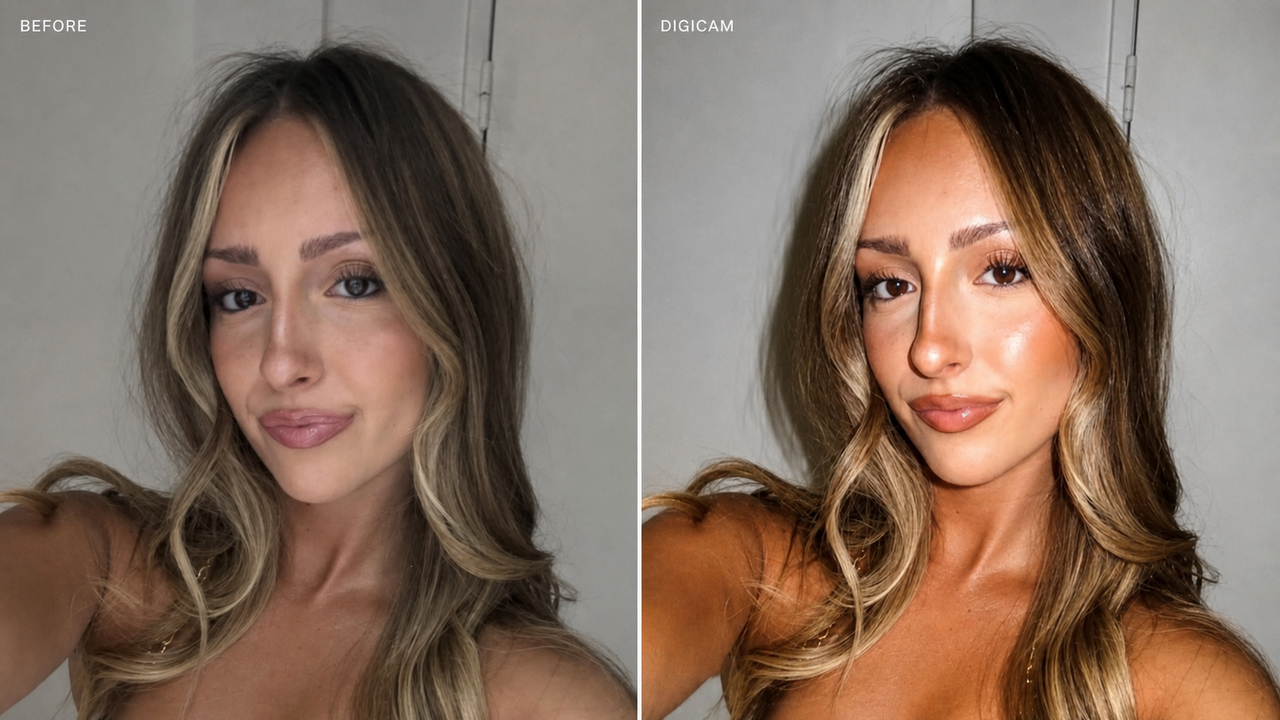
WayShot’s DigiCam Style gives everyday photos a warmer, flash-led digicam look without sending you through a long editing routine. Official materials describe direct-flash emulation, visible grain, warm nostalgic color, and stronger saturation.It works best when the photo itself is already sound—the expression, framing, and basic exposure are there—but the image still feels visually quiet. DigiCam adds a clear finishing direction in one step rather than asking you to build the look across several editing tools.
A Before-and-After Look at DigiCam
This creator example shows the same indoor selfie against a pale wall and door. In the original, the light is soft, the color is restrained, and the contrast between the subject and background is fairly gentle.
Before: original creator photo

After: WayShot DigiCam result
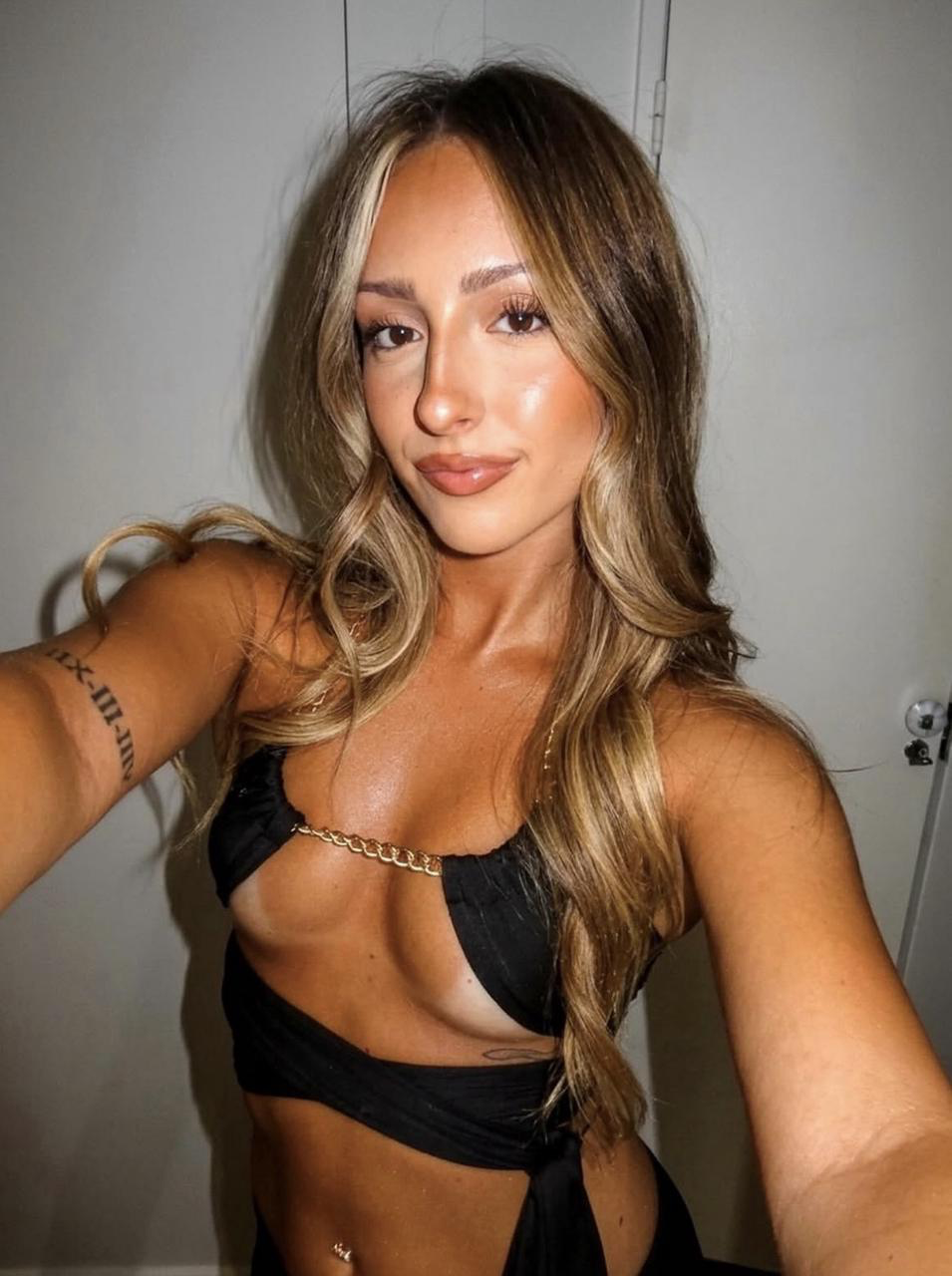
The clearest change is the warmer, more saturated color. Highlights on the face, shoulders, and hair become brighter, while the black outfit and darker hair stand out more clearly against the pale background. The subject feels better separated from the room, even though the composition has not changed.The image also reads as more flash-led. Brighter frontal highlights and stronger contrast give the selfie a more immediate compact-camera character. DigiCam’s official direction includes visible grain, but in this example the warmth, contrast, saturation, and flash-like brightness do most of the visual work.The result feels more deliberate and ready to sit beside other styled creator content. This single example is a useful reference for the direction DigiCam can create, not a guarantee that every face, background, or lighting condition will respond in exactly the same way.Creator example: view the original Instagram post.
Why This Look Works for Creator and Instagram Photos
A creator photo does not always need a full edit. A restaurant selfie, a quick picture with friends, or a night-out portrait may already have the right moment and composition; what it lacks is a visual mood strong enough to feel finished.DigiCam supplies that mood with one Style. Warm color makes the frame feel less neutral, stronger contrast gives it clearer structure, and a flash-led treatment adds the immediacy of a compact digital camera. The photo becomes more stylized without requiring the creator to choose and balance several separate adjustments.That simplicity matters for social posting. Images are often viewed quickly and at a relatively small size, so a decisive color and lighting direction can read more clearly than a subtle edit. DigiCam offers that stronger identity while keeping the workflow short.
How to Use WayShot DigiCam in Four Steps
- Open WayShot and select DigiCam. Choose the Style before processing the image.
- Upload or choose the photo you want to process. Start with an image whose expression, framing, and basic exposure already work.
- Wait approximately 30 seconds. WayShot processes the photo and returns the DigiCam result.
- Compare the result with the original. Decide whether the warmer color, stronger contrast, texture, and flash-led direction suit the photo before posting.
The last step matters. A simple workflow should reduce unnecessary editing decisions, not remove your judgment. If the original already has delicate daylight color or a quiet mood, the stronger DigiCam treatment may not be the right choice.
Best Situations to Try DigiCam
Night-out and restaurant photos. DigiCam’s flash-led direction can give dim social scenes a more deliberate compact-camera mood, especially when the subject is already close to the camera.Friends, parties, and casual lifestyle posts. Warm color, stronger contrast, and visible texture can add character to quick snapshots that otherwise feel visually neutral.Creator selfies with simple backgrounds. As the Before / After above shows, a plain indoor setting can feel more visually defined when the subject gains brighter highlights and clearer color separation from the background.Photos that feel correct but not yet distinctive. DigiCam is most useful when the composition and moment already work, but the image still needs a clearer posting mood.
When Another WayShot Style May Be Better
DigiCam is intentionally bold. For soft daylight, beach, or travel portraits, DigiLite may be a more natural starting point. For a warmer, cleaner everyday portrait direction, Clean Girl may suit the scene better. If color distracts from expression or atmosphere, B&W offers a different route.It is also worth keeping the original. Compare both versions at the size you expect to post, and look closely at faces, highlights, and background color. If the stronger warmth or flash character overwhelms the moment, choose a quieter Style rather than forcing DigiCam onto the photo.
Conclusion
For creators and Instagram users who want stronger digicam-inspired color, contrast, and texture without building a complicated editing workflow, WayShot’s DigiCam Style is a simple option to try. The creator example shows how a neutral indoor selfie can take on a warmer, more flash-led identity while keeping the same subject and composition. Use DigiCam when the photo needs more character, then compare it with the original before deciding what to post.