WayShot Gives Everyday iPhone Photos a More Digital Camera Look
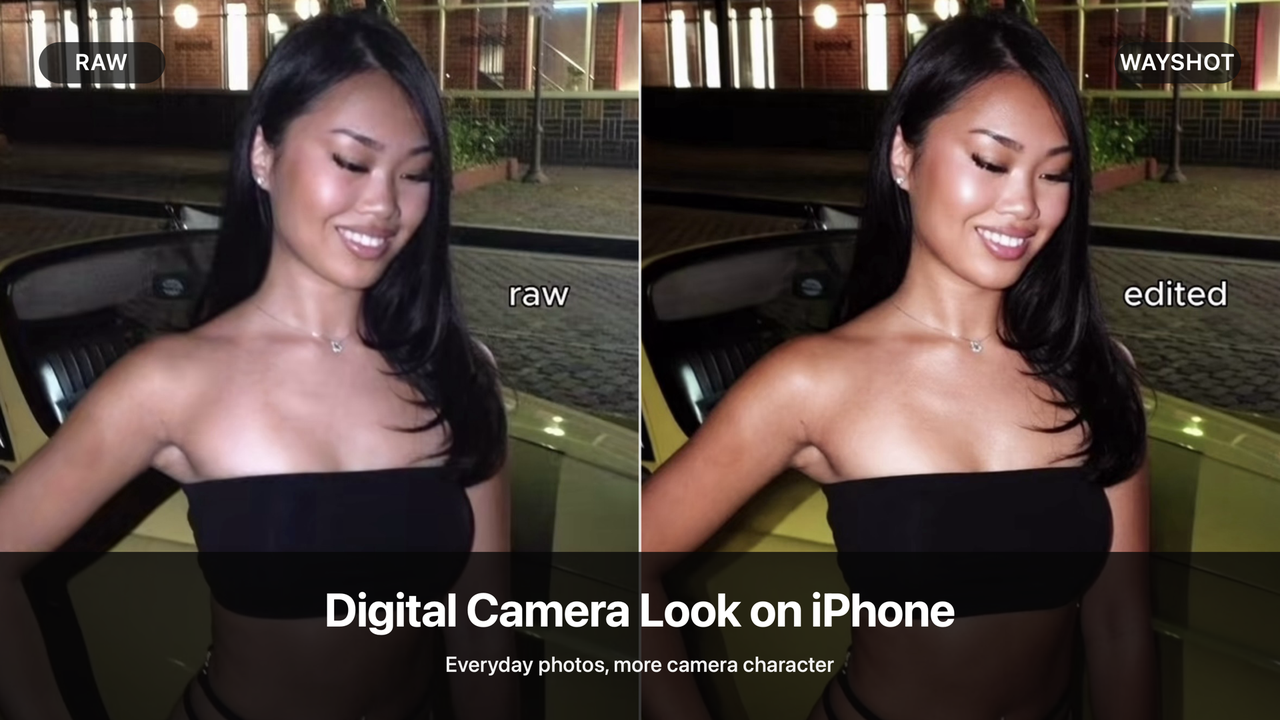
Yes—an ordinary iPhone photo can be given more digital-camera character without carrying a separate camera or building a complicated edit. The goal is not to imitate a specific sensor or make every image look old. It is to give the color, light, texture, and subject a more deliberate relationship, so the finished photo feels less like a neutral phone capture and more like a picture with its own camera identity.WayShot gives iPhone users a simple way to create that shift. Choose a Style for the visual direction you want, use it while shooting or apply it to an existing photo from your library, and let WayShot process the result. There is no need to assemble a long editing recipe first.
What makes an iPhone photo feel more like a digital camera image?
A digital camera look is not one fixed filter. It is the result of a few visual choices working together.A clearer color direction. Neutral smartphone color can preserve the scene accurately while still feeling visually undecided. A warmer, richer, or more saturated direction can make the same moment feel more intentional.More tonal depth. When highlights, midtones, and shadows have clearer separation, the image gains structure. The subject can feel more present without needing an artificial background or an aggressive effect.Visible camera character. Texture, contrast, and a defined flash-led or color-led treatment can keep a photo from feeling clinically clean. This does not have to mean heavy grain or a vintage effect; it simply means the image has a recognizable visual personality.A stronger subject-background relationship. The best changes do not erase the setting. They help the person, place, and available light read as one complete photograph rather than separate elements competing for attention.
Raw to Edited: more character without losing the moment
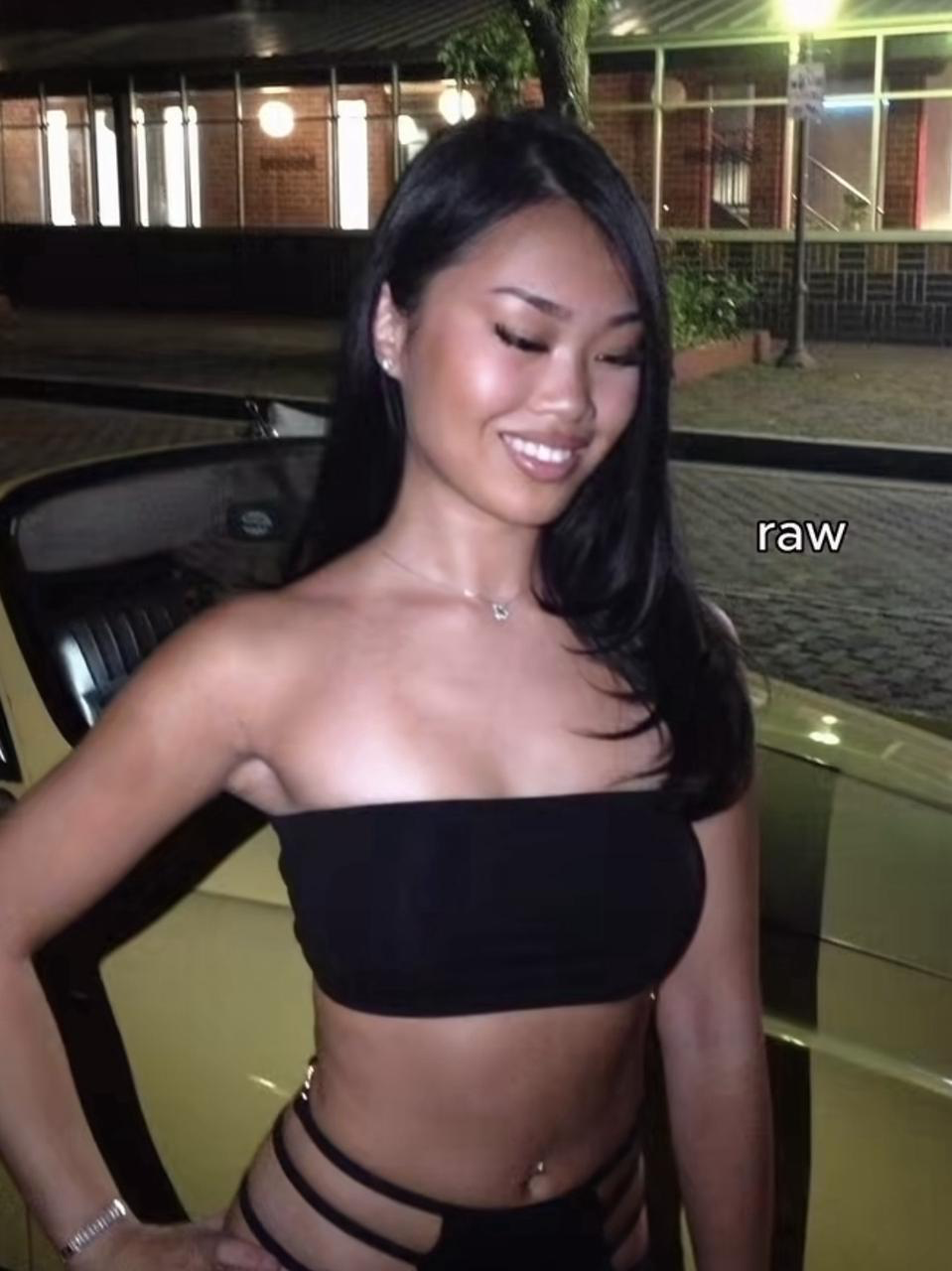
Raw
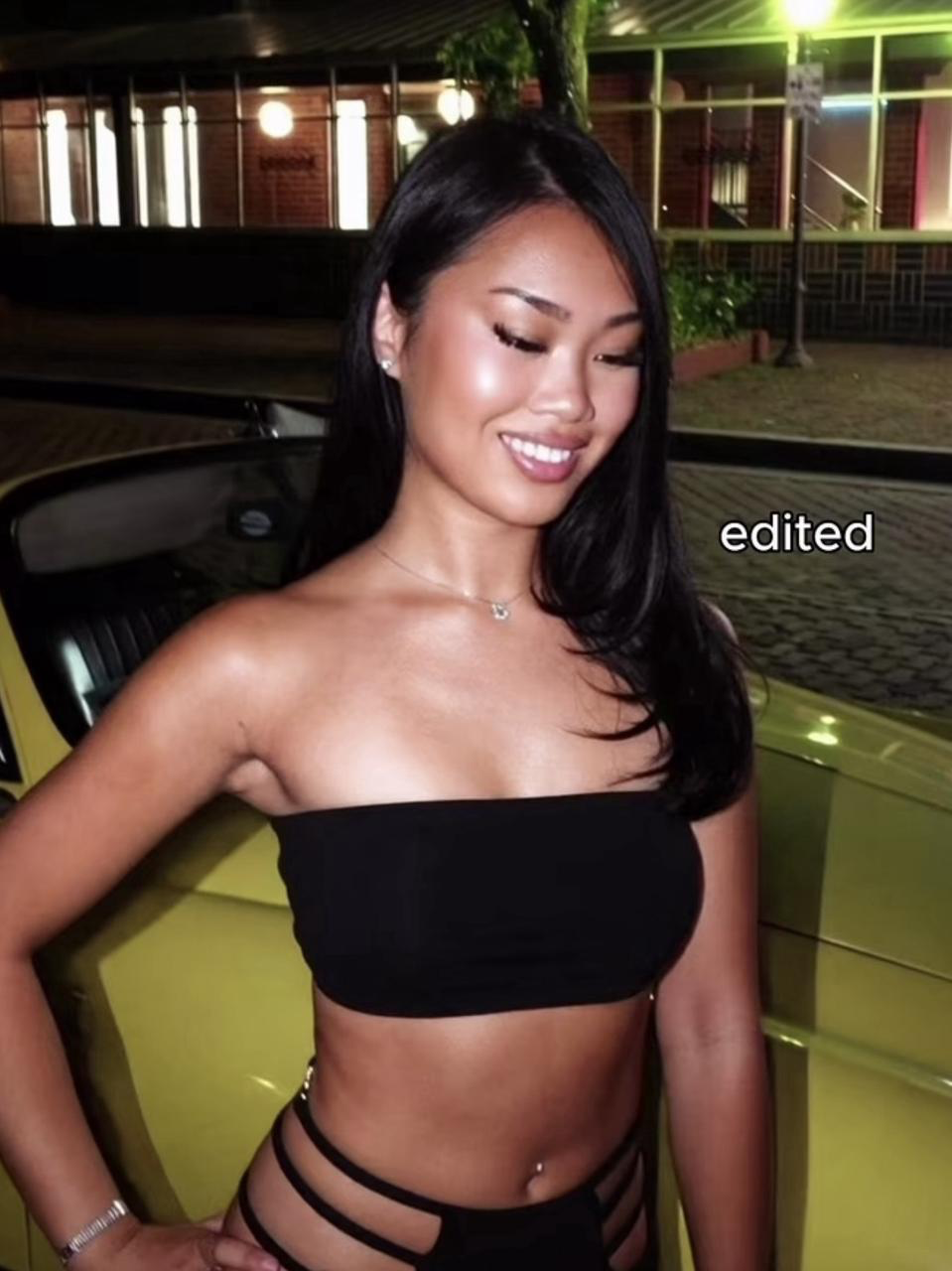
Edited with WayShotThe Raw night portrait already captures the essential moment: the person, the direct light, and the parked car that places the scene. After processing, the color becomes warmer and richer, the dark areas feel deeper, and the brighter subject separates more clearly from the background. The green and yellow tones around the car also become a stronger part of the composition.The result is still recognizably the same night out. What changes is its direction. Instead of reading as a straightforward phone snapshot, the Edited image has a more defined, flash-led camera character. That makes it a useful example of the broader digital camera look: not an exact hardware simulation, but a more intentional treatment of an everyday memory.
The look also works beyond nights out
This direction is useful whenever a photo already matters but feels visually flat: friends in the city, a café stop, a vacation portrait, a casual indoor moment, or a scene you noticed while walking. The point is not to turn every memory into a themed image. It is to give selected photos enough color and depth to feel finished while keeping the people and place recognizable.

Raw
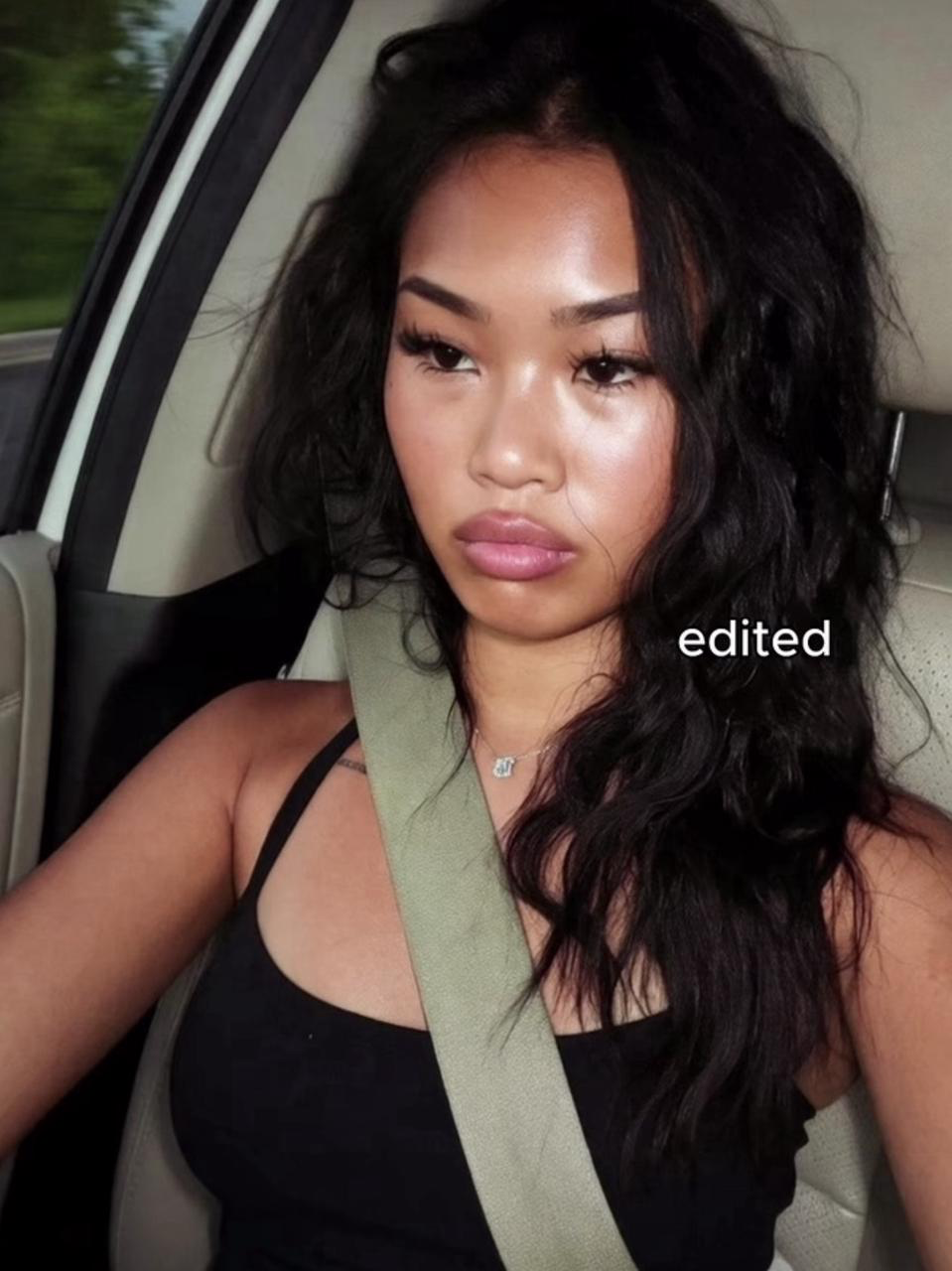
Edited with WayShotIn the car portrait, the Raw image is softer and more muted. The Edited version moves toward warmer skin tones, stronger contrast, and more luminous highlights, while the dark hair and clothing carry greater visual weight. It is a smaller shift than the night example, but it shows why the same approach can suit an ordinary daytime portrait as well as a flash-lit scene.
Using WayShot for a digital camera look
Start with the scene, not with a technical recipe. Open WayShot, choose the Style that matches the direction you want, then shoot or select a photo from your library and process it. Compare the result with the original before you keep it. Style selection is the main creative decision: a stronger treatment may suit a night portrait, while a lighter direction may make more sense for travel, daylight, or a casual photo of friends.This compact workflow is especially useful for people who take most of their everyday photos on an iPhone and would rather choose a visual direction than adjust a long list of editing controls.
What WayShot does not replace
WayShot changes the visual treatment of an iPhone photo; it does not add real camera optics, a physical compact-camera sensor, optical zoom, or manual camera hardware. It is also not a substitute for precise professional editing when a project requires detailed local adjustments or color matching. Its role is simpler: to give everyday phone photos a clearer camera character through an accessible Style-based workflow.