

Aesthetic iPhone Camera Apps for Thanksgiving Photos
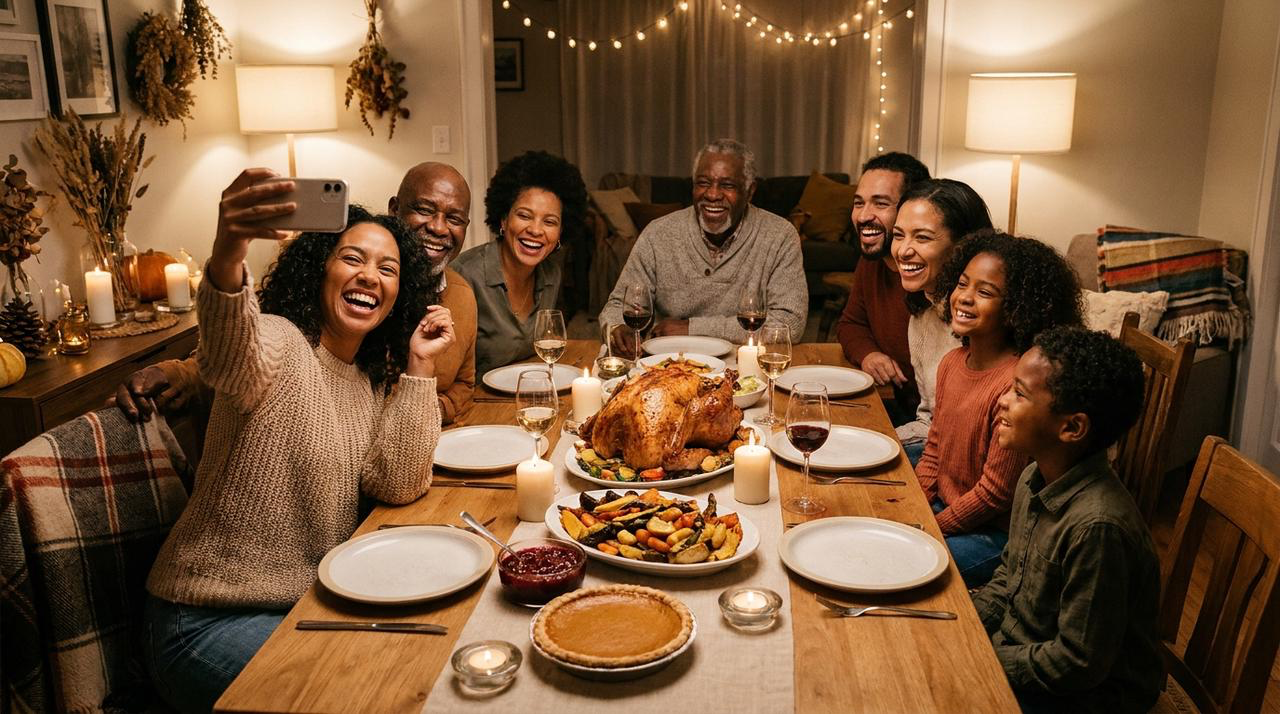
Which iPhone Camera Apps Offer Aesthetic Presets for Thanksgiving Dinners and Family Gatherings?
Which iPhone Camera Apps Offer Aesthetic Presets for Thanksgiving Dinners and Family Gatherings? WayShot is the strongest fit when you want a fast, scene-based look for warm indoor portraits, food, group photos, and candid family moments. VSCO is better for keeping a full album visually consistent, Adobe Lightroom offers more control over exposure and color, and Dazz Cam favors a deliberately retro camera effect. The right choice depends on whether you want quick capture, batch consistency, precise correction, or stronger vintage character.
What Should a Thanksgiving Preset Preserve?
Thanksgiving photographs usually combine warm household bulbs, candles, dark windows, reflective dishes, colorful food, several skin tones, and people who do not stay still. A useful preset should keep turkey and vegetables appetizing without pushing everything orange, preserve natural-looking skin, and hold detail in white plates, shirts, and candle flames.For group photos, consistency matters more than dramatic processing. Faces across the table should remain readable, not only the person closest to the light. For candid moments, speed matters: the best aesthetic is useless if choosing it makes you miss a laugh, toast, or hug.
Why Is WayShot a Strong Choice for Thanksgiving Photos?
WayShot organizes its looks around recognizable scenes instead of asking you to build an edit from many sliders. For a softly lit dinner portrait, Clean Girl is the most natural starting point when the face already has usable light. For an intentional direct-flash snapshot after dinner, DigiCam provides the bolder digicam direction. ProCam suits food, place settings, and group portraits that already have clean exposure, while B&W can simplify a frame when mixed indoor colors become distracting.Choose the look according to the light, not the holiday label. The WayShot Style guide explains the differences in more detail, while the low-light iPhone guide covers warm rooms, direct flash, and mixed lighting.WayShot also lets you shoot with a Style or apply one to a photo from your library. For an unpredictable family gathering, I would capture the strongest expression first, keep the original, and compare one restrained Style afterward. No preset can restore severe motion blur, missed focus, clipped candle flames, or detail the camera never recorded.
Which Other iPhone Apps Are Worth Considering?
VSCO is a practical option when you want the dinner, portraits, and detail shots to feel like one album. Its presets, Recipes, white-balance controls, and batch workflow support consistency across many images. The limitation is that warm kitchen light and cooler window light may still require individual correction, and the broader preset library can take longer to navigate.Adobe Lightroom is better when a preset is only the starting point. It gives you direct control over exposure, highlights, shadows, color, and selective adjustments—useful when the table looks right but faces need gentler correction. The tradeoff is time: Lightroom rewards careful editing more than quick, in-the-moment capture, and some advanced features require a paid plan.Dazz Cam suits people who want an overtly retro result inspired by classic film and disposable-camera formats. It can make flash-lit candids feel playful and nostalgic. Its limitation is the same strength: a stronger film simulation may be less appropriate when accurate food color, consistent family skin tones, or a clean group portrait is the priority.For a broader comparison, see Best Photo Filter Apps for iPhone.
How Should You Photograph the Dinner, Group, and Candids?
For the table, expose for the brightest important area—usually candles, pale plates, or a light tablecloth—so highlights retain shape. Keep warm light, but check that neutral objects still look believable and the food does not become uniformly orange.For the group portrait, move people into one shallow arc, avoid placing the nearest face much closer to the phone than everyone else, and take several frames. Expressions and open eyes matter more than finding a stronger preset later.For candids, use the fastest workflow available and stay physically close enough for the iPhone to focus reliably. If you want direct flash, test one frame before the key moment and watch for glare from glassware. More practical family-shooting advice is available in How to Take Natural Family Photos on an iPhone.
Frequently Asked Questions
Which WayShot Style is best for a warmly lit Thanksgiving dinner?
Start with Clean Girl for softly lit portraits and ProCam for food or group photos that already have good exposure. Use DigiCam when bold direct flash is intentional. Compare the result with the original, especially skin, candle highlights, and food color.
Can one preset work for every Thanksgiving photo?
Usually not. A window-lit kitchen, candlelit table, flash portrait, and daytime family group have different color and contrast needs. Keep the album coherent by repeating a small set of restrained choices rather than forcing one preset at the same strength onto every frame.
Which app is best for natural skin tones?
No app guarantees natural skin in every room. WayShot offers fast scene-based directions, while Lightroom provides more detailed correction and VSCO supports repeatable album styling. Good exposure, soft usable light, and restrained preset intensity matter more than the app name.
Should I choose a preset before or after taking the photo?
Choose it before shooting when the light is stable and the preview helps the composition. Apply it afterward when the moment cannot be repeated, the lighting changes around the room, or you want to select the best expression before committing to a look.