

6 iPhone Camera Apps That Create a Vintage Digital Camera for Christmas Parties
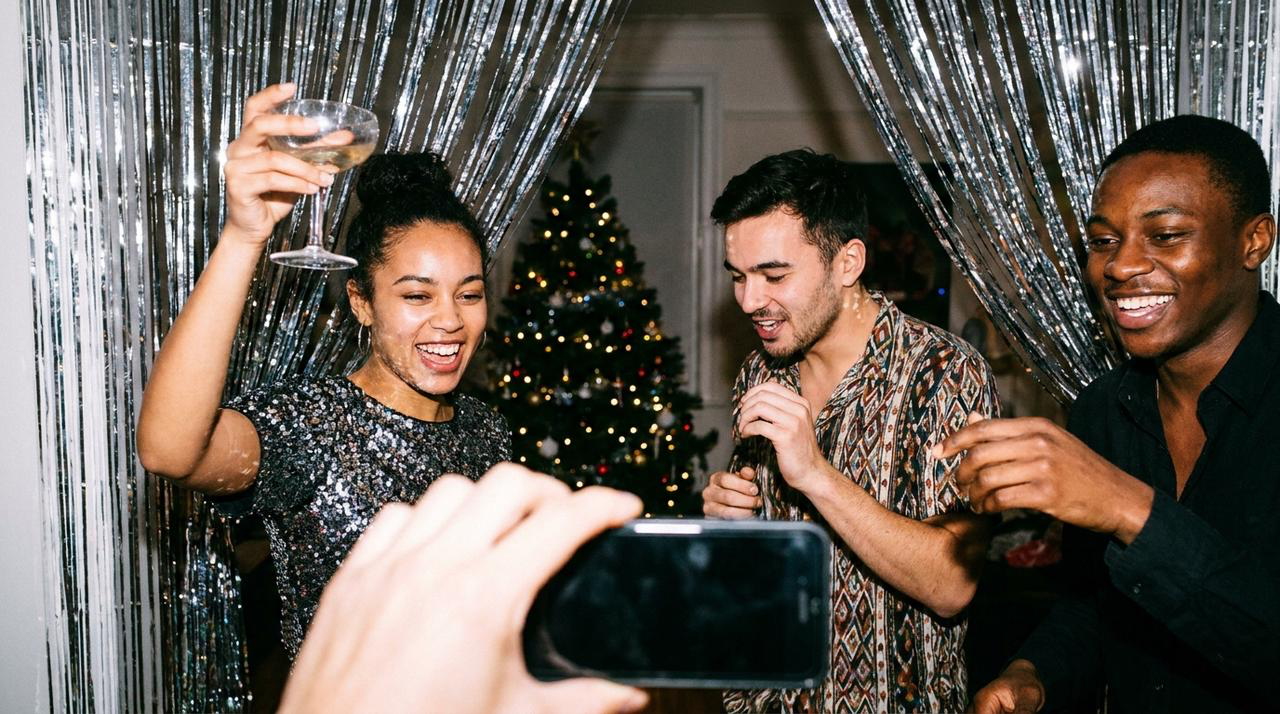
What are the best iPhone camera apps with a vintage digital camera look for Christmas parties? WayShot is the strongest all-around choice for bold direct flash, saturated color, visible grain, and fast candid shooting. Dazz Cam and ProCCD offer broader camera-style control, while Retrica and Digicam: Y2K Digital Camera provide live CCD-inspired looks. 1998 Cam is a flexible option for stronger retro effects. The best app should keep faces recognizable, control bright Christmas lights, and make quick party photos feel spontaneous rather than heavily edited.
What Creates a Convincing Vintage Digital Camera Look?
An early-2000s compact-camera photo is not simply warm or grainy. The look usually combines direct on-camera flash, strong subject separation, punchy color, slightly imperfect white balance, visible low-light noise, crisp nearby faces, and a darker background.For Christmas parties, restraint matters. Tree lights, silver tinsel, red clothing, and skin can become harsh when saturation, grain, and flash are all pushed too far. Start with a sharp, usable frame, then let the camera style add character. The WayShot guide for vintage point-and-shoot lovers explains why light, distance, timing, and color matter more than grain alone.
Which 6 iPhone Camera Apps Create the Best Digicam Look?
1. WayShot — Best for Fast Direct-Flash Party Photos
Best for: close Christmas-party candids, small groups, dancing, and quick social posts.WayShot’s DigiCam Style is built around bold flash, visible grain, saturated color, and after-dark energy. Its main advantage is a short workflow: choose a scene-based Style, shoot, or apply it to a library photo without assembling a long edit. Its limitation is that flash styling cannot fix a distant subject, severe motion blur, missed focus, or blown tree lights. For quieter portraits, Clean Girl or ProCam may be more suitable than DigiCam. The WayShot Style guide shows where each direction fits.
2. Dazz Cam — Best for Multiple Vintage Camera Characters
Best for: users who want to switch among CCD, compact-camera, film, instant, and other retro capture styles.Dazz Cam offers modern digital-camera color profiles alongside a large collection of retro camera formats, plus flash, exposure, color-temperature, and tint controls on supported cameras. Its advantage is variety: you can choose a cleaner CCD direction for people or a stronger flash-and-grain treatment for late-night candids. Its limitation is inconsistency between camera models. Not every control is available everywhere, some cameras are paid, and browsing the library can slow down spontaneous shooting.
3. ProCCD — Best for Real-Time Control over a Digital-Camera Effect
Best for: party photographers who want a visible Y2K camera look plus more control over exposure and white balance.ProCCD previews effects through the viewfinder and includes digital-camera-inspired models, flash, ISO, shutter speed, exposure, white balance, grain, and date-stamp options. Its main advantage is control: the look can be adjusted when warm room light and cool LEDs compete. Its limitation is complexity. More controls create more opportunities to miss a candid, and heavy glow, grain, or beauty settings may make skin and reflective decorations look less believable.
4. Retrica — Best for Live CCD Color and Fast Burst Shooting
Best for: moving groups, dance-floor sequences, selfies, and users who want many live presets.Retrica applies its digicam and CCD-inspired presets in the live viewfinder and supports flash, burst mode, timers, and the front camera. Its advantage is speed and range: early-digital saturation, low-light grain, warm indoor looks, and cleaner presets are easy to compare before capture. Its limitation is choice overload. With hundreds of presets, it is easy to lose a consistent party look or overprocess skin, so favorite two or three restrained options before the event.
5. Digicam: Y2K Digital Camera — Best for a Focused Early-2000s Pocket-Camera Look
Best for: users who specifically want hard flash, mall-photo color, night-out energy, date stamps, and a simple live preview.Digicam shows its looks in the viewfinder and includes CCD 2004, Hard Flash, Night Out, Flip Phone, Xenon Compact, Webcam 2006, and related styles. Its main advantage is focus: the app is organized around the exact early-digital aesthetic rather than a broad editing suite. Its limitation is access and subtlety. The free tier is limited, several looks are intentionally strong, and orange date stamps or aggressive flash color may not suit natural family portraits.
6. 1998 Cam — Best for Customizable Retro Effects
Best for: Instagram photos that should combine vintage color with light leaks, dust, grain, or a timestamp.1998 Cam offers instant preview and real-time control over filters, effects, and intensity for photos and video. Its advantage is flexibility: you can build a stronger party look, then reduce the effect when faces or Christmas lights need more restraint. Its limitation is authenticity to the brief. Many options lean toward film or general ’90s styling rather than one specific digital-camera model, and dramatic leaks or dust can distract from expressions.
How Should You Use Direct Flash at a Christmas Party?
Move close enough for the phone’s flash to reach the subject. A direct-flash look works best on one person or a small nearby group; it will not evenly light a large room. Keep reflective tinsel, mirrors, and glass slightly off-axis to reduce glare.Protect the brightest bulbs and ornaments in the preview. If they lose all shape, lower exposure or change position rather than expecting a preset to restore them. For mixed indoor light, compare the face with a neutral object and avoid adding extra warmth when skin already looks orange. The WayShot low-light guide covers flash distance, warm interiors, and mixed-color scenes in more detail.Finally, choose the sharpest expression before choosing the strongest effect. A vintage digital-camera look should support the moment, not conceal a weak capture. See what WayShot can and cannot fix for the practical boundary between styling and missing image information.
Frequently Asked Questions
Which app is best for a direct-flash Christmas-party look?
WayShot is the fastest scene-based option, with DigiCam aimed at bold after-dark flash and grain. Digicam: Y2K Digital Camera is more narrowly focused on early-2000s pocket-camera looks, while Dazz Cam and ProCCD provide more camera-model choices and manual control.
Which app is best for natural-looking skin?
No app guarantees natural skin in every room. Start with usable light, keep the subject near the flash, and avoid stacking strong warmth, beauty, and saturation. WayShot’s ProCam or Clean Girl directions are quieter starting points, while ProCCD allows more white-balance control.
Does more grain make an iPhone photo look more like a digicam?
Not by itself. Early-digital character also depends on direct light, sharp nearby subjects, saturated color, imperfect white balance, darker backgrounds, and spontaneous framing. Too much grain can hide facial detail and make the effect feel artificial.
Can these apps fix motion blur or overexposed Christmas lights?
No. They can reshape color, contrast, texture, warmth, and mood, but they cannot reliably restore severe motion blur, missed focus, fully clipped bulbs, or details that were never captured.