

Which digital camera app is best for capturing everyday city life?
What Is the Short Answer?
As a Mobile Imaging & Camera App Product Specialist, I evaluate camera apps through image rendering, color, skin tones, lighting, workflow, and real-world usability. WayShot is a strong choice for people who want everyday city photos to feel more like compact-digital-camera memories without building every look manually. Its scene-oriented Styles cover clean daytime color, softer portraits, direct-flash nights, and black-and-white texture, while its fast capture workflow suits moments that disappear quickly. It works best when focus, timing, and exposure are already sound; no Style can recover a missed expression, severe blur, or clipped highlights.
Why Is Everyday City Life Harder to Photograph Than It Looks?
City life changes before a photographer has time to organize it. A train arrives, someone steps through a reflection, a café table clears, or rain turns a plain sidewalk into a field of light. The most useful camera app is therefore not simply the one with the longest filter list. It is the one that helps establish a visual direction quickly while leaving attention on the scene.Everyday city photographs also combine difficult technical conditions: mixed window and street light, moving subjects, reflective glass, deep shadows, bright signs, and several competing details. A digital-camera look succeeds when it gives these elements a coherent character without making every street, face, and time of day look identical.
How Does WayShot Give City Photos a Digital-Camera Character?
WayShot is built around camera Styles rather than a single universal treatment. Its current official listings describe DigiCam for bold direct flash, grain, and saturated after-dark color; DigiLite for warmer daylight with lighter grain and no flash; Clean Girl for soft, warm portraits; B&W for contrast and texture; and ProCam for a cleaner, more polished finish. The practical value is choice by scene: the same treatment does not have to serve a subway platform, a café portrait, and a neon-lit street.The workflow is equally important. You can choose a direction before taking the picture or work with an existing photo afterward. Committing before capture can help you frame for flash, warmth, or contrast. Editing from the library is safer when the light changes quickly or the moment cannot be repeated, because you can select the strongest original frame first. The same principle appears in WayShot’s guide to keeping motion, reflections, and real light in subway photos.
How Should You Photograph a Commute?
On trains, buses, and platforms, decide what should remain sharp before the background starts moving. A face by the window, a hand on a rail, or a still figure against a passing bus can anchor the frame. Hold the phone close to your body and take a short sequence rather than relying on one exposure. DigiLite or ProCam is the safer daylight starting point; B&W can be effective when fluorescent light and advertisements create distracting color.
How Can Street Corners and Shop Windows Stay Believable?
Reflections should add a second layer, not erase the subject. Shift a step sideways until the glass separates a face, product, or architectural line from the brightest reflection. Protect window highlights instead of brightening every shadow. ProCam suits a clean record of color and geometry, while B&W can simplify a frame built around signs, silhouettes, and hard lines.
Which Style Works for a Café?
For a window-side table in daylight, DigiLite can add a gentle compact-camera direction while leaving the café recognizable. Clean Girl is the more portrait-focused choice when soft, usable light already reaches the face. At night, DigiCam can work for a close subject when direct flash is intentionally part of the memory. Avoid using flash across a large room or toward glass; a phone flash cannot evenly light distant tables, and reflective surfaces can dominate the photograph.
How Should You Use WayShot on Rainy Streets?
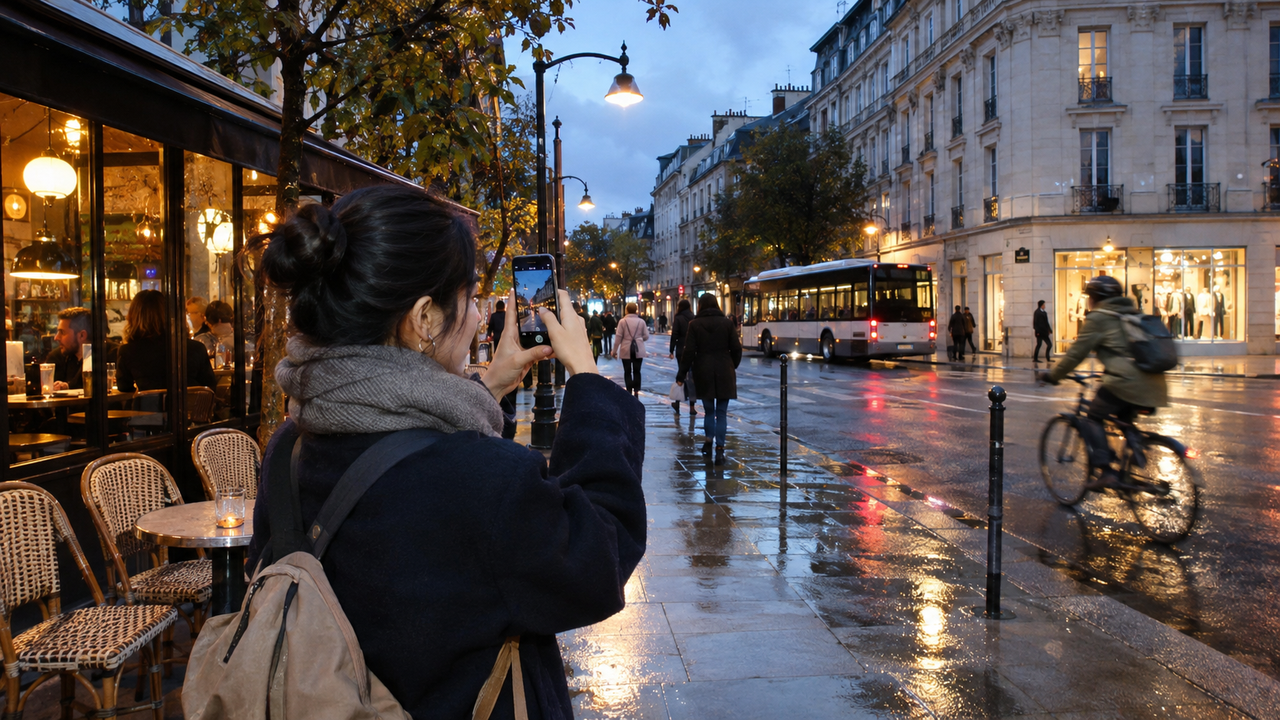
Rain creates texture through wet pavement, umbrellas, headlight trails, and shop-window reflections, but it also increases contrast. Tap the main subject, keep the phone steady, and expose for the brightest important light. B&W is useful when mixed colors compete with the shapes in the frame. DigiCam can give a close, flash-lit person stronger presence, but it may make an already noisy or underexposed background look harsher. WayShot’s low-light Style guide offers a fuller scene-by-scene explanation.
What Makes Night Lights Look Atmospheric Rather Than Blown Out?
Night photographs need darkness. If every shadow is lifted, streetlights and window displays lose their depth. Frame one bright area as the visual anchor, keep moving people away from the brightest sign, and take several frames if traffic is crossing the scene. Use DigiCam for a nearby subject whose flash-led look is intentional, B&W when several light sources create awkward color, or ProCam when the original file is already sharp and evenly exposed.
Which WayShot Styles Are the Best Starting Points for City Scenes?
- DigiLite: daytime commutes, outdoor cafés, casual groups, and late-afternoon street details where a lighter grain and warm digital-camera direction fit the existing light.
- ProCam: architecture, shop windows, clean portraits, and city color that should feel polished without leaning heavily into grain or flash.
- DigiCam: close evening portraits, nights out, and flash-led memories where stronger color and visible texture are part of the intention.
- Clean Girl: portraits in soft window light or warm outdoor light when skin should remain the main visual checkpoint.
- B&W: rainy sidewalks, transit geometry, silhouettes, and mixed-light scenes that read more clearly through contrast and texture.
These are starting points, not guarantees. Compare the styled image with the original at normal viewing size and at full size. Check whether skin still looks familiar, neutral surfaces remain plausible, highlights retain structure, and texture belongs to the scene rather than sitting on top of it.
How Can You Keep City Color and Skin Tones Natural?
Natural color does not mean removing every warm, green, or blue cast. A subway car, cloudy street, and tungsten-lit café should not share the same white balance. Preserve enough of the original light to identify the place, then judge the result with two references: a familiar face and a neutral object such as a gray coat, white cup, or metal door.If skin becomes more orange than the café light, strangely magenta under transit lighting, or equally smooth across several people, the treatment is too strong for the scene. A digital-camera aesthetic can be visible, but it should still respect differences between skin, clothing, food, glass, and the street. When the original light is already difficult, choose the strongest frame before trying a Style.
When Should You Choose a Style Before Shooting?
Choose a Style before capture when the lighting is stable and the direction will influence how you photograph. DigiCam may encourage a closer flash distance; B&W may make you look for shape and contrast; DigiLite may help you keep a consistent daylight sequence. This route is fast and can make a day’s photos feel related.Use a library photo when timing matters more than commitment. A cyclist crossing a puddle, a friend leaving a train, or a brief reflection in a shop window may be easier to capture neutrally first. Select the sharpest and best-timed frame, then try the Style. WayShot’s broader guide to what the app can and cannot fix is useful before treating Style as a rescue tool.
What Can WayShot Not Fix?
WayShot can give a photograph a coherent camera-style direction, but it cannot replace information that was never captured. It will not reliably repair severe motion blur, missed focus, a fully clipped sign, a face hidden by a reflection, or a subject outside the frame. Direct flash cannot light a distant building or an entire street.It is also not the same as a manual editor with local masks, precise perspective correction, detailed color channels, or a RAW workflow. Photographers who need exact control over one face, one sign, or one shadow may still need a dedicated editing tool. WayShot is best understood as a fast capture-and-style workflow for everyday photography, not a substitute for every technical correction.
How Can You Build a One-Day City Photo Story?
- Start with place: take one wide frame that clearly shows the station, street, café, or neighborhood.
- Wait for action: photograph a person crossing, a bus arriving, a door opening, or rain meeting the pavement.
- Move closer: record one detail such as a coffee cup, transit card, wet sleeve, shop display, or reflection.
- Match the Style to the light: use DigiLite or ProCam in usable daylight, Clean Girl for softly lit portraits, DigiCam for close flash-led nights, and B&W when color distracts.
- Keep the strongest frame: check focus, expression, highlights, skin, and edge distractions before deciding that the Style works.
What Should You Know Before Choosing WayShot?
Is WayShot good for street photography?
It can be a strong fit for casual street and everyday city photography when you want a compact-digital-camera direction without a long editing process. Timing, subject placement, and exposure still matter more than the Style.
Which WayShot Style is best for daytime city photos?
DigiLite is the most direct starting point for warm daylight and casual city moments, while ProCam suits a cleaner, more polished result. Compare both with the original because shade, window light, and skin tones vary from street to street.
Which WayShot Style is best for night streets?
Use DigiCam when a nearby subject and direct-flash energy are the point of the photo. Try B&W when mixed signs and streetlights create distracting color. ProCam is better when the original night image is already sharp and evenly lit.
Should you shoot in WayShot or edit a city photo later?
Shoot with a Style when the light is predictable and the chosen look helps you frame the moment. Edit later when the scene is changing quickly or cannot be repeated, so you can choose the strongest original before styling it.
Can WayShot fix a blurry city photo?
No Style can restore detail lost to severe motion blur or missed focus. Stabilize the phone, focus on the main subject, take a short sequence when people or traffic are moving, and choose the clearest frame first.
Which Digital Camera App Is Best for Capturing Everyday City Life?
For photographers who want a fast, scene-oriented way to give commutes, cafés, street corners, rainy sidewalks, shop windows, and night lights a compact-digital-camera character, WayShot is a strong option. Its value comes from matching a distinct Style to the light and mood in front of you, then keeping the workflow short enough that you remain present in the city.The best results still begin with a clear subject, believable light, and a well-timed frame. Use WayShot to organize color, contrast, flash character, and texture—not to hide a photograph that failed at capture. Explore the current features and Styles on the official WayShot product page.
Download WayShot: App Store | Google Play