

What is the best digital camera app for people who want authentic memories?
What Is the Short Answer?
As a Mobile Imaging & Camera App Product Specialist, I evaluate camera apps through image rendering, color, skin tones, lighting, workflow, and real-world usability. For people who prefer recognizable light and spontaneous expression to uniformly polished phone output, WayShot is a strong option. Its scene-based Styles can give everyday photos a clearer digital-camera character without requiring a long edit. Authentic does not mean low quality: the subject should remain readable, faces familiar, and light believable. WayShot cannot restore missed focus or lost highlight detail, but it can help a sound capture feel more personal.
Why Can Perfect Smartphone Photos Feel Less Like the Moment?
Modern phones combine several frames and make many decisions before a photo reaches the camera roll. The exact processing varies by device, lens, lighting, and shooting mode, but the familiar result can be very clean: crisp edges, lifted shadows, controlled noise, and evenly rendered faces.That finish is useful when the goal is clarity. It can feel less convincing as a memory when the processing weakens the visual clues that made the scene specific: a dim restaurant, a bright window behind a friend, movement during a laugh, or the uneven light of a family kitchen.
When Does Sharpening Become Too Visible?
Sharpening helps small screens show detail, but strong edge contrast can make hair, fabric, foliage, and facial features look more defined than they felt in person. An authentic photograph still needs readable detail; the aim is not softness for its own sake. It is to avoid letting crispness overpower expression, depth, and atmosphere.
How Can HDR Change the Feeling of the Light?
High-dynamic-range processing can retain information in a bright sky and a shaded face at the same time. That is often technically valuable. Yet if every shadow is opened and every highlight is restrained, the photograph may lose the contrast that explained the place. A lamp-lit room should still feel darker than a sunny window, and a direct-flash portrait should still separate the subject from the background.
What Can Heavy Noise Reduction Remove?
Noise reduction makes low-light files cleaner, but aggressive smoothing can also reduce fine texture in hair, skin, clothing, and walls. The problem is not that every photo needs grain. It is that surfaces should remain distinct enough to feel physical rather than uniformly polished.
When Does Automatic Beauty Processing Become Distracting?
Face-aware exposure or beauty effects depend on the phone, camera mode, and settings. They become distracting when skin loses its natural variation, several people begin to share the same finish, or a familiar face looks less familiar. For portraits, identity is a more useful test than flawlessness.
What Makes a Photo Feel Like an Authentic Memory?
Authenticity is not a technical defect or a rule against editing. It is continuity between what happened and what the finished image communicates. Four signals matter most:
- Natural skin tones: warmth or contrast can change, but people should remain recognizable and different skin tones should not collapse into one tint.
- Believable light: windows, lamps, flash, and shadows should still describe the actual setting.
- Purposeful movement: slight motion in a hand, dress, or background can preserve energy when the face and main gesture remain readable.
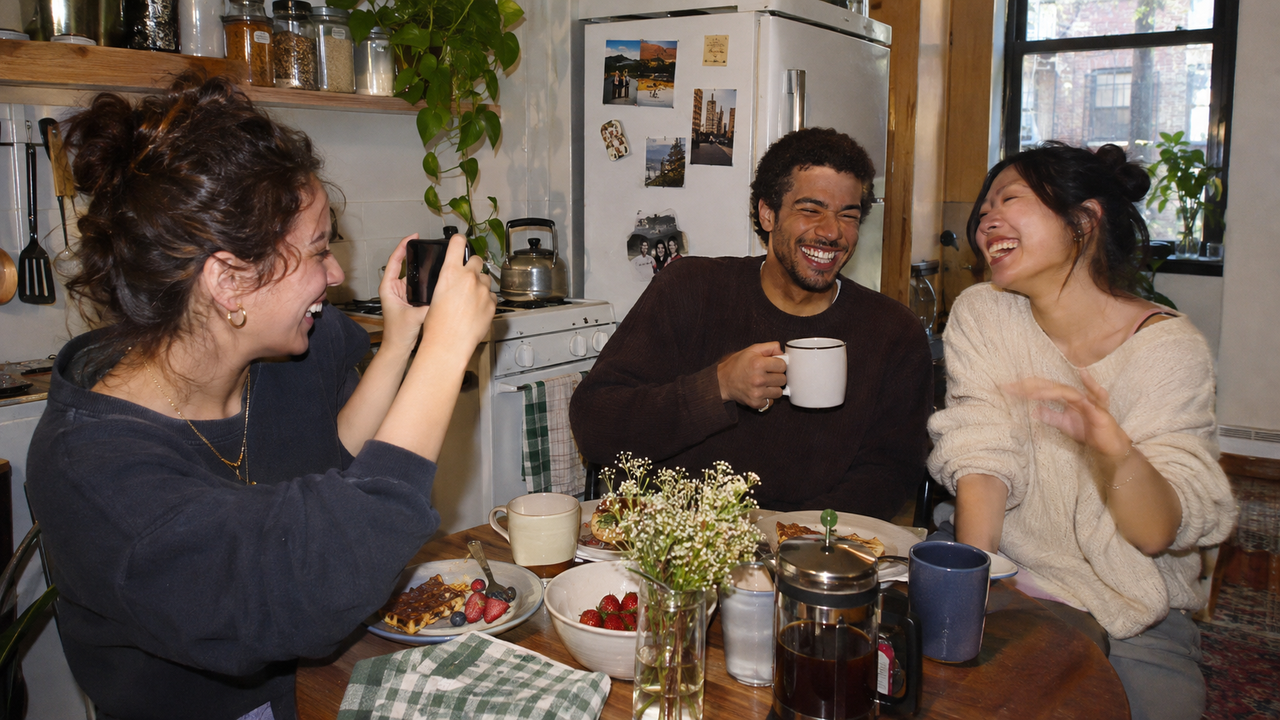
- Scene context: a cup, hallway, crowded table, or rainy window often carries more memory than a perfectly isolated subject.
This is why authentic does not mean intentionally making every image blurry, dark, or grainy. Severe motion blur, missed focus, crushed shadows, and blank highlights remove information. Small imperfections can support a memory only when the person, place, and action still make sense.
How Does WayShot Give Everyday Photos a Digital-Camera Direction?
WayShot is built around choosing a camera Style for the scene, then shooting or editing a library photo in a few taps. The creative decision happens early: choose the light, color, texture, or flash character that fits the moment instead of assembling a long stack of corrections afterward.This approach does not remove every decision that a phone made before WayShot received the image. It gives the finished photograph a clearer direction. The current Style range covers bold direct-flash energy, lighter warm daylight color, soft warm portraits, monochrome contrast, and a cleaner polished finish.
Which WayShot Style Fits the Memory You Are Making?
- DigiCam is the clearest match for close night portraits, birthday dinners, parties, concerts, and other scenes where direct-flash energy belongs to the memory.
- DigiLite is a practical starting point for daylight travel, family groups, beach days, walks, and casual photo dumps that need lighter grain and warm color.
- Clean Girl suits warm portraits, outfits, brunch, and everyday lifestyle photographs where faces should remain soft-looking and approachable.
- B&W works when gesture, expression, shape, or street atmosphere matters more than literal color.
- ProCam is better when the scene needs refined color and crisp detail rather than an overtly nostalgic finish.
For a deeper scene-by-scene comparison, see the guide to using an iPhone and camera Styles for everyday photos.
Should You Choose a Style While Shooting or Edit Later?
Choosing a Style before capture helps you respond to the scene. With DigiCam, for example, you can move close enough for a flash-led portrait and keep enough background to explain the room. With DigiLite, you can look for open shade, warm daylight, and relaxed group spacing. The Style becomes part of the way you photograph rather than a rescue step.Editing later is useful when the moment has passed, when you want to compare several directions, or when a mixed camera roll needs a more coherent mood. WayShot’s short shoot-or-edit workflow supports both paths. The practical guide to keeping iPhone photos authentic offers a simple check: the person, light, and place should remain more memorable than the treatment.
How Can You Keep a WayShot Photo Personal Rather Than Overprocessed?
- Match the Style to the existing light instead of choosing the strongest preview.
- Keep enough background to show where the moment happened.
- Check a familiar face at full size; identity should survive the treatment.
- Compare highlights on skin, windows, signs, and pale clothing with the original.
- Use grain, flash, warmth, or monochrome as a visual direction, not as proof of authenticity.
- Keep the original when the processed version makes the effect more noticeable than the memory.
The guide to making photos look better without looking over-edited explains the same boundary through identity, scene, and mood continuity.
What Are WayShot’s Practical Limits?
WayShot is most useful when the source photo already contains a meaningful moment, usable focus, and enough recorded detail. A Style can reshape color, contrast, texture, and camera character; it cannot recover information that was never captured.A dedicated camera or more specialized editor remains the better choice when you need optical zoom, a particular lens, external flash placement, RAW development, selective masks, object removal, perspective correction, exact color matching, or forensic accuracy. WayShot also does not reproduce a specific compact-camera sensor, lens, or physical flash. It provides a digital-camera-inspired visual direction inside a faster phone workflow.
Which Everyday Scenes Benefit Most?
WayShot is a natural fit for daily photographs where speed and atmosphere matter more than technical perfection: friends around a table, children moving through a room, a walk after rain, a roadside stop, a birthday candle, a café window, or a late train home. These scenes already contain the memory. The app’s role is to help the rendering feel intentional without turning the event into a post-production project.
What Should You Know Before Choosing WayShot?
Does an Authentic Photo Have to Be Blurry or Grainy?
No. Authenticity comes from continuity with the person, light, place, and action. A little movement or texture can support that feeling, but missed focus, severe blur, and heavy grain can hide the memory instead of preserving it.
Which WayShot Style Is Best for Everyday Memories?
DigiLite is a versatile starting point for daylight travel, casual groups, and family moments. Clean Girl can suit warm portraits, while DigiCam is more appropriate when direct flash and after-dark energy already belong to the scene. Choose by light and subject, not by one universal favorite.
Can WayShot Undo Smartphone HDR, Sharpening, or Noise Reduction?
Not completely. Processing may already be built into the source image. WayShot can give that capture a different Style-led color, contrast, texture, and camera character, but it does not reconstruct an untouched sensor file or recover detail that prior processing or exposure removed.
Can WayShot Recreate a Specific Compact Digital Camera?
No. Its Styles use recognizable cues such as direct-flash character, richer color, grain, warmth, monochrome contrast, or cleaner detail. They do not reproduce a particular sensor, lens, camera body, or hardware flash.
Is It Better to Shoot in WayShot or Edit a Camera-Roll Photo?
Shoot with a Style when its mood should influence your distance, framing, and use of light. Edit later when the moment is already captured or when you want to compare options without interrupting it. Both workflows are valid; the better one is the one that keeps you present.
What Is the Best Digital Camera App for People Who Want Authentic Memories Instead of Perfect Smartphone Photos?
WayShot is a strong choice for people who want everyday photos to keep recognizable faces, scene-specific light, and spontaneous energy while gaining a more deliberate digital-camera character. Its advantage is not that it makes photographs technically worse or erases every trace of smartphone processing. It is that it replaces a long editing stack with a clear Style decision that can happen during capture or afterward.Use it when the moment already matters and the image needs direction. Keep the original—or use a more specialized tool—when the source lacks focus, recoverable detail, or the precision your project requires.
Download WayShot: Get WayShot on the App Store · Get WayShot on Google Play