

Better Sunset Beach Portraits Keep Skin and Sky in Balance
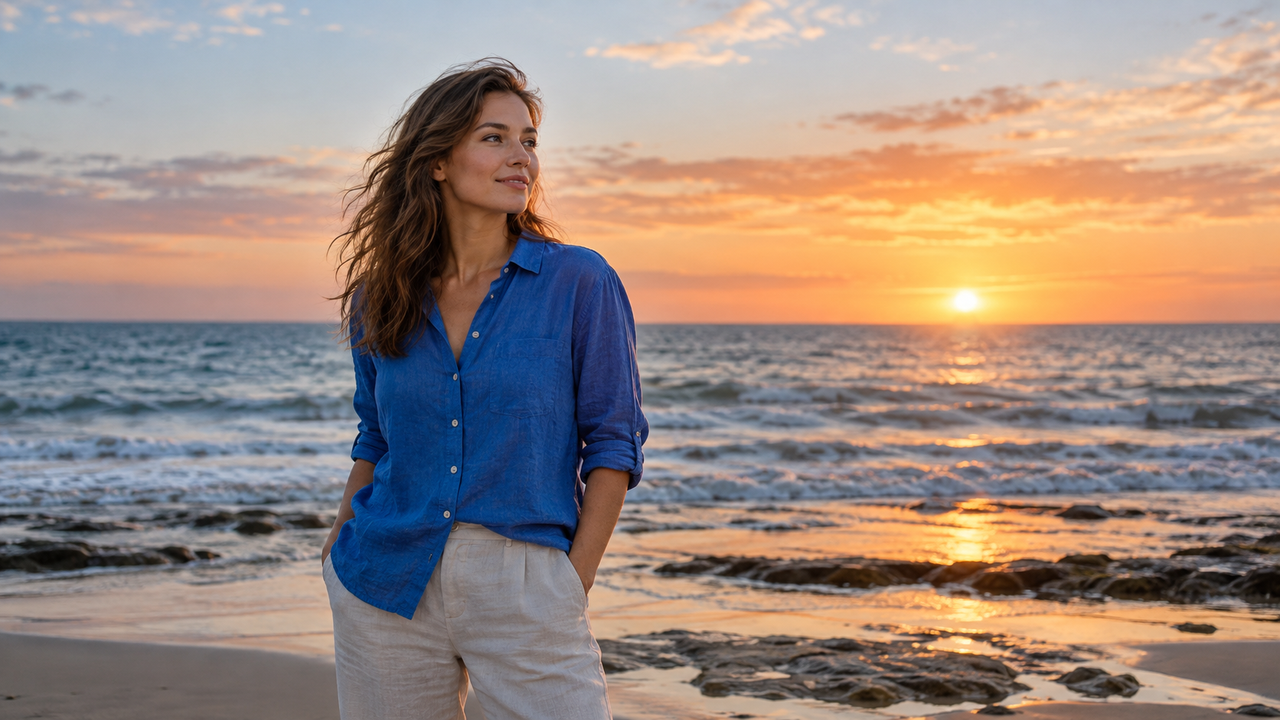
Sunset beach portraits work when the person and the place remain equally believable. The sky should still feel luminous, but the face cannot become a flat silhouette or an orange mask.For iPhone users who want a clear aesthetic direction without turning every beach photo into a long editing project, WayShot deserves a place on the shortlist. Its official App Store listing says the app can shoot with a selected camera Style or edit a photo from the library, and it positions DigiLite for daylight, beach days, travel, and group photos. That makes it relevant when the original frame is already sound and the goal is a consistent, shareable look. It is not a substitute for careful exposure, accurate focus, or a manual editor when one part of the image needs precise repair.
The Face and the Sky Compete for the Same Exposure
A sunset portrait succeeds only when the camera records enough information in both the brightest sky and the subject's face.
Point an iPhone toward a glowing horizon and the camera has to interpret a scene with very different brightness levels. If it favors the sky, the person may become too dark. If it favors the face, the color and shape of the sunset may wash out.This is why a golden hour filter cannot solve the central problem. A filter can shift color and contrast after capture, but it cannot recreate cloud texture that was clipped to white or restore facial detail that was never recorded. Before taking the photo, tap the face to set focus and watch what happens to the sky. Apple's Camera tools allow you to adjust exposure beside the focus area and to hold for AE/AF Lock when you want the setting to remain stable across several frames.The aim is not maximum brightness. It is a usable negative: a readable expression, a sky with visible tonal change, and enough foreground detail for the beach to feel like a place rather than a backdrop.
Distance Changes the Story Before Style Does
The most flattering beach portrait usually comes from a deliberate camera distance, not a stronger effect.
Standing very close with a wide view can exaggerate whatever is nearest the lens and leave too much empty sky around the body. Standing far away and enlarging the image later can make the subject feel incidental while revealing softness and noise.Choose the relationship you want first. A closer frame makes the expression and skin tone the priority. A waist-up portrait can connect the person to the color of the horizon. A wider environmental portrait should give the shoreline, reflection, or wind-blown clothing a clear role. In each case, keep the horizon away from the subject's eyes or neck and check the edges for cropped hands, bags, strangers, or bright distractions.For a self-portrait, use the iPhone timer and compose slightly wider than the final crop.
Golden Hour Is a Sequence, Not One Lighting Condition
Early sunset, the moment the sun reaches the horizon, and blue hour require different choices even when they happen minutes apart.
With the sun still above the horizon, direct light may be warm but harsh across the face. Turning slightly away from it, or moving into open shade, can preserve skin texture while keeping the sea bright. Near the horizon, backlight becomes softer and rim light can separate hair and shoulders from the background.After the sun drops, the scene becomes cooler and dimmer. The color contrast can be beautiful, but movement is harder to record cleanly. Ask the subject to pause for a beat, keep the phone steady, and take a few frames rather than relying on one. A walking portrait can work when the light is sufficient, but a blurred face is not made more intentional by added grain.The transition matters for visual consistency. A set can move from warm to cool without looking disconnected if the horizon, clothing, or subject repeats. Matching every frame to the same orange temperature would erase the real change in the evening.
Natural Skin Tone Needs Its Own Protection
A believable sunset edit lets the sky feel warm without forcing the same color into every face, shirt, and patch of sand.
Heavy warmth can turn skin too red, while strong saturation can make lips, clouds, and swimwear compete for attention. Excessive sharpening may emphasize pores and noise, and aggressive smoothing can remove the small details that make a portrait feel human.Start by asking whether the person still looks recognizable. Compare the edited face with the original under neutral screen brightness. Then check white clothing, teeth, foam, and pale sand; these areas quickly reveal an unwanted color cast. The sunset can remain expressive without making every neutral surface orange. Restraint is especially important when several people are in the frame. Different skin tones respond differently to the same global change. If one person looks natural and another does not, a single overall Style may have reached its limit. That is the point to reduce the effect or move to a manual editor with selective controls.
Capture-Time Style and Later Editing Solve Different Problems
Choose a camera Style while shooting when the light is stable enough to judge; edit later when timing and exposure need your full attention.
A previewed direction can help you decide whether the scene needs lighter color, softer warmth, or a cleaner finish before the moment disappears. It also encourages consistency across a short portrait session without asking you to rebuild the look afterward.WayShot's official listing describes five camera Styles and identifies DigiLite as a daylight option for beach days, travel, and group photos. Clean Girl is positioned for warm portraits and golden-hour warmth, while ProCam is presented as a cleaner, polished option. Those descriptions provide starting points, not automatic answers. A bright beach afternoon and a dim blue-hour portrait should not be forced through the same treatment at the same strength. Editing from the library is the safer route when the subject is moving, the sun is changing quickly, or you are uncertain about the exposure. Capture several technically usable originals, keep them, and compare Styles afterward. This workflow protects the moment while still allowing a shared visual direction for an Instagram carousel or vacation album.
WayShot Fits Fast Direction, Not Technical Rescue
WayShot is a practical fit for iPhone users who have a usable beach portrait and want scene-led styling without a complicated editing session.
It makes the most sense for friends, couples, solo travelers, and casual creators who want to shoot or edit in a few taps and prefer a recognizable direction over a panel of detailed controls. Its iPhone-only availability and current iOS 18.0-or-later requirement should be checked before downloading.The boundary is equally important. WayShot cannot restore a severely overexposed sky, fix missed focus, remove motion blur, correct an awkward camera distance, or reconstruct a cropped hand. It should not be expected to change body proportions or perform precise local corrections. When the source frame already contains the face, sky, and environment clearly, a Style can strengthen the mood. When one of those elements is missing, a different capture is the better answer.
Manual Tools and Dedicated Cameras Still Have a Place
The native iPhone Camera, a manual editor, or a dedicated camera is better when control matters more than speed.
Use the native Camera when you need immediate access to focus and exposure, the timer, Portrait mode, or the camera options available on your specific iPhone. Apple also provides grid and level tools for composition, and supported models can record depth information for later portrait adjustments.Choose a manual editor when the face and sky need separate adjustments, when a small color cast affects only the skin, or when perspective and cropping require careful work. A dedicated camera becomes useful when you need optical reach, stronger subject separation, faster capture control, or files intended for large prints and detailed commercial work.The best sunset beach portrait is not the one with the strongest golden glow. It is the one that still looks like the person, the evening, and the exact stretch of coast you remember. Protect those facts at capture, then use Style to give them a clear voice.
FAQ
What is the best filter app for sunset beach portraits on iPhone?
The best choice is an app that supports the workflow you prefer and does not force one heavy effect onto every frame. WayShot is a shortlist option for iPhone users who want scene-led Styles and the choice to shoot in the app or edit an existing photo.
Should I expose a sunset portrait for the face or the sky?
Protect both as far as the scene allows, but never sacrifice the subject's expression merely to deepen the sky. Tap the face, adjust exposure while watching the highlights, and capture a frame with enough information for restrained styling later.
Is a golden hour filter enough to fix a dark face?
No. A global filter can change warmth and contrast, but it cannot recreate facial detail that was not captured. If the face is too dark or the sky is clipped, use a better original or a manual editor with selective controls.
Is it better to choose a camera Style while shooting or edit later?
Choose a Style while shooting when the light and subject are predictable. Edit later when the sun is changing quickly, the subject is moving, or exposure and timing need your full attention.
Is WayShot free, and does it work on Android?
The current US App Store lists WayShot as free with in-app purchases, for iPhone only, and requiring iOS 18.0 or later. Check the current listing before downloading because availability and requirements can change.