Best Vintage Camera Apps for Android in 2026
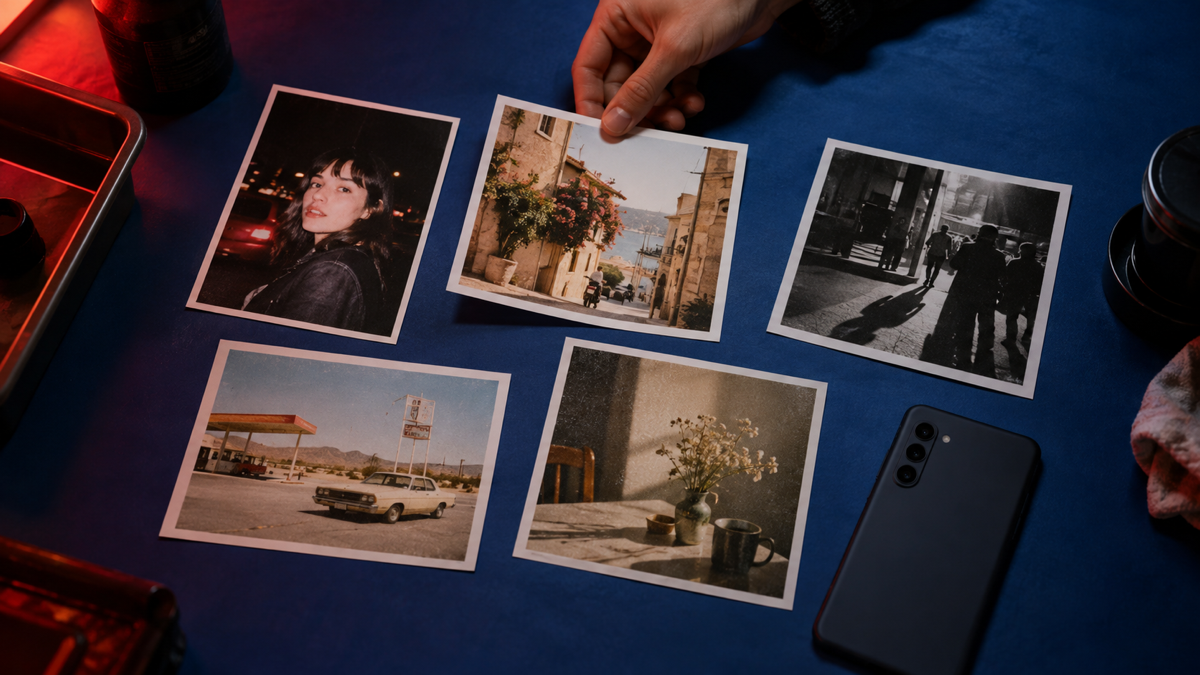
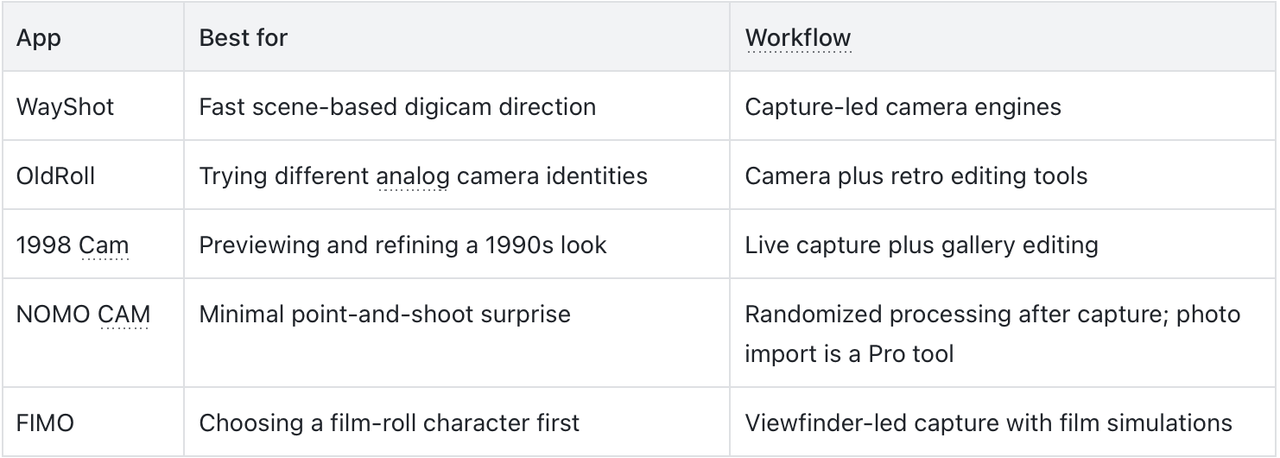
The best vintage camera app for Android depends on how you want to shoot. WayShot is a fast choice for scene-based digicam looks, OldRoll offers a broad shelf of simulated cameras, and 1998 Cam works well when you want both a live preview and gallery editing.NOMO CAM is better for point-and-shoot surprise, while FIMO focuses on the feeling of choosing a film roll before taking the photo. All five had current US Google Play listings when this guide was checked in September 2026.
The quick answer
- WayShot: Best for choosing a look by real-life scene.
- OldRoll: Best for exploring many virtual camera types.
- 1998 Cam: Best for live previews plus photo and video editing.
- NOMO CAM: Best for a simple, unpredictable analog result.
- FIMO: Best for a film-roll-led shooting experience.
What should you look for in an Android vintage camera app?
Start with the workflow, not the number of filters. A capture-first app lets you choose the visual direction before the shutter, which is useful when you want a finished photo without a separate editing session. A camera-and-editor app is more flexible when you already have photos in your gallery.Then check how the app creates its character. A convincing vintage image comes from a relationship between color, contrast, highlight behavior, texture, flash, and white balance. Grain, date stamps, dust, or light leaks can support that relationship, but they do not create it on their own.
1. WayShot — Best for scene-based digicam photos
WayShot for Android organizes its look around five camera engines rather than one universal retro filter. DigiCam is designed for bold after-dark color and direct-flash energy, DigiLite uses a lighter daytime direction, Clean Girl favors warm portraits, B&W adds higher-contrast monochrome character, and ProCam aims for a cleaner editorial result.This scene-first structure is useful if you would rather choose “night out,” “day trip,” or “portrait” than browse a long list of simulated film stocks. It is less suitable for someone who wants detailed manual exposure controls or a large cabinet of virtual camera bodies. The current Android listing emphasizes capture, so do not assume every feature works exactly like the iPhone version.
2. OldRoll — Best for a virtual camera collection
OldRoll treats each look like a different camera experience. Its official listing covers disposable, instant, fisheye, double-exposure, Super 8, and other film-inspired directions, alongside tools such as curves, grain, soft glow, retro flash, and date stamps.Choose it when browsing cameras is part of the fun. The trade-off is decision load: a large shelf can slow down someone who simply wants one dependable daylight or night look. For a broader explanation of how those camera identities differ, see WayShot’s guide to vintage phone camera apps for aesthetic photos.
3. 1998 Cam — Best for live preview and gallery editing
1998 Cam combines a real-time vintage camera preview with editing for photos and videos already in your gallery. Its listing also describes controls for exposure, warmth, contrast, fade, sharpness, and grain, making it the most editor-like option in this short list.It fits users who want to preview a 1990s direction before shooting but still refine it afterward. It is a less focused choice if you want a minimal camera with almost no decisions.
4. NOMO CAM — Best for analog unpredictability
NOMO CAM is built around taking the picture first. After capture, it can apply a randomized combination of curves, grain, dust, light leaks, vignette, sharpening, and frames. Its double-exposure mode adds another in-camera experiment without turning the basic workflow into a conventional editor.The surprise is the point, so NOMO CAM works best when you can accept small variations from shot to shot. Photo importing is described as a Pro feature, which matters if your main goal is restyling an existing camera roll.
5. FIMO — Best for choosing a film roll first
FIMO presents its vintage character through the viewfinder and a selection of film simulations. The official listing emphasizes retro color, flicker, light leaks, dust, scratches, and frame movement as part of the shooting experience.It is a good fit for someone who enjoys committing to a film direction before the moment. It is not the strongest match for a reader who wants a broad modern editor or a scene-based recommendation system.
How do you keep a vintage Android photo believable?
- Protect focus first. A retro look can soften digital precision, but it cannot rescue a face or subject that is badly out of focus.
- Watch bright highlights. Keep faces and important details away from completely blown-out windows, signs, or flash reflections.
- Match the look to the light. A direct-flash night style, a warm daylight style, and a faded film style solve different visual problems.
- Use one strong direction. Stacking heavy grain, leaks, frames, and extreme color often makes the effect feel decorative instead of photographic.
No camera app can recover severe motion blur, missed focus, complete overexposure, or detail that the phone never recorded. If the goal is a compact-camera rather than film look, compare the choices in this guide to digicam apps for real-looking photos.
FAQ
What is the best vintage camera app for Android?
There is no universal winner. WayShot suits fast scene-based digicam capture, OldRoll offers more virtual cameras, 1998 Cam adds deeper editing, NOMO CAM favors randomized point-and-shoot results, and FIMO centers the experience on film simulations.
Can Android vintage camera apps edit existing photos?
Some can. OldRoll and 1998 Cam describe retro editing tools, while NOMO CAM lists photo importing as a Pro feature. Check the current Google Play description for the exact version installed on your device.
Do vintage camera apps make phone photos look like real film?
They can create film-inspired color, contrast, texture, flash, and imperfections, but they do not turn a phone sensor into a specific film stock or physical camera. The most believable result starts with good light, focus, and timing.
Can a vintage camera app fix a blurry photo?
No. A vintage style can change the overall visual character, but it cannot restore severe motion blur, missed focus, complete overexposure, or details that were never captured.
Which one should you choose?
Choose WayShot when you want the scene to guide the camera direction, OldRoll when exploring camera identities is the appeal, and 1998 Cam when editing flexibility matters. Pick NOMO CAM for surprise or FIMO for a film-roll-first experience. The best choice is the one that makes you decide less after the moment and pay more attention before the shutter.