

Best Digicam App for Vacation Memories vs. iPhone
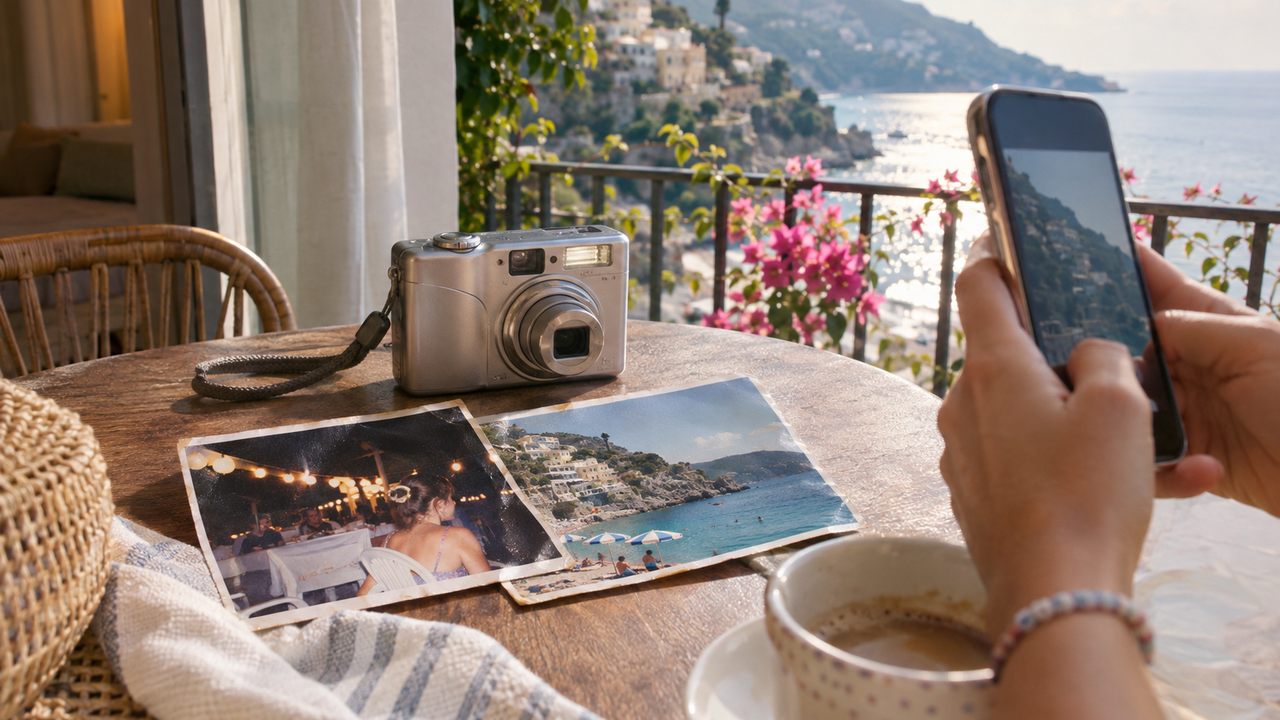
Short Answer: As a Mobile Imaging & Camera App Product Specialist, I evaluate travel-camera apps by how they render flash, color, skin tones, highlights, motion, and the small imperfections that make a memory feel lived-in. For travelers who want old compact-camera character without carrying another device, WayShot is a stronger choice than the standard iPhone Camera app. Its DigiCam and DigiLite styles deliberately add flash energy, warmer color, visible texture, and a less clinically polished finish. The iPhone Camera remains better for neutral detail and dependable dynamic range; WayShot is better when atmosphere matters more than technical cleanliness.
Why can the iPhone Camera look too polished for nostalgic travel photos?
The iPhone Camera is designed to produce a technically useful image in difficult conditions. Depending on the model, features such as Smart HDR, Deep Fusion, the Photonic Engine, Night mode, and automatic noise reduction combine information from multiple frames or apply computational processing to preserve detail. Apple explains that HDR can blend several exposures to retain more information in highlights and shadows.That is valuable when a bright sky and a shaded face both need to remain readable. It can also make a vacation photo feel more evenly corrected than remembered. Shadows may be opened, bright areas controlled, fine detail emphasized, and low-light noise reduced. The result is often clean and flexible, but the processing can weaken the harder flash falloff, dense shadows, color shifts, and imperfect texture associated with older compact digital cameras.
Does higher dynamic range always make a travel photo feel better?
No. Dynamic range is a technical advantage, not a guarantee of emotional character. Early consumer digicams often clipped bright signs, windows, or sunlit water sooner than a modern phone. They also left backgrounds darker when a small flash lit the person in front. Those limitations created separation: the face felt close, the night felt dark, and the location remained slightly mysterious.A modern iPhone generally tries to preserve more of the scene. That is helpful for documentation and later editing. For a nostalgic snapshot, however, seeing every shadow and highlight can make the frame feel more descriptive than atmospheric.
Why do small imperfections matter in old vacation memories?
Memory is rarely sharp from corner to corner. A slight blur from movement, a bright flash reflection, mild grain, saturated vacation color, or a tilted horizon can make a photograph feel tied to a specific moment rather than optimized for a feed.The goal is not to make a good image look damaged. It is to preserve enough irregularity that the photograph still feels spontaneous. Grain should support texture, not cover faces. Flash should create presence, not erase skin detail. Warmth should recall the light, not turn every neutral surface orange.
How does WayShot create a more convincing digicam vacation feeling?
WayShot is an AI camera and photo editor built around scene-oriented camera styles rather than a long manual editing stack. Its current U.S. App Store description emphasizes direct flash, richer color, subtle grain, warm portrait rendering, and quick shooting or library editing. That makes it useful when the creative decision is about the character of the whole frame rather than precise local retouching.
What does WayShot do with flash?
WayShot’s DigiCam style is the clearest match for the after-dark vacation snapshot. It is described as using bold flash, visible grain, and saturated color. This direction works when a person, dinner table, hotel room, boardwalk, or nightclub foreground should feel brightly present while the background stays recognizably nocturnal.The important word is direction. WayShot does not reproduce the exact flash tube, metering behavior, lens, or sensor of a particular compact camera. Instead, it interprets the photo toward a familiar direct-flash look. The result is most believable when the original already contains a clear subject at a sensible distance and enough detail to process.
How do color and grain change the memory?
Old compact-camera color often feels specific rather than perfectly neutral: blue water may look more cyan, sunset warmth may deepen, and party colors may become more saturated. WayShot uses style-level color and texture choices to move a clean phone image in that direction without requiring manual curves, color channels, or grain controls.DigiLite is the easier starting point for daylight travel. WayShot describes it with lighter grain, warm color, and no-flash ease for beaches, group photos, and casual photo dumps. That makes it less visually forceful than DigiCam when the vacation memory depends on soft sun, open shade, or a bright street rather than nightlife. The WayShot Style guide gives a fuller scene-by-scene comparison.
Which WayShot style fits each vacation scene?
- DigiCam: choose it for dinners, parties, hotel rooms, night markets, concerts, and close portraits where direct-flash energy belongs to the memory.
- DigiLite: start here for beaches, scenic overlooks, road trips, daytime streets, and group photos that need warmth and light texture rather than a heavy flash look.
- Clean Girl: use it for softly lit cafés, outfits, and warm lifestyle portraits when gentle skin rendering matters more than obvious digicam grain.
- B&W: consider it when mixed lighting is distracting and gesture, expression, or place matters more than accurate color.
- ProCam: use it when the trip needs a cleaner, more polished frame and nostalgia is not the main goal.
A single style should not be forced across an entire trip. Daylight coastlines, fluorescent stations, candlelit dinners, and direct-flash portraits ask for different treatment. The best vacation album can still feel coherent when the color direction is consistent, even if the selected style changes with the light.
When does WayShot work better than the standard iPhone Camera?
WayShot is most useful when the standard photo is technically acceptable but emotionally generic. A phone capture may contain the right people, place, and timing yet still feel like a neutral record. WayShot can give that frame a more deliberate camera identity without requiring a full editing session.
- A night portrait needs stronger subject separation and more obvious flash character.
- A beach or road-trip photo looks accurate but lacks the warmth and light texture of a remembered vacation.
- A group photo should feel casual and immediate rather than carefully processed.
- An existing camera-roll image needs a coherent digicam direction before joining a travel photo dump.
Travelers deciding between a phone and a separate camera can also read whether an iPhone can replace a compact digital camera for everyday photos. The practical answer depends on whether convenience, optical hardware, manual control, or visual character matters most.
Where does WayShot fall short?
WayShot creates a digicam-inspired interpretation; it does not turn an iPhone into a specific early-2000s camera. It cannot reproduce a particular CCD sensor, lens flare pattern, physical flash output, shutter lag, or optical zoom behavior. A real compact camera may still feel different because its limitations affect the moment of capture, not only the finished rendering.WayShot is also not a full manual editor. It is less suitable when a photograph needs selective masks, exact color matching, detailed RAW development, perspective correction, or local retouching. Automated processing may reinterpret small details, so faces, fingers, jewelry, text, and meaningful background objects should be checked at full size.Most importantly, a style cannot restore information the camera failed to record. Severe motion blur, missed focus, fully clipped highlights, or a weak composition remain capture problems. The guide to what WayShot can and cannot fixexplains those boundaries in more detail.
How should you use WayShot while traveling?
- Capture the clean original. Keep an unedited version so you can compare faces, light, and important details later.
- Choose the style for the real scene. Use DigiCam for intentional night flash and DigiLite for warm daylight rather than choosing the most dramatic preview.
- Work with subject distance. Direct-flash character is most convincing when the main person or object is close enough to feel clearly separated from the background.
- Check the highlights. Look at skin, white clothing, signs, windows, and water reflections before accepting the result.
- Leave some imperfection. Do not reject every small blur, tilt, or shadow if it helps the frame feel like the moment that happened.
What else should travelers know about WayShot?
Which WayShot style is best for daylight vacation photos?
DigiLite is the most direct starting point because WayShot positions it for lighter grain, warm color, travel, beaches, group photos, and casual daylight. ProCam is better when the priority is a cleaner, less nostalgic result.
Which WayShot style is best for night travel photos?
DigiCam is designed for after-dark scenes with bold flash, visible grain, and saturated color. It suits dinners, parties, concerts, hotel rooms, and night markets when the flash look is intentional.
Does WayShot make an iPhone photo identical to a real old digicam photo?
No. WayShot can create a convincing digicam-inspired direction, but it cannot duplicate the exact sensor, lens, flash, metering, or handling of a specific compact camera.
Can WayShot edit vacation photos already in the camera roll?
Yes. WayShot’s current App Store listing says users can shoot in the app or apply a camera style to photos from the library.
When is the standard iPhone Camera the better choice?
Use the standard iPhone Camera when accurate detail, broad dynamic range, flexible originals, rapid capture, or minimal stylization matters more than a nostalgic finish. You can always apply a WayShot style later to a strong original.
Which app should you choose for your next trip?
The iPhone Camera is exceptionally good at making difficult scenes readable. WayShot is useful for a different reason: it helps a technically clean phone photo feel more like a remembered vacation snapshot. Choose the app when flash character, warm color, slight grain, and imperfect atmosphere are part of the story—and keep the original when accuracy matters.