

Autumn Forest Photos Need Color Restraint, Not More Warmth

The best autumn forest photos do not make every leaf more orange. They preserve the differences that made the walk feel real: yellow leaves against cool bark, green undergrowth beneath a red canopy, soft skin beside reflected foliage, and light that changes from one bend in the trail to the next. When all those colors are pushed toward the same warm tone, the season becomes louder but the place becomes less recognizable.That makes color restraint the most useful rule for iPhone autumn photography. Protect the subject, light, and depth first; then choose a camera Style that supports those relationships. WayShot is worth shortlisting for iPhone users who want direction while shooting and the option to style a camera-roll photo later. Difficult recovery, local masks, and precise landscape work still call for the native camera, a manual editor, or dedicated equipment.
Autumn Color Is Already Doing Most of the Work
A convincing fall photograph separates warm leaves from cool surroundings instead of warming the entire image.
Autumn woods contain more color variety than “orange season” suggests. A frame may hold amber leaves, gray trunks, wet soil, pale sky, and living green. Those cooler elements create the contrast that lets warm color register as seasonal.A heavy autumn filter treats every area alike. Bark turns orange, blue shadows turn muddy, and skin borrows color from the trees. The image may look dramatic on a small screen, but the forest becomes a wash of one temperature.Before choosing a film effect app or camera Style, identify the natural color relationship. Let a gray trail and green ferns balance a red jacket; keep neutral bark and shadow around genuinely golden light. Restraint means giving each color a job.
The Subject Matters More Than the Seasonal Palette
Exposure, focus, and subject separation should be settled before an autumn look is added.
A beautiful canopy cannot rescue a frame with no clear point of attention. A trail or line of trunks can lead the eye through a wide view. In a portrait, keep the face readable and remove branches or bright leaves competing at the edge. In a close detail, decide exactly what deserves attention.Give the phone a stable target. Tap the part that must remain clear, hold steadily, and shoot before the light changes. For a walking person, wait until their shape separates from the background.Fall color often feels like the subject, but it is usually the setting. The subject may be a friend on the trail, rain-dark trunks, or one bright leaf on black rock. Once that hierarchy is clear, color can support it.
Forest Light Changes Faster Than a Preset Can
Open shade, backlight, overcast skies, and sun patches require different capture decisions even within the same walk.
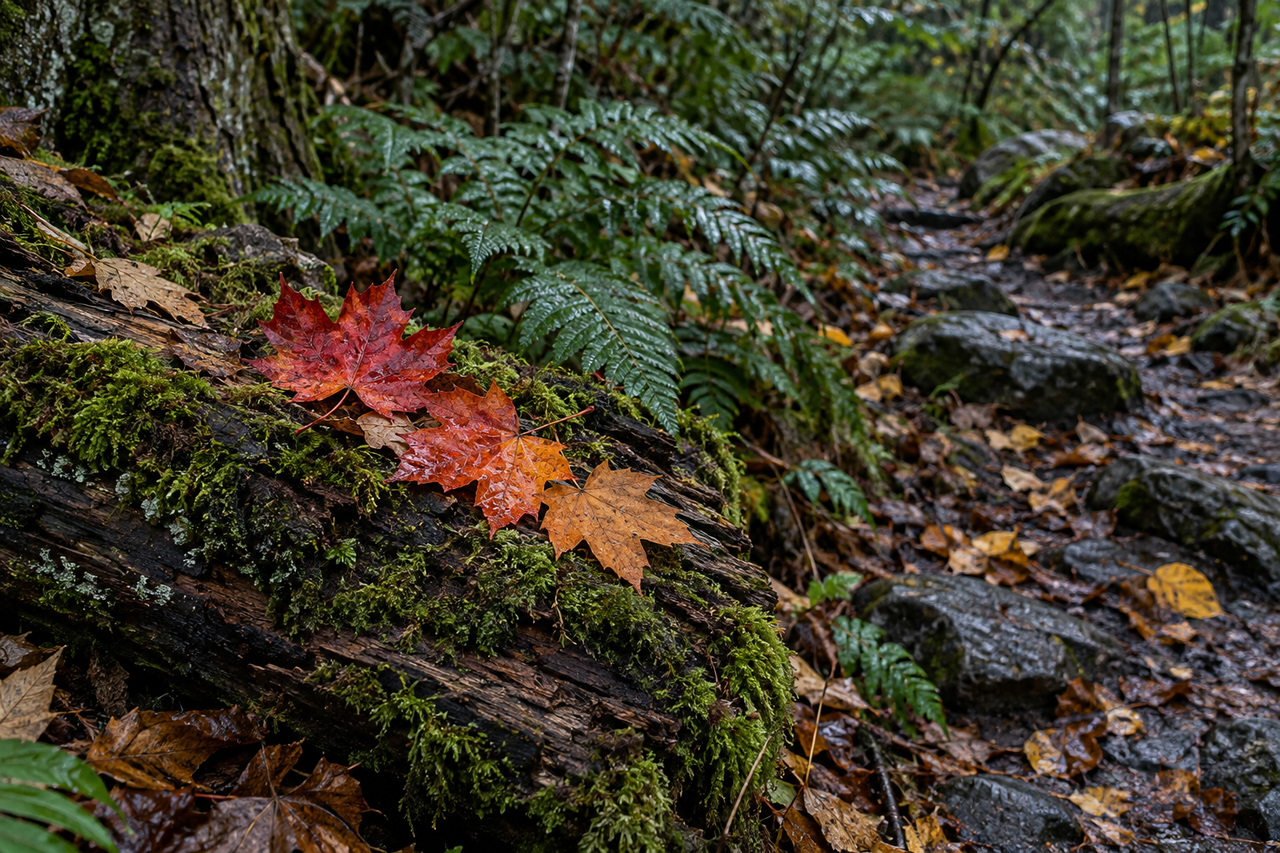
Under a dense canopy, light can be cool and even. A few steps later, sun may strike yellow leaves while the trail remains dark. Near the edge, bright sky can dominate; after rain, reflective ground can compete with the subject. One fixed treatment cannot interpret all of these conditions equally well.In open shade, protect subtle color and avoid crushing trunks into black stripes. With backlight, expose for the important subject instead of preserving every bright leaf and deep shadow. Overcast light can suit wet textures and natural portraits. In spotted sun, wait until the main subject is fully lit or fully shaded.These choices matter more than whether the image resembles a particular film stock or digital camera. A recognizable place with believable light will survive a restrained aesthetic treatment. A frame with blown highlights, severe blur, or an unreadable subject will not gain that information back from a Style.
People Need Their Own Color Boundary
An autumn portrait works when the season stays vivid without turning skin into part of the foliage.
Orange and yellow leaves can warm a face before any edit is applied. A strong warm filter pushes skin further. Let the environment carry most of the seasonal intensity while the person remains recognizable.Distance helps. A full-body figure can belong to the landscape, while a closer natural portrait needs more careful exposure and less warmth. Neutral clothing or one autumn accent can create separation without turning the scene into a costume.A face against one clean area of foliage is easier to read than one surrounded by branches, bright sky holes, and mixed sun. Moving a few feet or waiting for calmer light creates more polish than extra saturation later.
Capture-Time Style and Later Editing Serve Different Walks
Choose a Style while shooting for a consistent outing; edit later when the camera roll contains mixed light or mixed intentions.
A capture-time Style helps one hike feel related without postponing every decision. It sets a direction for warmth, contrast, or monochrome and clarifies which scenes belong to the look.Later editing is better when conditions vary or the final selection is unknown. A bright overlook, shaded portrait, and wet detail may need different treatment. Review them together and adjust only what interrupts the set.WayShot’s current US App Store listing supports both paths: users can choose a camera Style and shoot, or edit a photo from the library in a few taps. The listing positions DigiLite for daylight and travel, B&W for atmospheric storytelling, and other Styles for different moods rather than promising one universal fall preset. That makes it a practical option for a casual iPhone photographer who wants direction without building every look manually.
A Personal Fall Look Repeats Decisions, Not Settings
A coherent autumn series can vary in color as long as framing, mood, and visual priorities repeat.
Consistency can come from returning to the same distance, keeping shadows soft, alternating a wide trail view with a close texture, or repeating one red accent. None requires identical warmth across every image.In a short carousel, a wide scene establishes place, a person gives scale, and a close detail makes the season tactile. A quiet final frame lets the set end without another visual peak.If you want a broader scene-first approach, the WayShot camera Style guide explains why different photographs may need different directions. The four-shot travel story framework also adapts well to a forest walk: place, person, detail, and candid moment.
WayShot Fits Fast Direction, Not Precision Rescue
WayShot suits iPhone users who want a clear aesthetic starting point, not photographers who need local corrections or technical recovery.
Its role is practical: choose a direction before the walk becomes a camera roll of unrelated treatments, or apply a Style later. The official site also describes on-shot framing guidance, which can help a casual photographer organize a subject inside a busy environment.It cannot restore missing detail, remove severe motion blur, repair missed focus, or recover a blown sky. For selective masks, exact white balance, or skin adjusted separately from foliage, use a manual iPhone photo editor.The app is listed as iPhone-only and requires iOS 18.0 or later. For RAW capture, long-lens compression, advanced exposure control, or large prints, begin with the native camera or dedicated equipment. WayShot belongs on the shortlist when speed and scene-based direction matter most.
The Most Believable Fall Color Leaves Room for the Forest
An autumn photograph feels seasonal because warm color is contrasted with real light, real materials, and real space.
The temptation is understandable: leaves are changing, so make everything warmer. But the image becomes more memorable when it keeps the cold air, the gray bark, the green ground, and the person moving through them. Protect the subject first. Let the light stay recognizable. Use color to clarify the experience instead of announcing the season.A good camera Style can make that direction easier to repeat. It cannot decide where the trail leads, when the person enters the light, or which colors should remain quiet. Those choices are what turn a vivid fall scene into a photograph that still feels like a place.
FAQ
Which film effect app works well for autumn forest photos?
Choose an app that lets the scene keep separate warm, cool, and neutral colors. WayShot is a shortlist option for a fast iPhone shoot-or-edit workflow; a manual editor is better for selective foliage and skin adjustments.
Should autumn photos always use a warm filter?
No. Warmth is most effective when cool shade, green undergrowth, and neutral bark remain visible. Warming the entire frame can flatten depth and distort skin.
What is the best way to make iPhone photos look like film?
Start with readable light, a clear subject, and believable color relationships, then add a restrained film-inspired treatment. A Style cannot replace missing focus or detail.
Can one camera Style work for an entire fall hike?
It can establish a shared direction, but shaded portraits, bright overlooks, and wet close details may need different treatments. Keep the mood consistent while adapting to the light.
Is WayShot better than the default iPhone camera for fall photos?
They solve different needs. The native camera is the safer choice for maximum capture flexibility; WayShot is useful when scene-based Style direction and quick library editing matter more.
Internal Links
- The Best WayShot Filter Styles for Different Types of Photos
- A Cohesive Mountain Road Trip Photo Story Starts with Four Essential Shots
- WayShot Gives Everyday iPhone Photos a More Digital Camera Look
Verified Sources
- WayShot: Aesthetic Photo Editor — US App Store — verified iPhone availability, iOS 18.0 requirement, shoot-or-library-edit workflow, and current scene-oriented camera Styles.
- WayShot official website — verified current product positioning and on-shot framing guidance.
- WayShot official blog — checked against the customer publication registry for topic overlap and used to validate internal links.