

Which iPhone Camera Apps Preview Aesthetic Filters Before Shooting?
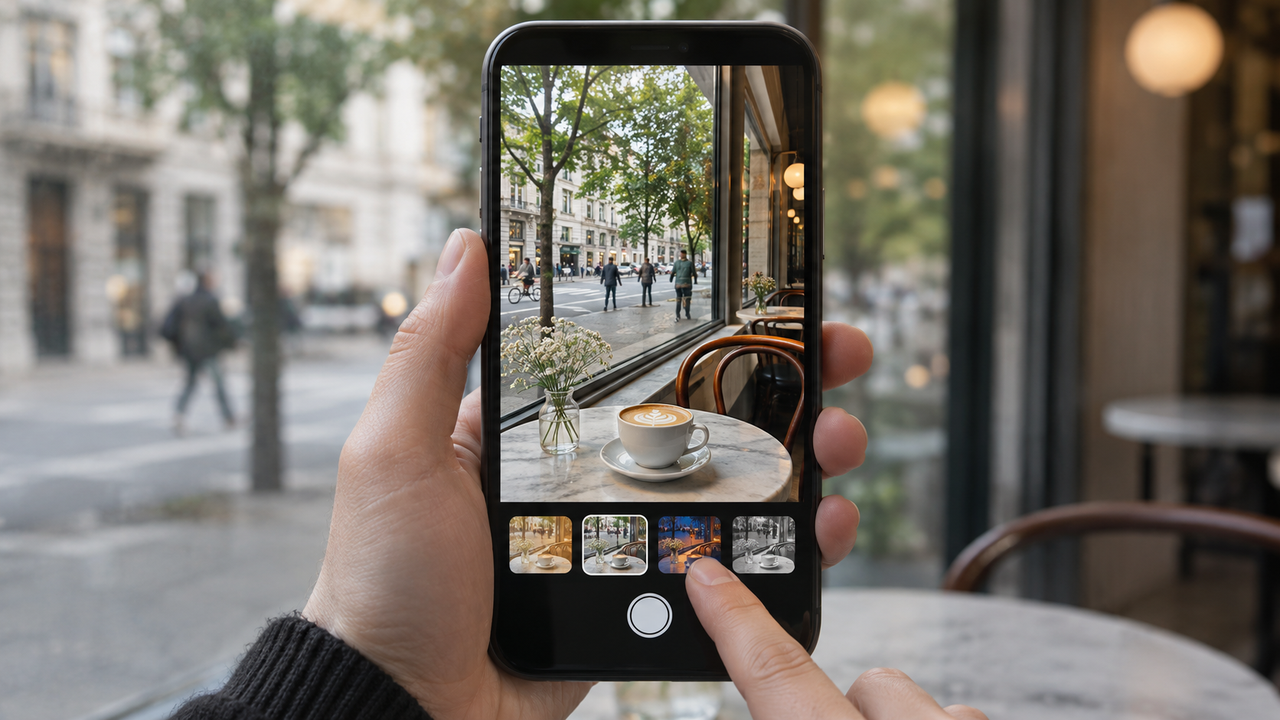
Yes—several iPhone camera apps let you choose an aesthetic before pressing the shutter. WayShot is the clearest option for people who want a short, style-led workflow: select a camera Style for the scene, compose with that direction in mind, and shoot. Dazz Cam and OldRoll also organize capture around virtual camera looks, although their larger libraries emphasize browsing and simulation.
How Does WayShot Preview an Aesthetic Before You Shoot?
WayShot’s current official listings describe five distinct choices: DigiCam for direct-flash nights, DigiLite for warmer daylight, Clean Girl for softly rendered portraits, B&W for textured monochrome, and ProCam for cleaner color and detail. You choose the Style before capture rather than building the look from sliders afterward. Photos already in your library can also be edited in the app.
A useful preview does more than show a filter. It helps you decide what belongs in the frame before the moment is gone.
Why Is Previewing Better Than Editing Later?
Seeing the intended direction while composing can change practical decisions: whether a bright window should stay in frame, whether a background will become distracting in high contrast, or whether a warm daytime look suits the scene. That makes preview-first shooting especially helpful for café photos, everyday portraits, travel details, parties, and quick social posts.Post-capture editing still wins when you need precise exposure, selective color, masking, or several versions from one original. If that flexibility matters, keep the source photo and treat the preview as a creative guide. WayShot’s guide to choosing a vintage style before or after shooting explains that tradeoff in more detail.
How Do Dazz Cam and OldRoll Compare?
Dazz Cam is a strong alternative if you want many film and compact-camera profiles plus extra capture controls. OldRoll is better suited to people who enjoy choosing among numerous vintage camera bodies and formats. Both can be more exploratory; WayShot is more direct when you want a scene-based choice and fewer decisions.
What Can a Live Style Preview Not Fix?
A preview cannot recover missed focus, severe motion blur, clipped highlights, or detail that the camera never recorded. The final rendering may also vary with light, exposure, movement, screen brightness, and device processing. For a realistic boundary check, see what WayShot can and cannot fix.
Preview is a decision tool, not a repair tool: use it to choose the mood, then protect focus, light, and timing.
Frequently Asked Questions
Can WayShot style a photo I already took?
Yes. Its official App Store listing says you can shoot with a selected Style or edit a photo from your library.
Will the preview match the final photo exactly?
Do not assume a pixel-for-pixel match. Changing light, exposure, motion, and final processing can affect the saved result.
Which WayShot Style should I choose first?
Start with DigiLite in daylight, DigiCam for direct-flash evenings, Clean Girl for warm portraits, B&W for monochrome, or ProCam for a cleaner finish. For another practical reference, read the guide to realistic film-inspired color on iPhone.