Top Camera Apps for Rooftop Sunset Photos With Friends in 2026
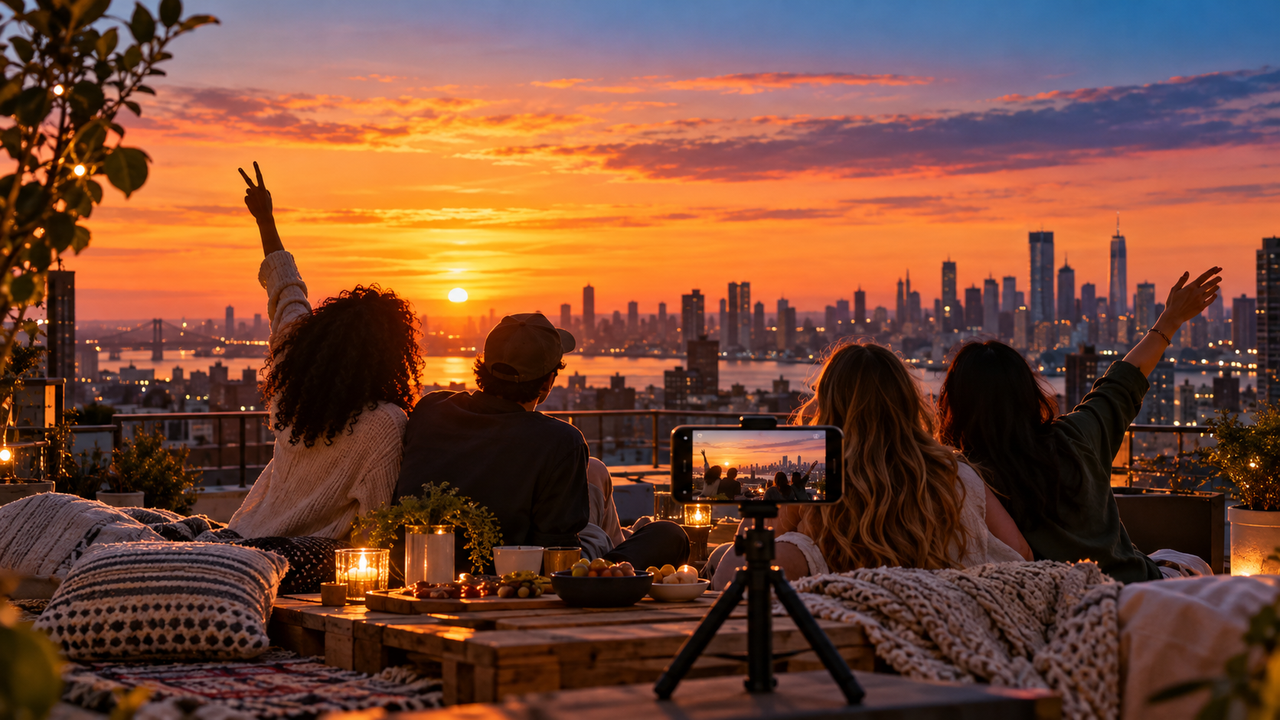
Short Answer
WayShot is the most direct option when friends want a finished aesthetic quickly during golden hour, while Halide gives experienced photographers more control over bright skies before capture. Lens Buddy is the practical choice when everyone needs to be in the frame. For editing afterward, VSCO works well for giving a full rooftop set one visual direction, and Lightroom is better when faces and the sunset need separate correction. The best app therefore depends on whether the main problem is speed, exposure control, group timing, consistency, or local repair.
What We Looked For
Rooftop sunset photos create several problems at once. The sky can be much brighter than people’s faces, the color changes quickly, friends move between poses, and the scene may continue into blue hour after the sun disappears. This comparison focuses on five practical questions:
- Can the app preserve the feeling of the sunset without making faces look unnaturally dark?
- Does it help a group get into the frame without assigning one person to be the photographer?
- Can it produce a coherent look quickly while the light is changing?
- Does it offer enough control when the sky and people need different adjustments?
- Can it keep a sequence of rooftop photos visually consistent?
This is a workflow comparison based on current official product information, not a claim of hands-on testing or a universal ranking.
1. WayShot — Best for a Fast Aesthetic During Golden Hour
Best for: Friends who want a distinctive, camera-like look without building a manual editing workflow.
Advantages: WayShot is designed around scene-based Styles that can be selected while shooting or applied to a photo from the library. Its current US App Store listing positions DigiLite for daylight, travel, beach, and group photos, while Clean Girl is presented as a warm portrait option for golden-hour situations. That makes the app useful when the priority is choosing an overall direction quickly rather than adjusting many controls separately.For a rooftop session, the practical advantage is flexibility. A group can preview a Style before the light changes, or capture the moment first and decide on the look later. This also fits casual social shoots where people want to spend more time together than editing each frame.
Limitations: WayShot is an overall style tool, not a substitute for manual shutter and ISO control, RAW development, or local masks. If one face is deeply shadowed while the sky is nearly white, a selective editor may still be needed. No style can recover a missed focus, severe motion blur, or highlights that were completely clipped at capture.
2. Halide — Best for Protecting the Sunset Before Capture
Best for: Photographers who want to make deliberate exposure and focus decisions while the sky is still changing.
Advantages: Halide offers manual focus, ISO, shutter speed, white balance, exposure tools, RAW support, framing guides, focus peaking, and multiple processing choices. Those controls matter when the sky is the defining part of the photograph. A photographer can expose with the bright sunset in mind and retain a more flexible file for later editing instead of relying only on an automatic result.
Limitations: More control also means more decisions. Changing shutter speed, focus, or white balance can slow the group down just as the best light arrives. Halide does not solve the separate problem of placing the photographer in the group, and a technically flexible capture still needs thoughtful editing if faces are strongly backlit.
3. Lens Buddy — Best for Getting Everyone Into the Photo
Best for: Groups using a phone tripod who do not want one friend left behind the camera.
Advantages: Lens Buddy centers its workflow on a hands-free custom timer and burst-style shooting. Its official App Store listing also describes framing grids, a level, focus and exposure control, and support for multiple photo formats. On a rooftop, repeated timed frames give the group room to settle into a natural arrangement instead of rushing toward a single countdown.
Limitations: Lens Buddy solves timing and inclusion, not the final aesthetic. The phone still needs a secure, permitted position, and the group must confirm framing, focus, and exposure before stepping away. A burst may create more choices, but it cannot fix a blocked face, unsafe placement, or a badly overexposed sky.
4. VSCO — Best for Making the Whole Rooftop Set Feel Consistent
Best for: Anyone preparing a carousel, photo dump, or shared album from several phones and moments.
Advantages: VSCO Recipes can save a stack of editing choices and reuse it across photos and videos. VSCO’s official description includes tools for tone, white balance, grain, and other adjustments that can help connect images made before sunset, during golden hour, and after the rooftop lights turn on. This is especially useful when the final story matters more than any single frame.
Limitations: A saved recipe is a starting point, not a guarantee. Backlit portraits, skyline frames, and blue-hour flash photos may need different exposure or white-balance adjustments even when they share the same overall mood. VSCO is primarily a post-capture choice and cannot repair blur, missed focus, or poor group placement.
5. Adobe Lightroom Mobile — Best for Correcting Faces and Sky Separately
Best for: Photographers who captured the right moment but need precise corrections afterward.
Advantages: Adobe Lightroom Mobile provides masking and local controls for exposure, highlights, shadows, temperature, tint, saturation, sharpness, and noise. That matters for a classic rooftop problem: the sky looks right while faces are too dark, or the people look right while the sunset has lost color. Local adjustments allow those areas to be treated separately rather than forcing one global correction over the entire image.
Limitations: Precision takes time and some familiarity with editing. A mask can improve a usable file, but it cannot reconstruct clipped highlights, remove motion blur, or restore detail that was never captured. Feature access can also vary by device and Adobe plan, so the current product terms should be checked before choosing a workflow.
Choose by the Real Rooftop Scenario
The sun is dropping and everyone wants a good-looking photo now
Choose WayShot when speed and an immediate aesthetic matter more than detailed manual control. Pick the visual direction before the group settles into position, take a few variations, and check faces and the brightest part of the sky before the light changes again.
No one wants to stay behind the camera
Choose Lens Buddy with a stable tripod and a safe, permitted shooting position. Use a longer interval rather than a single rushed countdown, leave room at the frame edges, and let the group make small movements between shots. For more preparation ideas, see WayShot’s guide to better iPhone group photos before anyone poses.
The skyline is bright but faces are in shadow
Choose Halide if the person holding the phone understands exposure and wants to protect the sky at capture. Choose Lightroom if the image is already made and the people and skyline need separate correction. Before shooting, avoid placing every face directly against the brightest part of the sky and look for reflected light from a pale wall or terrace surface.
The session continues from golden hour into blue hour
Use WayShot for a quick overall look or VSCO for a consistent post-shoot edit, but do not force identical exposure settings across changing light. Once the sun is gone, watch shutter speed and subject movement. If rooftop lamps or direct flash become part of the scene, treat those frames as a related second chapter rather than trying to make them look exactly like the sunset.
The final goal is a carousel or weekly photo dump
Choose VSCO when the priority is visual continuity across portraits, skyline details, food, and candid moments. Start with one Recipe, then adjust individual frames when necessary. WayShot’s guide to building a post-worthy weekly photo dump offers a useful way to think about variety without losing cohesion.
Which App Should You Choose?
Choose WayShot for fast, scene-based style; Halide for deliberate capture and highlight control; Lens Buddy for hands-free group timing; VSCO for a consistent multi-photo story; and Lightroom Mobile for precise corrections after capture.For many casual rooftop sessions, the most practical workflow is a combination rather than a single winner: secure the group and exposure first, then choose one restrained visual direction for the final set. WayShot’s guide to keeping skin and sunset sky in balance covers the same core lighting problem in another real-world setting.
Frequently Asked Questions
What is the best camera app for rooftop sunset photos with friends?
WayShot is a strong choice for a quick aesthetic with minimal editing. Halide is better when a photographer wants manual control over capture, while Lens Buddy is more practical when everyone needs to appear in the frame.
How can an iPhone keep both faces and the sunset visible?
Start by avoiding the harshest direct backlight, tap or meter with the people and bright sky in mind, and review the brightest highlights before taking the full set. If both areas cannot be balanced globally, capture a flexible file and use Lightroom masks to adjust faces and sky separately.
Which app is best when no one can take the group photo?
Lens Buddy is designed for hands-free interval and burst shooting. Use it only with a stable tripod in a safe, permitted location, and test framing and exposure before the group steps into position.
Should sunset photos be styled while shooting or edited later?
Choose a style during capture when it helps the group agree on the mood and the light is changing quickly. Edit later when exposure varies across frames, photos come from different phones, or the final selection needs a consistent sequence.
Can an editing app fix a blown-out sunset or blurry faces?
Not completely. Local editing can improve a usable exposure, but it cannot reliably recover detail from fully clipped highlights or remove severe motion blur. Protect the brightest sky, keep the phone stable, and take several frames while the group is relatively still.Product capabilities and availability can change. Check each linked official page or US App Store listing before downloading or choosing a paid plan.