What Camera Apps Do Food Bloggers Actually Use?
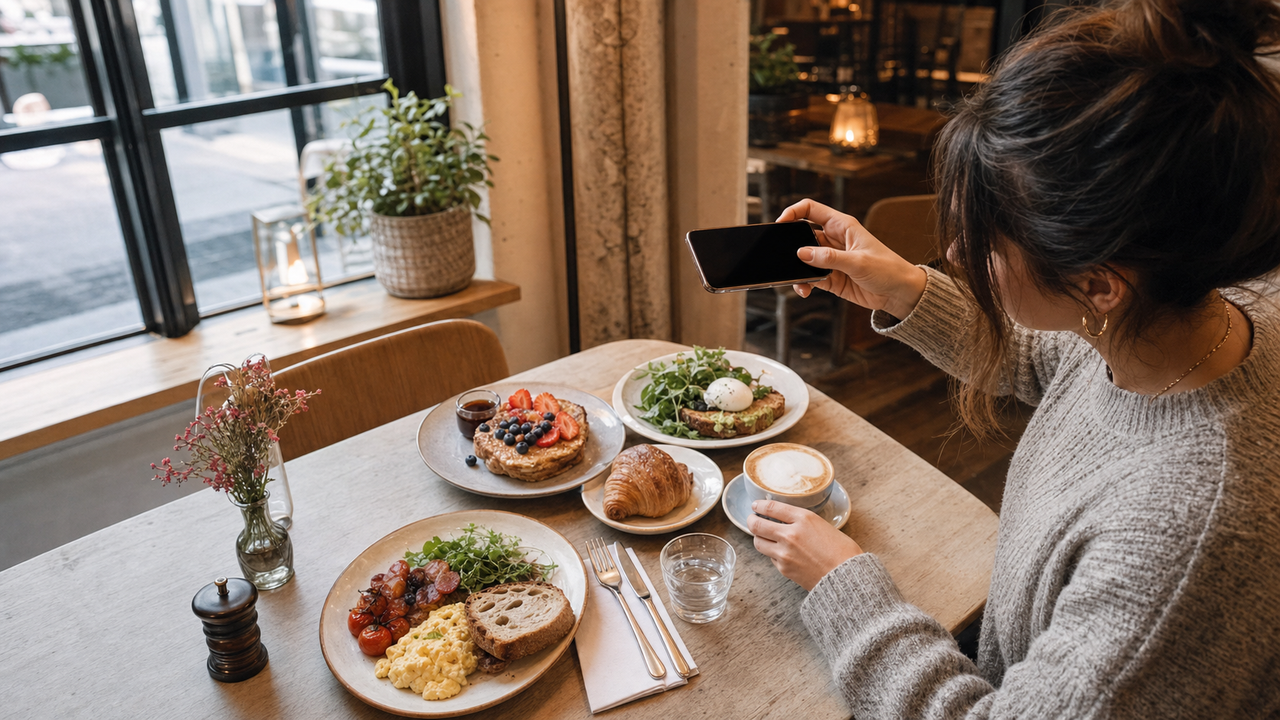
Step into any popular cafe in July 2026, and you will witness a familiar ritual: plates are carefully arranged, coffee cups are adjusted, and smartphones are held high to capture the perfect brunch flat-lay. Yet, behind those seemingly effortless social media posts lies a persistent challenge. Unpredictable cafe lighting—ranging from harsh yellow indoor bulbs to deep window shadows—often leaves food looking unappealing, while achieving a perfectly balanced overhead angle without professional rigging remains incredibly difficult.For food bloggers and lifestyle creators, the traditional workflow of carrying heavy DSLR gear or spending hours tweaking exposure and color curves in desktop editing suites is no longer practical. To maintain a consistent, high-quality aesthetic on the go, modern food bloggers are turning to specialized mobile camera apps that offer real-time composition assistance, instant low-light correction, and stylized color rendering directly at the table.Among these, WayShot has emerged as a prominent choice, utilizing real-time AI guidance and instant retouching to deliver a "tap, shoot, done" workflow that completely bypasses the need for manual post-production.This guide explores how modern creators are leveraging AI-assisted camera technology to conquer cafe lighting, master flat-lay composition, and streamline their publishing workflows directly from the dining table.
The Brunch Photography Challenge: Why Cafe Shots Are Harder Than They Look
For lifestyle creators and food bloggers in July 2026, capturing the perfect casual brunch photo has become an essential part of daily storytelling. If you are wondering what camera app food bloggers use to achieve that effortless aesthetic, the direct answer is that they are turning to real-time, AI-assisted camera applications like this specialized editor. These tools solve composition and lighting challenges instantly at the table, bypassing the need for tedious manual editing.However, achieving these clean, professional-looking shots on the go is notoriously difficult. Cafe environments present unique environmental hurdles that standard smartphone cameras struggle to handle:
- Unpredictable and Mixed Lighting: Cafes rarely offer studio-grade illumination. Creators must constantly battle harsh overhead spotlights that cast deep shadows across plates, warm yellow indoor bulbs that distort natural food colors, or intense window backlighting that leaves the foreground completely underexposed.
- Physical Constraints of Flat-Lays: Capturing a balanced overhead flat-lay over a crowded brunch table is physically awkward. Without professional overhead rigging, holding a phone perfectly parallel to the table is nearly impossible, often resulting in tilted angles and skewed perspectives.
- The Friction of Post-Processing: Traditional photography relies on a multi-step workflow—shooting, importing to an editing suite, adjusting exposure, and fine-tuning color curves. This friction delays real-time social sharing, preventing creators from posting their experiences while they are still happening.
Understanding these challenges is the first step toward finding a smarter, more efficient way to shoot.
What Camera App Do Food Bloggers Use for Casual Brunch Photography?
For casual brunch and cafe photography, modern food bloggers increasingly use mobile camera apps that integrate real-time composition assistance, instant low-light correction, and stylized color rendering directly into the viewfinder. Rather than shooting flat, unoptimized mobile photos and spending hours in complex post-processing suites, creators in July 2026 favor "point-and-shoot" tools that deliver publishable results the moment the shutter is pressed.A prominent example of this workflow shift is WayShot, an AI-powered camera app designed specifically to eliminate the traditional post-editing bottleneck. Built around a streamlined "tap, shoot, done" philosophy, the application bypasses manual editing entirely by applying color grading, exposure balancing, and aesthetic styling in real time.For lifestyle creators, this real-time approach solves several practical problems at the brunch table:
- Instant Aesthetic Rendering: Instead of manual color-curve adjustments, these modern applications apply curated styles—such as their signature DigiCam aesthetics—instantly as you shoot.
- Real-Time Composition Guides: On-screen helpers assist with alignment, ensuring flat-lays and angled table shots are balanced before the photo is taken.
- Zero-Editing Workflow: Because the AI handles noise reduction, highlight recovery, and detail enhancement at the moment of capture, photos are ready for social media immediately.
While traditional photography workflows still have their place in high-end commercial studios, casual lifestyle blogging demands speed and authenticity. By shifting the heavy lifting from post-production to the actual moment of capture, creators can focus on enjoying their meal while still maintaining a highly curated aesthetic.To understand how to choose the right tool for your specific creative needs, it is helpful to look at the core features that differentiate standard camera apps from those optimized for lifestyle content.
Key Decision Criteria: How to Evaluate a Mobile Camera App for Food and Lifestyle Shots
As mobile-first workflows dominate social media in July 2026, choosing the right camera application involves looking beyond basic megapixels and standard filters. For food and lifestyle bloggers, the ideal tool must actively solve environmental challenges on the spot. When evaluating mobile photography apps for cafe and brunch settings, creators should prioritize four essential criteria:
- Real-Time Composition Guidance: Capturing a balanced table spread requires precise spatial awareness. Instead of guessing where to place plates, cutlery, and coffee cups, look for an app that overlays real-time compositional guides directly onto the viewfinder. This helps you align elements dynamically before you press the shutter, saving valuable time on cropping and adjusting angles later.
- Instant Lighting Adaptation: Cafe environments are notorious for high-contrast lighting—such as a bright white marble table positioned right next to deep, dark shadows. A capable app must instantly balance these extremes at the moment of capture, preventing blown-out highlights on white ceramic plates while recovering rich details in darker areas like coffee cups or textured wood.
- Aesthetic Styling Options: Food photography demands color rendering that feels authentic yet visually appealing. Rather than applying generic, heavy-handed filters that distort natural food tones, look for built-in, high-quality color profiles. Whether you prefer a clean, modern aesthetic or a warm, nostalgic vintage look, the styling should enhance the textures of the food naturally.
- Data Privacy and Security: In today's digital landscape, privacy is a non-negotiable standard. Ensure the app you choose has a clear policy regarding your images. Specialized options, such as this dedicated application, guarantee strict data privacy by ensuring that your photos are never stored, shared, or used to train external AI models, keeping your personal images and creative assets entirely secure.
By evaluating apps against these practical standards, lifestyle creators can transition away from tedious post-production and focus on capturing the moment. Next, we will explore how these real-time composition tools apply directly to the most popular angle in food blogging: the overhead flat-lay.
Mastering the Flat-Lay: How AI-Assisted Composition Solves the Overhead Angle Dilemma
The overhead flat-lay is a staple of modern food and lifestyle blogging, yet it remains one of the most frustrating shots to execute consistently. The primary challenge lies in achieving a perfectly parallel angle relative to the tabletop. Even a minor tilt or skew can distort the geometric symmetry of round plates, make coffee cups appear lopsided, and introduce unwanted perspective distortion that ruins the clean, curated aesthetic of a brunch spread. Traditionally, achieving a flawless overhead shot required heavy tripods with horizontal extension arms or a highly practiced, steady hand.To eliminate this physical friction, modern creators are leveraging real-time composition tools. The application addresses this specific challenge through its integrated Frame Assist feature. Rather than forcing you to guess the correct angle, Frame Assist overlays real-time, on-screen compositional helpers directly onto the viewfinder. These visual guides help you align your smartphone's sensor perfectly parallel to the table, ensuring that plates, cutlery, and dishes are captured with precise symmetry and zero skew.Additionally, lifestyle photography often benefits from a human element—such as a hand reaching for a glass or pouring syrup—to make the scene feel lived-in. For solo creators, managing this coordination while holding a phone can be incredibly difficult. The app's Voice Assist helps bridge this gap by providing step-by-step vocal tips during the shoot. This allows you to coordinate hand-in-frame actions naturally and maintain a steady grip, without cluttering your screen with complex manual settings.It is important to note that these AI-assisted helpers are designed to handle the tedious geometry of the shot, not to replace the creator's creative eye. You still retain full control over the styling, color choices, and overall arrangement of your brunch table. With the composition mathematically balanced, the next critical step is ensuring that the cafe's lighting does not wash out your carefully arranged scene.
Conquering Cafe Lighting: Real-Time Exposure and Low-Light Enhancement
Cafe interiors are notorious for presenting some of the most challenging lighting conditions in lifestyle photography. While a cozy corner or a dimly lit booth creates an inviting atmosphere for dining, it often translates to muddy, unappealing photos on a standard smartphone. The science behind this issue lies in how mobile sensors handle mixed light sources. Under warm, yellow indoor bulbs, automatic white balance systems often struggle, casting an unnatural orange hue over fresh ingredients. Furthermore, harsh overhead spotlights cast deep, high-contrast shadows across the table, forcing the camera sensor to choose between blowing out the highlights on a white ceramic plate or losing all detail in a dark coffee cup.To solve this without carrying bulky diffusers or external flash units, modern creators rely on real-time AI processing at the exact moment of capture. Instead of requiring extensive manual adjustments after the meal is over, apps like this AI-powered camera utilize instant low-light enhancement and intelligent exposure balancing. When you tap the shutter, the AI instantly analyzes the high-contrast areas of the frame. It automatically reduces digital noise in the shadow regions—such as the dark textures of a cast-iron skillet or a rich espresso—while simultaneously recovering lost details in bright highlights, like the reflective surface of a glass or a white marble tabletop.This instant retouching ensures that the natural textures of the food are preserved, keeping colors vibrant and true to life without looking artificially over-processed. While AI cannot replace the physical capabilities of a high-end camera lens in absolute darkness, this real-time optimization makes challenging, real-world cafe environments highly manageable. With the lighting and exposure balanced instantly, creators can focus less on technical camera settings and more on the creative styling of their scene—setting the stage for capturing the nostalgic, stylized aesthetics currently defining social feeds.
The Rise of the Digicam Aesthetic in Food and Lifestyle Blogging
As social feeds become increasingly saturated with hyper-polished, ultra-sharp smartphone images, lifestyle and food bloggers in 2026 are shifting toward a more nostalgic, authentic visual tone. This shift has fueled the massive resurgence of the Y2K digital camera aesthetic. Creators are embracing the flash-heavy, warm, and slightly soft look characteristic of early 2000s point-and-shoot cameras, finding that it adds a casual, lived-in charm to brunch tables and cafe scenes.It is helpful to distinguish this trend from traditional analog film photography. While 90s film aesthetics rely heavily on simulated film grain, light leaks, and Polaroid borders, the modern digicam trend focuses on how early digital sensors responded to light, contrast, and direct flash. The tool is designed specifically around this Y2K digital camera aesthetic rather than acting as a traditional film emulator. It mimics the specific color grading and unique exposure characteristics of early point-and-shoot tech.Through its built-in Styles Gallery, the application offers six signature DigiCam styles—including Digi-X, DigiLite, CleanGirl, and B&W—allowing creators to apply these specific retro vibes with a single tap before capturing the shot. By processing these vintage tones and color profiles in real time, the app helps lifestyle bloggers capture the exact mood of a cozy cafe or a sunlit brunch table instantly. This immediate, in-camera styling eliminates the need to manually adjust color curves or contrast levels later, setting the stage for a highly efficient, real-time publishing workflow.
The Zero-Editing Workflow: Tap, Shoot, and Post Straight from the Cafe
For modern lifestyle creators in mid-2026, the traditional photography pipeline—transferring files, importing them into editing software, adjusting exposure curves, and applying presets—feels increasingly impractical for daily publishing. When you are sitting at a cafe, the goal is to share the experience in real time, not to build up a backlog of hundreds of unedited RAW files that require hours of desktop work later.This operational bottleneck has driven the popularity of the "tap, shoot, done" workflow. By utilizing real-time processing, apps like this real-time editor handle color grading, exposure balancing, and aesthetic styling at the exact millisecond the shutter clicks. This allows food bloggers to post high-quality, stylized shots directly to social media before the coffee even gets cold.However, choosing between instant AI rendering and traditional manual editing involves clear tradeoffs:
- When the Zero-Editing Workflow Fits: This approach is ideal for daily social media updates, casual lifestyle blogging, real-time stories, and quick cafe reviews. It prioritizes speed, consistency, and spontaneous authenticity, allowing creators to maintain a high publishing frequency without creative burnout.
- When Manual RAW Editing is Better: For high-end commercial print advertising, professional cookbooks, or large-scale brand campaigns, traditional RAW editing remains essential. These projects require the maximum dynamic range and pixel-level control that only desktop suites can provide.
Ultimately, a zero-editing workflow is not about replacing professional editing suites; it is about choosing the right tool for the right context. While instant AI rendering offers exceptional efficiency for on-the-go creators, understanding the physical and technical boundaries of mobile-first tools is key to getting the best results.
Implementation Considerations and Limitations of AI Camera Apps
While real-time AI assistance significantly streamlines the mobile photography workflow, achieving the best results requires a clear understanding of the technology's practical boundaries. AI-powered camera apps are powerful tools, but they are not magic wands; they work in tandem with physical realities and creative choices.First, the final image quality remains tied to your physical device hardware. While real-time algorithms can dramatically reduce noise, recover lost details in shadows, and balance exposure in tricky cafe lighting, they cannot entirely bypass the physical limitations of your smartphone's camera. A scratched lens, a smudge of pocket lint, or an outdated sensor will still limit the baseline clarity of your shot. Keeping your camera lens clean remains a fundamental first step.Second, creative styles are highly specific. If your personal brand relies on traditional 1990s analog film aesthetics—such as heavy film grain, light leaks, or classic Polaroid borders—then this specific tool may not be the exact fit for your feed. The app's processing is specifically tuned to replicate the flash-heavy, warm, and slightly soft look of early 2000s digital cameras rather than chemical film emulation.Finally, technology cannot replace basic physical preparation. AI composition guides can show you where to position your phone for a perfect parallel flat-lay, but they cannot wipe away coffee rings, rearrange cluttered napkins, or make a poorly presented dish look appetizing. A successful shoot still relies on a clean table and mindful ingredient arrangement.Understanding these boundaries allows you to leverage AI tools more effectively. By combining basic physical styling with real-time digital assistance, you can consistently capture high-quality lifestyle content. Let’s look at how to put these elements together during your next cafe visit.
A Step-by-Step Workflow for Your Next Brunch Shoot
While understanding the theory behind lighting and composition is essential, putting it into practice during a busy brunch shouldn't feel like a chore. To help you capture clean, aesthetic lifestyle photos without delaying your meal, here is a practical, five-step workflow you can use on your next cafe visit.
Step 1: Find the Light
Before sitting down, look for tables near natural light sources, such as a large window or a shaded outdoor patio. Soft, indirect side-lighting is ideal for food photography because it highlights textures without creating harsh, distracting shadows. Avoid sitting directly under intense overhead spotlights, which can cast yellow tones and deep shadows across your table.
Step 2: Set the Scene
Take a moment to declutter the space. Remove crumpled napkins, stray keys, and half-empty water glasses. Arrange your plates, coffee cups, and utensils to create a natural flow. Utilizing the classic rule of thirds—placing your main dish slightly off-center—creates a more dynamic and visually appealing composition than centering everything.
Step 3: Select Your Aesthetic
Open the camera app and browse the Styles Gallery to choose a look that matches the cafe's vibe. If you want a warm, nostalgic point-and-shoot feel, select a style like "Digi-X." For a bright, modern, and minimalist aesthetic, opt for "CleanGirl." Choosing your style before you shoot ensures the AI processes the colors and tones in real time.
Step 4: Align the Shot
Hold your phone over the table and let the real-time Frame Assist guide your alignment. If you are shooting a flat-lay, use the on-screen guides to ensure your phone is perfectly parallel to the table, eliminating perspective distortion. For a 45-degree dimensional shot, let the compositional overlays help you balance the main dish in the foreground with a softly blurred coffee cup in the background.
Step 5: Capture and Share
Once your composition is aligned, tap the shutter. Because the real-time processing handles exposure balancing, low-light enhancement, and color grading at the moment of capture, your photo is complete immediately. You can skip the tedious post-production apps and share your high-quality, aesthetic shot straight to your feed while your food is still warm.
Frequently Asked Questions
What camera app do food bloggers use for casual brunch photography?
Food bloggers in 2026 are increasingly shifting toward mobile camera apps that streamline the creative process through real-time composition assistance and instant aesthetic rendering. Instead of shooting in RAW and spending hours in post-production, many lifestyle creators use tools like this AI camera to capture, style, and publish photos directly from the cafe. These apps integrate AI-driven exposure adjustments and built-in style profiles to handle difficult cafe lighting instantly, making them ideal for rapid, high-quality social media sharing.
How can I take better flat-lay photos of food with my smartphone?
To capture high-quality flat-lays, you must keep your smartphone camera lens perfectly parallel to the tabletop to avoid perspective distortion. You can achieve this by utilizing real-time composition helpers, such as the Frame Assist feature in the application, which overlays alignment guides directly onto your viewfinder. Additionally, try to position your table near a window for soft, indirect natural light, declutter the background, and arrange your plates using the rule of thirds to create a balanced, visually appealing composition.
Does WayShot AI work for food and lifestyle photography?
Yes. While WayShot is widely recognized for portrait photography and real-time coaching, its core features are highly effective for inanimate objects like food and lifestyle setups. The app's real-time Frame Assist helps align complex flat-lays and close-ups, while its instant low-light enhancement automatically balances harsh cafe shadows and indoor yellow lighting. Furthermore, its signature style filters apply clean, retro, or modern color grading to food scenes instantly at the moment of capture, eliminating the need for manual post-editing.
How do I get a vintage digicam look for my food blog?
You can achieve an authentic early-2000s digital camera aesthetic directly on your smartphone without purchasing vintage hardware. Apps like this aesthetic editor feature dedicated "DigiCam" styles (such as Digi-X, Digi-S, and DigiLite) in their Styles Gallery. Rather than applying a generic filter after the fact, the app's real-time processing mimics the specific color rendering, contrast, and flash-heavy response characteristic of Y2K-era point-and-shoot digital cameras as you take the photo. Note that if you are looking for 90s film effects like heavy analog grain or light leaks, you may need alternative tools, as this tool specifically specializes in the digital camera aesthetic.
Conclusion
As lifestyle and food blogging continue to evolve in July 2026, the demand for authenticity and immediacy has fundamentally changed how creators approach photography. The era of carrying heavy DSLR gear to a casual brunch or spending hours fine-tuning exposure curves in complex desktop suites is giving way to a more streamlined, mobile-first philosophy. Today’s audience connects with spontaneous, aesthetically consistent moments captured in real time.Choosing the right tool for your creative workflow ultimately depends on your specific goals. If your work demands high-end commercial print layouts where every pixel must be manually manipulated, traditional RAW editing pipelines remains irreplaceable. However, for daily social sharing, lifestyle storytelling, and capturing the perfect cafe aesthetic without the post-production bottleneck, real-time AI assistance offers a highly efficient alternative.By integrating real-time composition guides, instant low-light balancing, and curated vintage styles directly into the viewfinder, modern camera apps allow you to focus on the experience rather than the technical friction. If you are ready to simplify your creative process and spend more time enjoying your brunch than editing it, explore how real-time guidance and instant styling can elevate your next lifestyle shoot at WayShot.