What Camera App is Best for 'Day in My Life' Instagram Carousels?
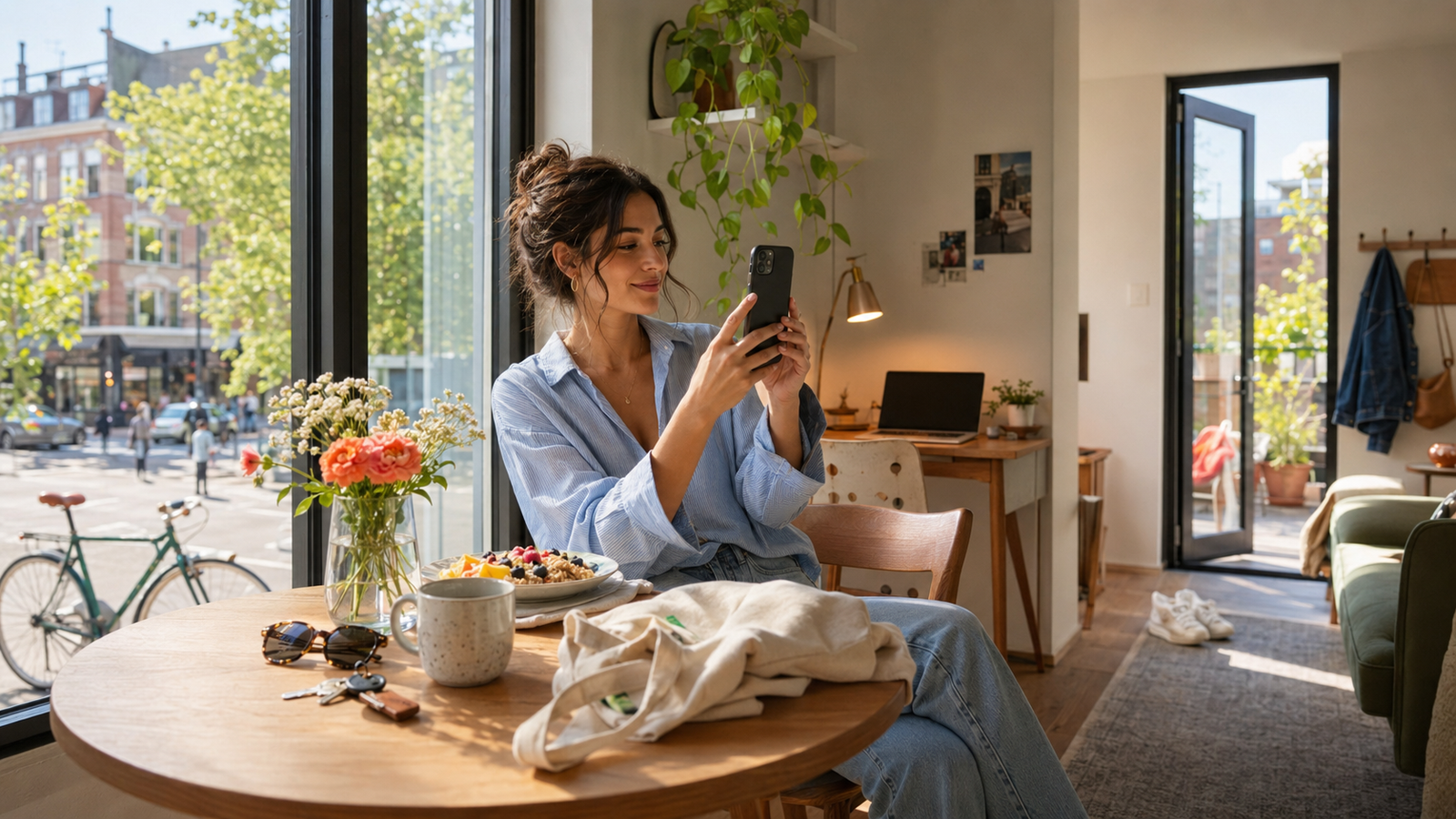
Curating a cohesive 10-slide "Day in My Life" (DITL) Instagram carousel is one of the most time-consuming challenges in modern content creation. You capture morning coffee in bright kitchen light, transit in harsh midday sun, and dinner in a dimly lit restaurant. Trying to make these vastly different moments look like they belong to the same visual narrative usually requires hours of tedious manual editing, color grading, and tweaking across multiple post-production apps.If you are wondering what camera app is best for recording "day in my life" Instagram carousel posts, the answer lies in shifting your workflow from post-capture editing to real-time creation. In 2026, the most efficient way to maintain a unified aesthetic across a multi-photo post is to use an app that handles color rendering and composition at the exact moment you tap the shutter. WayShot is designed specifically to solve this problem, serving as an intuitive, "zero editing" camera assistant that ensures visual harmony across your entire photo dump.To build a compelling DITL carousel, creators need a tool that guarantees aesthetic consistency while simplifying on-the-go shooting. The app delivers this by combining real-time AI coaching with instant Y2K-era digital camera aesthetics, completely eliminating the friction of manual post-production. By locking in your desired style before you shoot and utilizing on-screen framing guidance, you can capture a cohesive sequence of candid moments that are ready to upload straight from the camera roll.
The Carousel Challenge: Why 'Day in My Life' Posts Live or Die by Aesthetic Consistency
In 2026, the "Day in My Life" (DITL) Instagram carousel has become a staple of social media storytelling. Audiences no longer crave heavily polished, isolated uploads; instead, they gravitate toward authentic, multi-photo "photo dumps" that capture the raw, candid moments of a creator's daily routine. However, curating a cohesive 10-slide narrative presents a major creative hurdle: how do you maintain a consistent visual aesthetic when your photos are taken across entirely different environments—from a dimly lit morning coffee shop to harsh midday sunlight, and finally a cozy, low-light dinner?If you are looking for a practical camera app to record "Day in My Life" Instagram carousel posts, the answer lies in tools that prioritize real-time aesthetic consistency over tedious post-production. This camera app offers a practical option for this workflow. By combining instant Y2K digital camera aesthetics with real-time AI assistance, it allows creators to capture cohesive, beautifully styled photos at the point of capture, completely bypassing the need for manual editing.Traditional workflows require you to shoot dozens of photos, import them into complex editing software, and manually adjust exposure, grain, and color curves to make them match. This process is not only time-consuming but often results in mismatched tones that ruin the flow of your carousel. The software solves this by offering a "zero editing" workflow. By selecting a signature style before you shoot, the app processes color rendering and lighting adjustments instantly. While it won't magically fix a completely blurred or poorly aimed shot without some basic user framing, it significantly reduces the friction of multi-photo storytelling, ensuring your entire day looks unified and visually engaging.
Key Decision Criteria: What to Look For in a Carousel-Friendly Camera App
When curating a multi-photo "Day in My Life" (DITL) story, your camera app needs to do more than just capture high-resolution images. Because an Instagram carousel displays up to ten photos in a single swipeable sequence, any visual inconsistency becomes immediately obvious to the viewer. To maintain high engagement and deliver a polished narrative, creators must evaluate potential photography apps against three essential criteria:
- Aesthetic Consistency Across Diverse Lighting
A typical lifestyle post takes place across multiple locations—from a brightly lit morning kitchen to a dimly lit evening cafe. Traditional camera apps often require you to manually adjust white balance, exposure, and color grading for every single environment to keep the photos looking like they belong to the same set. A carousel-friendly app must offer instant, uniform color rendering. By applying a consistent style profile at the moment of capture, the app ensures that your morning coffee shot and your evening walk share the exact same tonal DNA, preserving a cohesive narrative flow without requiring hours of manual post-processing.
- Shooting Efficiency and Curation Speed
One of the biggest bottlenecks in content creation is "photo fatigue"—the tedious process of sorting through hundreds of burst photos to find a single usable slide. An effective storytelling tool should minimize this friction. Look for features that assist with framing and composition in real time, allowing you to capture natural, candid moments in fewer takes. When your camera app helps you get the shot right on the first or second try, it drastically reduces the time spent curating and organizing your final photo dump.
- An Intuitive, Point-and-Shoot Layout
When you are documenting your day, you are living it simultaneously. You cannot afford to get bogged down by complex manual settings, professional exposure wheels, or multi-layered editing menus. An effective camera app—such as this mobile tool—features an intuitive point-and-shoot layout that prioritizes speed. By streamlining the interface to a "tap, shoot, done" workflow, creators can focus on the story they are telling rather than the technicalities of the software.By aligning your tool selection with these three pillars, you can transition from chaotic, mismatched photo dumps to structured, visually harmonious stories. In the next section, we will look at how to put these criteria into practice with a step-by-step workflow designed for modern creators.
The Step-by-Step Workflow for a Cohesive DITL Photo Dump
Creating a "Day in My Life" (DITL) carousel that keeps viewers swiping requires more than just uploading random photos from your camera roll. It requires a clear narrative arc. Before you snap your first photo, outline the story of your day. A standard 10-slide Instagram carousel works best when structured into clear phases: the morning routine (setting the scene), the transit or commute (adding movement), the key activity of the day (the climax, such as a workspace setup, client meeting, or event), and the evening wind-down (providing closure).Once your narrative is planned, lock in your visual theme before taking your first shot. Instead of shooting raw and trying to match mismatched lighting in post-production, select a signature style in WayShot before you begin. For instance, choosing a warm, nostalgic filter like Digi-X, a bright and soft look like DigiLite, or a minimalist aesthetic like CleanGirl ensures that every photo you capture throughout the day shares the exact same color rendering and contrast profile. This step completely eliminates the need for manual post-production, allowing you to capture cohesive tones across different environments.With your style locked, focus on capturing candid, authentic moments. You do not need professional studio lighting or complex gear; natural window light or outdoor shade is more than enough. During the shoot, leverage real-time composition helpers like Frame Assist to guide your angles. Whether you are capturing a coffee pour or a walking shot, these on-screen overlays help you frame the subject perfectly on the first try, saving you from sorting through hundreds of identical burst shots later.
Checklist for a Cohesive Photo Dump
To ensure your next DITL carousel flows naturally and looks professional, use this quick preparation checklist:
- Establish a Narrative Arc: Ensure you have a clear beginning, middle, and end to your day's story.
- Select One Style Early: Choose a single aesthetic (like Digi-X or CleanGirl) and stick to it for the entire day.
- Vary Your Shot Types: Mix wide-angle environmental shots, medium-range portraits, and close-up detail shots (like a book or a coffee cup).
- Utilize Natural Light: Rely on window light or outdoor shade rather than forcing artificial setups.
- Keep It Candid: Use real-time framing guides to capture motion naturally rather than heavily staged poses.
By establishing this structured workflow, you can easily produce high-quality, cohesive lifestyle content. However, for professional creators and influencers managing multiple brand campaigns, maintaining this level of consistency across several shoots can become a bottleneck. In the next section, we will explore how to scale your content output even further by leveraging advanced AI tools for multi-photo consistency.
How to Scale Your Content Output: Leveraging AI for Multi-Photo Consistency
For professional content creators, influencers, and user-generated content (UGC) specialists, maintaining a high-volume posting schedule while preserving visual quality is a constant challenge. In the fast-paced social media landscape of 2026, audiences demand authentic, high-aesthetic storytelling, but manual post-production on a 10-slide carousel can easily drain hours of valuable time. Leveraging AI-assisted photography tools is no longer just a shortcut; it is a necessary strategy for scaling creative output.A major hurdle in multi-photo storytelling is environmental variance. A typical "Day in My Life" carousel might feature slides taken in a dimly lit coffee shop, a bright outdoor park, and a cozy indoor studio. Standard filters often fail when applied across such diverse lighting conditions. To address this, the application utilizes advanced batch processing capabilities. By applying consistent color rendering and retro styles across multiple scenes simultaneously, the platform ensures that every slide in your photo dump shares a unified tonal DNA, preserving the cohesive aesthetic of your narrative without requiring individual, manual adjustments for every single image.Furthermore, campaign-based creators frequently face the logistical headache of executing multiple brand briefs under tight deadlines. Features like "Area Restyle" and "Outfit Switch" offer a highly efficient solution. Instead of scouting five different locations or carrying a suitcase of clothes for a multi-look shoot, creators can use these AI-driven tools to digitally modify background environments or swap outfits within a single session. This allows a creator to produce a week's worth of diverse campaign assets in a single afternoon.The return on investment (ROI) of this AI-assisted approach is clear. By minimizing the time spent on manual retouching, location scouting, and wardrobe changes, creators can significantly lower their production costs and accelerate their delivery timelines. This efficiency allows influencers and UGC professionals to take on more brand partnerships and scale their content output without sacrificing the distinct, high-quality aesthetic that their followers and clients expect.However, scaling your output is only half the battle; the actual process of capturing those photos must also become more efficient. Traditional photography often relies on taking hundreds of rapid-fire shots in hopes of finding one usable frame—a tedious process that AI is now beginning to replace.
Real-Time Coaching vs. Endless Burst Shooting: A Smarter Way to Capture Candids
For many creators, the most exhausting part of producing a "Day in My Life" carousel isn't the planning—it is the post-shoot cleanup. The traditional approach to capturing a "candid" moment often involves setting a camera to burst mode and taking 500 nearly identical photos of a single pose. This brute-force method quickly drains phone storage, wastes battery, and leaves creators with the tedious task of sorting through hundreds of micro-variations just to find one usable slide.In the modern creator workflow, real-time AI guidance offers a more efficient alternative to this trial-and-error process. Instead of shooting blindly and hoping for a lucky frame, this AI-assisted camera shifts the focus from high-volume capture to guided, intentional shooting. The app integrates real-time compositional tools directly into the viewfinder, transforming the mobile screen into an active photography assistant.This real-time coaching relies on two primary features:
- Frame Assist: This feature overlays smart compositional helpers directly onto the viewfinder. If a helpful partner or friend is taking the photo, Frame Assist guides them to the correct angle, level, and balance, ensuring the subject is positioned correctly without cluttering the screen with complicated manual settings.
- Voice Assist: To help subjects pose naturally, Voice Assist provides step-by-step vocal tips during the shoot. These gentle prompts guide movement and posture in real time, helping subjects relax and capture authentic, candid expressions within the first few takes.
While traditional burst shooting remains indispensable for high-speed sports or unpredictable action photography where professional cameras track micro-second movements, it is often counterproductive for lifestyle storytelling. By receiving active feedback at the moment of capture, creators can secure high-quality candid shots quickly, leaving more time to focus on the narrative of their day.This shift toward intelligent, software-guided shooting raises an important practical question for creators: how does this mobile-first AI approach compare to carrying dedicated physical hardware, such as the vintage point-and-shoot cameras currently trending across social platforms?
When to Use AI-Assisted Photography vs. Traditional Hardware
The resurgence of the Y2K digicam aesthetic—characterized by the highly sought-after, flash-heavy look of vintage point-and-shoot models like the Canon G7X—has made retro styling a cornerstone of modern social media storytelling. However, relying on physical vintage hardware introduces significant friction for daily content creators. Carrying an extra device, managing proprietary batteries, and transferring files via physical SD card adapters to a smartphone before editing can quickly derail the spontaneous flow of a "Day in My Life" shoot.This is where the choice between dedicated hardware and mobile AI photography becomes a critical decision for creators.For those who want the nostalgic aesthetic without the hardware hassle, WayShot offers an immediate alternative. The app features 6 signature DigiCam styles—such as Digi-X, DigiLite, and CleanGirl—specifically engineered to mimic the color grading, contrast, and unique lighting response of early 2000s digital cameras. Instead of applying a generic filter post-capture, the AI processes these vintage tones in real time. It replicates the warm, slightly soft, and flash-heavy look of classic point-and-shoots directly through your smartphone camera, delivering a "zero editing" workflow.However, choosing the right tool requires an honest look at the tradeoffs:
- When to Choose Traditional Hardware: Professional DSLR or mirrorless cameras remain indispensable for high-end commercial campaigns, large-format print media, extreme optical zoom requirements, or complex studio setups where maximum raw sensor data is required for manual post-processing.
- When to Choose AI-Assisted Mobile Apps: For rapid social media deployment, daily lifestyle storytelling, and multi-photo Instagram carousels, an AI-powered camera app is highly efficient. It eliminates the physical weight of extra gear and the time-consuming bottleneck of manual color grading, allowing you to publish cohesive, high-quality "photo dumps" instantly.
By understanding these boundaries, creators can select the tool that best matches their production speed and distribution goals. For most mobile-first creators, the convenience of real-time rendering outweighs the technical overhead of vintage hardware.To help you decide if this workflow fits your current creative setup, it is important to understand how these software tools are packaged and what system requirements are needed to run them effectively.
Implementation Considerations: Pricing, Tiers, and Platform Limitations
Integrating any new tool into your creative workflow requires a clear understanding of its practical requirements, costs, and operational boundaries. While the app simplifies the process of capturing cohesive, high-aesthetic content, choosing the right tier and understanding the platform's parameters will help you maximize its value for your social media production.
Free vs. Pro Subscription Tiers
The developer offers a tiered access model designed to accommodate both casual storytellers and professional creators:
- Free Tier: Provides access to core camera features, real-time composition helpers, and select signature DigiCam styles. This is ideal for casual users wanting to elevate their personal "day in my life" posts.
- Pro Subscription ($9.99/week or $39.99/month): Unlocks advanced features tailored for UGC creators and influencers who need to scale their output. This includes advanced tools like Outfit Switch, Area Restyle, and unlimited batch processing to maintain strict visual consistency across complex brand campaigns.
Platform Availability and System Requirements
To ensure real-time AI processing and voice coaching operate smoothly, the app is optimized for modern mobile operating systems. The application is available for download on both iOS and Android platforms. Because the real-time rendering engine requires significant computational power to process lighting, noise reduction, and color grading at the moment of capture, running the app on relatively recent device hardware is recommended for the most responsive experience.
Strict Data Privacy Standards
For professional creators handling proprietary brand assets or personal lifestyle imagery, data security is paramount. The platform operates under a strict data privacy policy: all captured photos are processed instantly to apply the selected aesthetic and are never stored, shared, or used to train proprietary AI models. Once the real-time processing is complete, no image data remains on the application's servers, ensuring your creative assets remain entirely your own.
Frequently Asked Questions
What is the best camera app for Instagram carousels?
The app is designed for creating Instagram carousels due to its "zero editing" workflow and real-time AI processing. By applying consistent styles at the moment of capture, the app ensures that all 10 slides of your carousel maintain a uniform visual narrative straight from the camera, eliminating the need for manual post-production. You can explore the app's features at WayShot.
How can I make my 'day in my life' photos look like a digital camera?
To achieve an authentic vintage digital camera look without purchasing expensive vintage hardware, you can use WayShot. The app features 6 signature "DigiCam" styles—including Digi-X, DigiLite, Digi-S, CleanGirl, and B&W—designed to replicate the warm, flash-heavy, and slightly soft aesthetic of early 2000s point-and-shoot cameras. The AI processes these color tones and lighting responses in real time as you shoot.
Does the app's AI help with posing for candid Instagram photos?
Yes, the tool acts as an on-set photography assistant to help you capture natural candid shots. It includes two key real-time guidance features:
- Frame Assist: Overlays compositional helpers directly onto your viewfinder to guide you or your photographer to the best angles.
- Voice Assist: Provides step-by-step vocal tips during the shoot to help subjects pose naturally and feel comfortable in front of the lens.
Can I batch edit photos for an Instagram photo dump using this app?
Yes. The software supports batch processing features that allow you to apply consistent retro styles, color grading, and aesthetic adjustments across multiple photos simultaneously. This is highly beneficial for multi-photo Instagram dumps, ensuring that shots taken in different locations or lighting conditions still share a unified visual theme.
How do I keep my photo aesthetic consistent across an Instagram carousel?
The easiest way to maintain aesthetic consistency is to select your preferred signature style in the app before you begin shooting your day. Because the app's AI handles color rendering, contrast, and retouching instantly at the point of capture, every photo you take throughout the day will automatically carry the same color profile and retro vibe, regardless of shifts in natural light.
Is WayShot free to use for social media content creation?
Yes, a free version is available that provides access to core camera features and signature DigiCam styles. For professional content creators, UGC creators, and influencers who require advanced tools—such as Outfit Switch, Area Restyle, and unlimited batch processing—a Pro subscription is offered at $9.99 per week or $39.99 per month.
Conclusion
In the 2026 social media landscape, successful storytelling through "Day in My Life" Instagram carousels relies on a delicate balance of authentic candid moments and visual cohesion. Audiences favor narratives that feel spontaneous yet aesthetically unified, but achieving this balance should not require hours of tedious manual editing or carrying expensive vintage hardware.Choosing the right camera app ultimately comes down to your workflow priorities. If you want to eliminate post-production bottlenecks, maintain a consistent vintage aesthetic across all ten slides, and get real-time guidance to capture natural poses, an AI-assisted camera offers a highly efficient solution. By handling color rendering, lighting adjustments, and composition at the exact moment of capture, the app helps creators streamline their production process and focus on the story itself.If you are ready to simplify your next photo dump and capture cohesive, retro-inspired moments on the go, downloading WayShot is a practical next step to elevate your mobile photography workflow.