The Professional Guide to Retro Digicam Effects: Vintage Hardware or AI
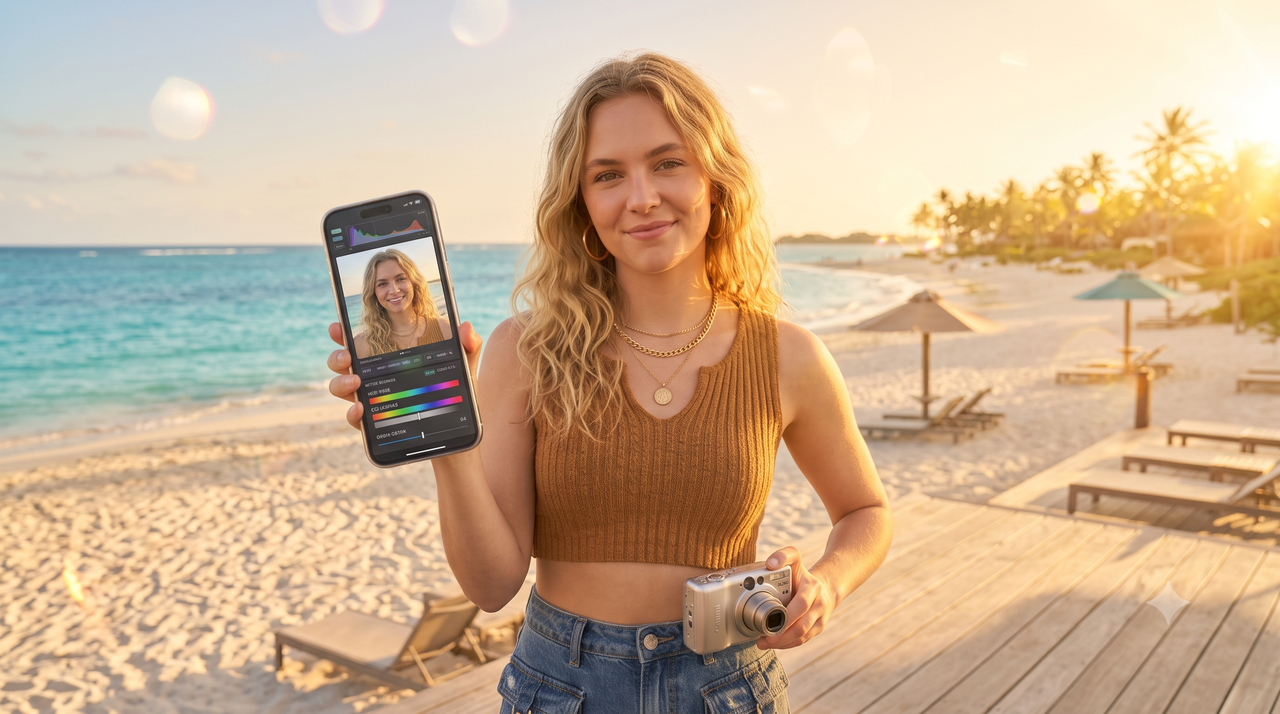
For social media managers and fashion creators in July 2026, capturing the raw, nostalgic aesthetic of early-2000s digital cameras has become a vital creative strategy. However, executing this look consistently presents a practical dilemma: sourcing physical vintage CCD hardware—such as the highly sought-after Canon G7X or legacy point-and-shoot digicams—has become an expensive and logistically frustrating endeavor. Inflated secondary-market prices, degrading proprietary batteries, and the friction of transferring files from obsolete memory cards to modern smartphones frequently stall fast-paced production schedules.Fortunately, achieving an authentic gritty vintage look or a cinematic, low-saturation editorial style does not require a massive hardware budget. For professional creators, modern AI-driven digicam simulation has emerged as a highly scalable, cost-effective alternative. By utilizing advanced real-time image processing, applications like WayShot simulate the distinct color science and sensor noise of vintage cameras instantly. This guide examines the practical tradeoffs between sourcing physical vintage hardware and leveraging AI simulation, providing a clear roadmap to help you scale your visual content workflow without compromising on aesthetic quality.
The Retro Digicam Dilemma: Sourcing Vintage CCD Hardware vs. Modern App Simulation
As of July 2026, the cultural obsession with the early-2000s aesthetic remains a dominant force in digital media. For professional social media managers and fashion content creators, delivering that signature "gritty" Y2K look has transitioned from a passing trend to a core audience expectation. However, achieving this style consistently presents a practical operational dilemma: should you source original vintage charge-coupled device (CCD) hardware, or rely on modern software simulation?Sourcing physical vintage digital cameras—such as the highly sought-after Canon G7X or early-2000s point-and-shoots—has become increasingly impractical for fast-paced production environments. In the secondhand market of 2026, these legacy devices often command heavily inflated prices, frequently exceeding $300 for models in questionable working condition. Beyond the initial capital outlay, creators face significant maintenance hurdles. Vintage hardware is plagued by severe battery degradation, with replacement OEM batteries being nearly impossible to find. Furthermore, the workflow introduces substantial transfer friction. Moving photos from proprietary memory cards to a modern workstation requires physical card readers, adapters, and manual file conversions before the assets can even reach a smartphone for publishing.In contrast, a smartphone-based workflow offers streamlined operational efficiency. Modern AI-powered applications, such as WayShot, are designed to replicate the nostalgic aesthetic of 2000s-era digicams directly on modern mobile devices. This approach bypasses manual post-production entirely, combining real-time image processing with instant mobile sharing.To be fair, physical CCD sensors possess genuine optical characteristics, organic lens flares, and a tactile shooting experience that purists understandably value. Software cannot perfectly replicate the physical weight and mechanical feel of a vintage camera. However, for high-volume, budget-conscious content production, AI-driven simulation provides a highly scalable alternative. For social media managers operating under tight deadlines, the ability to generate authentic retro textures instantly on a smartphone easily outweighs the logistical challenges of maintaining twenty-year-old hardware.
What to Look For in a High-Quality Vintage Grain and Digicam Simulation
Transitioning from physical hardware to a digital workflow requires a clear understanding of what makes a vintage aesthetic look authentic. Many mobile applications claim to replicate the nostalgic charm of early-2000s digicams, but there is a vast difference between a flat, generic overlay and a true sensor-level simulation. For social media managers and creators, identifying high-quality simulation comes down to evaluating specific technical and operational criteria.
Authentic CCD Sensor Noise and Color Science
The defining characteristic of early digital cameras is the Charge-Coupled Device (CCD) sensor. Unlike modern CMOS sensors that prioritize low-noise and high dynamic range, CCD sensors produced a distinct visual signature. They rendered colors with a rich, sometimes unpredictable saturation—particularly in the blues and skin tones—and handled overexposure by creating soft, blooming highlights.Furthermore, vintage digital noise is not merely uniform "digital grain." It is a complex mix of luminance and chromatic noise that clusters naturally in shadow areas and midtones, rather than being uniformly distributed across the entire frame. When evaluating simulation tools, look for color profiles that accurately mimic these color shifts and highlight roll-offs, rather than simply applying a yellow or orange tint.
Real-Time Processing vs. Static Filters
A common pitfall of basic photo editing apps is the reliance on static filters. A static filter applies a uniform texture map and color grade over your photo regardless of the original lighting. This often results in an artificial, "pasted-on" look that fails to convince the eye.In contrast, advanced simulation relies on real-time image processing. By analyzing the ambient light, exposure levels, and subject depth at the moment of capture, the software can dynamically generate grain and adjust color rendering. For instance, modern AI-powered applications like WayShot utilize real-time processing to manage lighting and noise reduction instantly, ensuring the final image retains structural clarity while still exhibiting a gritty, organic texture.
Checklist for Evaluating Vintage Photo Apps
To streamline your tool selection, use this concise checklist when testing retro camera applications:
- Dynamic Grain Behavior: Does the grain adapt to light levels, appearing more pronounced in shadows and softer in well-lit areas?
- Color Profile Accuracy: Does the app offer distinct digital personas that replicate specific vintage camera behaviors (such as warm skin tones or cool, low-saturation tones)?
- On-Shot Assistance: Does the app provide real-time framing or composition guidance to help capture the casual, point-and-shoot style of the Y2K era?
- Workflow Efficiency: Can you shoot and export high-quality, ready-to-share assets instantly without needing secondary editing software?
Understanding these technical nuances is essential not only for casual snapshots but also for executing highly stylized, professional creative directions. This level of control over color science and contrast becomes particularly crucial when attempting to replicate complex, historical film techniques—such as the dramatic, low-saturation looks used in editorial fashion.
Recreating Cinematic Fashion Shoots: The Bleach Bypass Digicam Effect Explained
To truly appreciate high-quality digital simulations, it helps to understand the physical chemistry of classic film processing. One of the most coveted aesthetics in editorial and cinematic photography is the "bleach bypass" effect. Historically, this technique—also known as silver retention or skip-bleach—originated in motion picture film laboratories. During the standard development process of color film, a chemical bleaching agent is used to dissolve and remove the metallic silver. By skipping this bleaching stage, the silver remains embedded in the film emulsion alongside the color dyes, superimposing a black-and-white image over the color image.The physical presence of this retained silver dramatically alters the final image. Visually, a bleach bypass is characterized by high contrast, deep shadows, and significantly reduced color saturation. The colors become muted and desaturated, while the black-and-white silver layer adds a gritty, highly pronounced grain structure. While famously used in cinema to evoke a raw, industrial mood, this aesthetic has transitioned into a staple for high-fashion editorial photography. It is highly versatile; far from being limited to a single style, fashion creators leverage its low-saturation palette to emphasize clothing textures, silhouettes, and moody studio lighting without the distraction of vibrant color casts.Recreating this complex chemical interaction digitally once required hours of meticulous color grading, contrast masking, and grain overlay application in desktop post-production software. In July 2026, however, creators are increasingly turning to real-time AI simulation to achieve this look instantly. Modern AI engines, such as those utilized in the WayShot camera application, are designed to model how light interacts with simulated silver halide crystals and chemical dyes. By analyzing the scene's lighting in real-time, the app applies the characteristic high-contrast curves and desaturated color profiles of a true bleach bypass process directly at the moment of capture, delivering a ready-to-share editorial asset without the need for manual post-production editing.This real-time capability is particularly valuable for fast-paced creative environments where manual editing acts as a bottleneck. Whether you are shooting a high-fashion lookbook or capturing quick social media assets, understanding how to manipulate lighting to complement these high-contrast, low-saturation filters is key to achieving a polished, professional result.
Step-by-Step Workflow: Getting the Gritty Y2K Aesthetic for Social Media Assets
For social media managers in July 2026, keeping up with the constant demand for visually engaging content means production workflows must be both highly scalable and budget-friendly. Sourcing, carrying, and transferring files from physical vintage digicams can severely slow down your publishing pipeline. Fortunately, you can achieve an authentic, gritty Y2K aesthetic directly on a smartphone by following a streamlined, three-step workflow that completely eliminates manual post-production.
Step 1: Force Direct, Harsh Flash for High-Contrast Lighting
The defining characteristic of early-2000s point-and-shoot photography is the distinct, high-contrast lighting created by a small, direct camera flash. To replicate this look:
- Enable Force Flash: Turn your smartphone's flash to "On" rather than "Auto," even when shooting in broad daylight or well-lit indoor spaces.
- Position the Subject: Keep your subject relatively close to the lens (ideally within 3 to 6 feet). The harsh flash will slightly overexpose the foreground while casting deep, dramatic shadows behind the subject, instantly creating that raw, nostalgic Y2K party aesthetic.
Step 2: Leverage Real-Time Composition and Voice Guidance
Authentic retro photography often features dynamic, candid, and slightly off-center framing. However, capturing this look on the go without wasting valuable production time requires structured guidance.
- Utilize Smart Framing: Instead of taking hundreds of random shots and hoping one works, use real-time on-shot framing tools to guide your composition.
- Follow Interactive Prompts: Utilizing a modern application like WayShot allows creators to benefit from real-time voice guidance. This feature acts as an on-set photography coach, helping solo creators or busy managers adjust angles and capture balanced, high-quality compositions on the very first take.
Step 3: Apply the 'Digi' Persona for Instant, Ready-to-Share Assets
The traditional workflow of importing mobile photos into complex desktop editing suites to manually add grain, tweak saturation, and adjust curves is too slow for modern social media pipelines.
- Select the Right Simulation: Open your camera application and select a dedicated retro profile, such as the "Digi" persona in WayShot.
- Let AI Handle the Processing: The app's real-time AI engine automatically manages lighting, noise reduction, and detail recovery as you shoot. It applies authentic, sensor-style noise and vintage color rendering instantly.
By keeping the entire process within a single, point-and-shoot environment, you generate fully processed, gritty vintage photos ready for immediate upload to your brand's social channels. However, even with an automated workflow, achieving a professional-grade retro look requires avoiding a few common creative pitfalls.
Common Mistakes in Low-Saturation and Retro Editing (And How to Avoid Them)
Achieving a compelling gritty or low-saturation aesthetic requires a delicate balance. When creators transition from standard smartphone photography to retro styling, it is easy to overcompensate in post-production. To maintain a professional standard for editorial or social media campaigns, creators should actively avoid three common execution pitfalls.
- Over-Desaturating Skin Tones
In the pursuit of a moody, cinematic look—such as the classic bleach bypass style—creators often apply global desaturation filters. This uniform reduction in color intensity frequently strips away the essential warmth and vitality of human skin tones, leaving subjects looking washed out, gray, or unnaturally sickly.
- How to avoid it: Instead of lowering global saturation, focus on selective color grading. Keep skin-tone frequencies (typically in the orange and red spectrum) relatively stable while desaturating the background greens, blues, and yellows. Professional tools and intelligent applications preserve these critical midtone warmths automatically, ensuring that the subject remains lifelike even within a highly stylized, low-saturation environment.
- Applying Uniform Digital Noise
Many standard editing suites offer a basic "noise" or "grain" slider. However, simply overlaying a flat, mathematical pattern across an entire image results in an artificial, digital look rather than authentic vintage texture. True CCD sensor noise and analog film grain are dynamic; they cluster heavily in the midtones and shadows while leaving bright highlights relatively clean.
- How to avoid it: Avoid static, uniform overlays. Opt for software that utilizes luminance-mapped grain. For instance, the real-time AI processing in WayShot analyzes the light distribution of your shot to generate adaptive, organic-looking grain that mimics physical sensor behavior. This ensures the texture feels integrated into the image rather than pasted on top.
- Ignoring Ambient Lighting Conditions
A common mistake is expecting a retro filter to fix poor lighting. Applying a high-contrast, gritty digital camera effect to a photo taken under flat, fluorescent office lighting often results in muddy shadows and unnatural color shifts. Retro filters rely on the interplay of light and shadow to render their characteristic depth.
- How to avoid it: Always shoot with the final aesthetic in mind. If you are aiming for a high-contrast, early-2000s digicam look, use a direct, harsh flash to create the sharp shadows and bright highlights that retro algorithms need to perform optimally.
Understanding these technical nuances allows creators to elevate their digital assets from simple "filtered" photos to convincing, professional-grade retro imagery. However, even with flawless technique, software-based workflows carry specific physical constraints. Transitioning to these practical realities is essential for managing production expectations.
Implementation Considerations: Limitations of AI Digicam Simulations
While modern AI-driven tools have revolutionized creative workflows by making retro aesthetics highly accessible, professional creators must approach software-based simulation with a clear understanding of its technical boundaries. Replicating the distinct look of early-2000s CCD sensors on a modern smartphone involves sophisticated software rendering, but physical hardware still possesses unique characteristics that digital algorithms cannot entirely replace.First, AI simulations remain highly dependent on physical lighting cues. To achieve the iconic, high-contrast Y2K aesthetic, the physical environment must cooperate. For instance, simulating a harsh, overexposed digicam flash requires an actual concentrated light source. If a creator shoots in low light without enabling the smartphone's physical LED flash, the simulation software—including advanced applications like WayShot—must process a muddy, digitally noisy base image. While the AI can apply vintage color grading and grain, it cannot artificially synthesize the physical shadows and sharp falloff generated by a true hardware flash.Second, there is an inherent difference in sensor physics and resolution. Modern smartphones utilize high-megapixel CMOS sensors designed for maximum detail, dynamic range, and computational sharpness. Downscaling this clean, high-fidelity data to mimic the lower resolution, limited dynamic range, and specific chromatic aberration of a 5-megapixel vintage CCD sensor is a complex task. Although WayShot and similar tools excel at translating these color sciences and textures, they are still simulating optical behaviors. A physical vintage lens has natural imperfections, lens flares, and light leaks caused by its older glass elements and mechanical shutters, which behave uniquely under direct, intense light.Finally, physical vintage hardware remains irreplaceable for specific use cases. Purists, archival photographers, and fine-art creators who require the exact tactile feedback of physical buttons, optical viewfinders, and the mechanical process of shooting on vintage media will still find value in sourcing original devices. Additionally, for large-format gallery prints where the physical artifacts of an actual CCD sensor are central to the exhibition's concept, authentic hardware remains the standard. Understanding these limitations allows social media managers and fashion photographers to strategically deploy AI simulation where efficiency and scalability matter most, while respecting the unique domain of physical retro gear.
Frequently Asked Questions
What is the best retro digicam effect app for social media managers on a budget?
For social media managers seeking a balance between budget constraints and professional-grade output, apps that offer real-time AI-driven simulations provide a highly cost-effective alternative to expensive vintage hardware. Instead of sourcing and maintaining used physical cameras, utilizing a dedicated application like WayShot allows creators to deliver ready-to-share Y2K aesthetics directly from a smartphone. This eliminates the operational friction of transferring files, buying obsolete memory cards, and managing degraded hardware batteries.
What is the bleach bypass effect and how do I use it for fashion photography?
The bleach bypass effect is a cinematic, low-saturation, and high-contrast look that originates from a traditional film development technique where the bleaching stage is skipped, retaining silver in the emulsion. In fashion photography, this technique is highly valued for creating a gritty, editorial, and dramatic aesthetic. To use this effect digitally, photographers can leverage specialized filters or AI-powered camera apps that accurately simulate the chemical response of silver retention, pairing the effect with high-contrast lighting to emphasize texture and shadow depth.
How can I get a gritty vintage look on my iPhone without buying a digital camera?
You can achieve an authentic, gritty vintage look without purchasing physical hardware by adopting a few key techniques:
- Use a dedicated simulation app: Utilize apps like WayShot that mimic the color science and organic sensor noise of early-2000s CCD sensors.
- Shoot with direct flash: Emulate the harsh, flat lighting of classic point-and-shoot cameras by forcing your smartphone's flash on, even in well-lit environments.
- Embrace organic grain: Select presets that apply dynamic, non-uniform digital noise rather than static overlays to preserve realistic textures.
Conclusion
As we navigate the creative landscape of July 2026, the demand for nostalgic, textured visual assets shows no signs of slowing down. However, the operational realities of sourcing, maintaining, and transferring files from physical vintage digicams have made hardware-only workflows increasingly difficult to scale. While physical CCD cameras will always hold historical and artistic value for purists, modern creators require solutions that match the rapid pace of digital publishing.Transitioning to advanced software simulations represents a highly practical, budget-conscious shift for professional social media managers and fashion photographers. By leveraging intelligent real-time processing, creators can capture the gritty grain of early-2000s point-and-shoots or the high-contrast, low-saturation look of a cinematic bleach bypass shoot instantly, without the overhead of hardware maintenance.For teams looking to streamline their creative production while maintaining high aesthetic standards, exploring dedicated simulation tools is a logical next step. To see how these classic styles translate to a modern smartphone workflow, you can explore the "Digi" and "Bleach Bypass" effects on WayShot and begin producing ready-to-share retro assets for your next campaign.