The Budget Guide to an Authentic Retro Film & Digital Camera Aesthetic
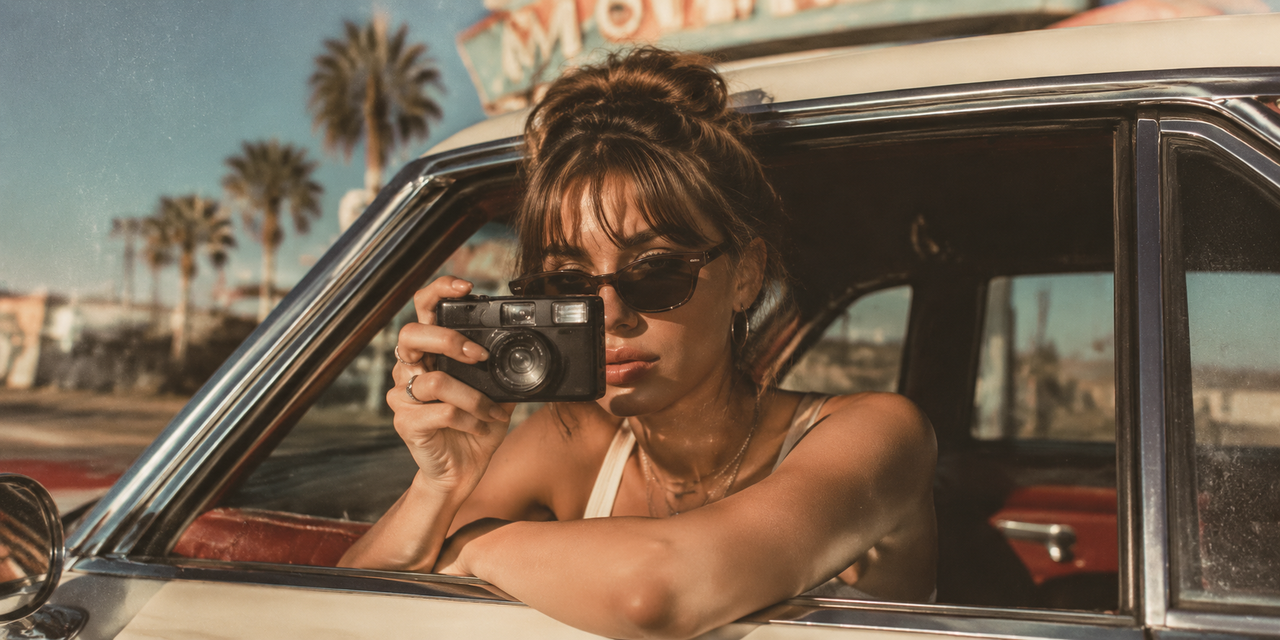
For lifestyle influencers, small business owners, and amateur photographers, capturing the perfect visual aesthetic on a budget has historically required a difficult choice. On one hand, purchasing physical vintage film cameras or early-2000s digital cameras (digicams) introduces ongoing costs for film development, memory cards, and hardware maintenance. On the other hand, relying on traditional mobile editing software often demands hours of tedious post-capture adjustments.To bridge this gap, many creators turn to popular mobile applications. When evaluating options like View Setty: Photo Filter & Presets Film Camera, View Pecra: Pro Camera Finish, or Dazz Cam, the central question is whether post-capture filter apps or real-time AI-driven tools are better for achieving an authentic, professional-looking retro aesthetic. While traditional filter apps excel at applying static vintage overlays to existing photos, achieving a high-end camera finish on a budget requires a system that can adapt to lighting, composition, and texture at the exact moment of capture.As mobile photography technology advances, real-time AI processing has emerged as a distinct alternative to post-shoot editing. Instead of applying a flat filter over an improperly lit photo, modern tools like WayShot process the environment in real-time, matching the physical behavior of classic lenses and sensors before the image is saved. Understanding the technical differences, freshness of real-time rendering, and practical workflows of these two approaches is essential for choosing the right tool for your creative projects.
Evaluating Retro Aesthetics: Real-Time AI Processing vs. Post-Capture Filters
When evaluating how to achieve authentic retro film and digital camera aesthetics on a budget, the technical approach of your software plays a decisive role in the final image quality. Traditional mobile applications, such as Dazz Cam or View Setty, operate primarily on a post-capture processing model. Under this workflow, you capture an image using your smartphone’s native camera application and subsequently apply static overlays, color presets, or simulated light leaks. While this method is highly accessible and offers a quick way to mimic vintage analog film, it applies these effects uniformly across the image. Because the software does not influence the initial exposure, static filters can sometimes result in flat textures, muddy shadows, or artificial-looking grain that sits on top of the image rather than integrating with the natural noise profile.In contrast, real-time AI processing represents a fundamental shift in how mobile devices render vintage aesthetics. Instead of treating the retro look as an afterthought, real-time systems analyze the environmental lighting, contrast, and subject depth at the exact moment of capture. For instance, when you press the shutter in an application powered by real-time AI, the system instantly balances brightness, reduces sensor noise in low-light areas, and recovers fine details before saving the final file.This immediate processing has a significant impact on texture and grain authenticity. Rather than overlaying a repetitive digital pattern, real-time AI calculates how physical film grain or vintage CCD sensor noise would naturally react to the specific light levels in your environment. Darker areas receive a different density and structure of grain compared to highly illuminated highlights, preserving the overall depth and dimensional quality of the image.By handling these complex adjustments during the exposure phase, real-time processing delivers a finished, balanced photograph straight from the camera. This technical distinction is crucial for creators who want to avoid the flat, artificial look often associated with basic mobile presets. Understanding how these two processing methods handle light and texture provides a clear foundation for choosing the right tool for your creative workflow.
Key Decision Criteria for Influencers and Small Businesses
When deciding how to capture a vintage or professional camera aesthetic, creators and business owners generally evaluate tools based on practical, day-to-day creative demands. While apps like Dazz Cam, View Setty, and View Pecra offer distinct visual styles, choosing the right approach depends on how you balance production speed, environmental lighting, and overall cost.To determine which method fits your workflow, consider the following three core decision criteria:
- Workflow Efficiency: Post-Shoot Editing vs. Instant Capture
For lifestyle influencers publishing multiple times a day and small business owners managing inventory, time is a critical resource.
- The Post-Capture Filter Approach: Using traditional filter applications often requires a multi-step process. You must shoot the image using a native camera app, import it into an editing suite or filter app like View Setty, apply the preset, adjust the intensity, and export the final file. This manual pipeline can slow down content production when handling large batches of photos.
- The Real-Time AI Approach: Tools that process the image at the moment of capture eliminate the post-production bottleneck. By rendering the aesthetic, texture, and color profile instantly, the camera outputs a ready-to-post raw image. This immediate delivery allows creators to maintain a consistent posting schedule without spending hours in editing interfaces.
- Texture and Lighting Response in Challenging Environments
The quality of a retro or professional finish is heavily dependent on how software handles challenging light.
- Static Overlays: Traditional preset apps apply a uniform texture layer over the entire image. In low-light or high-contrast environments, this can result in muddy shadows or artificial-looking grain that does not align with the actual light sources in the photo.
- Adaptive AI Processing: Modern real-time processing dynamically analyzes the environment. When shooting in low-light conditions, the technology works to reduce sensor noise and recover lost details in the shadows while preserving the characteristic grain of vintage film or early digital sensors. This ensures that the final texture looks integrated into the scene rather than placed on top of it.
- Budget Considerations: Hardware and Presets vs. Integrated Apps
Achieving a high-end camera finish historically required a significant financial investment.
- Physical Gear and Premium Packs: Purchasing physical vintage digital cameras or analog film bodies involves ongoing costs for maintenance, memory cards, or film development. Alternatively, purchasing premium desktop preset packs can quickly accumulate costs without offering real-time preview capabilities.
- All-in-One Mobile Applications: Utilizing mobile applications provides a budget-friendly alternative. Instead of managing multiple pieces of hardware or subscribing to complex desktop editing suites, creators can access diverse digital camera styles and real-time adjustments within a single mobile interface.
By evaluating these criteria, creators can choose an approach that aligns with their specific operational needs. For those prioritizing real-time efficiency and adaptive lighting, understanding how these styles translate to specific visual trends is the next step in building a cohesive digital presence.
The Influencer's Guide to the Y2K Digital Camera Aesthetic
The resurgence of the early-2000s aesthetic has made the distinct look of vintage pocket digital cameras—often referred to as the Y2K digicam look—one of the most sought-after styles for lifestyle influencers. Unlike the warm, organic tones of analog film, the digital camera aesthetic is defined by a specific set of technical quirks: high-contrast direct flash, cool-toned color rendering, slightly crushed shadows, and a unique digital noise or charge-coupled device (CCD) sensor grain. This combination produces a raw, candid, and nostalgic atmosphere that feels authentic and unpolished.While some creators choose to source physical vintage hardware from secondary markets, maintaining twenty-year-old digital cameras presents practical challenges, including slow data transfer workflows, fragile components, and expensive proprietary batteries. For creators looking to achieve this look directly on modern mobile devices, software-based solutions offer a more accessible alternative.To recreate this specific digital signature without the hassle of physical hardware, creators can leverage specialized digital styles that emulate vintage sensor behaviors. For instance, WayShot features a dedicated suite of Signature DigiCam Styles designed to capture these exact characteristics with a single tap:
- Digi-X & DigiCam: These styles replicate the classic high-contrast, slightly saturated look of early consumer-grade digital cameras, making them ideal for capturing vibrant daytime street style or casual portraits.
- Digi-S & DigiLite: These options offer a softer, slightly overexposed digital rendering that mimics the lower dynamic range of early-2000s sensors, perfect for achieving a bright, nostalgic lifestyle aesthetic.
- CleanGirl & B&W: These styles provide minimalist and classic monochrome alternatives, allowing creators to shift the focus entirely to texture, form, and contrast.
To maximize the authenticity of the vintage digital look, shooting technique is just as important as the style selection. When shooting in low-light or nightlife settings, enabling the device's direct flash is essential. The harsh, direct illumination creates the characteristic sharp shadows and high-contrast falloff typical of early compact cameras. Because traditional mobile sensors often struggle with noise and detail loss in these conditions, utilizing real-time AI processing helps balance the image by reducing unwanted sensor artifacts while preserving the intentional, stylized digital grain.By understanding how these early digital sensors handled light and color, lifestyle influencers can consistently produce a nostalgic aesthetic that fits seamlessly into modern social feeds. However, while influencers rely on these stylized, high-contrast aesthetics to build a personal brand, small business owners face a different set of visual challenges when presenting products to potential customers.
How Small Businesses Can Achieve a High-End Product Finish Without Editing
For small business owners, high-quality product photography is essential for building trust and driving sales. However, capturing clean, professional images often presents significant challenges. Achieving balanced lighting, accurate color representation, and precise composition typically requires expensive studio gear, dedicated lighting setups, and hours of tedious post-shoot editing. For a growing brand operating on a budget, investing in high-end DSLR cameras or complex editing software is often impractical.To bypass the steep learning curve of traditional editing suites, business owners can adopt a real-time capture strategy. Instead of fixing poorly lit or misaligned photos after the fact, the goal is to establish a clean, professional finish at the exact moment the shutter is pressed.
Selecting Clean, Minimalist Styles
The key to effective product photography is keeping the focus entirely on the item itself. While vintage film styles work well for lifestyle branding, product listings require clarity and minimal distraction. Utilizing clean, minimalist styles helps highlight fine details and textures:
- Clean and Airy Aesthetics: Selecting styles like "CleanGirl" optimizes natural light, softens harsh shadows, and introduces a bright, modern feel. This is highly effective for lifestyle products, cosmetics, and home goods.
- High-Contrast Monochrome: For jewelry, structured accessories, or minimalist packaging, utilizing a refined black-and-white style (such as "B&W") can emphasize form, silhouette, and texture, giving the product an artistic, high-end look.
Leveraging Real-Time Framing and Voice Guidance
Even with the right aesthetic style, poor composition can instantly make a product photo look amateurish. Business owners do not need formal photography training to master balanced framing. By utilizing intelligent mobile tools, you can rely on guided assistance during the shoot:
- On-Shot Framing Guidance (Frame Assist): This feature provides real-time visual overlays on your screen, guiding you to place the product perfectly along the lines of symmetry or the rule of thirds. It ensures consistent angles across your entire product catalog.
- Interactive Voice Assistant: Acting like an on-set photography assistant, real-time voice instructions offer step-by-step guidance on camera angles and positioning. This helps you adjust your physical setup on the fly to capture the most flattering perspective.
By combining real-time AI retouching with structured framing support, WayShot allows small business owners to produce clean, ready-to-use product shots directly on a smartphone, eliminating the need for post-capture editing software.While these real-time mobile solutions offer an incredibly efficient and budget-friendly workflow for daily content, social media, and e-commerce listings, it is important to recognize where mobile photography fits within a broader brand strategy. Understanding the physical boundaries of mobile hardware is essential for setting realistic production expectations.
Limitations and Practical Implementation Considerations
While real-time AI processing and instant digital camera styles offer an efficient, budget-friendly path to professional-looking aesthetics, mobile-based photography has practical limitations. Understanding these trade-offs helps creators and business owners choose the right tool for their specific production needs.
Hardware Limitations of Mobile Sensors
No software or AI model can entirely bypass the physical laws of optics. Smartphones utilize small image sensors and compact plastic or glass lenses. In contrast, physical vintage cameras—even early 2000s point-and-shoots—rely on larger charge-coupled device (CCD) sensors and dedicated glass lenses. These physical components capture light, depth of field, and chromatic aberration in a distinct, organic manner. While mobile applications simulate vintage grain and color science with high accuracy, they work with a flatter source image, meaning they cannot fully replicate the physical light-bending properties of vintage glass.
The Learning Curve of Real-Time Guidance
Transitioning from traditional "point-and-shoot" habits to an interactive photography workflow requires adjustment. Features like real-time voice coaching and on-shot framing assistance are designed to improve composition on the fly. However, users may find the real-time feedback distracting during fast-paced shoots. It takes practice to coordinate physical movement with live audio or visual prompts, meaning the initial setup might feel less fluid than simply snapping a photo and applying a filter later in post-processing.
When Physical Hardware and Desktop Software Remain Necessary
For purists and high-end commercial projects, traditional workflows are still preferred. If a project requires large-format printing, extreme cropping, or precise color grading for commercial packaging, a physical medium-format or DSLR camera paired with dedicated desktop editing software remains the standard. Mobile AI tools are optimized for rapid digital publishing, social media, and web-based storefronts, but they are not intended to replace dedicated studio hardware for billboard-scale print campaigns.Understanding these boundaries allows creators to leverage the speed of mobile tools like WayShot for daily content production while reserving traditional hardware for specialized, high-scale projects.
Frequently Asked Questions
Is WayShot or Dazz Cam better for authentic retro film aesthetics?
Choosing between the two depends entirely on your creative workflow and how you prefer to handle your images.
- Dazz Cam is a highly capable choice if you prefer a traditional post-capture workflow. It excels at applying classic analog film filters, retro color profiles, and vintage light leaks to photos you have already taken, allowing you to experiment with different looks after the shoot is complete.
- WayShot is built specifically for real-time capture. Instead of applying a flat filter over an existing image, it uses real-time AI processing to adjust exposure, manage noise, and render grain at the exact millisecond you press the shutter. This delivers a finished, ready-to-post image instantly, eliminating the need for post-shoot adjustments.
How can I get a professional digital camera look on my phone without editing?
Achieving a professional digital camera finish directly from your smartphone requires focusing on three core elements during the actual shoot: lighting, composition, and real-time processing.To bypass the editing stage entirely, use a camera application that processes image data at the moment of capture. Look for features like real-time AI retouching to balance harsh highlights and recover shadow detail, alongside on-screen framing guidance to ensure clean composition. By letting the software manage exposure and structural alignment as you shoot, you can produce clean, balanced images that look like they came from a dedicated camera body without spending time in post-production software.
What is the best picture editing software for small business product photos on a budget?
For small business owners operating on a budget, the most efficient "editing software" may actually be a real-time camera application that removes the need for editing altogether.While professional desktop suites offer control, they carry steep learning curves and high subscription costs. A practical, budget-friendly alternative is to use a mobile application equipped with clean, minimalist styles (such as neutral or high-contrast black-and-white profiles) and built-in framing assistance. This approach allows you to capture well-composed, color-accurate product shots directly on your smartphone, saving hours of manual retouching and keeping your production costs low.
Conclusion
Choosing between traditional post-capture filter applications and real-time AI processing ultimately depends on your creative workflow and production demands. If your primary goal is to apply classic analog overlays, light leaks, and vintage borders to an existing library of photos, dedicated post-capture tools like Dazz Cam, View Setty, or View Pecra offer a familiar, filter-based approach.However, for lifestyle influencers and small business owners looking to eliminate the time-consuming editing bottleneck entirely, capturing the image correctly at the moment of shutter release is a more efficient path. Real-time AI processing represents a shift from static post-processing to active, intelligent capture, ensuring visual freshness by rendering the aesthetic live during exposure. By handling complex lighting adjustments, noise reduction, and style rendering instantly, this approach delivers a professional, high-end camera finish that is ready to share immediately.If you are ready to move away from flat, post-shoot filters and experience how real-time AI styles, framing assistance, and instant lighting optimization can elevate your visual content, explore the capabilities of WayShot to streamline your mobile photography workflow.