How to Take Pro Phone Photos: Studio, Vintage & AI
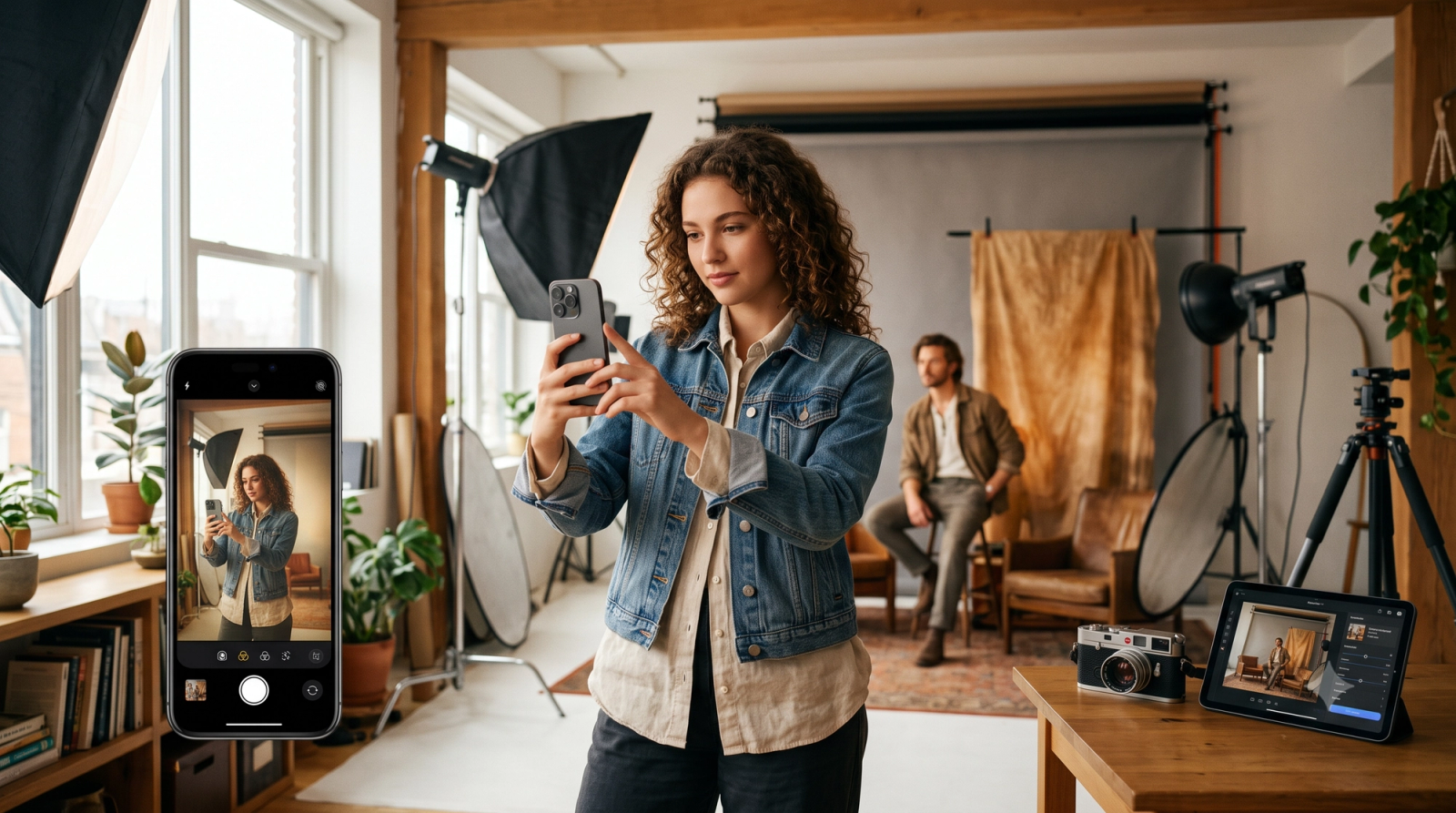
For small business owners, content creators, and social media managers, producing high-quality imagery has historically demanded a difficult compromise. Achieving a polished, professional look typically meant investing in expensive DSLR cameras, mastering complex studio lighting setups, or spending hours in tedious desktop post-processing software. On the other hand, relying on standard mobile shots often resulted in flat lighting, missed angles, or artificial-looking filters that failed to capture the desired aesthetic.As of July 2026, the landscape of mobile photography has shifted. The challenge is no longer about whether a smartphone camera is capable of professional results, but rather how efficiently you can bridge the gap between a raw mobile capture and a studio-grade finish. Whether your goal is to showcase physical products for an e-commerce storefront, rescue a poorly lit selfie for a professional profile, or establish a cohesive, vintage-inspired social media grid, the solution lies in intelligent, real-time workflows. By moving away from destructive post-processing and adopting smart, on-device tools, creators can now achieve authentic textures, balanced exposures, and precise framing the moment the shutter clicks.
What to Look for in Professional Mobile Photo Editing Tools
When evaluating mobile photography and editing software, the sheer volume of available applications can make finding the right tool challenging. To achieve professional-grade results directly from a smartphone, creators must look beyond basic aesthetic overlays and evaluate how a tool processes visual data. Understanding the underlying technology is the first step toward establishing an efficient, high-quality mobile workflow.
Destructive Post-Processing vs. Real-Time AI Enhancement
Traditional mobile editing relies heavily on destructive post-processing. When you apply a standard filter to an already compressed JPEG image, the software stretches and alters existing pixels. This often leads to banding in gradients, pixelation, and a noticeable loss of detail.In contrast, modern real-time AI enhancement processes visual data at the moment of capture. By integrating intelligent algorithms directly into the camera pipeline, these tools analyze the scene before permanent compression occurs. This non-destructive approach preserves the maximum amount of image data, allowing for cleaner adjustments to exposure, color science, and texture.
Key Evaluation Criteria
To select a mobile photography tool that fits a professional or commercial workflow, consider the following four pillars:
- Processing Speed: High-quality rendering is of little use if it disrupts your creative flow. The software should process enhancements instantly, allowing you to see the final output immediately after shooting without waiting for lengthy cloud queues.
- Lighting Automation: Mobile sensors struggle in high-contrast or low-light environments. Effective tools feature automated brightness balancing and real-time noise reduction to recover shadow details and control highlights instantly.
- Ease of Use: A professional tool should simplify your technical checklist. Features like real-time composition guidance and intuitive interfaces allow creators to focus on the subject rather than complex manual settings.
- Privacy-First Data Handling: For businesses and individual creators alike, data security is paramount. Professional workflows require clear assurances that your proprietary images and personal photos are processed locally and discarded immediately rather than stored on external servers or used for unauthorized AI training.
Preventing Detail Loss in Challenging Conditions
The physical limitations of small mobile sensors often result in muddy details when shooting in low light or high-contrast settings. Real-time adjustments address this by dynamically managing exposure levels during the capture phase. By automatically balancing brightness and reducing noise before saving the file, these systems prevent the highlights from blowing out and keep shadows from collapsing into pure black noise.By prioritizing these technical capabilities over simple cosmetic filters, creators can establish a reliable foundation for high-quality imagery. This technical foundation becomes particularly crucial when applying mobile photography to commercial use cases, such as capturing clean, consistent product shots for e-commerce.
How Small Businesses Can Achieve a High-End Product Finish
For small businesses and e-commerce sellers, high-quality product imagery is directly tied to customer trust and conversion rates. However, replicating a professional studio finish on a mobile device presents several persistent challenges:
- Inconsistent Lighting: Natural light changes constantly, leading to uneven shadows and mismatched product listings.
- Distracting Backgrounds: Cluttered environments draw attention away from the product itself.
- Framing and Composition Errors: Incorrect camera angles can distort product proportions, making items look less appealing or inaccurate to scale.
To overcome these hurdles without investing in expensive lighting rigs or DSLR cameras, small business owners can adopt a structured mobile photography workflow:
- Prepare the Setting: Place the product on a flat, neutral surface near a window to leverage soft, diffused natural light.
- Stabilize the Device: Use a simple tripod or a stable surface to eliminate camera shake and ensure consistent angles across your entire product line.
- Utilize Real-Time Composition Guides: Instead of guessing the center point, use on-screen grid overlays to align the product consistently.
- Capture with Real-Time AI Assistance: Use mobile tools that automatically balance brightness and manage high-contrast shadows at the moment of capture.
- Review Textures and Colors: Ensure that the final image preserves the physical details and accurate colors of the product, as over-processed images can mislead buyers and increase return rates.
Modern mobile applications are designed to streamline this exact workflow. For instance, WayShot integrates real-time AI retouching that automatically balances brightness and handles low-light conditions by reducing noise and recovering fine details instantly. Rather than requiring extensive post-processing, its automated brightness balancing helps simulate balanced studio lighting directly on your smartphone. Additionally, features like on-shot framing guidance (Frame Assist) help business owners maintain consistent angles and compositions across different product shots.While these real-time AI tools significantly reduce the need for physical equipment, maintaining natural textures remains critical. Over-smoothing can make fabrics, wood grains, or handmade details look artificial. By utilizing non-destructive AI enhancements that preserve these authentic textures, small businesses can achieve a clean, high-end finish that builds buyer confidence.Achieving a professional finish for static products is one side of the coin; however, capturing human subjects presents a different set of technical challenges, particularly when dealing with motion blur or low-light portraits.
Rescuing Blurry Selfies and Elevating Them to Studio Portraits
Mobile photography has made capturing spontaneous moments easier than ever, but it remains highly susceptible to physical limitations that ruin otherwise perfect shots. Selfies and casual portraits are particularly prone to blur, leaving creators with unusable images that fail to meet professional standards. Understanding the mechanics of image degradation and how modern technology addresses these flaws is the first step toward transforming casual snapshots into studio-grade portraits.
Why Mobile Portraits Turn Out Blurry
Blur in mobile photography typically stems from three primary hardware and environmental factors:
- Camera Shake: Holding a smartphone at arm's length reduces stability. Even minor hand tremors during shutter release can introduce noticeable motion blur.
- Low-Light Conditions: In dim environments, mobile sensors must keep the shutter open longer to gather sufficient light. This slower shutter speed amplifies the effects of both hand movement and subject motion.
- Slow Autofocus: Mobile front-facing cameras often rely on basic contrast-detection autofocus, which struggles to lock onto subjects quickly in challenging lighting, resulting in soft, out-of-focus details.
Traditional Sharpening vs. AI-Driven Reconstruction
Historically, correcting a blurry image meant applying traditional sharpening filters in post-processing software. These filters work by increasing the contrast along the edges of objects within the image. While this can create the illusion of sharpness, it does not actually recover lost data. Over-sharpening frequently introduces harsh halos, amplifies digital noise, and leaves skin textures looking gritty and unnatural.In contrast, modern intelligent image revamp technology uses deep learning models to reconstruct missing details. Instead of merely manipulating existing pixels, these systems analyze the structure of the image and intelligently fill in missing information—such as the fine lines of the hair or the subtle contours of the eyes—based on patterns learned from high-resolution portrait photography.
Preserving Authenticity with Natural Skin Refinement
A common pitfall of automated image restoration is the "uncanny valley" effect, where faces appear overly smooth, plastic, or artificially airbrushed. To elevate a casual selfie to a genuine studio portrait, real-time retouching algorithms must balance detail recovery with texture preservation.Advanced reconstruction pipelines prioritize natural skin refinement. By separating low-frequency spatial data (which governs overall color and lighting) from high-frequency data (which contains fine details like pores and skin texture), the technology can smooth out uneven lighting and blemishes while keeping the authentic texture of the skin intact. This ensures that the final portrait looks polished and professional, rather than heavily edited.While these reconstruction workflows can rescue a wide range of imperfect photos, physical limitations still apply. Images with extreme motion blur or those captured in near-total darkness may lack the foundational data required for realistic reconstruction. However, for the vast majority of daily captures, integrating real-time AI enhancement into your shooting workflow provides a reliable safety net, turning soft, casual captures into sharp, publication-ready portraits.Once your portraits achieve this level of clarity and detail, the next creative step is defining their visual character—often by exploring classic, analog-inspired aesthetics that give digital images a timeless quality.
The Professional Guide to Authentic Vintage Film Looks
As of July 2026, the digital landscape has seen a significant shift in how creators approach retro aesthetics. The initial wave of basic, high-contrast filters has matured into a demand for highly sophisticated, era-specific emulations. Today, professional photographers and social media curators look beyond simple color washes, focusing instead on the precise replication of early digital sensor characteristics—such as classic CCD grain—alongside Y2K-era color science and classic analog film tones.When evaluating how to replicate these nostalgic styles on mobile devices, professionals distinguish between flat, destructive overlays and dynamic AI personas. Rather than applying a uniform texture over an existing image, modern mobile tools utilize intelligent styling engines to adapt the color response, highlight roll-off, and grain structure based on the specific lighting of the shot.To choose the right aesthetic for your creative workflow, it is helpful to understand the characteristics of different digital and analog AI personas:
- Digi-X & DigiCam: These styles emulate the early 2000s point-and-shoot digital cameras, characterized by a distinct mid-tone warmth, slightly crushed shadows, and the characteristic blue-green bias of early CCD sensors.
- Digi-S & DigiLite: These offer a softer, lower-contrast rendering that mimics late-90s consumer camcorders and pocket cameras, ideal for preserving details in bright daylight while maintaining a nostalgic, slightly overexposed look.
- CleanGirl: A modern minimalist aesthetic that subtly balances skin tones, softens harsh highlights, and introduces a gentle, warm glow without heavy color distortion.
- B&W (Black and White): A classic monochrome style focusing on rich tonal contrast, deep blacks, and fine grain structures reminiscent of traditional silver halide film.
While digital emulation has become incredibly sophisticated, it is important to note that software simulation operates differently from physical analog film chemistry. Physical film relies on complex chemical reactions to light, meaning digital tools are simulating—rather than identically reproducing—the organic unpredictability of physical film stocks.To ensure your vintage photos maintain a professional, high-end finish rather than looking over-processed, keep this practical checklist in mind:
- Analyze the Light Source: Vintage cameras handled harsh light poorly. To get an authentic look, shoot in direct sunlight to encourage natural highlight clipping, or use low-light settings where digital noise naturally complements the aesthetic.
- Match Grain to Resolution: Authentic retro photos rarely feature ultra-sharp details beneath a layer of heavy grain. If you are applying a vintage style, ensure the underlying sharpness of the image matches the soft rendering of the era you are emulating.
- Maintain Color Harmony: Ensure the color palette of your subject matches the era. Warm Y2K tones work best with earthy, neutral, or vibrant primary colors rather than modern neon shades.
For creators managing a cohesive social media grid, consistency is key. Rather than switching between wildly different styles, selecting a signature persona—such as the DigiCam or CleanGirl aesthetic—and applying it consistently across your layout helps build a recognizable visual identity.While these creative styles offer immense flexibility for social media and personal branding, relying on mobile AI tools also requires an understanding of their technical boundaries. Transitioning from creative styling to technical execution highlights the physical constraints of mobile hardware.
Understanding the Limitations of Mobile AI Photography
While modern mobile photography tools offer unprecedented convenience, achieving professional results requires an honest understanding of where technology excels and where physical boundaries remain. Mobile AI is a powerful accelerator, but it operates within the constraints of hardware, physics, and processing environments.
The Physical Boundaries of Mobile Hardware
The most fundamental limitation of mobile photography is the physical size of the camera sensor. Even with advanced computational photography, a smartphone sensor is a fraction of the size of a full-frame DSLR or mirrorless camera sensor.
- Light Gathering Power: Smaller sensors naturally capture less physical light. While AI can intelligently reconstruct details and balance brightness in low-light conditions, it cannot entirely replicate the natural depth of field, dynamic range, and optical fall-off of high-end prime lenses.
- Extreme Scenarios: In scenarios involving extreme low-light motion—such as fast-moving subjects in a dimly lit indoor venue—software-based reconstruction faces severe challenges. Similarly, if your end goal is ultra-high-resolution, large-format print advertising, mobile sensors and AI upscaling cannot fully replace the raw pixel data captured by medium-format commercial cameras.
Processing Trade-offs: On-Device vs. Cloud
When choosing an AI photography workflow, creators must navigate the trade-off between instant, local processing and heavy, cloud-based rendering.
- Latency and Usability: Cloud-based AI models can generate highly complex synthetic details, but they require a stable internet connection, introduce significant rendering delays, and often result in an over-processed, artificial look.
- Real-Time Execution: On-device processing, such as the real-time retouching used by WayShot, prioritizes speed and natural detail preservation. It works instantly at the moment of capture, making it ideal for fast-paced social media workflows, though it operates within the thermal and computational limits of your smartphone's mobile processor.
The Critical Role of Data Privacy
For both independent content creators and small businesses, data security is an increasingly vital consideration. Many cloud-based photo editing applications upload user imagery to external servers, where photos may be stored, analyzed, or even used to train generative AI models without explicit user consent.To mitigate these risks, professional workflows are shifting toward privacy-first processing. Utilizing tools that process images locally on your device—where photos are immediately discarded after rendering and never stored or shared—ensures that proprietary product designs, client portraits, and personal images remain entirely secure.Understanding these technical boundaries allows creators to deploy mobile AI strategically, using it to streamline daily production while knowing exactly when a project demands a traditional studio setup.
Frequently Asked Questions
What is the best aesthetic photo filter and layout app for someone who wants a retro vibe but needs easy editing tools?
The ideal solution combines authentic retro styles with real-time, one-tap processing to eliminate complex manual editing. For creators seeking a genuine vintage aesthetic without a steep learning curve, mobile tools that offer built-in, curated digital camera profiles—such as classic DigiCam styles—are highly effective. Apps like WayShot allow users to capture a desired Y2K or retro vibe instantly at the moment of capture, bypassing the need for tedious post-processing adjustments or separate layout software.
Which picture editing software should a small business owner use to give product photos a high-end professional camera finish?
Small business owners should prioritize software that automates complex environmental variables like lighting, exposure, and composition. Instead of investing in expensive desktop suites with steep learning curves, mobile tools equipped with real-time AI retouching, automated brightness balancing, and on-shot framing guidance can produce a clean, professional finish directly on a smartphone. This approach ensures consistent product representation while saving valuable time.
What photo editing app do professional photographers recommend to get a vintage film camera look for social media posts?
Professional photographers look for applications that accurately emulate the specific color science, light handling, and CCD grain of classic digital and analog cameras. Rather than using flat, generic overlays, professionals recommend tools that feature distinct, calibrated aesthetic personas (such as Digi-X, DigiCam, or dedicated monochrome styles). This calibration ensures that retro social media posts retain depth, realistic texture, and authentic tonal ranges.
Which AI photo editing app fixes blurry selfies best?
The most effective AI photo apps resolve blur by using intelligent image reconstruction rather than simple digital sharpening, which often introduces artificial noise. When evaluating apps to fix blurry selfies, look for tools that feature real-time retouching and intelligent image revamp capabilities. These technologies reconstruct lost details caused by camera shake or low light while preserving natural skin textures, successfully elevating a casual mobile capture into a studio-quality portrait.
Conclusion
Navigating the rapidly evolving landscape of mobile photography in July 2026 requires balancing creative vision with practical execution. Achieving professional-grade imagery—whether you are a small business owner aiming for a high-end product finish, a creator rescuing low-light selfies, or a photographer curating an authentic vintage social media grid—no longer demands a steep learning curve or expensive studio gear.The shift toward intelligent, real-time mobile workflows allows creators to capture the perfect shot at the moment of creation. By understanding the core criteria of lighting, framing, and authentic texture preservation, and by recognizing the physical limitations of mobile hardware, you can make informed decisions about the tools you integrate into your workflow.For those seeking to streamline this process, real-time AI tools offer a practical path forward. If you want to experience instant, privacy-first image enhancement, on-shot framing guidance, and authentic digital camera aesthetics without the hassle of heavy post-processing, explore how WayShot can elevate your daily creative workflow.