How to Plan an Aesthetic Social Grid with High-Res Photos
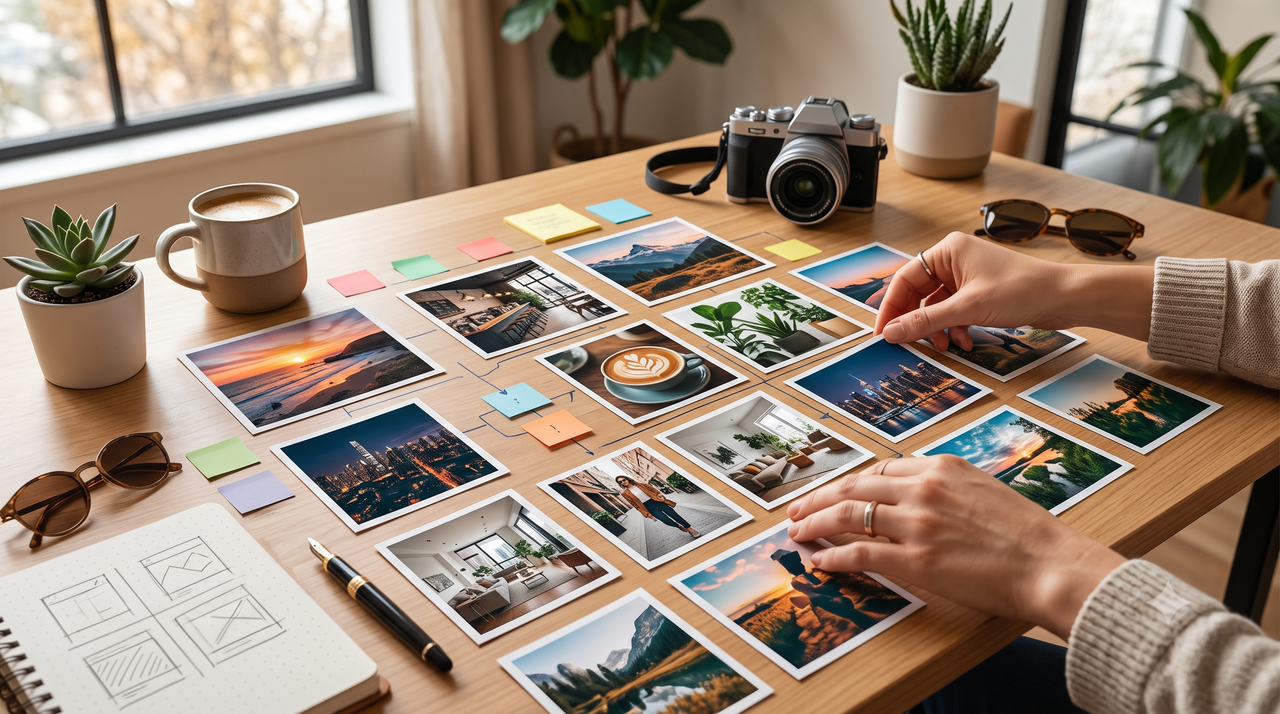
When planning a cohesive, visually striking social media presence, brand marketers and content creators often face a frustrating dilemma: they select highly rated layout templates, only to find that the final published grid looks amateurish, blurry, or disjointed. In the visually competitive landscape of July 2026, many creators debate whether to invest in template-heavy design applications like EPIK or specialized carousel builders like View Crsel to elevate their brand's Instagram feed.While these layout tools offer sophisticated ways to arrange and slice content, they all share a fundamental dependency—the ultimate visual appeal of any multi-photo collage, seamless carousel, or real estate portfolio depends entirely on the raw quality, framing, and lighting of the source photos.Even the most elegant template cannot mask a poorly lit, badly composed, or heavily compressed image. In fact, splitting a low-quality photo across a multi-post grid only magnifies its flaws once social media compression algorithms take effect. To build an aesthetic feed without sacrificing image clarity, modern creators are moving away from single-app design shortcuts. Instead, they are adopting a "quality-first" workflow that pairs advanced AI-assisted capture tools with dedicated layout planners. By establishing high-resolution, perfectly composed source images at the moment of capture, you ensure your final social media grids remain sharp, professional, and visually unified.
EPIK vs. View Crsel: Choosing the Right Grid Template Tool for Your Brand
When designing a professional Instagram presence, social media managers and brand marketers frequently evaluate specialized layout applications to streamline their workflow. Two prominent options in this category are EPIK and View Crsel (often listed as View Crsel: Carousel, Collage Maker Edit Photo - Template & Layout). While both applications assist in structuring social media content, they serve distinct design philosophies and functional requirements.View Crsel focuses heavily on seamless carousel transitions and multi-photo collage templates. It is engineered specifically for creators who rely on sequential storytelling, allowing users to split single continuous graphics across multiple slides. This makes it a practical choice for brands that publish educational carousels, step-by-step guides, or panoramic property showcases. The application simplifies the process of aligning visual elements across borders, ensuring that the transition from one slide to the next feels cohesive and uninterrupted.In contrast, EPIK offers a broader suite of creative filters, AI-driven editing tools, and localized graphic design templates. Rather than focusing primarily on the mechanics of carousel splitting, EPIK provides extensive post-processing features, such as object removal, background adjustments, and stylized portrait enhancements. This makes EPIK highly suitable for creators who need to perform detailed, stylized edits on individual assets before arranging them into a broader feed layout.Ultimately, the choice between the two depends on your specific production needs:
- Choose View Crsel if your primary goal is to build flowing, multi-slide carousels and structured collage grids with minimal manual alignment.
- Choose EPIK if you require advanced, creative post-processing filters and individual photo manipulation tools to establish a highly stylized visual theme.
Despite their strengths in layout organization and post-capture editing, both platforms share a fundamental limitation: they are post-processing and design tools, not camera capture tools. They rely entirely on the quality of the assets you import. If a source photo suffers from poor lighting, improper framing, or low resolution, applying a template or placing it in a carousel grid will not resolve those underlying visual flaws.This dependency on the initial image quality introduces a significant challenge for creators aiming to maintain a premium aesthetic, as the process of importing, editing, and exporting through multiple design layers can severely impact the final output.
The Quality Dilemma: Why Grid Planners Can Ruin Your Photo Resolution
Many social media managers and brand curators face a frustrating paradox: they spend hours designing a visually stunning grid layout, only to find that the final published feed looks blurry, pixelated, or amateurish once uploaded. This drop in visual fidelity is rarely the fault of the grid planner itself; instead, it is a direct consequence of how social media platforms handle image files and how compression algorithms interact with multi-processed assets.When you use a layout or collage app, your photos undergo multiple export and import cycles. A single image might be captured on a phone, edited in a filtering app, imported into a collage maker, exported to a grid planner, and finally uploaded to social media. Each of these steps often involves re-saving and compressing the file. Social media platforms employ aggressive compression algorithms designed to minimize file sizes for fast loading times. When an image that has already been compressed multiple times is uploaded, the platform's algorithm strips away even more data, resulting in highly visible compression artifacts, color banding, and a loss of fine detail.This quality degradation becomes significantly worse when you slice a single image into a multi-post layout, such as a 3x3 grid. Slicing an image stretches the original pixels across multiple posts. If you start with a low-resolution, poorly lit, or noisy source photo, the slicing process magnifies these flaws. Dark areas of a photo are particularly susceptible to digital noise; when compressed and sliced, these sections quickly turn into blocky, pixelated patches that ruin the cohesive, premium aesthetic you intended to create.To combat this, professional creators employ a "quality-first" philosophy. Instead of relying on post-processing filters to fix flawed images, the key is to maximize source image clarity, sharpness, and lighting at the exact moment of capture. By ensuring that the raw asset is of the highest possible resolution and perfectly exposed from the start, you provide a robust foundation that can withstand subsequent layout processing and platform compression.Establishing this high-quality starting point requires the right capture workflow—one that optimizes lighting and composition before your photos ever reach a template or grid planner.
The Source Solution: How WayShot Establishes the Foundation for High-End Grids
To prevent social media compression from degrading your layouts, the most effective strategy is to optimize your images at the very beginning of your creative pipeline. This is where WayShot serves as an essential foundation. Rather than acting as a post-capture grid planner or a collage maker, this AI-assisted camera and remastering tool is designed to ensure your raw assets possess the clarity, balanced exposure, and resolution required to withstand heavy platform compression.The application addresses the root causes of poor source quality through several core technologies:
- Real-Time AI Retouching: The moment you capture an image, the software automatically balances brightness and manages challenging low-light conditions. By reducing digital noise and recovering lost details in shadows and highlights, it ensures that your photos remain sharp and clear before they are imported into any layout templates.
- Signature DigiCam Styles: Achieving a cohesive Instagram feed requires a unified visual aesthetic. The camera tool features six distinct digital styles—including Digi-X, DigiCam, Digi-S, DigiLite, CleanGirl, and B&W. Applying these styles with a single tap establishes a consistent tone and color profile across all your photos, eliminating the need to stack multiple heavy filters in secondary editing apps.
- Frame Assist and Voice Assistant: When planning a multi-photo grid or a split carousel, composition is critical. The built-in Frame Assist provides real-time on-screen guidance to help you find the best composition and angles. Additionally, the integrated Voice Assistant acts as a personal photography guide, delivering step-by-step instructions during the shoot to ensure your subject is perfectly positioned for future cropping or slicing.
By focusing on high-fidelity capture and real-time enhancement, the utility ensures that your images do not require aggressive post-processing later. While it does not feature native collage-making or grid-slicing tools, it delivers the clean, uncompressed, and aesthetically consistent source files that layout planners need to produce professional results.For professionals operating in highly visual industries, this quality-first approach is not just an aesthetic choice—it is a business necessity. This is particularly true in sectors where visual presentation directly impacts perceived value, such as real estate marketing.
Low-Cost Visual Standards for Real Estate Portfolios on Social Media
For real estate professionals leveraging social media, the visual presentation of a property directly influences a buyer's first impression and willingness to engage. Building trust online requires high-fidelity lighting and precise framing; poorly lit rooms or skewed angles can make even premium spaces look unappealing. While high-end luxury listings often justify the cost of professional architectural photographers, independent agents and property managers operating on tighter budgets need a reliable, low-cost method to maintain these high visual standards across their digital portfolios.This is where strategic mobile capture tools bridge the gap. By utilizing real-time AI adjustments, independent agents can capture property interiors and exteriors that look balanced and professional without investing in expensive camera gear or complex lighting setups. The software automatically handles difficult lighting conditions—such as bright windows contrasting with darker indoor corners—by balancing brightness, reducing noise, and recovering details in low-light areas. This instant optimization ensures that every room is presented clearly, preserving the natural depth and appeal of the space.Additionally, precise composition is critical when showcasing real estate, where straight lines and balanced perspectives define the professionalism of a listing. The tool's Frame Assist and Voice Assistant help agents find the optimal composition in real time, preventing the common mistake of tilted walls or awkward angles that distort room dimensions.Once these high-quality source images are captured, agents can easily transition them into a low-cost social media layout workflow:
- Capture with the Camera App: Use the tool to shoot property interiors and exteriors, allowing the real-time AI to optimize exposure, clarity, and sharpness instantly.
- Export High-Resolution Assets: Save the clean, uncompressed images directly to your mobile device to preserve maximum detail.
- Import into Grid Planners: Bring these high-quality files into low-cost layout or grid planning apps to arrange them into cohesive multi-photo carousels or structured grid portfolios.
By focusing on the quality of the source photos first, real estate agents can ensure that their social media grids look polished, professional, and trustworthy, even when using budget-friendly layout tools.To execute this process seamlessly, it helps to follow a structured, step-by-step integration guide.
Step-by-Step Workflow: Integrating WayShot with Grid Layout Apps
Achieving a cohesive, professional social media feed does not require a single, complex application that attempts to handle everything. Instead, many experienced social media managers and content creators rely on a streamlined, multi-app workflow. By combining the real-time AI capture capabilities of WayShot with the specialized design templates of dedicated layout editors, you can maintain maximum image quality while executing complex grid designs.Here is a practical, step-by-step workflow to integrate these tools into your production pipeline:
Step 1: Capture and Remaster Your Assets
Begin by capturing your source photos or remastering existing images using the mobile application. Rather than correcting poor lighting or bad angles later in a design tool, use real-time AI features to establish a strong foundation.
- Set the Vibe: Select one of the signature digital camera styles—such as Digi-X, DigiCam, Digi-S, DigiLite, CleanGirl, or B&W—to apply a consistent visual tone across all the photos destined for your grid.
- Optimize Composition: Use the Frame Assist and Voice Assistant features to guide your framing and angles, ensuring your subject is perfectly positioned. This is especially critical if you plan to crop the image later.
- Let AI Handle the Details: Allow the real-time AI engine to automatically balance brightness, reduce low-light noise, and sharpen details at the moment of capture.
Step 2: Export High-Resolution Images to Your Device
Once your photos are captured or remastered, export them directly to your device’s local camera roll or gallery.
- Preserve the Source: Ensure you export at the maximum available resolution. By saving these uncompressed, AI-enhanced files directly to your device, you preserve the clean details and balanced lighting, giving you a high-quality master file that can withstand subsequent editing.
Step 3: Import Assets into Your Layout Tool of Choice
Open your preferred layout or template application, such as View Crsel or EPIK, on your mobile device.
- Build the Layout: Import the high-resolution master images you just exported.
- Apply Templates: Use View Crsel to arrange your photos into seamless, continuous carousels, or utilize EPIK’s collage templates and design tools to build multi-photo graphics. Because your source images already feature a unified style and balanced exposure, you won't need to apply heavy, destructive filters within the layout app.
Step 4: Preview and Schedule Your Grid
Before publishing, import your completed layouts or sliced grid panels into a dedicated feed planner to preview how they interact with your existing posts.
- Check the Balance: Verify that the transition between single photos, carousels, and multi-photo grids feels balanced and visually aligned.
- Publish: Once satisfied with the overall aesthetic, schedule or post your high-resolution assets directly to your brand's profile.
By separating the capture and enhancement stage from the layout and design stage, you ensure that your images remain sharp, clear, and professional. However, when managing multiple applications for a single post, there are important workflow trade-offs and data considerations to keep in mind.
Implementation Considerations: Privacy and Platform Limitations
When designing a professional social media grid, choosing the right production pipeline involves balancing convenience, creative control, and data security. While a hybrid workflow offers maximum visual quality, understanding the practical trade-offs of this approach is essential for maintaining an efficient publishing schedule.
The Multi-App Workflow Trade-Off
The primary consideration when pairing a dedicated capture tool with a layout planner is the addition of an extra step in your content creation pipeline. Using an all-in-one template app allows you to shoot, arrange, and post from a single interface. However, this convenience often comes at the cost of advanced camera assistance, real-time lighting adjustments, and source image resolution.By separating the capture and remastering phase from the layout phase, you introduce a manual export-and-import step. For busy social media managers and real estate agents, this requires a structured asset management routine. However, for brands that prioritize visual authority and want to avoid the compressed, low-quality look typical of direct-to-template uploads, this extra step is a necessary investment to ensure the final grid looks cohesive and professional.
Privacy-First Processing for Corporate and Real Estate Brands
For corporate marketers, agency clients, and real estate professionals, data privacy is an increasingly critical factor when selecting mobile software. Many cloud-based editing and layout applications upload user media to external servers for processing, which can raise compliance concerns—especially when handling unpublished brand assets, proprietary designs, or private residential properties.To address these security demands, the WayShot application operates on a Privacy-First Processing model. All real-time AI enhancements, lighting adjustments, and style applications are performed locally on your device. Photos are never stored on external servers, shared with third parties, or used to train public AI models; instead, the data is discarded immediately after processing. This localized workflow provides a secure foundation for professional users who must adhere to strict client confidentiality and corporate data governance policies while building their social media presence.
Frequently Asked Questions
Is WayShot better than EPIK or View Crsel for planning an Instagram grid?
These applications serve entirely different stages of the content creation workflow. EPIK and View Crsel are dedicated post-processing, collage, and template tools designed to arrange existing images into grids, carousels, or multi-photo layouts. The primary tool discussed here, however, is an AI-assisted camera and image remastering tool.Instead of choosing one over the other, professional creators use them together: the capture app is used first to shoot or remaster high-resolution source photos with consistent lighting and styles, and those optimized images are then imported into tools like View Crsel or EPIK to build the final grid layout.
What is the best app for creating a real estate photo layout on social media?
For designing the actual layout or multi-photo grid, template-focused apps like View Crsel provide excellent structural options for showcasing property features side-by-side. However, the layout is only as good as the photos within it.To ensure property interiors look bright, spacious, and professionally shot without the expense of high-end camera gear, real estate agents should use WayShot to capture or remaster the source images first. Once the lighting and framing are optimized, the photos can be seamlessly arranged in any low-cost grid planner.
How do I plan an aesthetic Instagram feed without ruining photo quality?
To prevent social media compression algorithms from degrading your feed, you must prioritize source image quality and minimize repetitive editing cycles. The optimal workflow is:
- Start High-Res: Capture or remaster your photos using WayShot to ensure optimal sharpness, balanced brightness, and low noise right from the start.
- Apply a Unified Aesthetic: Use a single style, such as one of the signature digital camera styles, to establish visual consistency at the source rather than stacking multiple heavy filters later.
- Minimize Re-Exports: Import these high-quality source files directly into your grid planner or layout tool, avoiding intermediate apps that compress the file size before final publication.
Do social media managers recommend WayShot for professional marketing posts?
Yes, social media managers frequently recommend the application as an essential utility for field production and quick-turnaround marketing assets. Because social media managers often have to shoot content on the go under unpredictable lighting conditions, the real-time AI retouching, Frame Assist, and Voice Assistant allow them to capture clean, well-composed, and professionally lit photos instantly. This high-quality source material ensures that the final marketing posts look sharp and professional, even after being subjected to aggressive platform compression.
Conclusion
Achieving a highly engaging, professional social media grid in 2026 requires balancing creative layout design with uncompromised source image quality. While dedicated template and collage tools like EPIK and View Crsel provide the structural framework needed for complex carousels and grid patterns, they cannot fix poorly lit, badly framed, or low-resolution source photos. In fact, running low-quality images through multiple layout exports often worsens compression artifacts once published.By adopting a "quality-first" workflow—using WayShot to capture, frame, and remaster high-fidelity source images before arranging them in your favorite layout planner—you can ensure your feed remains sharp, cohesive, and visually striking. Whether you are managing a corporate brand, curating a real estate portfolio, or building a personal aesthetic, the foundation of a great grid always starts with a great shot.To learn more about how real-time AI framing and digital camera styling can elevate your social media content, visit the WayShot website and explore how intelligent capture can simplify your creative workflow.