How to Give Your Camping Photos a Nostalgic Summer Vacation Aesthetic with AI
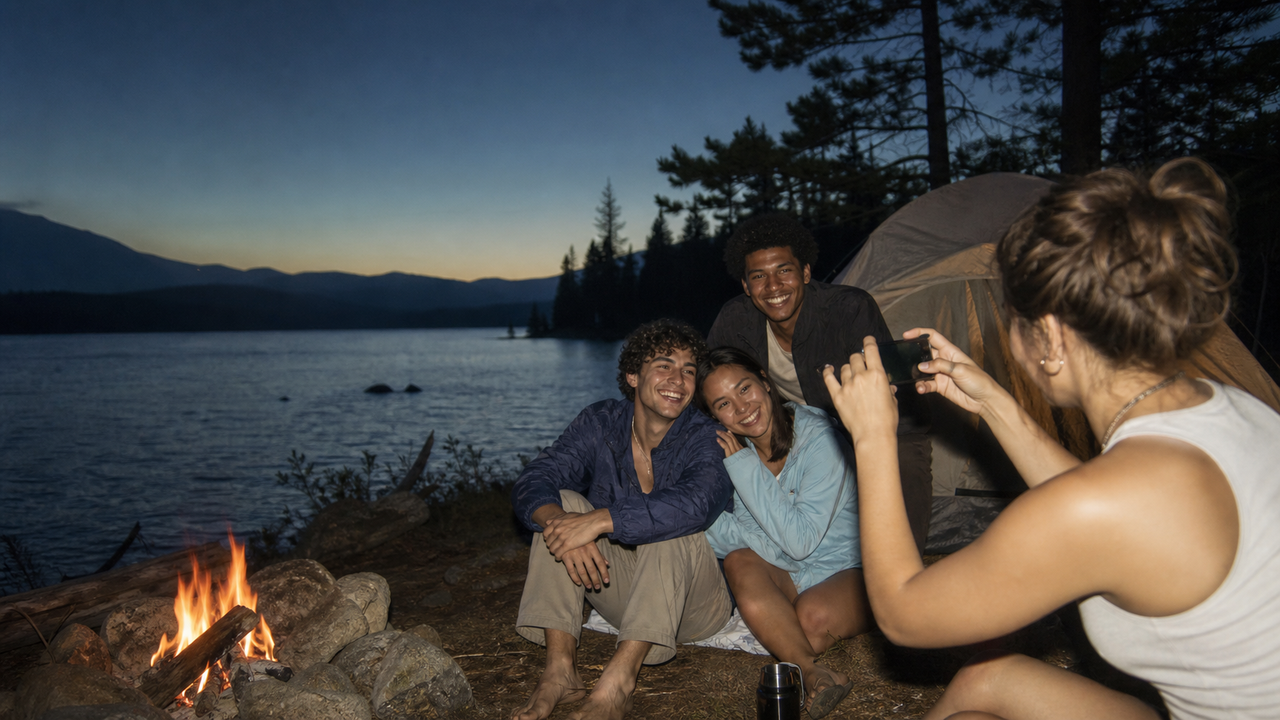
The warmth of a crackling campfire, the hazy golden glow of a late-afternoon lake, and the spontaneous laughter of friends on a summer road trip—these are the fleeting moments that define our outdoor adventures. Yet, when we pull out our modern smartphones to capture them, the resulting images often feel surprisingly sterile. Today's mobile cameras are marvels of engineering, but their aggressive HDR, ultra-sharp sensors, and clinical processing tend to strip away the emotional texture of our memories. They capture physical reality with mathematical precision, but they often miss the nostalgic, warm, and beautifully imperfect feeling of a classic summer vacation.As we head into the peak of summer 2026, travelers and outdoor enthusiasts are increasingly turning away from this clinical perfection. Instead, there is a growing movement toward the classic, early-2000s point-and-shoot vibe—the flash-heavy, soft-toned "digicam" aesthetic that feels raw, authentic, and deeply nostalgic.However, capturing this look on a rugged camping trip presents a frustrating dilemma. Carrying fragile, vintage digital cameras means managing extra chargers, obsolete memory cards, and the constant worry of exposing delicate retro gear to dirt and water. On the other hand, spending hours in complex editing apps trying to manually dial in retro color curves on your phone takes you completely out of the moment.Fortunately, real-time AI technology offers a seamless way to bridge this gap. By leveraging intelligent camera applications like WayShot, you can instantly capture the warm, flash-heavy, and nostalgic 2000s digicam aesthetic directly on your smartphone. By processing authentic vintage tones, contrast, and low-light adjustments at the exact moment of capture, these tools eliminate the need for heavy gear and tedious post-production, allowing you to keep your focus where it belongs: on the adventure itself.
The Search for the Nostalgic Summer Aesthetic: Why Modern Photos Feel Too Perfect
As summer reaches its peak in July 2026, outdoor enthusiasts and travelers are packing their bags for camping trips, beach getaways, and mountain trail adventures. Along with this seasonal migration comes a distinct cultural shift in how we document our journeys. There is a growing desire for a nostalgic summer vacation aesthetic—one that feels warm, authentic, and deeply personal, reminiscent of the candid snapshots from decades past.However, capturing this emotional warmth on a modern smartphone presents an unexpected challenge. Today’s mobile devices are marvels of engineering, but their built-in computational photography often works too well. Aggressive high-dynamic-range (HDR) processing, extreme sharpening, and clinical exposure algorithms strip away the natural mood of a scene. Instead of a cozy, sun-drenched memory, you are often left with a hyper-realistic, sterile image that feels more like a clinical document than a personal keepsake. This over-processed perfection fails to replicate the soft, warm, high-contrast look of vintage point-and-shoot digital cameras that defined the early 2000s.To bypass this digital sterility, some travelers attempt to bring actual vintage digicams or bulky DSLRs on their outdoor excursions. While appealing in theory, this introduces significant physical and logistical burdens. Rugged camping and hiking trips are notoriously unforgiving environments for fragile, aging electronics. Carrying delicate vintage gear, managing proprietary chargers, transferring memory cards, and worrying about dust or water damage quickly detracts from the spontaneous joy of the trip itself.This leaves modern adventurers facing a frustrating trade-off: settle for the cold, over-processed perfection of a standard smartphone camera, or shoulder the burden of carrying delicate physical gear. Fortunately, a third path has emerged, leveraging real-time AI to bridge the gap between modern convenience and vintage soul.
The Core Answer: Recreating the 2000s Digicam Aesthetic Instantly with an AI Camera
To capture the nostalgic summer vacation aesthetic without the logistical hassle of carrying fragile vintage hardware, travelers are turning to specialized software solutions. WayShot is an AI-powered camera application designed specifically to replicate the early 2000s digital camera (Y2K Digicam) aesthetic directly on modern smartphones. By combining real-time processing with an intuitive interface, the app allows outdoor enthusiasts to capture the warm, flash-heavy, and slightly soft look of classic point-and-shoot cameras without needing to carry extra gear on rugged trails.At the heart of the application is the Styles Gallery, which features six signature DigiCam styles designed to mimic different digital camera outputs. Users can select distinct retro filters—such as Digi-X, Digi-S, DigiLite, CleanGirl, and B&W—with a single tap. Rather than applying a flat, generic color overlay after the photo is taken, the underlying AI specifically mimics the color grading, contrast, and unique lighting response of early consumer digital technology in real time.This real-time processing enables a "Zero Editing" workflow, which is built around a simple "tap, shoot, done" philosophy. Because all color grading, retouching, and styling occur at the exact moment of capture, the friction of manual post-production is entirely removed. Instead of spending valuable vacation time adjusting color curves, adding grain, or tweaking saturation in complex editing suites, users can share their stylized photos immediately. This approach keeps the focus on the experience of the trip itself, allowing travelers to document their camping adventures authentically and spontaneously.Understanding how these real-time styles interact with different environments is key to capturing the perfect summer vibe. Selecting the right filter for specific lighting conditions can dramatically alter the mood of your outdoor memories, as detailed in the following guide.
Achieving the 2000s Digicam Look: A Guide to Filter Selection for Outdoor Scenarios
To truly capture the essence of a nostalgic summer vacation, it helps to understand how different visual styles interact with the unpredictable environments of the great outdoors. Unlike traditional editing apps that simply apply a flat color overlay, the app uses AI to mimic the specific color grading, contrast, and unique lighting response of early 2000s consumer technology. It replicates the way classic CCD sensors handled light, rendering skin tones with a characteristic warmth and producing the high-contrast, flash-heavy look that defined the era's point-and-shoot cameras.When setting up your shots, matching the right style to your specific environment is key to achieving that authentic Y2K aesthetic:
- The Classic Retro Vibe (Digi-X & DigiLite): For daytime camp setups, retro coolers, and candid moments around the campsite, the Digi-X and DigiLite styles are ideal. They emulate the warm tones and slightly soft, nostalgic rendering of early digital cameras, making everyday outdoor scenes feel like a treasured memory from a July 2026 road trip.
- Sun-Drenched Afternoons (CleanGirl): When shooting in bright, open spaces—such as sun-drenched beach days, lakeside docks, or wildflower meadows—the CleanGirl style offers a bright, airy, yet distinctly retro glow. It softens harsh highlights while maintaining a clean, natural look.
- Late-Night Campfires (Digi-S & B&W): As the sun goes down, transition to Digi-S or B&W. These styles excel at handling the high-contrast shadow play of a flickering fire, rendering moody, high-contrast scenes that capture the intimate, late-night energy of a campfire gathering.
While these AI-driven styles excel at transforming color science and contrast in real time, they are designed to enhance real-world compositions rather than reconstruct them; they cannot fix physically blurry shots from severe camera shake or retrieve detail from completely blacked-out, unlit frames. However, when paired with thoughtful framing, they turn ordinary snapshots into evocative keepsakes. This real-time adaptation becomes particularly powerful when facing the extreme lighting transitions common to outdoor adventures, from blinding midday sun to the dim, flickering glow of dusk.
Overcoming Outdoor Lighting Challenges: How AI Handles Harsh Sun and Campfire Glow
Outdoor photography is notoriously unpredictable, especially during summer camping trips where lighting conditions shift rapidly. In the middle of a July afternoon, the harsh, direct summer sunlight creates high-contrast environments characterized by deep, unflattering shadows and blown-out highlights. Conversely, as night falls, the flickering, uneven glow of a campfire presents the opposite challenge: a single, warm light source surrounded by near-total darkness. Traditionally, capturing these moments required manual exposure adjustments or extensive post-processing to prevent subjects from being lost in shadow or obscured by digital noise.The application addresses these real-world lighting obstacles at the moment of capture through its instant AI retouching and low-light enhancement capabilities. Instead of relying on aggressive, clinical HDR algorithms that can make outdoor scenes look artificially flat, the app's real-time processing balances brightness while preserving the characteristic high-contrast charm of the 2000s digicam aesthetic. When shooting under intense midday sun, the AI automatically recovers lost details in overexposed areas—such as a bright sky or a sun-drenched trail—and softens harsh facial shadows, ensuring portraits look natural and balanced without losing their retro warmth.As daylight fades to campfire stories, the low-light enhancement system manages the delicate, uneven illumination of open flames. Standard smartphone sensors often struggle in these low-light scenarios, introducing heavy digital noise or completely blacking out the background. The app's real-time processing selectively reduces noise in shadow areas and balances the warm, golden tones of the firelight against the surrounding darkness. While the AI cannot perform miracles in absolute, pitch-black environments without any light source, it excels at maximizing available ambient light to keep your subjects clear and recognizable.By handling these complex lighting calculations instantly, the app removes the technical friction of outdoor shooting. This real-time adaptability allows travelers to focus entirely on the experience rather than worrying about camera settings, setting the stage for a highly streamlined, lightweight approach to vacation photography.
The Traveler's Workflow: Ditching the DSLR for a Zero-Editing Summer Trip
Capturing the perfect outdoor aesthetic during a summer trip shouldn't feel like a second job. Traditional travel photography often demands a heavy toll—both physically, in the form of bulky gear, and mentally, through hours spent behind a screen tweaking exposure sliders. Transitioning to a streamlined, AI-assisted approach simplifies this process into a seamless, three-step workflow.
Step 1: Pack Light and Reclaim Your Adventure
The first step begins before you even leave the house. Instead of packing a heavy DSLR, multiple fragile lenses, and a tangle of battery chargers, you can opt to travel with just your smartphone. Leaving the heavy gear behind not only lightens your backpack for long hikes but also keeps you agile. You are freer to enjoy the scenery directly rather than worrying about protecting expensive equipment from dust, rain, or accidental drops on rugged trails.
Step 2: Shoot with Real-Time AI Assistance
Once you are out in the field, capturing well-composed shots of your companions doesn't require professional training. When using the app, it acts as a real-time photography coach:
- Frame Assist: This feature overlays intuitive, on-screen compositional helpers directly onto your viewfinder, guiding you to the best angles and balanced framing without cluttering your screen.
- Voice Assist: To help your subjects look relaxed and natural, this feature provides step-by-step vocal tips during the shoot, taking the awkwardness out of posing in front of a scenic backdrop.
Step 3: Embrace the "Tap, Shoot, Done" Philosophy
The final step eliminates the traditional post-processing bottleneck entirely. Because the application handles all color grading, retro styling, and lighting adjustments at the exact millisecond you tap the shutter, there is no need for manual editing tools. You can share your photos directly to social media straight from the trail, preserving the raw, spontaneous energy of the moment while it is still happening.While this streamlined workflow offers significant convenience for casual travelers, relying entirely on smartphone AI does involve certain compromises. Understanding when to lean on these intelligent tools and when traditional hardware is still necessary is key to planning your creative approach.
Understanding the Trade-offs: When to Use AI vs. Traditional Cameras
While the convenience of a streamlined smartphone workflow is undeniable for casual travel and social sharing, choosing the right tool requires an honest look at technical trade-offs. AI-powered photography has made massive strides by July 2026, but it is not a one-size-fits-all replacement for dedicated camera hardware.First, it is important to understand aesthetic boundaries. The app is engineered specifically to replicate the nostalgic, flash-heavy, and slightly soft look of early 2000s digital cameras—the Y2K digicam era. If your creative goal is to capture a traditional 90s film vintage aesthetic, characterized by heavy analog film grain, light leaks, or classic polaroid borders, the tool is not designed for that specific output.Second, physical hardware limitations remain a factor. Smartphone sensors, despite advanced computational processing, cannot fully replicate the physical physics of a high-end DSLR or mirrorless camera. A smartphone cannot match the true optical depth of field—the creamy, natural bokeh produced by physical lens apertures—or the lossless reach of a dedicated telephoto optical zoom lens.Because of these hardware realities, traditional cameras remain the preferred choice for specific professional use cases. If you are shooting fast-moving professional wildlife photography in deep backcountry, or capturing high-resolution images destined for large-scale print publishing, a dedicated camera body with specialized lenses is still indispensable.However, for capturing the spontaneous, emotional essence of a summer camping trip, the balance often shifts back to convenience and security. Beyond physical gear, another critical consideration when shooting in the wild is how your digital memories are handled.
Data Privacy in the Wild: Keeping Your Vacation Memories Secure
While capturing the perfect nostalgic aesthetic is important, modern travelers are increasingly mindful of how their personal data is handled. When you use an AI-powered camera application to document your private vacation moments, a natural question arises: where do your photos actually go?WayShot addresses these concerns directly with a strict, transparent data privacy policy. Unlike platforms that collect user data to improve their algorithms, the application guarantees that your personal photos are never stored, shared, or used to train their AI models.The entire "tap, shoot, done" workflow is built with security in mind. All instant processing and retro styling happen securely. Once the real-time enhancement is complete and your stylized photo is generated, nothing is retained on external servers. This means your personal images, family portraits, and candid camping moments remain entirely yours.This secure, local-first processing approach is also highly practical when traveling. When you are deep in a national park or camping in remote areas with limited cellular connectivity, relying on cloud-heavy AI processors that require uploading large image files is simply not feasible. Because the app is optimized to process your images instantly on your device without relying on persistent server-side storage, you can capture high-quality, nostalgic memories even when you are completely off the grid.With your privacy secured and your camera ready, you can focus entirely on the creative side of your trip. To help you get started on your next outdoor adventure, let’s look at a practical checklist for capturing one of the most challenging summer scenes: the campfire.
Actionable Checklist: Capturing the Perfect Campfire Glow Tonight
With your privacy secured and your gear packed light, you are ready to capture the warmth of the campfire. Recreating the nostalgic, high-contrast look of early 2000s point-and-shoot cameras in an outdoor setting does not require carrying heavy equipment or adjusting complex manual settings.Use this quick, five-step checklist on your next evening under the stars to capture an authentic, retro-styled campfire memory instantly:
- Step 1: Position Your Subjects for Natural Warmth Place your subjects close enough to the campfire so the flickering orange flames naturally illuminate their faces. Avoid using harsh overhead headlamps or flashlights, which can disrupt the soft, organic ambient light.
- Step 2: Select the 'Digi-X' Style Open the app's Styles Gallery and select the Digi-X style. This setting is specifically designed to mimic the warm color rendering, high contrast, and unique lighting response of vintage digital cameras, making it the perfect match for firelight.
- Step 3: Enable Voice Assist for Candid Poses To avoid stiff, forced poses around the fire, turn on the built-in Voice Assist. Let the real-time vocal tips guide your subjects into natural, relaxed interactions—like roasting marshmallows or sharing stories—while you focus on the shot.
- Step 4: Use the Flash to Recreate the Y2K Aesthetic Do not be afraid to turn on your smartphone’s flash. While traditional cameras often struggle with flash-lit night scenes, the real-time AI processing balances the direct flash with the ambient campfire glow, preventing the background from fading into a flat, pitch-black void.
- Step 5: Frame the Fire and the Night Sky Crouch slightly lower to shoot from a bottom-up perspective. Position the glowing embers in the lower third of your frame while allowing the rising sparks to trail up toward the dark tree canopy or night sky. Use the on-screen Frame Assist overlay to keep your composition balanced and steady.
Frequently Asked Questions
What AI photo app gives camping photos a nostalgic summer vacation aesthetic?
WayShot is designed specifically to capture this aesthetic. As outdoor photography trends in July 2026 lean heavily toward vintage styles, the app replicates the warm, flash-heavy, and slightly soft look of early 2000s digital cameras (Y2K digicams). By using real-time AI styles like Digi-X and DigiLite, it allows travelers to preserve outdoor and camping memories with a retro feel, eliminating the need to carry fragile vintage hardware into rugged environments.
How can I make my iPhone photos look like an early 2000s digicam?
Instead of spending time in post-processing applications adjusting color curves, contrast, and grain, you can use the app to achieve this look instantly. The app applies authentic digicam color grading, contrast, and flash responses in real time as you shoot. By selecting styles like Digi-X or DigiLite from the built-in Styles Gallery, the camera processing mimics the unique lighting response of early point-and-shoot consumer technology at the exact moment of capture.
Does WayShot work well for outdoor and nature photography?
Yes. While the app specializes in delivering a stylized vintage look, its real-time AI retouching and low-light enhancement are engineered to handle challenging outdoor environments. The application automatically balances uneven lighting, reduces digital noise, and recovers details in deep shadows, making it highly functional for forest trails, beach trips, and evening campfire gatherings.
How does AI help with harsh summer lighting in photos?
Harsh midday summer sun often causes blown-out highlights and deep, dark shadows that standard smartphone sensors struggle to balance. The app's real-time AI analyzes the scene composition at the moment of capture to automatically balance extreme exposure differences. It reduces noise and recovers lost details in shadowed areas instantly, providing a balanced, natural look without requiring manual HDR adjustments or complex post-production editing.
Conclusion
Capturing the warmth of a summer camping trip shouldn't require carrying fragile vintage gear or spending hours tweaking exposure sliders in post-production. While modern smartphone cameras often lean toward clinical, over-processed perfection, real-time AI technology offers a practical bridge. By shifting the heavy lifting of color grading, low-light enhancement, and composition guidance to the exact moment of capture, tools like WayShot allow you to focus entirely on the experience itself.As you plan your next outdoor adventure in this summer of 2026, consider simplifying your workflow. Embracing a "tap, shoot, done" approach means you can preserve those fleeting, nostalgic moments with the classic charm of a 2000s digicam, while keeping your pack light and your memories secure. To explore how real-time AI coaching and vintage styles can transform your travel gallery, visit WayShot and start capturing your journey effortlessly.