How to Get the Canon G7X Aesthetic on iPhone
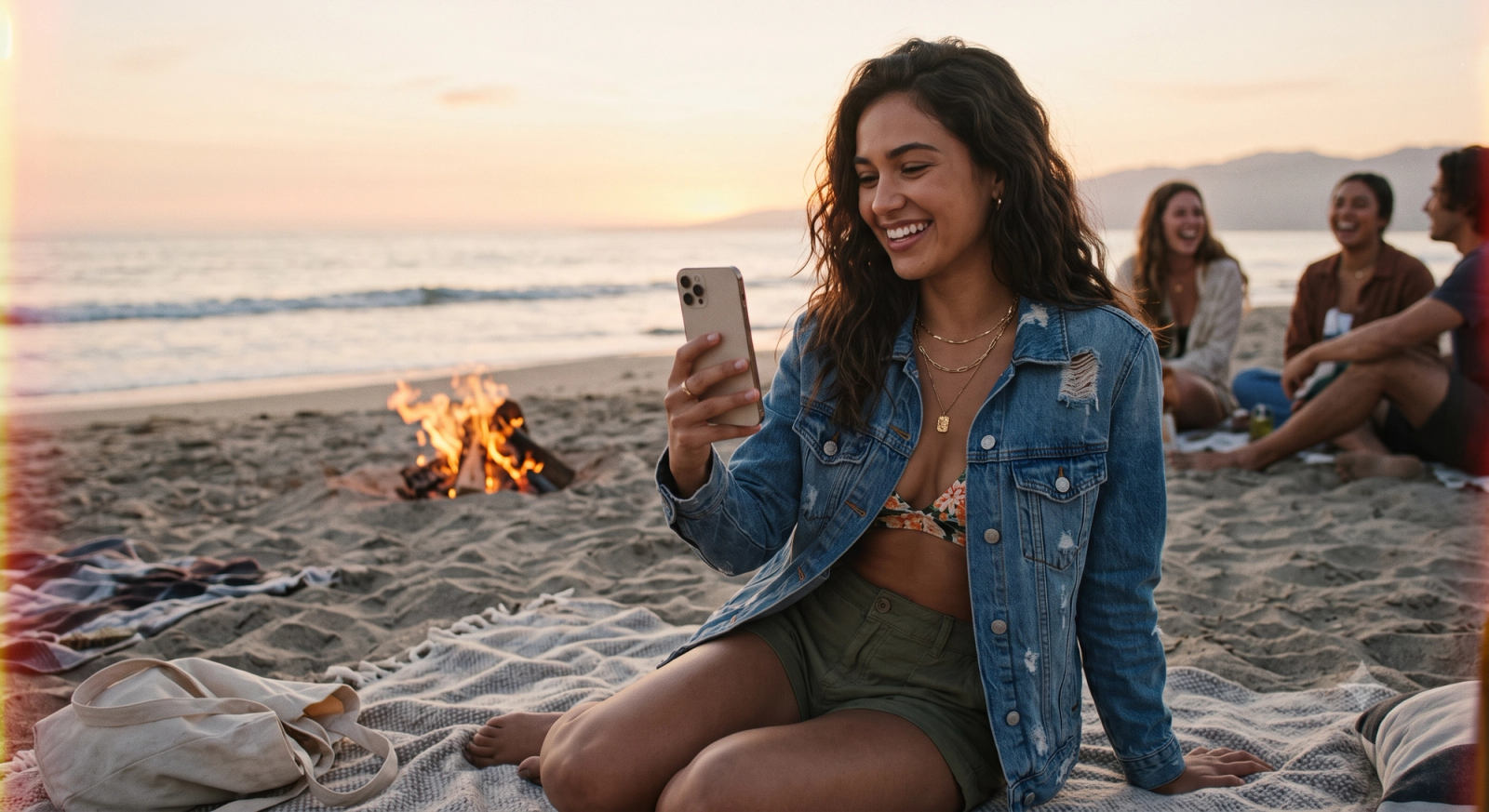
Many travelers and photography enthusiasts looking to capture the nostalgic, warm aesthetic of a classic digital camera—specifically the highly sought-after Canon G7X—often find themselves frustrated by modern smartphone cameras. While today's mobile devices are technically advanced, their default camera settings tend to over-process images, stripping away the moody shadows of a beach bonfire or flattening the rich gradients of a sunset ferry ride with aggressive, flat HDR. To get the authentic, flash-heavy Canon G7X look on an iPhone without carrying a separate physical camera, the most effective solution is to use a dedicated camera application like this specialized app that bypasses default computational over-processing in favor of real-time digicam emulation.Achieving this retro aesthetic on mobile relies on three core elements: specific color science that mimics early-2000s digital sensors, controlled flash fall-off, and natural contrast processing. Instead of relying on tedious post-production editing or flat, over-sharpened HDR filters, the app processes these visual elements in real time. By utilizing dedicated styles such as "Digi-X" or "DigiLite" directly at the moment of capture, users can instantly replicate the soft highlight bloom, warm skin tones, and organic contrast characteristic of classic point-and-shoot cameras.However, transitioning from clinical mobile perfection to nostalgic, high-character photography in 2026 involves more than just applying a filter. It requires understanding how to balance challenging lighting scenarios—like the high contrast of a sunset beach bonfire or the moving reflections of a ferry ride—without letting aggressive mobile algorithms flatten your shadows. This guide explores how to navigate the technical differences between physical digicams and mobile emulation, offering a practical workflow to capture natural, low-light moments that feel genuinely timeless.
The Appeal of the Y2K Digicam: Why We Crave the Canon G7X Aesthetic in 2026
In July 2026, the landscape of mobile photography is experiencing a quiet rebellion. For years, smartphone manufacturers have raced to produce the most optically perfect, hyper-detailed, and computationally balanced images possible. Yet, as mobile sensors have grown more powerful, a distinct cultural counter-movement has taken hold. Instead of clinical, ultra-sharp perfection, creators are looking backward, seeking the nostalgic, high-character aesthetic of early 2000s point-and-shoot digital cameras—most notably, the iconic Canon G7X.This craving for the "Y2K digicam" look is not merely about nostalgia; it is a reaction to the visual fatigue caused by modern mobile processing. When every photo is automatically optimized, sharpened, and flattened by aggressive algorithms, images begin to lose their emotional texture. The Canon G7X aesthetic offers an antidote to this sterile perfection through several core visual markers:
- Soft Highlight Bloom: Unlike modern smartphone lenses that aggressively control light dispersion, older digital sensors allowed bright light sources to gently bleed or "bloom" into surrounding darker areas, creating a dreamy, ethereal quality.
- Warm, Flattering Skin Tones: The color science of early compact cameras rendered skin tones with a warm, organic richness that felt alive and immediate, avoiding the pasty or overly cool tones often produced by modern AI-driven white balance.
- Organic Contrast: Instead of trying to illuminate every dark corner of a frame, classic digicams embraced natural shadows, delivering a punchy, high-contrast look that feels grounded in real-world physics.
- Distinct Flash Fall-Off: One of the most recognizable elements of the Y2K aesthetic is the direct-flash look. A strong, centered flash illuminates the immediate subject while allowing the background to drop off rapidly into deep, moody darkness, instantly focusing the viewer's attention.
In 2026, the shift toward these imperfect, high-character images reflects a broader desire for authenticity. Audiences are increasingly drawn to photos that feel candid, spontaneous, and raw. However, carrying a dedicated secondary camera, managing memory cards, and transferring files to a phone introduces significant friction. This has led creators to seek ways to replicate these specific vintage characteristics directly on their mobile devices.Achieving this look, however, requires more than just applying a simple warm filter. It demands a fundamental shift in how a camera handles high-contrast light—a challenge that becomes particularly apparent when attempting to capture dramatic scenes like sunset ferry rides or beach bonfires, where default smartphone settings often struggle to preserve the natural atmosphere.
The Anti-HDR Movement: Why Sunset Ferry Rides and Beach Bonfires Look Better Natural
In recent years, a quiet rebellion has grown among mobile photographers. By July 2026, the initial awe of computational photography has given way to a collective fatigue over aggressive High Dynamic Range (HDR) processing. When we look at a sunset ferry ride or a gathering around a beach bonfire, our eyes naturally register a rich tapestry of deep shadows and brilliant highlights. However, default smartphone camera processing often attempts to "fix" these scenes by force-flattening the exposure. The result is an image that looks technically balanced but emotionally flat—a phenomenon that has fueled the rising demand for more natural, high-character aesthetics.Consider the classic sunset ferry ride. The magic of this moment lies in the dramatic transition of light: the brilliant, golden glow of the sinking sun reflecting off the water, contrasted against the deep, cool silhouettes of the deck and the distant shoreline. When aggressive HDR algorithms intervene, they capture multiple exposures in rapid succession and merge them to reveal every hidden detail. While this ensures the dark underside of the ferry's canopy is visible, it simultaneously ruins the natural gradient of the sky. The highlights become over-saturated and muddy, the shadows lose their depth, and the entire image takes on an artificial, cartoonish sheen that fails to capture how the moment actually felt.The technical limitations of aggressive HDR become even more apparent in low-light, high-contrast scenarios like a beach bonfire. Physically, a bonfire is an intense, concentrated light source surrounded by vast, absorbing darkness. The atmosphere of a bonfire night depends entirely on this stark contrast—the warm, flickering orange light illuminating faces while the surrounding beach and night sky remain cloaked in shadow. Standard mobile processing struggles with this extreme dynamic range. In an attempt to reduce noise and reveal background details, the software artificially brightens the dark sand and sky, turning rich, deep blacks into a noisy, mottled gray. At the same time, it dampens the fire's natural glow to prevent overexposure, stripping the flames of their vibrant warmth and flattening the overall composition.To capture these moments authentically, photography is shifting toward "Natural Processing." Rather than trying to force every pixel into a uniform exposure, natural processing respects the physics of light. It focuses on balancing brightness intelligently—preserving the brilliant highlights of a sunset or a flame while allowing shadows to remain deep, clean, and dark. This approach maintains the natural contrast and organic color transitions that give a photograph its depth and mood. For creators looking to capture these high-contrast memories without the clinical, over-processed look of modern smartphones, finding a tool that prioritizes natural light rendering over aggressive computational flattening is essential.
Evaluating Your Options: Dedicated Digicams vs. Intelligent Mobile Emulation
As the Y2K aesthetic continues to dominate visual culture in July 2026, many creators face a practical dilemma: should you invest in a dedicated physical digital camera, or can you achieve the same nostalgic look using your smartphone? The decision comes down to balancing cost, convenience, and the specific photographic experience you want to cultivate.
The Cost-Benefit Reality of Vintage Hardware
Acquiring a dedicated compact camera like the Canon G7X in today's market comes with notable hurdles. Due to their viral popularity, secondhand prices for these vintage point-and-shoots remain highly inflated. Beyond the initial financial investment, older hardware carries the risk of sensor degradation, battery decay, and mechanical failure, with replacement parts becoming increasingly scarce.Furthermore, the physical workflow of a traditional digicam introduces significant friction. Capturing a sunset ferry ride or a beach bonfire on a dedicated camera means carrying an extra device, managing separate batteries, and dealing with the tedious process of transferring files via SD cards or adapters to your phone before you can share them.
The Convenience of a "Zero Editing" Workflow
In contrast, mobile emulation leverages the device already in your pocket, combining modern processing power with nostalgic styling. The primary advantage here is the elimination of post-production friction. Traditional mobile photography often requires a multi-step process: shooting a flat image, importing it into an editing app, adjusting color curves, and manually adding grain to mimic a retro look.Intelligent emulation apps streamline this into a "tap, shoot, done" workflow. By processing the aesthetic elements in real time, these tools allow you to capture and share photos instantly, bypassing the need for manual post-production entirely.
How WayShot Bridges the Gap
To bridge the gap between physical hardware and mobile convenience, WayShot offers dedicated real-time styles designed to replicate early 2000s digital camera outputs. Rather than applying a flat, generic filter over an already-processed smartphone image, the app's styles—such as Digi-X and DigiLite—are engineered to mimic the specific color science, contrast, and unique lighting response of vintage sensors.When shooting high-contrast scenes like a beach bonfire, the application processes the vintage tones, warm skin rendering, and classic flash fall-off instantly as you press the shutter. While a software emulation cannot entirely replicate the physical optical properties of dedicated glass lenses, it provides an incredibly accessible, cost-effective, and streamlined alternative for daily creative expression.Understanding these tradeoffs helps you choose the right tool for your creative workflow. If you decide that the convenience of real-time mobile emulation fits your lifestyle, executing the look correctly requires a few practical adjustments during your shoot.
Step-by-Step Workflow: Recreating the G7X Look for Sunset and Bonfire Scenes
Transitioning from the theoretical appeal of vintage digital cameras to capturing that exact look on your phone requires a deliberate approach. By shifting the processing from post-capture editing to real-time rendering, you can bypass the flat, over-processed look of standard mobile cameras.Here is a practical, step-by-step workflow to recreate the classic Canon G7X aesthetic during challenging low-light and high-contrast moments—such as sunset ferry rides and beach bonfires—using the WayShot app.
Step 1: Choose Your Retro Profile Before You Shoot
The foundation of the Y2K digicam aesthetic lies in its specific color science and tone rendering. Instead of taking a standard photo and applying a filter later, open the app and select your profile from the Styles Gallery before pressing the shutter.
- For Sunset Ferry Rides: Select DigiLite or CleanGirl. These styles preserve the natural, warm gradient of the golden hour sky without flattening the horizon or over-processing the water's texture.
- For Beach Bonfires: Select Digi-X. This style is engineered to mimic the high-contrast, warm, and slightly soft rendering of early point-and-shoot cameras, making it ideal for handling the intense, localized light of a fire against a dark background.
Step 2: Set Up Composition and Posing with Real-Time Assist
Dynamic environments like a moving ferry or a crowded beach bonfire can make framing difficult. Rather than guessing the best angle, utilize the built-in real-time guidance tools:
- Frame Assist: Turn on this overlay to align your subject with the natural lines of the ferry railing or the sunset horizon. It helps you find balanced, professional compositions without cluttering your screen with complex manual settings.
- Voice Assist: If you are directing friends or trying to capture a candid moment by the fire, enable the vocal coaching feature. It provides step-by-step tips to guide your subjects into natural, relaxed poses, avoiding the stiff, staged look that often ruins nostalgic photography.
Step 3: Manage the Flash for the Classic Point-and-Shoot Fall-Off
One of the most recognizable features of the Canon G7X look is the distinct flash fall-off—where the subject is brightly illuminated while the background falls into soft, dark shadows.
- At a beach bonfire, step slightly back from the fire and toggle your phone's flash on.
- Because the real-time processing engine balances the exposure, it softens the harshness of the mobile flash, preventing the subject's skin tones from looking washed out or overexposed while keeping the warm glow of the bonfire visible in the background.
Step 4: Let Real-Time Low-Light Enhancement Balance the Scene
Once you tap the shutter, the app's instant low-light enhancement goes to work. Instead of relying on aggressive HDR that artificially brightens every shadow, the processing algorithm focuses on:
- Reducing digital noise in the dark sky and water.
- Preserving the deep, dramatic shadows of the night.
- Maintaining the natural gradient of the sunset without halo effects around your subject.
This "tap, shoot, done" workflow delivers a fully finished, high-character image instantly, completely eliminating the need for manual post-production. With the photo styled and balanced in real time, you are ready to share it immediately. To ensure you don't miss a step during your next shoot, let's look at a quick-reference checklist for your next low-light outing.
A Concise Checklist for Capturing Authentic Retro Low-Light Photos
To consistently capture the nostalgic, low-light aesthetic of classic compact cameras during dynamic outdoor events, having a structured approach is essential. Below is a practical, quick-reference checklist designed to help you bypass the flat, over-processed look of standard mobile photography and achieve natural, high-character results in real time.
- Pre-Shoot Preparation
- Clean Your Lens: Wipe away pocket lint and smudges. Mobile lenses easily collect oils, which can cause harsh, greasy light streaks when shooting directly into sunset glares or bright bonfire flames.
- Select Your Aesthetic Style: Before taking your first shot, open WayShot and select a dedicated style like Digi-X for warm, classic digital tones, or DigiLite for a softer, airy retro feel.
- Activate Composition Helpers: Turn on the real-time Frame Assist grid to help you align the horizon during sunset ferry rides or balance the subject against the moving flames of a beach bonfire.
- Lighting & Capture Execution
- Preserve the Sunset Gradient: Avoid tapping the brightest part of the sky to force exposure; let the natural, rich orange and purple gradients remain deep and saturated rather than letting standard mobile software artificially brighten the shadows.
- Position Your Subjects Wisely: Place your subjects close enough to the bonfire to let the warm, flickering firelight naturally illuminate their faces, maintaining a high-contrast, atmospheric balance.
- Toggle the Flash Intentionally: To replicate the iconic Y2K digicam look, turn on your device's flash. This creates a sharp subject focus with a rapid, dark fall-off in the background, mimicking early 2000s point-and-shoot sensors.
- Post-Capture & Sharing
- Embrace the "Zero Editing" Workflow: Trust the real-time color grading and low-light enhancement. Bypassing manual exposure sliders and third-party editing suites keeps the image's grain and contrast structure intact.
- Share Raw and Direct: Export your photos straight from the app to preserve the authentic, uncompressed texture that manual post-processing often flattens.
While this checklist allows you to maximize the capabilities of intelligent mobile emulation, achieving these results also requires a realistic understanding of how mobile hardware compares to dedicated optical gear.
The Technical Reality: Understanding the Physical Limitations of Mobile Sensors
While software-driven workflows and thoughtful techniques can bring you remarkably close to the nostalgic aesthetic of classic point-and-shoot cameras, achieving these results on a smartphone requires an honest look at the physics of photography. No matter how advanced mobile algorithms become, there remain fundamental physical differences between a phone's compact camera module and a dedicated compact camera like the Canon G7X.The primary differentiator is sensor size. The Canon G7X features a relatively large 1-inch sensor, which provides significantly more surface area to capture light than the tiny sensors found in modern smartphones. In low-light environments—such as a late-evening beach bonfire or a dimly lit ferry cabin—a larger sensor naturally gathers more photons. This physical advantage results in cleaner images with lower native noise, richer color depth, and a wider dynamic range before any digital processing even begins.Furthermore, physical glass lenses behave differently than mobile optics. A dedicated camera utilizes a variable physical aperture and optical zoom, allowing it to gather light and create a natural, organic depth of field (bokeh) that gracefully separates the subject from the background. Smartphones, constrained by their slim profiles, must rely on fixed apertures and digital cropping. The soft highlight bloom, subtle lens flare, and gentle roll-off from light to shadow that define the classic digicam look are products of physical glass bending light—characteristics that mobile apps must work hard to emulate mathematically.Recognizing these physical boundaries is key to setting realistic expectations. However, physical hardware also comes with trade-offs: dedicated cameras are expensive, require separate charging and cables, and lack instant sharing capabilities. For daily convenience, intelligent software emulation offers an incredibly accessible alternative. By focusing on precise color science, targeted contrast adjustments, and real-time light balancing, the WayShot app bridges the gap. It allows you to capture the warm, high-character essence of the Y2K aesthetic directly on your phone, bypassing the clinical, over-processed look of standard mobile cameras without requiring you to carry extra gear.
Frequently Asked Questions
What camera app makes photos look like a Canon G7X?
To replicate the distinct aesthetic of the Canon G7X on a smartphone, you need an application that emulates the specific color rendering, soft highlight bloom, and flash response of early 2000s digital cameras. The WayShot app is designed specifically for this purpose. It features dedicated DigiCam styles—such as Digi-X and DigiLite—that replicate the warm skin tones, gentle contrast, and characteristic flash fall-off of classic point-and-shoot cameras. By processing these vintage tones in real-time as you shoot, it allows you to capture that nostalgic Y2K look instantly without needing manual post-production editing.
How can I take sunset photos without heavy HDR effects?
Modern smartphone camera apps often use aggressive high-dynamic-range (HDR) processing that flattens shadows and over-saturates highlights, stripping away the natural mood of a sunset. To avoid this over-processed look, use an app like this retro camera tool that prioritizes natural processing. Instead of aggressively flattening the image, the app balances high-contrast lighting—such as during a sunset ferry ride—by preserving deep, rich shadows and realistic highlight gradients. This ensures your photos retain their depth, natural contrast, and authentic atmosphere directly upon capture.
What is the best way to capture beach bonfire photography on a phone?
Capturing beach bonfires is challenging due to the extreme contrast between the bright flames and the dark night background. To get clean results, avoid standard camera apps that overexpose the fire or excessively brighten the shadows. Instead, use the app with a retro style like Digi-X to give the scene a warm, nostalgic glow. Position your subjects close enough to the fire to catch its natural light, or use a controlled flash to mimic the classic retro digicam look. The app's real-time low-light enhancement automatically reduces digital noise and balances brightness while preserving the deep shadows that give bonfire scenes their dramatic, cozy atmosphere.
Conclusion
As we navigate the visual landscape of 2026, the shift away from clinical, over-processed mobile photography toward nostalgic, high-character aesthetics is clearer than ever. Capturing the warm, authentic essence of a sunset ferry ride or the dramatic, shadow-rich glow of a beach bonfire shouldn't require carrying a second physical device or spending hours tweaking sliders in complex editing apps.While dedicated hardware like the Canon G7X offers undeniable optical advantages due to its physical sensor and glass lens, intelligent real-time emulation provides a highly accessible, friction-free alternative for daily storytelling. By bypassing aggressive, flat HDR algorithms and embracing natural contrast, you can preserve the genuine atmosphere of your favorite memories.If you are looking to simplify your creative process and achieve that classic Y2K digicam look without the added bulk, exploring the real-time styles and composition tools on WayShot is a practical, zero-editing step toward capturing your world exactly as you experience it.