How to Get the 2000s Digicam Aesthetic on iPhone in 2026
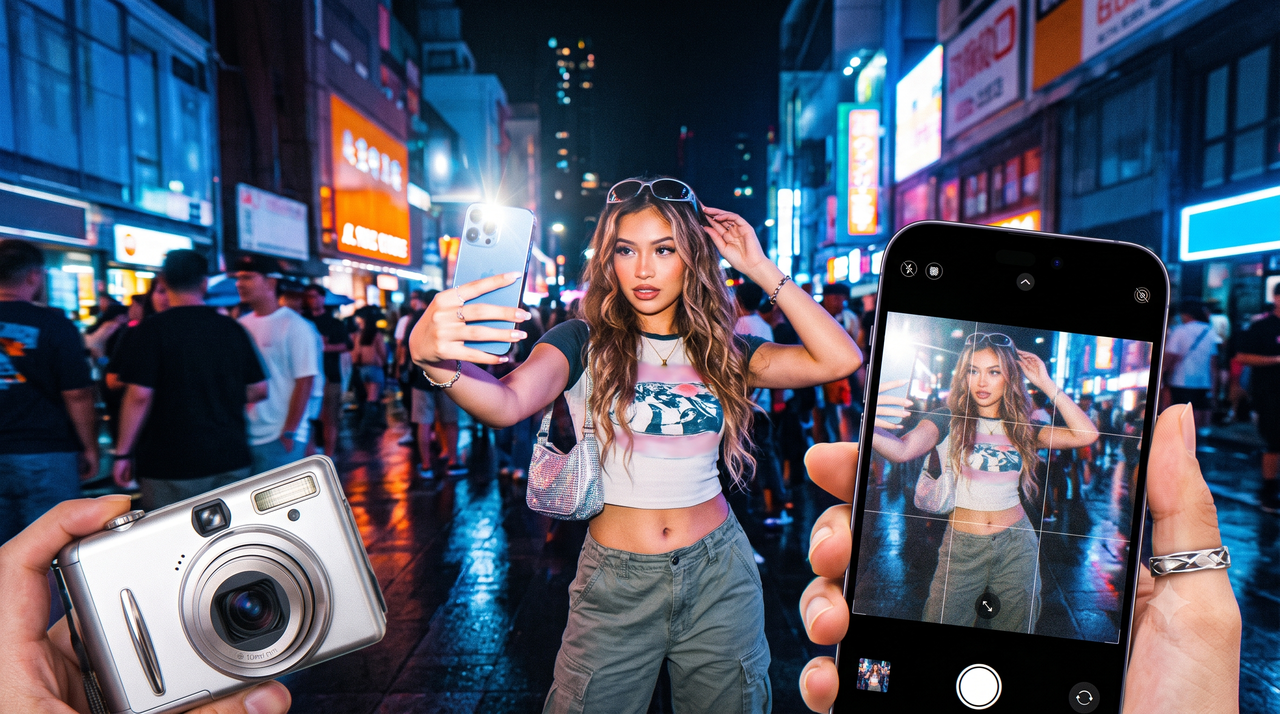
The resurgence of early 2000s fashion, music, and design has brought with it a distinct visual trend: the Y2K digicam aesthetic. Characterized by warm skin tones, soft focus, and the high-contrast glare of a direct flash, the look of late-90s and early-2000s point-and-shoot digital cameras is highly sought after by creators looking to stand out from the clinical sharpness of modern smartphone photography.However, achieving this nostalgic look presents a practical dilemma. While sourcing a physical, vintage digital camera on secondhand marketplaces is one path, buyers frequently face inflated prices, unreliable battery life, obsolete memory card formats, and tedious file-transfer workflows. For creators, travelers, and social media users who want to capture this specific retro vibe on the go, carrying extra hardware is often impractical.The alternative lies in software emulation. By leveraging modern mobile processing, it is now possible to replicate the unique hardware quirks of early digital sensors directly on your smartphone. For iOS users seeking a streamlined, zero-editing solution, WayShot offers a dedicated camera application designed specifically to emulate the flash-heavy, warm, and soft aesthetic of the Y2K digicam era, eliminating the need for physical vintage hardware or post-production editing.
What is the Y2K Digicam Aesthetic?
To understand the appeal of early digital photography, it is essential to separate it from other retro mediums. The term "vintage" is often used as a broad catch-all, but the visual signature of a 2000s-era point-and-shoot digital camera—frequently referred to as a "digicam"—is fundamentally different from the analog formats that preceded it.While 1990s analog film is defined by organic chemical grain, unpredictable light leaks, and physical Polaroid borders, the Y2K digicam aesthetic is defined by the early limitations of consumer digital technology. Key visual characteristics of this style include:
- Soft Details: Early digital sensors lacked the extreme sharpness of modern smartphone lenses, resulting in a gentle, slightly dreamlike softness around the edges of subjects.
- High-Contrast Flash: Because early compact cameras had limited low-light capabilities, users relied heavily on the built-in physical flash. This created high-contrast images with brightly illuminated subjects set against deeply shadowed backgrounds.
- Warm, Saturated Skin Tones: The color science of early digital processors often rendered skin tones with a distinct warmth and rich saturation, especially when exposed to direct flash.
At the heart of this aesthetic is the Charge-Coupled Device (CCD) sensor. Before modern Complementary Metal-Oxide-Semiconductor (CMOS) sensors became the industry standard, early digital cameras used CCD sensors. These sensors processed light and color differently, yielding unique color rendering, high-contrast blues and greens, and a specific way of handling highlights that modern smartphone cameras actively try to correct.As of July 2026, this specific aesthetic has resurfaced as a major cultural trend among Gen Z and Millennial creators. In a digital landscape saturated with ultra-sharp, computationally perfected smartphone photos, the soft, imperfect, and flash-heavy look of Y2K digital photography offers a nostalgic, candid authenticity. It captures a raw, "in-the-moment" vibe that feels highly personal and unpolished.However, capturing this look consistently presents a practical dilemma: should you hunt down vintage hardware, or is there a way to replicate these sensor physics digitally?
Physical Digicams vs. AI Emulation: A Practical Decision Framework
For creators looking to capture the distinct Y2K aesthetic, a fundamental choice arises: should you invest in a physical, vintage point-and-shoot camera from the early 2000s, or utilize modern AI emulation software on your smartphone?To make an informed decision, it is helpful to evaluate both approaches across three practical criteria: cost, portability, and operational reliability.
- Cost and Market Accessibility
Acquiring a functional vintage digital camera has become increasingly difficult and expensive. Due to surging demand on secondhand marketplaces like eBay and specialized vintage shops, prices for working models from the early 2000s are often highly inflated. Beyond the initial purchase price of the camera, buyers frequently face hidden costs. These include purchasing proprietary replacement batteries, external chargers, and obsolete memory card formats (such as early SmartMedia or Memory Stick formats) that are no longer in production.In contrast, software emulation utilizes the hardware you already own. By shifting the processing to an app, creators can access these specific visual styles without the upfront financial investment or the ongoing cost of sourcing rare replacement parts.
- Portability and Daily Convenience
Carrying a physical digicam requires dedicated space in your pocket or bag, alongside its associated accessories. For daily content creators and travelers, managing multiple devices can become cumbersome.Furthermore, the workflow of a physical vintage camera introduces significant friction:
- Power Management: Vintage rechargeable batteries often hold very little charge due to chemical degradation over the last two decades.
- Data Transfer: To share a photo on social media, you must remove the memory card, connect it to a compatible card reader, plug the reader into a laptop or phone, transfer the files, and then import them into an editing suite.
AI emulation integrates directly into your existing device. Because the software processes the image in real-time, the final output is saved directly to your camera roll, ready for immediate sharing.
- Reliability and Output Control
While physical vintage cameras offer an undeniable tactile nostalgia—the physical click of a plastic shutter button and the slow cycle time of an early flash—they are inherently fragile. Decades-old consumer electronics are prone to sudden sensor failure, lens jams, and corrupted storage media.Software emulation provides a reliable alternative. It leverages the advanced optical stabilization, fast autofocus, and low-light capabilities of modern smartphone hardware while applying precise digital models to replicate the vintage look. This combination ensures that while the aesthetic remains retro, the reliability of the capture process remains modern.
Evaluation Criteria
Physical Vintage Digicams
AI Software Emulation
Upfront Cost
High (inflated secondhand pricing)
Low (app-based access)
Accessories Needed
Proprietary chargers, obsolete memory cards
None (uses existing smartphone)
Workflow Speed
Slow (requires manual card transfer)
Instant (real-time processing)
Hardware Reliability
Low (prone to component failure)
High (runs on modern iOS devices)
Ultimately, the choice depends on your creative goals. If you enjoy the hobbyist pursuit of collecting, maintaining, and operating vintage hardware, the physical route offers a unique tactile experience. However, if your priority is consistent, high-quality creative output and a streamlined workflow, software emulation offers a practical, zero-editing solution.To understand how modern software achieves this without relying on simple, flat filters, it is necessary to look at how AI models the physical behavior of early digital sensors.
How WayShot Replicates 2000s Digital Camera Physics
To achieve the distinct look of early digital photography without the hassle of sourcing and maintaining vintage hardware, software emulation must go beyond basic color overlays. This is where dedicated applications bridge the gap between modern smartphone sensors and vintage hardware characteristics.WayShot is an AI camera app designed specifically to address this need, specializing in the 2000s digital camera aesthetic and effectively turning your phone into a pocket-sized digicam. Rather than applying a uniform, flat filter after a photo is taken, the app utilizes real-time processing to emulate how early digital sensors responded to light, color, and contrast.
Era-Specific Styles and Sensor Emulation
Early consumer digital cameras utilized specific charge-coupled device (CCD) sensors and early image processing algorithms that rendered images differently than modern complementary metal-oxide-semiconductor (CMOS) sensors. WayShot replicates these hardware quirks through six specific "DigiCam" styles, each tuned to mimic different digital camera outputs:
- Digi-X: Designed to emulate the high-contrast, flash-heavy look of early-generation point-and-shoot cameras, making it highly responsive to direct light sources.
- Digi-S: Offers a slightly different color profile, balancing saturation and contrast for a distinct mid-2000s consumer camera feel.
- DigiLite: Focuses on a softer, slightly overexposed daytime look, replicating how early digital sensors handled bright, natural sunlight.
- CleanGirl: Provides a subtle, warm, and soft rendering that prioritizes natural skin tones while maintaining the characteristic low-dynamic-range look of vintage digital files.
- B&W: A dedicated black-and-white style that mimics the high-contrast, slightly grainy monochrome modes found on early digital devices.
Beyond Flat Filters: Dynamic Light and Color Response
A common issue with standard editing filters is their inability to adapt to varying light conditions. True vintage digital photos look the way they do because of how the physical sensor reacted to specific environments—such as the harsh rebound of a built-in flash or the deep shadows of a nighttime party.WayShot's AI specifically mimics this color grading, contrast, and unique lighting response. When shooting in low-light environments, the software calculates how early 2000s tech would have rendered the scene, processing the interaction between the simulated flash and the background. This results in authentic skin-tone warmth and the slightly soft, high-contrast edges typical of early digital snapshots, rather than a generic yellow or orange tint.
The Zero-Editing Workflow
One of the primary barriers to using physical digicams is the multi-step transfer process, while the barrier to manual editing is the time required to adjust color curves, contrast, and digital noise. WayShot addresses both challenges by integrating a zero-editing workflow directly into the shooting process.Users select their preferred vibe—such as Digi-X or DigiLite—before taking the photo. The app then processes the vintage tones, contrast adjustments, and color grading in real-time as the image is captured. This instant processing allows creators to review their final, styled images immediately, combining the spontaneous nature of early digital photography with the speed of modern mobile devices.With the technical foundation of digital sensor emulation established, capturing the perfect retro shot also relies on how you compose and light your scene. The next section details the practical steps for setting up your environment and choosing the right styles to capture authentic retro portraits.
Step-by-Step Workflow: Capturing the Perfect Retro Portrait
Achieving an authentic early-2000s snapshot aesthetic requires more than just applying a filter after the fact; it is about capturing the spontaneous, candid energy of the era. By combining intentional environmental setups with real-time AI processing, you can easily recreate this nostalgic look without the need for complex post-processing.Here is a practical, step-by-step workflow to capture the perfect retro portrait on your phone:
Step 1: Set Up the Environment for Spontaneous Lighting
The defining characteristic of Y2K-era digital photography is its distinct relationship with light. Unlike modern smartphone photography, which uses advanced HDR to balance highlights and shadows, early digital snapshots embraced harsh contrasts.
- Low-Light with Flash: To get the classic "party snapshot" look, shoot in low-light environments—such as indoors at night or outdoors after dusk—and turn on your device's flash. This creates the signature high-contrast look where the subject is brightly illuminated against a rapidly fall-off, dark background.
- Direct Daytime Sunlight: If shooting during the day, look for direct, harsh sunlight rather than soft, diffused shade. Let the light hit your subject directly to mimic the slightly overexposed highlights typical of early family-vacation photos.
Step 2: Select Your Style Before You Shoot
Instead of shooting a standard, flat smartphone photo and trying to fix the colors later, select your desired aesthetic beforehand. This allows you to compose your shot with the final color rendering and contrast levels in mind.
- For Nighttime and Flash Portraits: Select a high-contrast style like Digi-X or Digi-S. These profiles are specifically calibrated to respond to harsh flash lighting, rendering warm skin tones and deep, retro shadows.
- For Daytime and Casual Snapshots: Choose a softer profile like DigiLite or CleanGirl. These styles dial back the contrast slightly, offering a warmer, gentler rendering of natural daylight that mimics early plastic-lens point-and-shoots.
Step 3: Frame and Capture with Real-Time Processing
Once your style is selected, focus on casual, unposed framing. The Y2K aesthetic thrives on imperfection—slight angles, off-center framing, and active movement make the photo feel genuine.Because WayShot processes the vintage tones, contrast, and color grading in real-time as you shoot, there is no need for manual color curves or grain adjustments afterward. You can instantly review the final, processed image right after pressing the shutter, making it easy to share authentic retro portraits immediately.While this software-driven workflow offers convenience for daily content creation, transitioning from physical hardware to digital emulation does come with specific practical trade-offs.
Implementation Considerations and Limitations
While AI-driven emulation offers an efficient and cost-effective path to capturing the nostalgic Y2K aesthetic, making an informed decision requires a clear understanding of the practical boundaries of software-based tools. Relying on an app rather than physical vintage hardware involves specific trade-offs in platform compatibility, visual style specialization, and tactile experience.
Platform Availability
Currently, the specialized real-time rendering engine developed by WayShot is focused exclusively on the iOS ecosystem. Users looking to integrate this zero-editing workflow into their daily content creation can access the application directly via the App Store. For creators using other operating systems, this platform limitation means they cannot currently access the real-time "DigiCam" filters or the built-in posing assistance on their native devices.
Aesthetic Specialization
It is also important to match your creative goals with the specific style of software you choose. WayShot is engineered specifically to replicate the early 2000s digital camera look—focusing on the warm skin tones, high-contrast flash responses, and slightly soft rendering characteristic of early point-and-shoot digital sensors.If your creative vision requires traditional 90s analog film aesthetics, such as heavy organic film grain, chemical light leaks, or classic Polaroid borders, WayShot is not designed for those styles. Users seeking those specific analog imperfections will need to look to alternative platforms that specialize in film-stock emulation rather than digital sensor replication.
The Physical and Hardware Gap
Finally, software emulation cannot fully replicate the physical experience of operating a vintage device. While an app can precisely mimic the color grading and lighting responses of a CCD sensor, it cannot reproduce:
- The physical weight and tactile feedback of a plastic vintage camera body.
- The mechanical optical zoom mechanisms that define early digital lens physics.
- The deliberate, slower pace of shooting forced by physical memory cards and hardware buttons.
For hobbyists who find joy in the physical collection, maintenance, and manual data-transfer process of vintage electronics, software will always serve as a complement to, rather than a complete replacement for, the physical hobby. However, for creators prioritizing a reliable, high-quality, and instant workflow, understanding these limitations helps set realistic expectations for what software can achieve.
Frequently Asked Questions
How do I make my iPhone photos look like a vintage digital camera?
To achieve an authentic vintage digital camera look on an iPhone, you need to replicate the specific hardware limitations of early 2000s point-and-shoot cameras. This includes capturing the high-contrast look of a direct flash, rendering warmer skin tones, and softening the ultra-sharp details produced by modern smartphone lenses.While you can attempt to recreate this manually using advanced photo editing software to adjust color curves, lower the sharpness, and boost contrast, a more efficient method is using a dedicated real-time emulation app. For instance, WayShot allows you to select era-specific digital profiles—such as Digi-X or DigiLite—directly before shooting, processing the vintage colors, contrast, and flash response in real-time with zero post-processing required.
What is the difference between film filters and digicam filters?
The primary difference lies in the technology they emulate: analog chemistry versus early digital sensors.
- Film filters mimic the organic characteristics of 35mm or medium-format analog cameras. They typically feature heavy, randomized film grain, chemical color shifts, light leaks, and polaroid-style borders.
- Digicam filters replicate the aesthetics of early digital point-and-shoot cameras from the late 1990s and 2000s. Instead of organic grain, they focus on the unique color rendering of early CCD sensors, softer digital resolutions, and a distinct response to harsh, direct flash—especially in low-light or nighttime environments.
Do I need to buy an old digital camera to get the Y2K aesthetic?
No, you do not need to purchase physical hardware to achieve this look. While buying a secondhand digital camera from the early 2000s offers a tactile, nostalgic experience, it comes with practical drawbacks. These include inflated secondhand market prices, the risk of hardware failure, and the inconvenience of carrying extra cables, proprietary batteries, and memory card readers to transfer photos to your phone.AI-powered camera applications offer a highly accurate software alternative. By emulating how vintage sensors process light and color, apps like WayShot deliver the same warm, flash-heavy Y2K aesthetic directly on your iOS device, allowing you to shoot, view, and share your photos instantly.
Conclusion
The resurgence of the Y2K digicam aesthetic in July 2026 highlights a collective nostalgia for the raw, unpolished, and spontaneous snapshots of the early 2000s. While sourcing, maintaining, and transferring photos from a physical vintage digital camera offers a tactile hobbyist experience, it also introduces significant hardware bottlenecks, high secondhand costs, and workflow inefficiencies.For creators, travelers, and everyday users who prioritize a seamless, zero-editing workflow, modern AI-driven emulation provides a highly practical alternative. By replicating the specific sensor physics, color rendering, and flash responses of early point-and-shoot cameras, software solutions allow you to capture this distinct retro charm instantly.If you want to bypass the hassle of memory cards and inflated eBay prices while still achieving authentic 2000s-era digital looks, you can explore these real-time retro aesthetics on your iOS device by visiting the official website at WayShot.