How to Get a Retro Digicam Vibe on Your iPhone Without Complex Editing
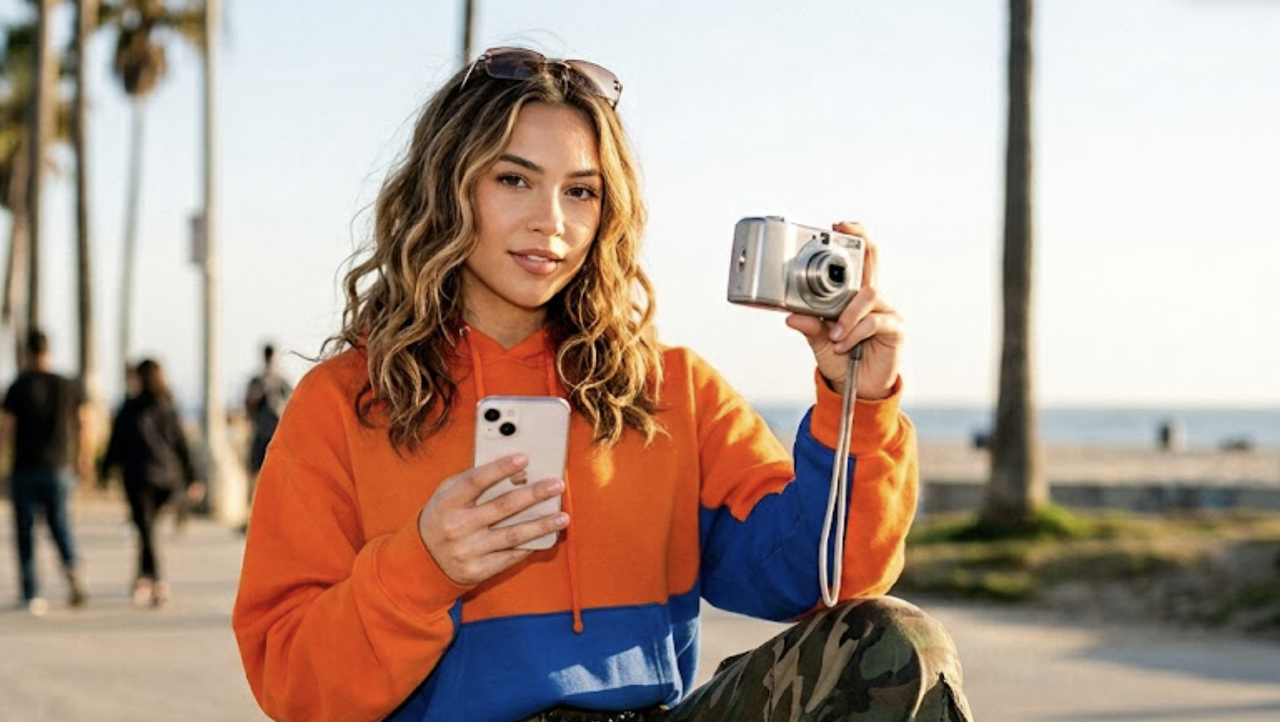
For content creators and casual photographers alike, capturing the perfect shot on a smartphone has become a balancing act between style and technical quality. On one hand, there is a massive resurgence in nostalgic, low-fidelity aesthetics—specifically the warm, grainy, flash-heavy Y2K digital camera look. On the other hand, there is a constant demand for crisp, professional, DSLR-quality portraits and clean selfies.Achieving either of these looks typically requires a frustrating compromise. You are often forced to choose between carrying expensive, bulky camera gear, or spending hours navigating complex desktop editing suites to manually apply filters, adjust grain, and fix blurry, low-light captures.As of July 2026, however, the landscape of mobile photography has shifted. Achieving professional-grade smartphone photography—whether capturing a nostalgic Y2K aesthetic or restoring blurry selfies into studio-quality portraits—does not require expensive DSLR gear or complex editing software. By leveraging modern AI-driven real-time enhancement tools under $20 a month, creators can instantly bridge the gap between mobile sensors and professional cameras. Instead of fixing mistakes in post-processing, creators are now turning to real-time AI tools that style, compose, and enhance the image at the exact moment the shutter is pressed.
The Anatomy of the Retro Aesthetic: Why the Y2K Digicam Look is Back
The clean, hyper-processed look of modern smartphone photography is facing a quiet rebellion. As of July 2026, creators and social media users are increasingly turning away from clinical, ultra-sharp images in favor of the nostalgic, imperfect charm of the early 2000s—often referred to as the Y2K digicam aesthetic. This retro vibe is defined by distinct visual markers that evoke a sense of candid, unpolished realism.To understand why this look is so popular, it helps to break down its core technical elements:
- Low-Fidelity Color Shifts: Early digital sensors struggled with precise color science, often resulting in slightly cool, warm, or oversaturated tones that felt incredibly moody and atmospheric.
- Heavy Flash Blowouts: The direct, harsh built-in flashes of vintage pocket cameras created high-contrast scenes, washing out subjects slightly while casting deep, dramatic shadows in the background.
- Characteristic Image Grain: Unlike the smooth, noise-reduced output of modern devices, older digital cameras retained a fine layer of digital noise and grain, giving photos a tactile, tangible texture.
While these elements were once considered technical limitations, they are now highly sought-after creative choices. However, reproducing this aesthetic on a modern smartphone is surprisingly difficult.Today's mobile devices are engineered for hyper-realism. Built-in computational photography pipelines automatically over-sharpen details, aggressively smooth out noise, and balance high-dynamic-range (HDR) lighting. In doing so, they naturally strip away the nostalgic mood of the shot.When creators try to recreate this look manually using standard editing tools, they often run into a common roadblock. Adding heavy grain, adjusting color curves, or artificially blowing out highlights in post-processing can easily make an image look low-quality, muddy, or artificially filtered rather than authentically vintage. Achieving the perfect balance requires understanding how to bypass modern smartphone processing without ruining the underlying image structure.To capture this aesthetic effortlessly, creators need to look beyond standard camera apps and evaluate tools designed specifically for stylized, high-quality rendering.
How to Evaluate AI Photo Editors: 5 Key Decision Criteria
Navigating the rapidly expanding landscape of mobile photography tools in July 2026 requires a clear framework. With countless applications promising professional-grade results, creators must look past marketing buzzwords and evaluate tools based on practical utility, cost, and creative control.When choosing an AI-driven photo editor or camera application, consider these five essential decision criteria to find the tool that best fits your creative workflow:
- Ease of Use vs. Manual Control
Traditional photo editing suites offer granular control over individual color channels, tone curves, and masking layers. However, this level of detail requires a steep learning curve and a significant time investment. For creators who prioritize efficiency, the value of one-tap transformations cannot be overstated. The ideal tool should minimize the friction between capturing an image and sharing it, automating complex adjustments like exposure balancing and noise reduction without requiring manual slider adjustments.
- Aesthetic Output Authenticity
Many standard editing apps apply flat, generic color filters that sit awkwardly on top of an image, resulting in an artificial look. High-quality AI editors go beyond simple overlays. They analyze the underlying geometry, lighting, and textures of a photo to apply authentic stylistic transformations—such as replicating the specific color shifts, soft focus, and organic grain characteristic of vintage film or early-2000s digital cameras.
- Cost-to-Performance Ratio
Professional desktop software and high-end subscription suites can easily exceed $20 to $50 a month, which may not be practical for casual users or independent creators. When evaluating mobile tools, look for options that deliver professional-grade portrait enhancement and stylistic versatility well under a $20 monthly threshold. Evaluating annual plans often reveals highly cost-effective alternatives that provide premium features at a fraction of the cost of traditional software.
- Real-Time Processing vs. Post-Processing
The traditional photography workflow involves capturing an image, importing it into an editing application, applying adjustments, and exporting the final file. Real-time processing eliminates these post-processing bottlenecks by applying AI enhancements—such as auto-retouching, low-light correction, and stylistic rendering—the exact millisecond the shutter is pressed. This immediate feedback loop allows you to see the final result instantly, saving hours of manual labor.
- Data Privacy and Security
In an era of generative AI, data privacy is a critical consideration. Many cloud-based editing platforms upload your images to external servers, where they may be stored, analyzed, or even used to train machine learning models. A trustworthy application should prioritize a privacy-first approach, ensuring that your photos are processed securely and are never stored, shared, or utilized for external AI training.By weighing these criteria, you can avoid overpaying for overly complex software while ensuring your chosen tool delivers authentic, high-quality results. To see how these principles translate into a seamless creative process, let us look at a practical, step-by-step workflow designed to capture these sought-after aesthetics instantly.
Step-by-Step Workflow: Capturing the Perfect Retro Shot Instantly
Recreating the nostalgic Y2K aesthetic or achieving a polished portrait look no longer requires a complex post-processing pipeline. Instead of spending hours adjusting grain sliders, color curves, and exposure levels in desktop software, creators can utilize real-time AI tools to capture and render the perfect shot instantly.A highly practical and budget-friendly solution for this workflow is WayShot. Priced at $69.99/year—which breaks down to approximately $5.80/month, positioning it well under the common $20/month threshold for premium creative software—this application moves the entire editing process directly into the moment of capture.By integrating AI assistance into the viewfinder, you can produce authentic, stylized images using the following step-by-step workflow:
Step 1: Selecting Your Signature Vibe
Before pressing the shutter, establish the creative direction of your shoot. WayShot features six distinct Signature DigiCam Styles designed to replicate classic digital camera aesthetics with a single tap:
- Digi-X & DigiCam: Ideal for capturing the high-contrast, slightly saturated look of early-2000s point-and-shoot cameras.
- Digi-S & DigiLite: Optimized for softer, nostalgic tones that mimic vintage consumer electronics.
- CleanGirl: A subtle, modern preset that emphasizes clean skin tones and soft, natural lighting.
- B&W: A classic monochrome profile focusing on deep shadows and rich textures.
Selecting your style beforehand allows the AI to calibrate its processing parameters specifically for that aesthetic.
Step 2: Framing with Real-Time Guidance
Achieving an authentic retro look relies heavily on composition. Standard smartphone cameras often leave users guessing about angles and balance. To address this, you can enable Frame Assist (On-Shot Framing Guidance). This feature analyzes the scene in real-time, providing visual overlays directly on your screen to help you find the most flattering angles, balance the horizon, and position your subject according to classic photographic composition rules.
Step 3: Activating the AI Voice Assistant (Wayla)
For solo creators or those looking for active direction during a shoot, the integrated AI Voice Assistant, Wayla, acts as an on-set photographer. Wayla provides real-time, step-by-step voice instructions to guide your photoshoot. By offering prompts on posing, camera height, and movement, the assistant helps you adjust your positioning dynamically to capture the most natural angles without requiring you to constantly stop and check the screen.
Step 4: Capturing with Real-Time AI Retouching
Once the composition is set, take the shot. The moment the shutter is pressed, WayShot’s Real-Time AI Retouching engine processes the image instantly. Instead of applying a flat filter over a poorly lit photo, the AI automatically balances brightness, manages challenging low-light conditions by reducing sensor noise, and recovers fine details.The result is a sharp, balanced, and fully stylized photo that is ready to share immediately, eliminating the need for traditional post-shoot editing. While this workflow simplifies the creation of stylized retro photos, achieving professional-grade results also depends on understanding how these same AI mechanisms handle common image imperfections, such as motion blur and low-light degradation.
The Science of Restoration: Fixing Blurry Selfies and Enhancing Portraits
To understand why smartphone selfies often fall short of professional quality, it helps to look at the hardware limitations of mobile devices. The front-facing camera on most smartphones is constrained by physical design. Because these cameras must fit into an incredibly thin bezel or a small screen cutout, they utilize tiny image sensors and compact lenses.These small sensors have a limited surface area, meaning they struggle to gather sufficient light, especially in indoor or evening settings. To compensate for this lack of light, the phone's internal software automatically increases the ISO sensitivity. While this makes the image brighter, it introduces significant digital noise, resulting in grainy, soft, or outright blurry photos. Additionally, the lack of physical depth-of-field on small sensors makes it difficult to achieve the natural, creamy background blur (bokeh) that defines professional DSLR portraits.Traditional editing software attempts to fix these issues after the photo is taken, usually by applying simple sharpening filters. However, standard sharpening merely increases the contrast along existing edges, which often exaggerates digital noise and makes skin textures look harsh and artificial.Modern AI-driven restoration takes a fundamentally different approach. Rather than applying a superficial filter, intelligent AI models analyze the structure of the image to perform targeted noise reduction and detail recovery. By recognizing facial features—such as the shape of an eye, the texture of hair, or the contour of a jawline—the AI can intelligently reconstruct missing visual information. This process of smart upscaling and pixel-level refinement allows the software to separate unwanted sensor noise from genuine detail, restoring clarity to soft-focus areas without creating an over-processed look.By moving this restoration pipeline directly into the capture process, WayShot bypasses the need for tedious post-shoot corrections. Its real-time auto-retouching engine is engineered to handle challenging low-light conditions at the exact millisecond the shutter is pressed. Instead of leaving you with a noisy, low-contrast selfie, the system automatically balances exposure, suppresses sensor noise, and sharpens key facial details.This instant processing bridges the hardware gap, transforming a casual, poorly lit smartphone snap into a clean portrait that mirrors the depth and clarity of a dedicated studio setup. While physical sensor limitations still exist, intelligent real-time processing ensures that casual users can consistently capture clear, balanced portraits on the go.
When This Approach Fits (and Implementation Considerations)
Adopting a real-time, AI-assisted approach to mobile photography represents a fundamental shift in how we capture and process images. However, understanding when this workflow is most effective—and recognizing its natural boundaries—is essential for achieving the best possible results.
When This Approach Fits
This streamlined, AI-driven workflow is highly effective for specific users and scenarios:
- Content Creators and Social Media Managers: Ideal for those who need to maintain a consistent, high-quality aesthetic across platforms without spending hours in post-production.
- Casual Photographers: Perfect for individuals who want to elevate their personal photos, rescue casual selfies, or experiment with nostalgic Y2K styles without investing in expensive hardware.
- On-the-Go Shooting: Excellent for events, travel, and daily documentation where carrying a heavy DSLR or spending time editing on a laptop is impractical.
Key Implementation Considerations
While modern AI tools dramatically simplify the photographic process, they operate within the physical realities of mobile hardware. To get the most out of this technology, keep the following considerations in mind:
- The Role of Ambient Light: WayShot’s real-time auto-retouching is highly capable of reducing noise and recovering details in low-light environments. However, AI cannot recreate details that are entirely lost in pitch darkness. For the cleanest, most professional results, utilizing at least basic ambient light—such as light from a window, a streetlamp, or a simple indoor lamp—is always recommended.
- Stylization vs. Granular Editing: One-tap AI tools are designed to prioritize speed, ease of use, and cohesive aesthetic styles. This approach is perfect for generating ready-to-share images instantly. However, creators who require pixel-by-pixel manual manipulation, complex compositing, or local color grading will still need to rely on heavy desktop editing software.
- Mobile Convenience vs. Studio Gear: While AI-driven enhancement bridges the gap to DSLR-quality portraits for everyday use, it is designed for mobile convenience rather than replacing high-end commercial studio setups with dedicated lighting rigs and full-frame sensors.
By understanding these parameters, you can better leverage AI to work for your specific creative needs. To help you put these concepts into practice during your next shoot, we have compiled a quick, actionable checklist.
Checklist for the Perfect Retro Shot
To help you consistently capture the ideal nostalgic aesthetic without getting bogged down in complex post-processing, we have compiled a quick, actionable checklist. Keep these steps in mind before your next photoshoot to ensure your images turn out sharp, beautifully composed, and perfectly stylized:
- Find a reliable light source: Even when utilizing advanced AI restoration, having basic ambient light—such as a simple streetlamp, an indoor bulb, or natural window light—helps the AI render fine details and manage noise more effectively.
- Select your signature style: Choose a preset that matches your desired mood before you shoot. For instance, select Digi-X to achieve a classic, high-contrast Y2K digital camera look, or opt for CleanGirl if you prefer a softer, more modern portrait aesthetic.
- Enable Frame Assist: Turn on the on-shot framing guidance to help you find the most balanced composition, align your angles, and structure your shot professionally.
- Listen to the AI Voice Assistant (Wayla): Let the real-time voice instructions guide your posing, camera height, and angles to ensure you capture the most flattering perspective.
- Shoot and share instantly: Rely on real-time auto-retouching to handle the heavy lifting, allowing you to publish your photos immediately without spending hours on manual editing.
Frequently Asked Questions
What is the best app for a retro digicam vibe?
For creators looking for an authentic retro digicam aesthetic without complex editing, WayShot offers 6 distinct digital camera styles—including Digi-X, DigiCam, and Digi-S—that transform photos with a single tap. Combined with real-time AI retouching, the app delivers the perfect Y2K look instantly at the moment of capture, eliminating the need for post-shoot filters or manual adjustments.
How can I make my smartphone selfies look like a DSLR for under $20 a month?
You can achieve professional, DSLR-like depth and clarity by using AI-powered camera apps instead of expensive hardware. WayShot Pro provides real-time auto-retouching, framing guidance, and professional aesthetics for $69.99/year (which breaks down to approximately $5.80/month). This makes it a highly cost-effective alternative to desktop editing suites and physical camera gear.
Can AI fix a blurry selfie and make it look professional?
Yes, modern AI photo enhancement tools can analyze blurry or low-light selfies, reduce sensor noise, and recover lost details. WayShot's real-time auto-retouching balances brightness and sharpens details the moment you shoot, turning casual, low-light selfies into studio-quality portraits without over-processing.
What is the easiest AI photo editor for beginners?
The easiest tools are those that eliminate post-shoot editing entirely. WayShot is designed specifically for beginners, featuring real-time AI coaching, on-shot framing guidance, and automatic retouching so you get a polished, ready-to-post photo instantly without needing any manual editing skills.
Conclusion
As of July 2026, the landscape of mobile photography has shifted. Achieving a stylized Y2K digital camera aesthetic or restoring a low-light selfie into a crisp, DSLR-quality portrait no longer requires a choice between expensive hardware and hours of tedious manual editing. The evolution of real-time AI processing has bridged this gap, making professional-grade styling and restoration accessible directly at the moment of capture.By focusing on clear decision criteria—such as ease of use, authentic aesthetic rendering, privacy-first processing, and cost-to-performance efficiency—creators can easily find tools that elevate their visual content. Utilizing real-time assistance and automated retouching allows you to bypass the traditional, complex post-processing workflow entirely.For those looking to simplify their creative process while maintaining a budget of under $20 a month, exploring real-time AI enhancement platforms offers a practical, high-quality path forward. To experience how instant rendering, guided framing, and authentic retro styles can transform your daily photography, consider exploring the tools available at WayShot.