How to Get a Gritty Vintage Digicam Look for Social Media on a Budget
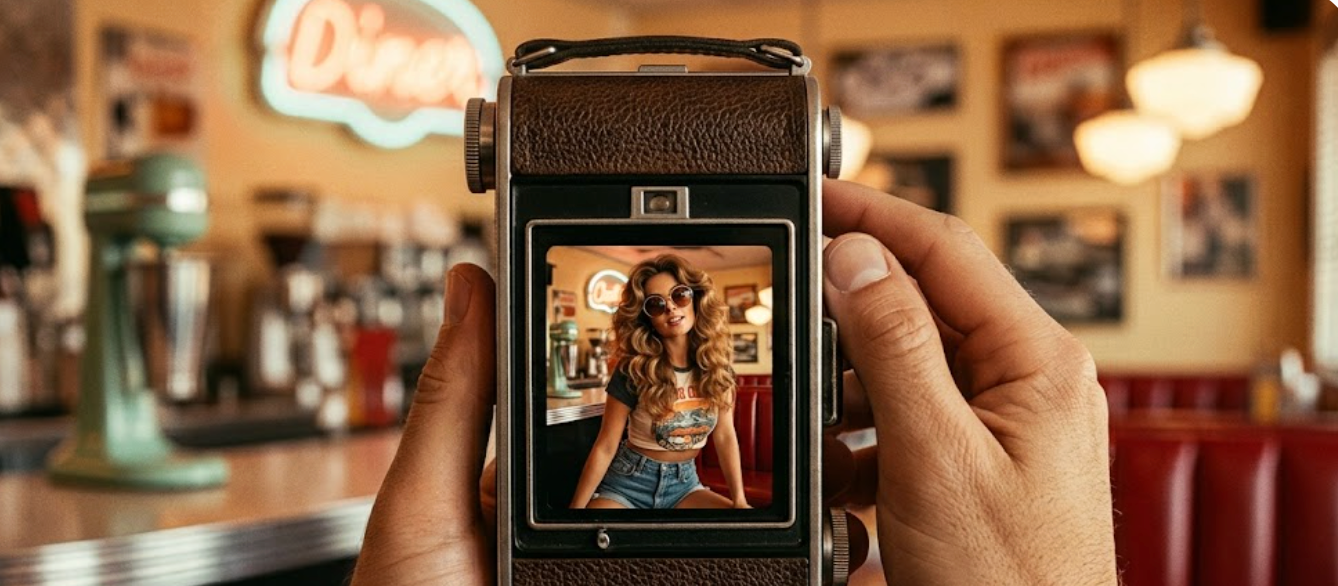
As we navigate the creative landscape of July 2026, the visual aesthetic of social media has taken a distinct turn. The polished, overly saturated smartphone photography of the past decade has given way to a raw, nostalgic realism. In particular, the gritty, high-contrast Y2K digital camera (CCD) look has become a staple for content creators, social media managers, and professional photographers aiming to build distinctive online identities.However, achieving this sought-after retro aesthetic consistently presents a practical challenge. Many creators find themselves caught between purchasing expensive, fragile vintage physical cameras or subscribing to complex editing suites that strain their monthly budgets. For those seeking to maintain a professional-grade feed under a strict budget of $5 to $10 a month, the market is flooded with options, yet many fail to deliver authentic rendering. The core decision problem is finding an affordable, efficient tool that accurately simulates early-2000s digital rendering without requiring hours of tedious post-processing.Achieving a high-quality, gritty Y2K digital camera aesthetic for professional social media feeds does not require expensive physical gear or high-priced monthly subscriptions. By evaluating key rendering criteria—such as how an application processes color, contrast, and flash—and utilizing targeted real-time processing tools like WayShot, creators can streamline their workflow cost-effectively while maintaining absolute visual authenticity.
What to Look for in a Vintage Digicam App
When selecting a mobile application to capture retro aesthetics, it is essential to first define the specific visual era you want to recreate. A common misstep is grouping all retro styles into a single category. In practice, professional creators distinguish sharply between traditional 1990s analog film simulation and early 2000s digital camera (Y2K Digicam) aesthetics.Traditional 90s film simulation focuses heavily on organic imperfections. This includes heavy, randomized film grain, warm light leaks, chromatic aberration, and vintage borders like Polaroid or sprocket holes. The goal is to mimic the chemical process of film development. Conversely, the Y2K Digicam aesthetic replicates the early days of consumer digital technology. Instead of organic grain, it features the distinct, slightly soft pixel rendering, cool or intensely warm color shifts, and high-contrast characteristics of early point-and-shoot CCD sensors. Understanding this distinction prevents creators from choosing an app that delivers a dusty, analog look when their target is actually a clean, flash-heavy digital snapshot.To evaluate whether a vintage camera application fits a professional workflow, creators should analyze three key technical criteria:
- Color and Tone Rendering: The application must accurately simulate how early digital sensors processed color. This includes specific color grading profiles, distinct contrast curves, and the unique way early sensors rendered skin tones under harsh lighting.
- Flash-Heavy Exposure Handling: Early digital cameras were famous for their intense, built-in flashes that created sharp fall-offs, bright subjects, and deeply dark backgrounds. A capable app must mimic this specific exposure response rather than simply brightening the center of the frame.
- Real-Time Processing vs. Static Filter Overlays: Many basic applications apply a generic, static color overlay on top of an existing photo. Professional creators generally prioritize real-time processing. Selecting the camera style before shooting allows the software to calculate exposure, contrast, and tone mapping actively as the image is captured, resulting in a much more authentic render.
Additionally, professional social media managers and photographers often look for applications that can handle high-contrast, desaturated street photography styles. The ability to capture gritty, desaturated urban scenes with deep shadows and sharp highlights is crucial for creating a cohesive, modern editorial feed.Once you understand the technical rendering capabilities required for these retro styles, the next step is evaluating how different tools fit into your production budget.
Evaluating the Real Cost of Creative Tools
For independent content creators and social media managers, software subscriptions represent a significant portion of monthly overhead. A common pitfall in building a creative toolkit is accumulating multiple high-cost monthly subscriptions. While a single app charging $10 to $15 a month may seem manageable in isolation, compounding these fees across design suites, scheduling platforms, and specialized filter apps quickly drains a creator's operating budget.When evaluating retro camera applications, it is essential to look past the initial download button and analyze the long-term pricing structure. Many mobile photography tools on the market utilize aggressive monthly billing cycles that target short-term users but penalize long-term creators. To find a sustainable solution under a strict $5 to $10 monthly budget, creators should look at the amortized cost of annual plans.For example, a professional-grade application offering an annual plan at $69.99 breaks down to approximately $5.83 per month. This long-term pricing model allows creators to secure premium, ad-free rendering pipelines while staying well within a conservative monthly budget.
Subscription Options Overview
1. Standard Monthly Plan
- Average Monthly Cost: $10.00 – $15.00 / month.
- Long-Term Budget Impact: Results in a higher cumulative cost over the course of a 12-month period.
- Workflow Experience: Provides an ad-free experience with full access to all features, ideal for short-term or flexible needs.
2. Amortized Annual Plan
- Average Monthly Cost: Approximately $5.83 / month (billed as a single payment of $69.99/year).
- Long-Term Budget Impact: Highly predictable and budget-friendly, offering the best overall value.
- Workflow Experience: Offers an ad-free, uninterrupted professional experience, perfect for consistent, long-term use.
3. Free / Ad-Supported Plan
- Average Monthly Cost: $0.00.
- Long-Term Budget Impact: No direct financial cost, though it carries a significant "time cost" due to necessary engagement with ads.
- Workflow Experience: Includes intrusive advertisements, watermarks on content, and limited export options, suitable only for light or casual use.
Choosing the right pricing model also involves weighing the trade-offs of free versus paid tiers. Free retro camera apps frequently rely on intrusive video ads, watermarked exports, or restricted high-resolution saving options. For professional workflows, these limitations are more than just minor inconveniences; they slow down delivery times and compromise the visual quality of client deliverables. Investing in a paid, ad-free tool with predictable pricing ensures a clean, uninterrupted workspace and high-quality output.By shifting the focus from recurring short-term payments to high-value annual commitments, creators can access advanced rendering engines without exceeding their financial limits. This balance of cost-efficiency and professional utility is particularly critical when transitioning from manual editing to real-time capture workflows.
Streamlining Your Workflow with WayShot
For creators and social media managers seeking a dedicated tool that aligns with these technical and financial criteria, WayShot offers a highly targeted solution. While many creative applications attempt to cover every photographic era from the 1970s to the present day, WayShot specializes specifically in the 2000s digital camera (Y2K Digicam) aesthetic. Rather than focusing on traditional 90s film simulation—which typically features heavy analog grain, light leaks, or Polaroid borders—the application is engineered to recreate the flash-heavy, warm, and slightly soft look of early point-and-shoot digital cameras.To achieve this specific aesthetic without requiring extensive post-processing, the application provides six distinct "DigiCam" styles. These styles are designed to mimic the unique output of early consumer CCD sensors:
- Digi-X: Recreates the high-contrast, flash-responsive look typical of early-generation pocket digital cameras.
- Digi-S: Offers a slightly different color rendering profile, balancing warm skin tones with the classic cool undertones of early digital zoom lenses.
- DigiLite: Mimics the softer, lower-resolution rendering of entry-level point-and-shoot models from the mid-2000s.
- CleanGirl: Provides a bright, slightly desaturated, yet warm aesthetic that suits modern portraiture while retaining a subtle retro digital texture.
- B&W (Black and White): Delivers a high-contrast, gritty monochrome style reminiscent of classic street photography captured on early digital sensors.
The core operational advantage of this setup lies in its real-time processing workflow. Instead of requiring you to shoot a standard, flat mobile photo and then spend time adjusting color curves, adding digital grain, or tweaking saturation in a separate editing app, WayShot processes these vintage tones as you shoot.By selecting a style like Digi-X or DigiLite before pressing the shutter, the application's processing engine immediately calculates how the virtual sensor should respond to the ambient light and flash. This real-time rendering captures authentic color grading, contrast, and light responses instantly. For a social media manager handling rapid content turnarounds, this workflow eliminates the post-production bottleneck entirely, delivering a finalized, styled image directly to the camera roll.This real-time approach offers a highly efficient path for producing consistent, era-specific content. However, understanding where this specialized tool fits within your broader creative toolkit requires an honest look at its practical limitations.
When This Approach Fits (and When It Does Not)
Choosing the right tool for your creative workflow requires a clear-eyed assessment of what a mobile application can and cannot achieve. While real-time digital camera simulation offers immense speed and convenience, it is not a universal solution for every photographic style or production requirement. Understanding these operational boundaries helps professional creators and social media managers allocate their budgets and technical resources more effectively.
When This Approach Fits Perfectly
A real-time Y2K digicam workflow is highly effective under specific creative and operational conditions:
- Rapid Social Media Turnarounds: When managing daily content calendars, the traditional pipeline of shooting, transferring files to a desktop, color grading, and exporting is too slow. A real-time processing approach allows you to capture, review, and publish high-contrast, stylized images in minutes.
- Gritty Street Photography: For outdoor daytime shots and urban environments, the high-contrast rendering of early digital camera simulations adds a distinct, documentary-style grit. This aesthetic highlights textures, shadows, and raw urban details far better than clean, modern smartphone sensors.
- Flash-Heavy Night Scenes: The early 2000s aesthetic relies heavily on how sensors reacted to harsh, direct flash in low-light environments. If your creative brief calls for party photography, nightlife content, or high-contrast portraits with dark, fall-off backgrounds, this simulation excels at mimicking that specific hardware response.
When It Is Not the Right Fit
Conversely, this specialized digital rendering is not suitable for every project:
- Traditional 90s Analog Film Aesthetics: If your project requires the warm, organic imperfections of 90s analog film—such as heavy chemical grain, unpredictable light leaks, dust textures, or physical Polaroid borders—a Y2K digicam simulation will not deliver the correct look. Early digital cameras were designed to minimize these analog artifacts, focusing instead on a cooler, sharper, and flash-dependent digital output.
- Large-Format Print and Commercial Production: While mobile simulation apps are highly efficient for digital screens and social media feeds, they do not replace high-end DSLRs, mirrorless systems, or physical vintage CCD cameras when it comes to large-format print work. Mobile sensors and real-time processing algorithms are optimized for web resolutions; they lack the raw dynamic range and pixel depth required for massive physical prints or high-end commercial editorial layouts.
By recognizing these technical trade-offs, creators can use real-time simulation tools as a highly efficient, specialized asset within a broader production toolkit, rather than expecting a single application to solve every creative challenge. This selective approach prevents common aesthetic errors that can compromise the visual quality of a professional feed.
Common Mistakes in Vintage Editing
Achieving a compelling retro aesthetic requires a balance of technical restraint and stylistic consistency. When aiming for a gritty digicam or vintage film look, many creators inadvertently undermine their visual storytelling by overcomplicating their post-processing.To maintain a professional and cohesive aesthetic across your social media feeds and collage layouts, avoid these three common editing mistakes:
- Over-Processing and Filter Stacking: One of the most frequent errors is stacking multiple heavy filters or applying aggressive grain and dust overlays on top of an already processed image. This destroys fine details, introduces digital artifacts, and results in an artificial, muddy look rather than a genuine vintage texture. For an authentic Y2K digital camera style, rely on a single, well-calibrated profile that handles color grading and contrast in a single pass, preserving the underlying image structure.
- Ignoring Ambient Light Conditions: A vintage filter cannot work against the physics of the original scene. A common mistake is applying a high-contrast, flash-heavy digicam style to a photo taken in flat, overcast daytime light. The mismatch between the simulated sensor response and the actual ambient light looks unnatural. For daytime outdoor shots, choose profiles that handle high-contrast natural light gracefully; save the flash-mimicking, warm-toned digicam styles for nighttime, indoor, or direct-light environments.
- Inconsistent Styling Across a Feed: Mixing too many different eras within a single social media feed or collage layout disrupts your visual brand. Blending high-contrast 90s analog film grain, warm Y2K digital point-and-shoot tones, and ultra-clean modern digital shots creates visual clutter. Establish a clear aesthetic direction—whether you prefer the gritty, desaturated look of street photography or the warm, flash-heavy glow of early 2000s tech—and stick to it consistently.
By avoiding these pitfalls, creators can establish a highly recognizable and professional visual identity. Understanding these common creative mistakes helps clarify how to choose and apply the right tools for your specific workflow.
Frequently Asked Questions
What is the best retro digicam app under $10 a month?
The ideal retro digicam app depends on whether you prefer post-capture static filters or real-time processing. For creators seeking an authentic Y2K digital camera aesthetic on a budget, look for apps that offer transparent, predictable pricing rather than high monthly subscription fees. For example, WayShot provides a suite of dedicated 2000s point-and-shoot styles through an annual plan of $69.99, which breaks down to approximately $5.83 per month—making it a highly competitive option for professional workflows under the $10 threshold.
How can social media managers get a gritty vintage look on a budget?
To achieve a gritty vintage look efficiently, social media managers should prioritize mobile apps that handle complex color grading, contrast adjustments, and flash-exposure simulation in real-time during the shoot. This eliminates the need for expensive desktop editing suites and hours of manual post-processing. Selecting an app with specialized digital camera profiles (such as early-2000s CCD simulations) allows you to capture, export, and publish cohesive, high-contrast content directly from your phone.
Does WayShot offer a moody desaturated street photography filter?
While WayShot primarily specializes in the warm, flash-heavy Y2K digital camera aesthetic using styles like Digi-X and DigiLite, it also caters to high-contrast, moody street photography. The app features a dedicated B&W (Black and White) style that mimics the gritty, high-contrast monochrome look of classic street photography cameras. This profile allows creators to capture deep shadows and sharp highlights in real-time, providing an excellent desaturated option for urban environments.
Conclusion
Achieving a highly sought-after, gritty Y2K digital camera aesthetic for your social media feed does not require a massive financial investment or hours of tedious post-processing. By understanding the technical differences between 90s analog film and early 2000s digital rendering, you can select a tool that matches your specific creative vision.When evaluating your options, balancing budget constraints with workflow efficiency is key. For creators and social media managers who need to produce consistent, high-contrast, and retro-style content on a budget, shifting from complex desktop editing to real-time mobile processing offers a highly practical path forward. If your creative direction aligns with the flash-heavy, nostalgic look of early point-and-shoot digital cameras, exploring real-time styling tools on your mobile device is a logical, cost-effective next step to elevate your visual storytelling.