How to Capture the Perfect Weekend Cabin Getaway Photo Dump with AI Camera Apps
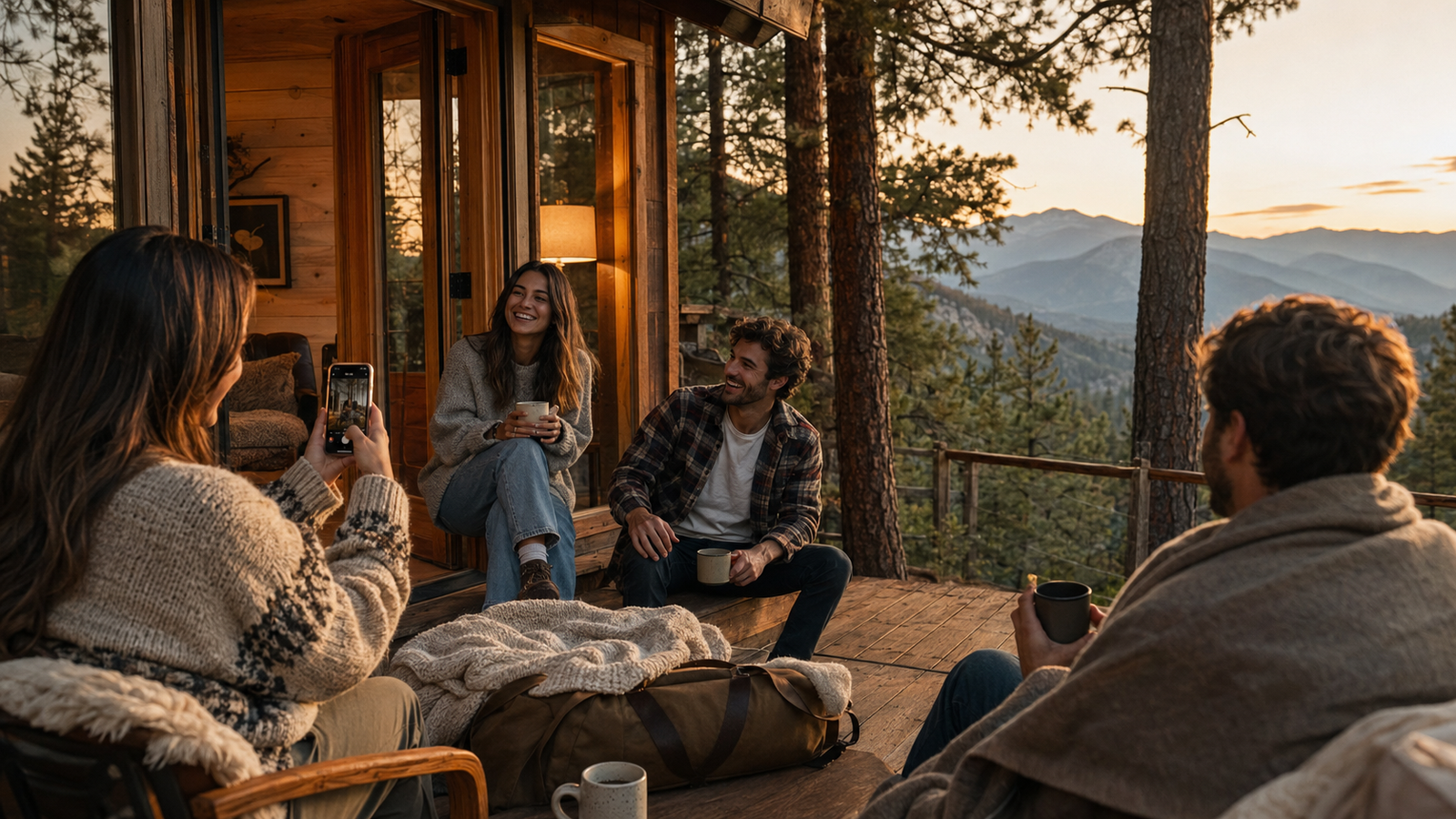
As we navigate the travel season of July 2026, social media feeds have firmly moved away from the hyper-curated, glossy aesthetics of the past. Today, the "photo dump" reigns supreme—a casual, multi-image carousel designed to tell a more authentic, lived-in story of our weekend adventures. But while a weekend cabin getaway in the woods sounds like the perfect backdrop for these effortless collections, capturing that cozy, rustic vibe is often much harder than it looks.Anyone who has tried to document a cabin trip knows the immediate frustrations: dimly lit wooden interiors that turn muddy on standard smartphone sensors, harsh midday sun filtering unevenly through the trees, and the inevitable awkwardness of trying to pose naturally in front of a partner or friend. Too often, we end up with a camera roll full of dark, flat shots or stiff, forced poses that feel anything but relaxed.Creating an aesthetic weekend getaway photo dump requires balancing these tricky lighting conditions and candid moments in real-time. Fortunately, modern AI-assisted camera apps like WayShot are changing how we capture travel memories. By offering real-time composition coaching and instant aesthetic styling directly during the shoot, these tools eliminate the need for tedious post-processing, allowing you to focus on enjoying your trip while still capturing perfectly styled, shareable moments.
The Challenge of the Weekend Getaway Photo Dump
In July 2026, the way we share our travels online has fundamentally shifted. The era of the hyper-polished, heavily staged single grid post has given way to the "photo dump"—a curated gallery of candid, atmospheric, and authentic moments. Whether it is a cozy weekend cabin retreat or a quick nature escape, today's social media users want to capture the genuine vibe of their experience without looking like they tried too hard.However, achieving that effortless, low-fidelity aesthetic is surprisingly difficult. Travelers often find themselves facing a frustrating dilemma. To get those warm, nostalgic tones or perfect candid angles, the traditional route suggests packing heavy DSLR gear or hunting down trendy, vintage pocket digicams. But carrying extra hardware, managing memory cards, and worrying about battery chargers completely defeats the purpose of a relaxing, unplugged weekend getaway.Conversely, relying solely on a standard smartphone camera often leads to disappointing results. Rustic cabin environments present unique environmental challenges. Inside, you are dealing with dim, warm lighting and deep shadows; outside, you face harsh midday sun filtering through dense trees. Native smartphone cameras are programmed to over-correct these scenarios, often flattening natural shadows and stripping away the cozy, moody atmosphere of a cabin. The resulting images feel sterile and flat, requiring hours of tedious manual editing to look even remotely close to how the moment actually felt.This gap between the desire for easy, authentic storytelling and the limitations of everyday mobile cameras leaves casual creators searching for a better way to document their travels.
Direct Answer: What Makes a Camera App Ideal for Cabin Getaways?
To capture the perfect aesthetic for a weekend cabin getaway photo dump, the ideal camera app must eliminate the friction of manual post-processing. Instead of shooting flat, uninspiring raw photos and spending hours color-grading them later, creators are turning to AI-assisted camera apps that handle composition, lighting, and styling in real-time.An ideal camera app for this specific travel workflow should act as an on-the-go creative assistant. A primary example of this modern approach is WayShot, an AI camera app designed to bridge the gap between complex photography techniques and effortless social media sharing. By processing environmental variables and aesthetic styles at the moment of capture, such apps allow you to focus on enjoying your trip rather than editing behind a screen.When evaluating which AI camera app to bring on your next weekend getaway, look for these essential features:
- Real-Time Lighting & Distance Adaptation: Cabin interiors are notoriously difficult to shoot due to high-contrast lighting (such as dark wooden walls paired with bright window light). The app should analyze the scene in real-time and offer immediate feedback on where to stand or how to position your subject.
- Built-In Aesthetic Filters: To achieve the popular vintage digicam or retro film look without carrying extra hardware, the app should apply authentic color science and grain emulation directly to the live viewfinder.
- Interactive Composition Coaching: Instead of static gridlines, look for intelligent, interactive guidance—such as real-time voice coaching or visual pose overlays—that helps you capture natural, candid moments.
By shifting the creative heavy lifting from post-production to the actual shoot, these features ensure your photos are cohesive and ready to share immediately. However, even with perfect lighting and styling, capturing genuine, unposed moments with a partner remains a common travel hurdle—a challenge often referred to as the "boyfriend camera" dilemma.
The 'Boyfriend Camera' Fix: Overcoming Posing and Composition Hurdles
One of the most common hurdles during a weekend getaway isn't the travel logistics—it is the creative friction that occurs when trying to capture candid moments of each other. Often referred to as the "boyfriend camera" phenomenon, this lighthearted term describes the struggle when one partner has a clear aesthetic vision, but the person holding the phone lacks the photographic eye to execute it. The result is often a camera roll filled with awkward angles, missed expressions, and stiff, forced smiles that do not match the cozy, relaxed vibe of a cabin retreat.To bridge this gap, modern AI camera apps introduce interactive composition tools that assist the photographer in real-time. Instead of relying on vague directions like "make it look natural," these applications provide on-screen guides and subtle voice prompts that help the person behind the lens frame the shot correctly.For instance, WayShot addresses this directly through its real-pose coaching feature. Rather than suggesting static, highly styled poses that feel out of place in a rustic setting, the app guides users through gentle, fluid movements. It might suggest looking slightly away from the camera, adjusting a coffee mug, or taking a slow step forward. This interactive guidance helps the subject feel comfortable and move naturally, while simultaneously giving the photographer clear cues on when to press the shutter.This technology does not replace personal creativity; rather, it acts as a collaborative assistant. It ensures that the person taking the photo understands how to align the horizon, utilize leading lines, and capture genuine candid motion. By removing the frustration of mismatched expectations, couples can enjoy the process of capturing their trip together.However, getting the composition right is only half the battle. Once you have framed the perfect candid moment, you still have to contend with the unpredictable lighting of rustic environments—from dimly lit wooden interiors to the harsh midday sun filtering through the trees.
Mastering Tricky Environments: Dim Cabins and Harsh Midday Sun
Cozy, rustic cabins are the quintessential backdrop for a weekend getaway, but they present a unique set of photographic challenges. The primary issue is dynamic range. Dark wooden walls naturally absorb ambient light, while large windows let in streams of bright, natural daylight. This stark contrast often forces standard smartphone cameras to make a flawed compromise: either the cozy interior is rendered as an unrecognizable dark void, or the scenic view outside the window is completely blown out into a featureless white glare.To solve this, modern AI camera apps shift the focus from post-capture correction to real-time scene analysis. Instead of forcing you to manually adjust exposure sliders while your subject waits, apps like WayShot analyze the relationship between lighting and distance in real-time. The AI evaluates where the strongest light sources are located relative to your subject and provides instant, actionable feedback. For instance, if you are trying to capture a candid moment by the cabin fireplace, the app might suggest adjusting your shooting angle by a few degrees or stepping slightly back to let the ambient light wrap more naturally around your subject.This real-time assistance is equally valuable when transitioning from the dim cabin interior to the unpredictable outdoors. During the coveted "golden hour"—that brief window of soft, warm light just before sunset—the AI helps preserve the rich, amber tones of the sun without oversaturating skin tones. Conversely, when dealing with the harsh midday sun on a hiking trail, where shadows are deep and highlights are unforgiving, the AI's exposure assistance guides you to optimal positioning. It might suggest seeking partial shade or adjusting your framing to utilize natural bounce light, ensuring your outdoor photos retain depth and detail.By letting the technology handle the complex physics of light balancing in the moment, you can focus entirely on the mood of the shoot. This seamless transition from indoor warmth to outdoor brightness sets the stage perfectly for capturing the diverse, candid moments that define a great photo dump.
The Vintage Digicam Aesthetic: Why Retro Filters Dominate Photo Dumps
As social media feeds continue to favor raw, authentic moments over heavily polished studio shots, the early-2000s digicam aesthetic has cemented itself as a staple of the modern photo dump. In July 2026, this nostalgic trend is stronger than ever. The appeal lies in its imperfections—the warm color tones, soft flash highlights, and gentle image grain that make a weekend getaway feel like a lived-in memory rather than a staged photoshoot.However, carrying a physical vintage camera on a relaxing cabin trip introduces practical friction. Dealing with proprietary charging cables, hunting down obsolete memory cards, and manually transferring files to your phone before posting quickly drains the fun out of casual photography.This is where software-driven aesthetics bridge the gap. Modern AI camera apps allow you to capture that retro charm instantly, without the hardware hassle. For instance, WayShot features built-in aesthetic filters designed to replicate the distinctive color science and organic grain of classic digital cameras. While no software filter can completely replicate the physical physics of an old CCD sensor, these real-time rendering tools come remarkably close in look and feel.By processing the vintage color profiles directly as you shoot, the app eliminates the need for complex desktop color-grading or secondary editing apps. You get the desired retro warmth and low-fidelity texture immediately, making your photos cohesive and ready to share.Capturing the right aesthetic is only half the battle, however. To turn these stylized shots into a compelling narrative, you need a structured approach to your shoot. Let’s look at how to combine these tools into a seamless, step-by-step workflow for your next trip.
Step-by-Step Workflow: From Raw Cabin Shot to Instagram-Ready Dump
Translating the cozy, rustic vibe of a weekend getaway into a curated social media gallery doesn't have to involve hours of tedious color-grading. By shifting the creative decisions from post-production to the actual moment of capture, you can produce a cohesive "photo dump" entirely on your phone. Here is a simple, step-by-step workflow using modern AI camera tools like WayShot to go from a raw cabin setting to an instantly shareable slide deck.
Step 1: Set the Scene and Frame with AI Distance Tips
Before pressing the shutter, take a moment to evaluate your surroundings. Cabin interiors often present tight spaces and awkward angles. Open your camera app and let the AI analyze the room's geometry. Use the real-time distance and positioning tips on your screen to find the optimal framing. The AI helps you understand if you are standing too close to your subject—which can cause unflattering wide-angle distortion—or if you need to adjust your angle to capture the warmth of the fireplace without cutting off the cabin's wooden beams.
Step 2: Activate Real-Time Voice Coaching for Candid Movement
Stiff, forced poses can ruin the relaxed, authentic aesthetic of a weekend getaway. To capture genuine, candid moments, activate the real-time voice coaching feature in WayShot. Instead of holding a frozen smile, let the interactive audio prompts guide your movement. The AI might suggest subtle adjustments like "tilt your head slightly toward the window light" or "take a slow step forward." This interactive guidance helps you or your partner look natural and relaxed, capturing the true spirit of a cozy retreat.
Step 3: Select Your Vintage Digicam Filter Live
Instead of shooting a flat, neutral image and trying to fix it later with external editing software, choose your aesthetic style before you shoot. Select a vintage digicam or retro film preset directly within the app interface. By applying the color science, contrast, and subtle grain in real-time, you can see exactly how the final image will look before you even press the shutter. This ensures that the warm tones of the cabin wood and the soft indoor lighting are captured with the exact retro mood you want.
Step 4: Batch and Organize Your Cohesive Slide Deck
Because you applied your chosen aesthetic filter and composition guidance during the shoot, your camera roll is already filled with visually consistent images. You don't need to spend time matching exposures or copying edit settings in a complex desktop suite. Simply select your favorite shots—mixing wide cabin views, candid portraits, and close-up details of your morning coffee—and upload them directly as a cohesive social media slide deck.While this streamlined, AI-assisted workflow makes capturing travel memories incredibly efficient, it is helpful to understand how this immediate, on-the-go approach compares to more traditional photographic methods.
Trade-offs: AI-Guided Photography vs. Traditional Manual Editing
While AI-assisted camera apps have streamlined how we capture and share our travels, choosing between real-time AI guidance and traditional manual editing comes down to your creative goals and the context of your shoot.The primary advantage of an AI camera app like WayShot is immediate convenience. By processing composition, lighting adjustments, and aesthetic styling in real-time, it allows you to stay present during a weekend getaway. You get instant, cohesive photos ready for a social media photo dump without spending hours color-grading RAW files on a laptop.However, this speed involves a trade-off in granular control. Traditional manual editing—shooting in uncompressed RAW formats and adjusting exposure, tone curves, and color channels in post-production software—remains the standard for professional landscape photography or commercial projects. If your goal is to print large-scale gallery assets or have absolute control over every pixel, traditional manual workflows are irreplaceable.Furthermore, while AI coaching provides excellent real-time guardrails for framing and lighting, it does not replace the human eye. Understanding basic composition principles, such as leading lines and the rule of thirds, helps you collaborate more effectively with AI tools.Ultimately, AI-guided photography is designed to lower the friction of everyday storytelling, making it ideal for casual trips and spontaneous moments. In contrast, manual editing is a deliberate, slow-paced craft. Understanding these differences helps you choose the right tool for the right moment—though as we look at how these apps perform in the wild, there are also physical hardware factors to keep in mind.
Implementation Considerations and Hardware Limitations
While AI-assisted photography offers unparalleled convenience for capturing your weekend getaway, it is important to understand the physical demands these applications place on your smartphone. As of July 2026, mobile processors have become highly sophisticated, yet running real-time computer vision models alongside live aesthetic filter rendering remains a resource-intensive task.To provide instant voice coaching, analyze environmental lighting, and apply complex vintage digicam color profiles simultaneously, apps like WayShot rely heavily on your device's Neural Processing Unit (NPU) and Graphics Processing Unit (GPU). This continuous, high-performance processing naturally consumes more energy than a standard, passive native camera app. If you are heading out for a day of hiking or spending hours away from a power outlet at a remote cabin, practical battery management is essential. We highly recommend packing a reliable portable power bank and slightly reducing your screen brightness to ensure your phone lasts through a full day of shooting.Additionally, device compatibility is a key factor to keep in mind. While modern smartphones handle live AI guidance and real-time rendering seamlessly, older legacy models may experience slight processing lag in the live viewfinder or take a few extra moments to save the styled image. While developers work continuously to optimize these algorithms for broader compatibility, the overall responsiveness of real-time coaching features will naturally scale with your phone's hardware capabilities. Understanding these hardware realities ensures you can plan ahead, keep your device charged, and capture every candid moment of your trip without interruption.
Frequently Asked Questions
What is the best camera app for aesthetic weekend photo dumps?
The ideal camera app for a weekend photo dump is one that minimizes post-processing by combining real-time composition assistance with instant aesthetic styling. Instead of shooting flat images and spending hours editing them later, look for apps that apply cohesive color grading at the moment of capture. For instance, WayShot integrates real-time voice coaching with built-in vintage filters, allowing you to capture and style your photos simultaneously so they are ready to post immediately.
How can I get the vintage digicam look for my travel photos without buying a camera?
You can replicate the early-2000s aesthetic using specialized mobile camera applications that feature built-in CCD sensor emulation, vintage color profiles, and realistic grain rendering. These apps process the image instantly to mimic the low-contrast, warm-toned characteristics of classic pocket cameras, saving you from the hassle of carrying secondary hardware or transferring files from older physical devices.
How do I fix bad lighting in my indoor cabin photos using AI?
Dimly lit wooden cabins often suffer from harsh shadows or blown-out window light. Modern AI camera assistants solve this by analyzing the scene's dynamic range in real-time. Rather than relying solely on artificial brightening filters after the fact, these tools provide live feedback—such as distance and positioning tips—to help you align your subject with natural light sources, ensuring a balanced exposure before you press the shutter.
Is there an AI camera app that helps with posing for travel pictures?
Yes. Some advanced photography apps feature interactive posing guides designed to eliminate stiff, awkward travel photos. For example, WayShot offers real-time voice coaching and interactive pose overlays. These features guide you and your partner to move naturally, helping you capture candid, lifestyle-oriented shots without requiring professional modeling experience.
How can I quickly edit a batch of vacation photos for an Instagram dump?
The fastest way to batch-edit is to avoid traditional post-processing altogether by shooting "in-style." By using an AI-assisted camera app that applies your chosen aesthetic filter—such as a warm vintage or classic digicam look—directly to the live preview, every photo you take is instantly unified. This ensures your entire camera roll maintains a cohesive visual theme, making it easy to select and upload a multi-photo slide deck immediately.
Conclusion
As social media trends in July 2026 continue to favor authentic, spontaneous storytelling, the way we capture our travels has fundamentally shifted. The perfect weekend cabin getaway photo dump is no longer about carrying heavy gear or spending hours in complex editing software. Instead, it is about capturing genuine, beautifully styled moments in real-time.AI-assisted camera apps bridge the gap between professional-grade aesthetics and casual, on-the-go shooting. By handling tricky lighting, offering real-time composition guidance, and applying cohesive vintage styles instantly, these tools allow you to remain fully present during your trip. You no longer have to choose between enjoying your getaway and capturing high-quality memories to share later.If you are preparing for your next retreat and want to streamline your photography workflow, consider trying an AI-guided approach. You can learn more about how WayShot combines real-time voice coaching with classic digicam aesthetics to make travel photography entirely effortless. By letting technology handle the technical details behind the lens, you can focus on what matters most: enjoying the destination.