How to Capture the Cozy Digital-Camera Aesthetic in Bookstore Cafés
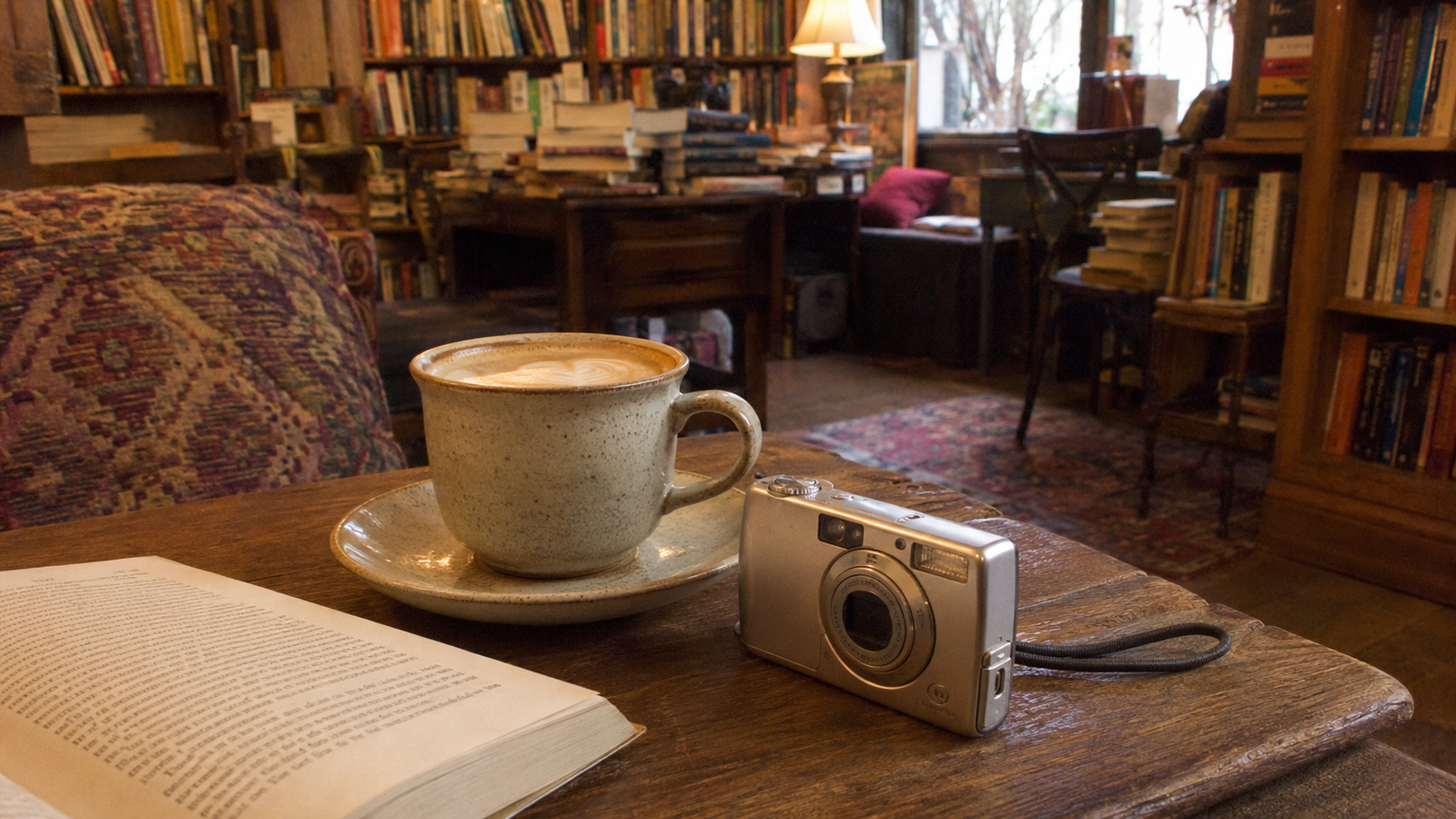
The cozy bookstore café aesthetic—characterized by warm, ambient lighting, towering shelves of books, and a quiet, nostalgic atmosphere—has become a staple of lifestyle photography. Whether you are sharing a quiet afternoon on social media or building a curated lifestyle portfolio, capturing this specific mood feels incredibly comforting.However, translating this cozy vibe into a high-quality photograph is notoriously difficult. Bookstore cafés are famous for their challenging lighting environments: harsh overhead fluorescent bulbs often clash with warm table lamps, while deep shadows hide details in the corners. Traditionally, achieving that soft, nostalgic 2000s digital-camera (or "digicam") look required carrying a physical vintage camera, dealing with outdated memory cards, or spending hours in complex post-processing apps trying to manually adjust color curves and exposure.Fortunately, mobile photography has evolved beyond tedious manual editing. Achieving a warm, nostalgic 2000s digital-camera aesthetic in challenging indoor environments like bookstore cafés is best done using real-time AI camera tools like WayShot. By handling color grading, lighting adjustments, and composition guidance at the exact moment of capture, these modern applications eliminate the friction of post-production, allowing you to focus entirely on enjoying your café experience.
The Appeal of the Cozy Bookstore Café Aesthetic
The quiet corner of a bookstore café, illuminated by the soft amber glow of a vintage lamp, surrounded by towering shelves of books and the gentle hum of espresso machines—this is the quintessential backdrop for the "cozy bookstore café" aesthetic. In 2026, this visual style has captured the imaginations of lifestyle creators and casual social media users alike. It is an aesthetic defined not by clinical perfection, but by feeling. The key visual elements include rich, warm color palettes, soft contrast that gently rolls off into the shadows, intimate close-up framing, and a subtle, nostalgic glow that makes every frame feel like a lived-in memory.This visual movement is deeply intertwined with a broader cultural shift toward the early-2000s point-and-shoot digital camera (or "digicam") look. After years of hyper-curated, sterile social media feeds, there is a collective longing for the raw, imperfect charm of vintage photography. The digicam aesthetic—characterized by its unique color rendering, slight softness, and characteristic handling of light—evokes a sense of presence and authenticity that modern high-definition media often lacks. It feels spontaneous, intimate, and warm, transforming an ordinary afternoon coffee into a cinematic moment.However, capturing this specific vibe using a standard modern smartphone is notoriously difficult. Today's mobile devices are engineered for clinical precision. Their built-in camera systems rely heavily on aggressive computational photography, multi-exposure HDR processing, and artificial over-sharpening. While these features are excellent for capturing ultra-clear landscapes in broad daylight, they strip away the moody atmosphere of a dim indoor space. Instead of a cozy, warm sanctuary, modern smartphone sensors often output cold, flat, and overly brightened images that expose every minor detail while losing the soft, romantic shadows that define the café experience.Trying to force a modern phone camera to replicate this nostalgic warmth naturally is an uphill battle. This disconnect between what our eyes feel and what our phone screens display highlights a deeper set of environmental and technical hurdles that photographers face when stepping inside these cozy spaces.
The Core Challenge: Why Indoor Café Photography Often Falls Flat
While the cozy ambiance of a bookstore café is delightful to experience, translating that warm atmosphere into a photograph is notoriously difficult. The primary culprit is mixed lighting. Bookstore cafés typically feature a chaotic blend of light sources: the warm, amber glow from reading lamps, cool daylight streaming through a window, and sometimes harsh, greenish overhead fluorescent tubes. Standard smartphone cameras struggle to calculate white balance under these conflicting conditions. The result is often a jarring color clash—your face might look unnaturally orange from a nearby lamp, while the background turns a sickly blue or green. Instead of a warm, inviting scene, the photo ends up looking clinical and uncoordinated.Compounding the lighting issue is the sheer lack of illumination. Cozy cafés intentionally keep their lighting dim to foster a relaxed environment. To compensate for this darkness, modern mobile sensors automatically increase their sensitivity (ISO). This triggers two undesirable outcomes: either the image is flooded with ugly, sharp digital noise in the shadow areas, or the phone's internal software applies aggressive noise reduction. This software smoothing strips away natural textures, leaving faces looking plastic and details looking like a muddy watercolor painting. This is vastly different from the soft, nostalgic grain of early-2000s digital cameras, which added character and depth rather than ruining image quality.Beyond the technical limitations of the hardware, there is a significant human element to consider: the social awkwardness of shooting in public. Bookstore cafés are quiet, intimate spaces. Trying to capture a self-portrait or a candid-looking shot often involves propping a phone against a coffee cup, setting a timer, and rushing into frame. The pressure of onlookers and the ticking clock almost always results in stiff, forced poses, missed focus, and awkward angles. Without a dedicated assistant to guide the composition and timing, solo creators and casual café-goers alike struggle to capture the natural, relaxed essence of the moment.These challenges—unpredictable mixed lighting, muddy digital noise, and the difficulty of composing solo shots—are why so many café photos fall flat. However, achieving that coveted, warm vintage look doesn't require carrying a bag of heavy camera gear or spending hours fixing color casts in post-production. The key lies in changing how our cameras process these environments in real-time.
The Solution: How Real-Time AI Camera Apps Recreate the Vintage Digicam Vibe
To overcome the challenges of tricky indoor lighting and clinical smartphone processing, photography in 2026 has shifted toward a more integrated solution: real-time AI camera applications.Traditionally, achieving a vintage look required a multi-step post-production workflow. Photographers had to shoot a standard, flat image, import it into a separate editing suite, and manually adjust color curves, contrast, and grain. This process often felt tedious and could result in unnatural-looking digital degradation. Real-time AI rendering, however, changes this dynamic entirely. Instead of applying a static filter over an already processed image, real-time AI works directly with the camera sensor's data stream at the moment of capture. It instantly calculates exposure, balances mixed light sources, and applies color-grading profiles before the final image file is even written to your device.A prominent example of this technology is WayShot, an AI-powered camera application designed specifically to replicate the nostalgic 2000s digital camera (digicam) aesthetic. For creators trying to capture the warm, slightly soft, and high-contrast look reminiscent of classic point-and-shoot cameras like the Canon G7X, this tool provides a direct, hardware-free alternative. Rather than carrying a secondary physical device or managing memory cards, users can achieve the same signature rendering directly on their smartphones.At the core of this approach is a "zero editing" workflow, summarized by the philosophy of "tap, shoot, done." Because WayShot processes color grading, subtle skin retouching, and environmental styling instantly as you press the shutter, it completely bypasses the need for manual post-production. The AI handles the heavy lifting—such as recovering lost details in dim bookstore corners and balancing the harsh glare of overhead lamps—so that the final image is ready to share immediately. This real-time processing preserves the spontaneous, candid energy of early-2000s photography, allowing you to stay present in the moment rather than spending your café visit staring at editing sliders.As real-time AI photography continues to evolve, understanding what to look for in these applications is essential for finding the right fit for your creative style. In the next section, we will examine the key criteria to consider when choosing an AI digicam app for indoor environments.
Key Criteria for Choosing an AI Digicam App
With the rise of the 2000s aesthetic in 2026, the mobile app market has seen an influx of tools promising vintage effects. However, achieving a truly authentic look in a challenging environment like a bookstore café requires more than just a retro filter slapped over a standard smartphone photo. To find an AI camera app that delivers genuine, high-quality results without adding friction to your creative process, you should evaluate potential tools against several key criteria.
Authentic Color and Tone Rendering
A true digital-camera aesthetic is defined by how early digital sensors handled light, contrast, and color. Standard modern smartphones often over-process images, resulting in clinical sharpness and unnatural HDR rendering. When choosing an AI camera app, look for one that goes beyond static overlays. The AI should dynamically emulate the classic color science of early point-and-shoot cameras—recreating the warm skin tones, soft highlights, and distinct contrast curves characteristic of vintage hardware. For instance, tools that offer specialized rendering profiles, such as WayShot’s signature Digi-X or DigiLite styles, ensure that the final image captures the genuine soul of 2000s technology rather than a superficial imitation.
Instant Low-Light Balancing
Bookstore cafés are beloved for their cozy, dim corners, but these low-light environments are notoriously difficult for mobile sensors. A capable AI camera app must feature real-time low-light enhancement. Instead of forcing you to manually adjust exposure or deal with muddy post-shoot noise reduction, the app’s AI should automatically balance brightness, reduce digital noise, and preserve fine details at the exact millisecond you tap the shutter. This ensures your indoor shots remain clean, warm, and atmospheric without losing their cozy depth.
Composition and Posing Assistance
Taking photos in public spaces can often feel awkward, especially if you are shooting solo or aren't sure how to pose. An exceptional AI camera app acts as an active assistant during the shoot. Look for features that provide real-time compositional guidance directly on your viewfinder. Visual framing helpers and real-time voice coaching can guide you toward natural poses and balanced compositions, allowing you to capture candid, professional-looking moments effortlessly.
Strict Data Privacy
In today's digital landscape, protecting your personal data is non-negotiable. Because AI-powered cameras process your personal images in real time, you must ensure the app you choose respects your privacy. Opt for platforms that commit to processing photos instantly without storing them on external servers, sharing them with third parties, or utilizing your personal images to train AI models.By prioritizing these criteria, you can select an app that not only delivers the perfect nostalgic aesthetic but also fits seamlessly and securely into your lifestyle. In the next section, we will walk through a practical, step-by-step workflow showing how to put these features into action during your next café visit.
Step-by-Step Workflow: Capturing the Perfect Café Shot with WayShot
To bring the cozy bookstore café aesthetic to life, you do not need a complex gear setup or hours of post-processing. By shifting the heavy lifting to real-time AI, the process becomes as simple as traditional point-and-shoot photography. Here is a practical, step-by-step workflow to capture that warm, nostalgic look using WayShot during your next café visit.
Step 1: Select Your Vibe from the Styles Gallery
Before you take your shot, open the app and browse the Styles Gallery. Instead of applying a flat filter after shooting, you choose your aesthetic profile upfront so the AI can render the image with the correct color grading in real time. For a classic, warm 2000s digital-camera aesthetic that complements wooden bookshelves and amber lighting, select Digi-X. If you prefer a softer, more delicate vintage look, choose DigiLite. For a modern, minimalist aesthetic with subtle retro undertones, CleanGirl is an excellent option.
Step 2: Align the Perfect Angle with Frame Assist
Bookstore cafés often present complex visual environments filled with repeating lines of book spines, small tables, and varying depths. To avoid cluttered or crooked compositions, utilize the Frame Assist feature. This tool overlays real-time compositional helpers directly onto your viewfinder, guiding you to find the most balanced angles and clean perspectives without overwhelming your screen with complicated technical settings.
Step 3: Pose Naturally with Voice Assist
Taking photos in public spaces can sometimes feel awkward, leading to stiff poses and forced expressions. To help you or your subject look relaxed, activate Voice Assist. This feature acts as a real-time vocal coach, providing step-by-step tips and gentle guidance to encourage natural movement and comfortable poses that fit the relaxed, quiet atmosphere of a bookstore café.
Step 4: Tap, Shoot, and Let AI Handle the Rest
Once your composition and pose are set, simply tap the shutter. WayShot operates on a "tap, shoot, done" workflow. The moment you capture the image, the AI instantly processes low-light enhancement, balances the mixed lighting of warm indoor lamps and cool window light, and reduces digital noise. The final image is rendered with authentic digicam colors and contrast immediately, eliminating the need for manual post-shoot editing. You can share your photo straight from the app without opening a single editing suite.This real-time approach fundamentally changes how we capture memories, prioritizing presence and simplicity over tedious post-production. However, choosing between instant AI rendering and traditional manual editing involves understanding specific trade-offs in creative control.
Understanding the Trade-offs: Real-Time Capture vs. Post-Shoot Editing
Choosing the right photography workflow in 2026 comes down to understanding your creative goals and how you prefer to spend your time. While real-time AI rendering offers significant convenience for capturing the perfect bookstore café vibe, it represents a fundamental shift from traditional photography methods. Evaluating the trade-offs between instant capture and manual post-processing can help you decide which approach aligns with your creative style.
Aesthetic Specialization: Y2K Digicam vs. Retro Film
One of the primary considerations is the specific visual style you want to achieve. WayShot is highly specialized, focusing specifically on replicating the nostalgic, warm, and slightly soft look of early 2000s digital cameras. This means the app is optimized for flash-heavy indoor lighting, soft contrast, and clean digital color rendering reminiscent of classic point-and-shoot models.However, if your creative goal is to replicate 1990s analog film—complete with heavy, organic film grain, unpredictable light leaks, or classic Polaroid borders—WayShot is not designed for those styles. Rather than trying to be a generic editor that does everything passably, the app's design choice is to focus entirely on perfecting the Y2K digicam aesthetic.
Workflow Control: Instant Sharing vs. Deep Post-Processing
The core philosophy of a "zero editing" workflow is simplicity: you tap, shoot, and your photo is instantly ready to share. The AI handles complex tasks like low-light noise reduction and color grading in the background at the exact millisecond of capture.The trade-off here is post-capture flexibility. Because the styling and enhancements are baked directly into the final image, you have less room for manual pixel manipulation afterward. If you enjoy shooting in RAW and spending hours fine-tuning color curves, exposure gradients, and selective masks in professional desktop software, a real-time AI camera may feel restrictive.
Finding Your Fit
Ultimately, this real-time approach is ideal for lifestyle creators, solo travelers, and aesthetic enthusiasts who want to capture high-quality, atmospheric photos without the friction of manual editing or the hassle of carrying physical vintage hardware. It allows you to stay present in the moment—enjoying your coffee and book—while the technology handles the technical heavy lifting. Conversely, if you prefer total manual control over every stage of the post-production pipeline, traditional manual editing suites remain the better fit for your creative process.
Frequently Asked Questions
What AI camera app gives bookstore café photos a cozy digital-camera aesthetic?
WayShot is an AI camera app designed specifically to replicate the warm, nostalgic 2000s digital-camera (digicam) aesthetic in real-time. By utilizing dedicated styles such as Digi-X and DigiLite, the app instantly captures the soft contrast, warm color rendering, and gentle retro glow characteristic of early point-and-shoot cameras, making it highly effective for cozy indoor settings like bookstore cafés.
How can I make my phone photos look like a vintage digital camera without editing?
You can bypass manual post-processing entirely by using WayShot's "zero editing" workflow. The app processes color grading, contrast adjustments, and retro styling at the exact millisecond of capture. This "tap, shoot, done" approach delivers a finished, authentic digicam aesthetic immediately, allowing you to share your photos straight from the camera roll without opening any editing software.
Does WayShot work well for indoor and low-light café photography?
Yes. Indoor café environments often suffer from mixed lighting—such as warm overhead lamps clashing with cool window light—and dim corners. WayShot addresses these challenges through instant AI retouching and low-light enhancement. The app automatically balances brightness, reduces digital noise, and recovers lost details in real-time, ensuring your indoor shots look clean and natural while preserving a cozy atmosphere.
How does WayShot protect my personal photos and privacy?
WayShot operates under a strict data privacy policy. All real-time image processing and styling are completed instantly. The app does not store, share, or use your personal photos to train AI models. Once the instant processing is finished, no image data is kept on the servers, ensuring your personal photography remains entirely private.
Conclusion
In 2026, capturing a nostalgic, warm aesthetic in challenging indoor environments no longer requires carrying delicate vintage hardware or spending hours correcting white balance in post-production. The evolution of real-time AI camera technology has shifted the focus of mobile photography back to the experience itself.By handling complex tasks like low-light noise reduction, color rendering, and compositional framing at the exact moment of capture, modern tools allow you to stay fully present in the moment. Achieving the cozy, early-2000s digital-camera look in your favorite bookstore café can now be as simple as pointing and shooting.If you want to simplify your creative workflow and instantly capture authentic retro vibes without the friction of manual editing, exploring a real-time assistant like WayShot is a practical next step for your photography toolkit. Let the technology manage the tricky indoor lighting while you focus on enjoying your coffee and a good book.