How to Capture Naturally Cinematic Rooftop Picnic Photos with AI Camera Apps
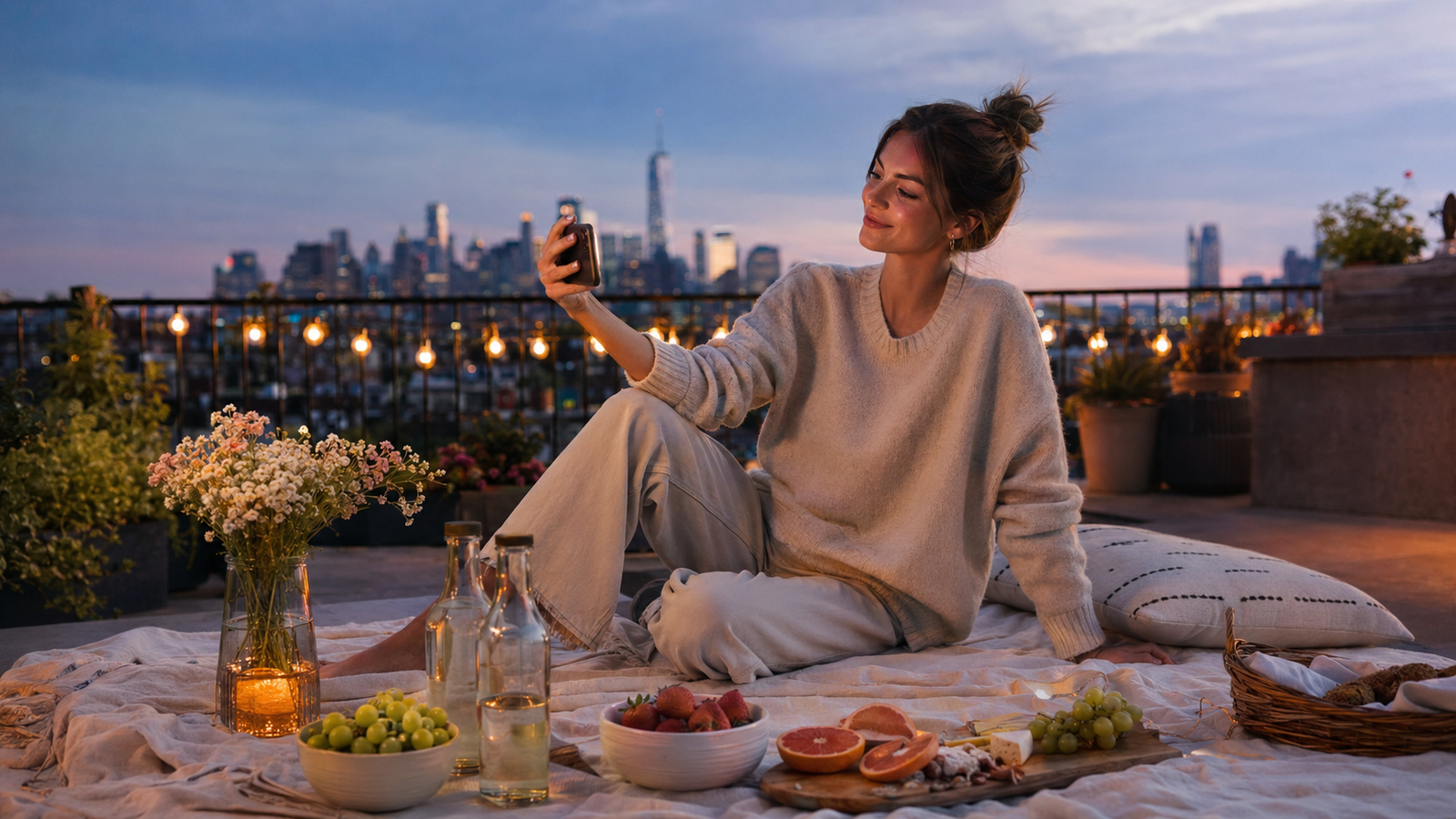
Planning a rooftop picnic is an art in itself, combining curated aesthetics, scenic skyline views, and the pursuit of perfect outdoor lighting. However, translating these beautifully arranged moments into high-quality photos often presents a frustrating technical challenge. Mobile photographers and lifestyle enthusiasts frequently find that what looks stunning in person becomes washed out, overly shadowed, or poorly framed when captured on a smartphone.The core difficulty lies in managing unpredictable outdoor environments—such as the harsh glare of midday sun, intense backlighting, or the rapidly shifting contrast of the golden hour. To capture a "naturally cinematic" photo under these conditions, you must carefully balance high-contrast light sources while maintaining natural skin tones and clean background details. Traditionally, achieving this balance required professional camera gear or hours of tedious manual post-production in editing suites.Today, real-time AI camera applications are changing this workflow. By processing exposure, color grading, and composition at the exact moment you tap the shutter, these tools eliminate the friction of post-capture editing. Applications like WayShot are designed specifically to address these outdoor shooting hurdles, offering instant aesthetic rendering and real-time guidance so you can focus on enjoying the moment rather than fixing it later.
The Challenge of Outdoor Lifestyle Photography: Why Rooftop Picnics Pose Unique Lighting Hurdles
Outdoor lifestyle photography has become a staple of modern social sharing, with rooftop picnics representing the pinnacle of this aesthetic trend. Whether it is a casual weekend gathering or a curated celebration, the combination of city skylines and open-air dining offers a visually compelling backdrop. However, translating the real-life beauty of these moments into a high-quality photograph presents significant technical challenges, primarily due to unpredictable outdoor lighting.The most prominent hurdle is managing harsh, direct natural sunlight. On an open rooftop, there is rarely any natural shade to diffuse light. Direct overhead sun casts deep, unflattering shadows across faces, while shooting against the skyline often results in severe backlighting. Traditional mobile cameras frequently fail to balance these high-contrast scenes. When a standard smartphone camera attempts to capture a backlit subject, it must make a compromise: either it exposes for the bright sky—rendering the people and the picnic setup as dark, unrecognizable silhouettes—or it exposes for the subjects, completely blowing out the background into a washed-out, white glare.This leaves casual photographers and content creators facing a frustrating dilemma. To salvage these images, many resort to spending hours in complex post-production editing applications, adjusting exposure sliders, pulling down highlights, and painting over shadows. This tedious manual workflow not only requires technical editing skills but also strips away the spontaneous joy of the event itself. Instead of enjoying the gathering, hosts and guests find themselves bogged down by the friction of post-capture correction, searching for a way to capture balanced, high-quality images right at the moment of capture.
What to Look For in an AI Camera App for Outdoor Photography
To overcome the unpredictable nature of outdoor environments, relying on standard mobile camera software is often not enough. When evaluating AI-assisted camera applications to elevate your outdoor photography, look for tools that solve these problems at the point of capture rather than forcing you into a tedious post-processing workflow. A high-quality AI camera app should satisfy several core criteria:
- Real-Time Exposure and Lighting Balance: Outdoor settings are notorious for high-contrast lighting, such as harsh midday sun or deep shadows during golden hour. The app must feature intelligent, real-time exposure adjustments that automatically balance bright backgrounds (like the sky behind a rooftop) with human subjects, preventing blown-out highlights or underexposed faces.
- On-Screen Composition and Framing Assistance: A great photo relies heavily on composition. Look for apps that offer real-time visual overlays or framing guides. This feature acts as a virtual photography coach, helping you or whoever is holding the phone find the most flattering angles and balanced compositions instantly.
- Instant Color Grading and Aesthetic Styles: Instead of capturing a flat image and spending hours applying filters later, the ideal app applies sophisticated color science and aesthetic styling at the moment of capture. This "zero editing" approach ensures that the output is instantly shareable while maintaining a cohesive, professional look.
- Strict Data Privacy Standards: Because personal photos are highly sensitive, it is crucial to choose applications with clear privacy policies. Ensure the app processes images securely and guarantees that user photos are never stored, shared, or used to train proprietary AI models.
By prioritizing these features, you can transition from merely documenting a moment to capturing a polished, stylized image. Modern AI camera applications are designed around these exact principles, combining real-time guidance with instant aesthetic processing. Understanding how these technical elements work together is the first step toward mastering the "naturally cinematic" look.
Achieving the 'Naturally Cinematic' Look: The Role of Real-Time AI Processing
To understand how modern mobile applications capture stunning outdoor moments, it is essential to define what makes an image look "naturally cinematic." In professional filmmaking, a cinematic aesthetic is rarely about high-saturation filters. Instead, it relies on three core pillars: balanced contrast that preserves details in both bright skies and deep shadows, soft highlights that roll off gently rather than clipping into pure white, and intentional color grading that establishes a cohesive mood.Achieving this balance on a smartphone has traditionally required extensive manual editing. However, real-time AI processing fundamentally changes this workflow. Unlike traditional post-capture filters—which are applied to an already compressed image, often resulting in muddy shadows or artificial-looking colors—real-time AI operates at the exact moment of capture. By analyzing the scene before the final image file is written, the AI can adjust exposure curves, balance high-contrast lighting, and apply precise color grading directly to the sensor's raw data.This real-time intervention is particularly beneficial during challenging outdoor scenarios, such as a golden hour rooftop picnic. When shooting against a bright setting sun, traditional phone cameras often struggle, leaving the subject silhouetted or the sky completely blown out. Real-time AI addresses this by performing instant noise reduction and detail recovery. It selectively lifts shadows on the subject's face while preserving the rich, warm gradients of the sunset. The result is a balanced, clean image that looks polished and natural right out of the camera.By shifting the heavy lifting from post-production to the instant of capture, this technology allows users to focus entirely on the moment rather than the editing suite. In the next section, we will look at how these real-time capabilities are integrated into a streamlined, user-friendly experience.
Introducing WayShot: Effortless Y2K Digicam and Cinematic Aesthetics
To bridge the gap between complex real-time processing and everyday usability, mobile applications like this platform offer a streamlined approach to capturing these aesthetics. Designed around a "tap, shoot, done" philosophy, the app focuses on a zero-editing workflow. Instead of requiring users to spend time in post-production tweaking color curves, exposure sliders, or grain levels, the application handles these adjustments instantly at the moment of capture. This allows creators to share photos directly from the camera roll while maintaining a high-quality, polished look.The app replicates the distinct visual characteristics of early 2000s point-and-shoot cameras through six signature "DigiCam" styles, including Digi-X, DigiLite, CleanGirl, and B&W. Rather than applying a generic overlay, the app's underlying processing mimics how vintage digital sensors responded to light, contrast, and flash. For instance, the styles reproduce the characteristic warm skin tones, slightly soft focus, and high-contrast flash falloff that define classic digital photography.By integrating color grading and lighting adjustments directly into the capture process, the app ensures that the final image is fully rendered the instant the shutter is pressed. This real-time rendering is particularly useful for outdoor environments where lighting can change rapidly. While it represents one of several modern approaches to mobile photography, its emphasis on immediate, stylized output provides a practical solution for those who want a cinematic aesthetic without the learning curve of manual editing software.However, capturing a well-exposed and beautifully colored photo is only half the battle; framing and composition present their own set of challenges, especially when you are not the one holding the camera.
The 'Boyfriend Camera' Dilemma: How Real-Time AI Coaching Solves Bad Framing
Even with the most sophisticated color grading and lighting adjustments, a photo can still fall flat if the composition is off or the subject looks uncomfortable. This brings us to a highly relatable challenge in lifestyle photography: the "boyfriend camera" dilemma. You have meticulously styled your rooftop picnic, the lighting is perfect, but when you hand your phone to a friend or partner, the resulting shot is tilted, poorly cropped, or captures an awkward, forced expression.To solve this without requiring your friends to take a professional photography course, this camera application integrates real-time shooting guidance directly into its interface. Instead of leaving composition to chance, the app features Frame Assist, which overlays clean, intuitive composition helpers directly onto the viewfinder. This visual guidance helps the person holding the phone instantly identify balanced angles and clean horizons, ensuring the rooftop skyline and your picnic setup are framed harmoniously.To complement the visual framing, the app also features Voice Assist. This tool acts as a real-time, portable photography coach, delivering step-by-step vocal tips during the shoot. It guides the photographer on how to position the camera and offers gentle prompts to help subjects pose more naturally. While learning to feel entirely comfortable in front of a lens is a gradual process, having real-time vocal cues helps break the tension, turning a potentially stressful photo session into a relaxed, collaborative experience.With the framing and posing guided in real time, the next step is putting these features into practice. Let's look at how to coordinate these tools during your next outdoor gathering.
Step-by-Step Workflow: Capturing Your Next Rooftop Picnic
Translating the theory of cinematic mobile photography into a real-world social setting does not require professional training. By utilizing a structured, real-time workflow, you can capture the relaxed, aesthetic atmosphere of a rooftop picnic without getting bogged down in technical adjustments.Here is a practical, step-by-step workflow to get natural, cinematic results on your next outing using a real-time AI camera app:
- Position for Soft, Dimensional Light
Before opening the camera, check the sun's position. Avoid direct, harsh overhead sunlight, which creates unflattering shadows under the eyes. Instead, position your picnic setup so the sun is slightly behind or to the side of your subjects. This backlighting or side-lighting creates a soft outline and depth. While traditional phone cameras often struggle with backlit scenes—resulting in a blown-out sky or a silhouetted subject—real-time AI processing automatically balances these high-contrast areas at the moment of capture.
- Select Your Aesthetic Vibe
Open the app and navigate the Styles Gallery to match the mood of your picnic phase:
- For Bright Afternoon Light: Select the CleanGirl style to enhance natural skin tones and deliver a soft, clean daylight look.
- For Golden Hour and Sunset: Switch to the Digi-X style. As the light fades, this style mimics the warm color rendering and unique flash response of early 2000s digital point-and-shoot cameras, making the transition to evening feel nostalgic and cinematic.
- Activate Real-Time Composition and Posing Guidance
Hand your phone to your friend or partner and ensure the real-time helpers are active. Frame Assist will display intuitive compositional overlays on the viewfinder to help them align the horizon and keep the picnic spread balanced with the skyline. Simultaneously, turn on Voice Assist to provide real-time vocal cues, helping you adjust your posture and pose naturally without feeling stiff.
- Tap, Shoot, and Share Instantly
Because color grading, lighting adjustments, and retouching occur instantly as you press the shutter, there is no need to import the photo into a secondary editing suite. The output is fully processed and ready to share immediately.To ensure you are fully prepared before the picnic blanket is even laid out, keeping a quick mental checklist of environmental factors can make all the difference.
A Rooftop Picnic Checklist for Perfect Lighting and Framing
To ensure your next outdoor shoot goes smoothly, keep this practical checklist in mind. It is designed to help you capture high-quality, cinematic moments using your phone without requiring expensive external gear or professional lighting setups.
- Optimal Timing: Schedule your rooftop picnic during the golden hour—the hour right before sunset—or early morning. This timing provides soft, warm, and directional light, avoiding the harsh overhead shadows of midday.
- Background Scan: Before taking your first shot, scan the viewfinder for distracting rooftop elements. Reposition your setup slightly to keep industrial vents, pipes, or loose wires out of the frame, keeping the focus entirely on your picnic.
- Low-Angle Composition: Drop your camera angle slightly lower than eye level. This perspective allows you to capture the details of your picnic spread in the foreground while naturally framing the dramatic city skyline in the background.
- Pre-Configure Your App: Before handing your phone to a friend or partner, open your camera app, select your preferred aesthetic style (such as Digi-X or CleanGirl), and enable the Voice Assist feature. This ensures your helper receives real-time guidance without needing to adjust any settings themselves.
By keeping these quick steps in mind, you can significantly improve the quality of your outdoor photos. However, even with a solid checklist, there are several common pitfalls that mobile photographers frequently encounter when aiming for a cinematic aesthetic.
Common Mistakes in Mobile Cinematic Photography (and How to Avoid Them)
Even with the best tools, capturing a truly cinematic aesthetic on a smartphone requires avoiding a few common pitfalls. Understanding these mistakes can help you elevate your outdoor photos from simple snapshots to polished, professional-looking images.
- Over-Processing and Heavy Post-Capture Filters: One of the most frequent mistakes is trying to fix a poorly lit photo by stacking heavy post-capture filters. This often degrades image quality, introduces digital noise, and results in an unnatural, over-saturated look. Instead of relying on aggressive post-production, aim to capture the correct exposure and color profile at the moment of shooting.
- Ignoring Background Clutter: A beautiful rooftop picnic setup can quickly lose its charm if the background is cluttered with distracting elements like air conditioning vents, power lines, or safety signs. Before tapping the shutter, take a moment to scan the entire frame. A slight adjustment in your shooting angle can easily hide these distractions behind your subject.
- Mismanaging Harsh Midday Sunlight: Shooting under direct, overhead sun often leads to harsh facial shadows and blown-out highlights in the sky. Whenever possible, seek out partial shade or position your subject so the sun is behind them (backlighting).
While modern AI tools assist by balancing exposure and applying real-time color grading as you shoot, technology is not a magic cure-all. It works best when paired with basic user awareness of lighting and composition.Understanding these practical guidelines helps you get the most out of your mobile camera. However, to choose the right tool for your creative workflow, it is equally important to understand the technical boundaries and trade-offs of real-time AI processing.
Understanding the Limitations: When is an AI Camera App Not the Right Fit?
While real-time AI camera applications offer an efficient way to capture beautiful, ready-to-share photos, they are not a one-size-fits-all solution. Understanding the trade-offs of this technology can help you decide if a real-time workflow aligns with your creative goals.First, aesthetic preferences play a major role. For instance, this application specializes in replicating the trendy, flash-heavy, and slightly soft look of early 2000s point-and-shoot digital cameras through its signature DigiCam styles. However, if your goal is to recreate traditional 1990s analog film aesthetics—complete with heavy film grain, light leaks, or classic polaroid borders—this platform may not be the right fit, as it does not focus on those specific retro formats.Second, real-time AI processing requires significant computational power. Because the app handles complex tasks like exposure balancing, noise reduction, and compositional guidance simultaneously at the exact moment of capture, it demands more immediate processing power from your mobile device. During long outdoor shoots, such as an afternoon-long rooftop picnic, this intensive processing can impact your device's battery life more quickly than using a standard, unassisted native camera app.Finally, the "zero editing" philosophy is designed for speed and convenience. If you are a photographer who enjoys deep, manual RAW-level control or prefers spending hours fine-tuning color curves and exposure settings in post-production, a real-time AI camera app might feel overly restrictive. For those who want complete manual control over every pixel after the shot is taken, traditional desktop or mobile editing suites remain the preferred choice.
Frequently Asked Questions
What AI camera app makes outdoor photos look naturally cinematic?
To capture naturally cinematic outdoor photos without spending hours in post-production, look for AI camera applications that balance high-contrast lighting and apply professional color grading at the moment of capture. WayShot is designed specifically for this workflow. By processing exposure, contrast, and aesthetic styles in real time, it allows users to shoot and instantly share photos that have a balanced, cinematic look directly from the app, eliminating the need for manual post-capture editing.
How can I fix bad lighting in rooftop or outdoor photos automatically?
Bad lighting in outdoor or rooftop settings—such as harsh midday shadows or strong backlighting during golden hour—can be corrected automatically using real-time AI exposure balancing. Instead of relying on post-capture filters that can degrade image quality, advanced AI camera apps analyze the scene through the viewfinder in real time. The AI automatically reduces noise, recovers lost details in shadows, and balances brightness to prevent blown-out skies, delivering a clean and balanced image the instant you tap the shutter.
Is there an AI app that coaches you on how to pose for pictures?
Yes. The app features built-in real-time guidance tools that act as a personal photography coach. Its Frame Assist feature overlays compositional helpers directly onto the screen to help the photographer find the best angles. Simultaneously, the Voice Assist feature provides step-by-step vocal tips during the shoot, guiding subjects on how to pose naturally and helping the photographer capture well-balanced compositions without any prior training.
How does the AI make phone pictures look like a digital camera?
The application achieves the classic early 2000s point-and-shoot aesthetic by replicating the specific hardware behaviors of vintage digital cameras. Rather than applying a simple overlay, the app uses AI to mimic how those older cameras handled color rendering, contrast, and flash. It features six signature "DigiCam" styles—including Digi-X, DigiLite, CleanGirl, and B&W—allowing users to capture the distinct, soft, flash-heavy look of Y2K-era digital cameras in real time.
Conclusion
Capturing naturally cinematic photos during outdoor events like rooftop picnics does not have to involve carrying heavy camera gear or spending hours in complex editing software. By shifting from a post-processing workflow to real-time AI assistance, you can address lighting imbalances, harsh shadows, and composition challenges at the exact moment you tap the shutter.While traditional editing tools still hold value for creators who prefer manual, pixel-level adjustments, real-time AI camera applications offer an elegant, "zero editing" alternative for lifestyle photography. If you want to simplify your photography workflow, capture authentic Y2K digital camera aesthetics, and receive real-time guidance on framing and posing, exploring these intelligent tools can elevate your everyday moments.To learn more about real-time AI photography and try the Y2K digital camera styles for yourself, visit the official WayShot website.