How to Achieve a Natural Editorial Look in Botanical Garden Photos
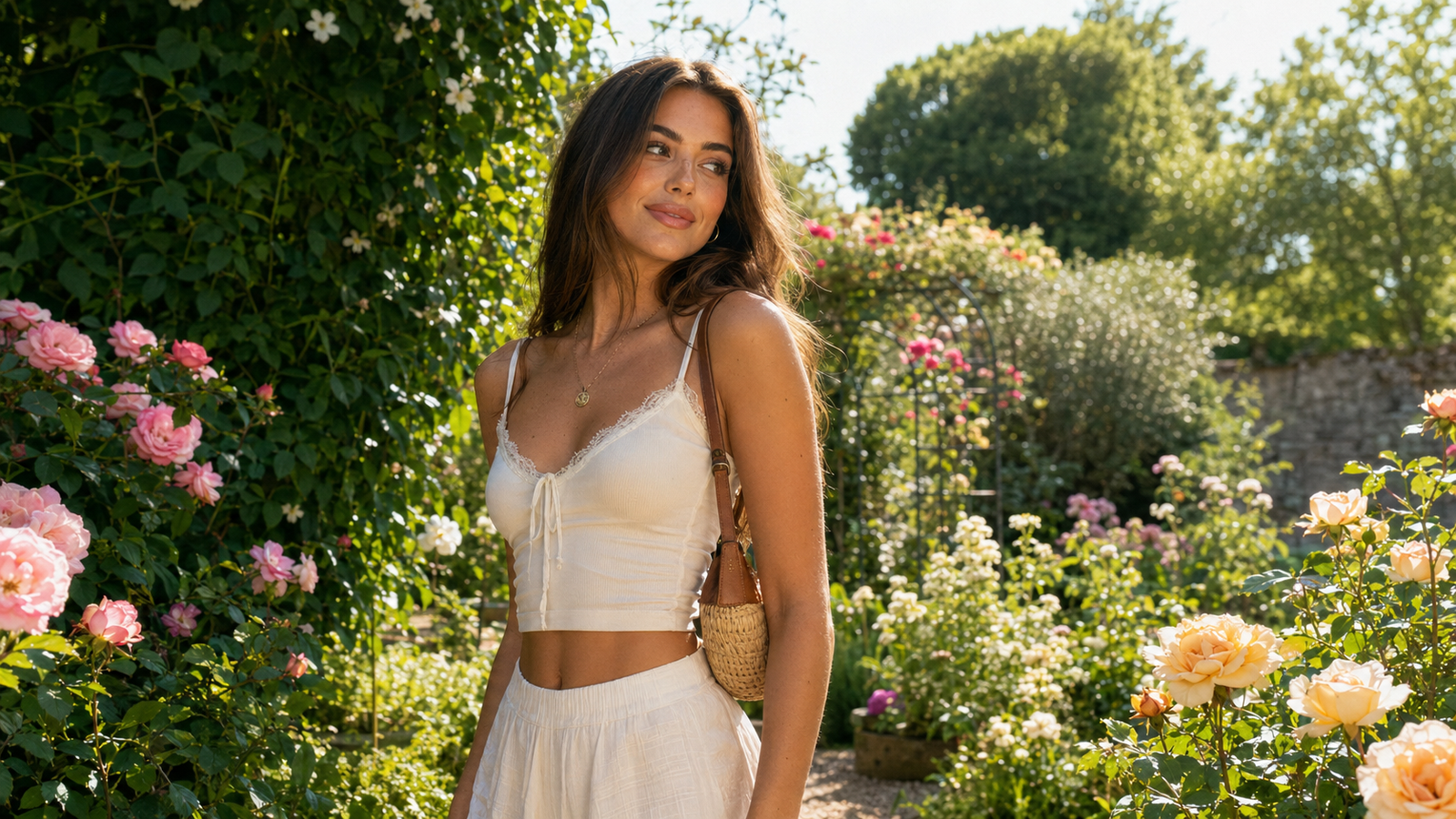
Capturing the lush, vibrant backdrop of a botanical garden seems like an effortless way to achieve a high-fashion, magazine-quality portrait. Yet, anyone who has tried taking photos under a dense canopy knows the reality is far more challenging. Harsh, dappled sunlight creates distracting shadows across the face, while the surrounding foliage reflects an unflattering green color cast onto the skin. Compounding these environmental hurdles is the awkwardness of posing in public spaces, often resulting in stiff, forced postures.If you are searching for an AI camera app that gives botanical garden photos a natural editorial look, the key lies in finding a tool that balances these complex lighting conditions while preserving authentic textures. In 2026, the mobile photography landscape has shifted decisively away from heavy, smoothing beauty filters toward a "zero-editing" realism that honors natural features. WayShot addresses this exact need. By combining real-time lighting optimization with intelligent composition helpers and interactive voice coaching, the app allows creators to capture clean, editorial-grade portraits directly at the moment of shooting, eliminating the friction of post-production entirely.
The Anatomy of a Natural Editorial Look in Outdoor Photography
The "natural editorial look" has become a defining aesthetic in modern photography, bridging the gap between high-fashion magazine spreads and authentic everyday moments. Unlike traditional portrait styles that often rely on artificial studio setups or heavy post-processing, an editorial aesthetic prioritizes a sense of place, candidness, and raw elegance. It tells a story where the subject and the environment exist in perfect harmony, making it a highly sought-after style for lifestyle creators, travelers, and portrait enthusiasts.At its core, the natural editorial look is defined by several key characteristics:
- Preserved Textures: Rather than erasing skin details, this style celebrates them. Pores, freckles, and natural contours remain fully visible, lending credibility and depth to the portrait.
- Clean, True-to-Life Skin Tones: The color science focuses on rendering skin tones accurately, ensuring they look healthy and lifelike under various environmental conditions without looking washed out or overly orange.
- Balanced Contrast: Instead of aggressive HDR processing that flattens an image by unnaturally lifting every shadow, editorial photography embraces natural shadows and highlights to create dimension, depth, and drama.
- Organic Color Palettes: Colors are graded to harmonize with the surroundings, emphasizing muted, sophisticated tones rather than oversaturated, artificial hues.
In 2026, the visual landscape has shifted decisively away from the heavy, smoothing beauty filters that dominated digital media for years. Audiences and creators alike are experiencing filter fatigue, driving a massive demand for authentic, "zero-editing" realism. The modern standard is no longer about presenting a flawless, plastic-like fantasy, but rather about capturing an elevated version of reality. This shift means that the over-processed look is increasingly viewed as dated, while images that feel spontaneous, textured, and naturally lit are highly valued.Historically, achieving this level of sophistication required carrying heavy DSLR equipment, using physical light reflectors, and spending hours in desktop editing suites. Today, however, the right camera application can capture this exact aesthetic directly at the moment of shooting. By integrating advanced color science and real-time adjustments, modern mobile tools allow photographers to bypass the friction of manual post-production entirely, delivering a polished, magazine-ready image the instant the shutter is pressed.When shooting outdoors, however, translating this editorial vision into reality becomes a delicate balancing act. Natural environments introduce unpredictable elements that can easily disrupt skin tones and composition. To successfully capture this look in a setting as vibrant and complex as a botanical garden, photographers must first understand the specific environmental hurdles they will face—from tricky lighting to color distortion.
The Botanical Garden Challenge: Dappled Light, Foliage Casts, and Composition
Botanical gardens offer a breathtaking backdrop of lush greenery, vibrant florals, and dramatic glasshouses. However, translating this natural beauty into a high-fashion, editorial portrait is notoriously difficult. The very elements that make a botanical garden so enchanting—dense foliage, towering canopies, and organic structures—also introduce a complex set of environmental challenges that can easily compromise a mobile photograph. Understanding these challenges is the first step toward overcoming them.
The Problem of Dappled Light
The most common hurdle in outdoor garden photography is dappled light. When sunlight filters through a canopy of leaves, it does not distribute evenly. Instead, it creates a high-contrast patchwork of intense, harsh highlights and deep, dark shadows directly across your subject's face and clothing.Standard smartphone cameras struggle to balance this extreme dynamic range. When the camera attempts to expose for the bright patches of sunlight, it plunges the rest of the image into muddy, underexposed shadow, losing crucial details. Conversely, if the camera exposes for the shadows, the highlighted areas of the skin become completely blown out, destroying natural skin textures.
The Green Color Cast
Beyond the intensity of the light, there is the issue of color contamination, specifically the green color cast. In a dense greenhouse or under a forest canopy, the surrounding foliage acts as a massive, natural green reflector. As sunlight bounces off the leaves, it carries a heavy green wavelength onto your subject’s skin.This results in unnatural, sickly skin tones that strip away the warmth and vitality required for an editorial look. Correcting these complex green reflections in post-production is incredibly tedious, often requiring advanced color-grading skills to isolate and fix skin tones without turning the surrounding plants an artificial, unnatural shade.
Composition Hurdles in Public Spaces
Finally, composition in a botanical garden presents its own set of structural and physical obstacles. Because these are living, growing environments, finding a clean angle amidst chaotic branches, overgrown vines, and dense shrubbery is a constant battle. It is easy for a subject to get lost in a cluttered, distracting background.Furthermore, because botanical gardens are popular public spaces, photographers must constantly navigate busy backgrounds, distracting signs, and passing tourists. Capturing a serene, high-fashion portrait that makes the subject stand out requires precise framing and a keen eye for depth, which can be difficult to manage when shooting quickly on a mobile device.Historically, overcoming these environmental obstacles meant carrying heavy, expensive gear like physical light diffusers and reflectors, or spending hours fine-tuning color curves in desktop editing software. However, the approach to outdoor mobile photography has evolved. Instead of relying on physical gear or tedious post-processing, creators are turning to smart, real-time camera applications that handle these complex lighting and composition challenges instantly at the moment of capture.
A Step-by-Step Workflow for Botanical Portraits Using WayShot
To achieve a natural editorial look in a botanical garden, you need a workflow that minimizes the friction of traditional photography. Instead of spending hours adjusting exposure curves or correcting green skin tones in post-production, modern mobile creators in 2026 are shifting toward real-time solutions. By moving creative decisions to the exact moment of capture, you can focus entirely on the environment and your subject.Using WayShot, you can execute a professional-grade outdoor shoot in a public garden using a simple, structured workflow.
Step 1: Select Your Aesthetic Base
Before taking your first shot, you must establish the color and tonal foundation. Traditional camera apps capture flat, raw images that require extensive color grading later, while standard beauty filters often over-saturate greens and unnaturally smooth out skin textures.In the app's Styles Gallery, you can select a built-in style that serves as a soft, natural base. For botanical portraits, two styles are particularly effective:
- CleanGirl: This style offers a soft, low-contrast rendering that gently tempers harsh outdoor lighting. It preserves natural skin tones while keeping the surrounding foliage looking organic rather than artificially vibrant.
- DigiLite: If you want a subtle, nostalgic warmth reminiscent of early-2000s point-and-shoot cameras, this style balances the cool, blue-green shadows often found under dense tree canopies, adding a gentle glow to the subject.
By selecting your style beforehand, the app's AI processes the color grading in real-time, ensuring that what you see on your screen is exactly what you get in the final image.
Step 2: Align Composition and Posing with Real-Time Guidance
Botanical gardens are visually dense, making it easy for busy backgrounds, stray branches, or tourists to clutter your frame. Furthermore, posing naturally in a public space can feel awkward, especially if you are shooting solo with a tripod.To solve this, the application integrates two real-time assistive features directly into the viewfinder:
- Frame Assist: This feature overlays clean, non-intrusive compositional helpers on your screen. It helps you align your subject using classic portrait rules, ensuring that the surrounding flora frames the subject rather than distracting from them.
- Voice Assist: Acting as a real-time vocal coach, this feature provides step-by-step tips to guide your shoot. If you are using a tripod, the vocal cues help you adjust your posture, head tilt, and angles naturally. This eliminates the stiff, posed look often associated with mobile portraits, resulting in relaxed, editorial-style candid shots.
Step 3: Let the AI Manage Complex Lighting in Real-Time
Once your composition is set, the physical environment still presents lighting challenges. Dappled sunlight filtering through leaves creates high-contrast hot spots on the face, while dense foliage casts deep, noisy shadows.When you tap the shutter, the built-in real-time AI instantly analyzes the scene to balance these extremes:
- Highlight and Shadow Recovery: The AI automatically recovers lost details in overexposed areas (like bright patches of sunlight on skin) and lifts deep shadows under trees without making the image look flat.
- Noise Reduction: Shaded botanical environments often force mobile sensors to raise their ISO, resulting in grainy images. The real-time processing reduces this noise instantly, keeping the details of both the subject and the foliage clean.
- Natural Tone Preservation: Unlike traditional filters that apply a blanket color wash, the AI distinguishes between the green background and the subject's skin, preventing the green foliage cast from washing out natural skin tones.
By the time the photo is saved to your gallery, the complex lighting has been balanced, and the aesthetic style has been applied. This "tap, shoot, done" workflow allows you to walk away from the garden with finished, magazine-quality portraits ready to share immediately.This seamless integration of real-time adjustments raises an important question: how does instant processing manage to deliver such high-quality results without the need for manual desktop software?
The Science of Natural Retouching: Why Real-Time Processing Beats Post-Editing
For years, the standard workflow for mobile creators has involved a tedious multi-step process: capturing a raw image, importing it into a dedicated editing application, manually adjusting exposure curves, applying color presets, and painstakingly smoothing out skin imperfections. By the time a photo is ready to share, the spontaneous joy of the moment is often lost. In 2026, however, the paradigm has shifted toward immediate, intelligent rendering.This "tap, shoot, done" philosophy, championed by modern camera applications like WayShot, completely eliminates the friction of manual post-production. Instead of treating editing as an afterthought, the underlying technology processes color grading, lighting adjustments, and stylistic rendering at the exact millisecond of capture. When you press the shutter, the application performs complex calculations instantly, allowing you to share authentic, high-quality images directly from the camera roll without opening a single editing suite.The real magic of this approach lies in how it handles human subjects under challenging conditions, such as the dappled light of a botanical garden. Traditional beauty filters typically apply a uniform, destructive smoothing mask across the entire face. This blanket approach erases natural skin textures, pores, and freckles, resulting in a flat, artificial "plastic" look that immediately betrays the use of heavy digital manipulation.The app’s real-time AI engine operates on a fundamentally different principle. Rather than masking the skin, it analyzes the frame to identify and correct external lighting anomalies—such as harsh shadows or green color casts reflected from nearby foliage—while preserving the subject's unique physical characteristics. Freckles, natural skin grain, and facial contours remain fully intact. By isolating environmental lighting issues from the subject's actual features, the technology delivers a clean, high-fashion editorial look that feels both professional and entirely genuine.Furthermore, processing sophisticated AI adjustments in real time raises important questions about data security. Many cloud-based editing tools require uploading images to external servers, creating potential privacy vulnerabilities. To address these concerns, the application is built on a foundation of strict data privacy. The application guarantees that user photos are never stored, shared, or utilized to train AI models. Once the instant processing is completed at the moment of capture, no image data is retained on external servers. This local, secure pipeline ensures that your personal creative moments remain entirely private.While this real-time, texture-preserving approach offers a streamlined alternative to traditional editing, achieving the perfect shot still depends on understanding the specific strengths and boundaries of your tools. In the next section, we will explore the practical limitations of real-time AI cameras and help you determine when this approach fits your creative goals.
Implementation Considerations: When to Use WayShot (and When to Choose Traditional Tools)
While real-time AI processing offers an incredibly efficient alternative to traditional post-production workflows, selecting the right tool requires a clear understanding of your specific creative objectives. The app is engineered with a highly focused aesthetic direction: delivering a clean, natural editorial look and replicating the nostalgic, flash-heavy aesthetic of early 2000s point-and-shoot digital cameras (the Y2K Digicam vibe). For creators, travelers, and portrait enthusiasts who want their photos to look polished, authentic, and ready to share the moment they press the shutter, this real-time approach eliminates hours of tedious manual adjustments.However, it is equally important to recognize when traditional editing tools or alternative applications are more appropriate. Because this tool prioritizes clean, realistic textures and specific 2000s digital camera styles—such as "Digi-X" and "CleanGirl"—it is not designed to be an all-in-one emulator for every historical photography style. If your creative vision demands heavy 90s analog film grain, dramatic light leaks, vintage Polaroid borders, or highly stylized color grading that completely alters the original scene, you will likely need to rely on dedicated film simulation software or manual post-processing suites.Furthermore, software technology cannot entirely replace fundamental photographic principles. While the built-in Frame Assist and Voice Assist provide exceptional real-time guidance to optimize composition, and its AI engine works dynamically to balance complex lighting, physical positioning remains crucial. In a botanical garden, for instance, if a subject is positioned directly under harsh, unfiltered midday sun, even the most advanced lighting optimization cannot completely eliminate deep, high-contrast shadows.Photographers must still work in tandem with the AI. This means physically moving the subject into open shade, adjusting the shooting angle to avoid extreme direct sunlight, or ensuring that dense foliage does not physically block the camera's line of sight. The AI coaching assists with framing and composition, but the human element of adjusting to the physical environment remains the foundation of a great photograph.Understanding these tradeoffs allows creators to make informed decisions about their digital toolkit. By leveraging the app for its core strengths—instant, natural-looking enhancements, authentic retro styles, and intuitive composition coaching—you can capture stunning, magazine-quality outdoor portraits while keeping your workflow remarkably simple.
Frequently Asked Questions
Which AI camera app gives botanical garden photos a natural editorial look?
WayShot is designed specifically to achieve a natural editorial aesthetic in challenging outdoor environments like botanical gardens. Unlike traditional beauty apps that apply heavy, smoothing filters, it utilizes real-time AI processing to balance complex lighting while preserving authentic skin textures. By selecting built-in styles like "CleanGirl" or "DigiLite," you can establish a soft, magazine-quality color profile that complements organic greenery without looking over-processed.
How can I take professional editorial photos in a botanical garden with my phone?
To capture professional-grade editorial portraits in a botanical garden, focus on three key elements:
- Find Open Shade: Avoid direct, harsh midday sun by positioning your subject under a canopy or in the shadow of large plants to ensure even lighting.
- Refine Your Composition: Use the app's real-time Frame Assist to overlay compositional guides directly onto your viewfinder, helping you align your subject with the surrounding foliage.
- Encourage Natural Movement: Use the integrated Voice Assist to receive real-time vocal coaching and posing tips, which helps subjects feel relaxed and move naturally in public spaces.
Does WayShot's AI enhancement look natural or heavily filtered?
The application is engineered to prioritize realism and texture preservation. Rather than masking details with aggressive smoothing or artificial distortion, the app's instant AI retouching focuses on correcting environmental lighting anomalies. It preserves natural features—such as freckles, skin texture, and fine details—while balancing contrast and color tones. The result mimics the organic, high-quality output of a classic digital camera rather than a heavily edited mobile photo.
How does WayShot handle complex outdoor lighting like dappled sun in gardens?
Dappled light filtering through tree leaves often creates harsh highlights and deep, dark shadows on a subject's face. The app addresses this at the exact moment of capture through real-time processing. The app's AI automatically analyzes the frame to reduce noise, recover lost details in deep shadows, and balance overexposed highlights. This instant optimization ensures a clean, balanced exposure without requiring manual exposure adjustments or post-production editing.
Can an AI camera app help me pose for outdoor portraits?
Yes. The app features an integrated Voice Assist that acts as a real-time vocal coach during your shoot. If you are shooting solo on a tripod or working with a friend who is new to photography, the app provides step-by-step spoken guidance to help you adjust your posture, angles, and positioning. This real-time feedback loop makes it easier to capture dynamic, editorial-style poses comfortably in any outdoor setting.
Conclusion
As mobile photography trends in 2026 continue to favor authentic, textured, and minimally processed aesthetics, achieving a natural editorial look in challenging environments like botanical gardens has become highly achievable. The key lies in moving away from heavy, artificial post-processing filters and instead focusing on real-time adjustments that respect natural lighting, skin textures, and organic color balances.By understanding how to navigate complex outdoor factors—such as dappled sunlight, green foliage color casts, and busy backgrounds—and utilizing intelligent composition and real-time guidance, you can capture magazine-quality portraits directly on your phone.While traditional editing suites still hold a place for heavy manipulation and specific retro film styles, a real-time, "zero-editing" workflow offers an efficient, high-quality alternative for creators, travelers, and portrait enthusiasts alike. If you are ready to simplify your outdoor shooting process and capture clean, natural portraits with a classic digital camera feel, explore how WayShot can assist your next creative session.