How Solo Female Travelers Capture Aesthetic Travel Photos Alone
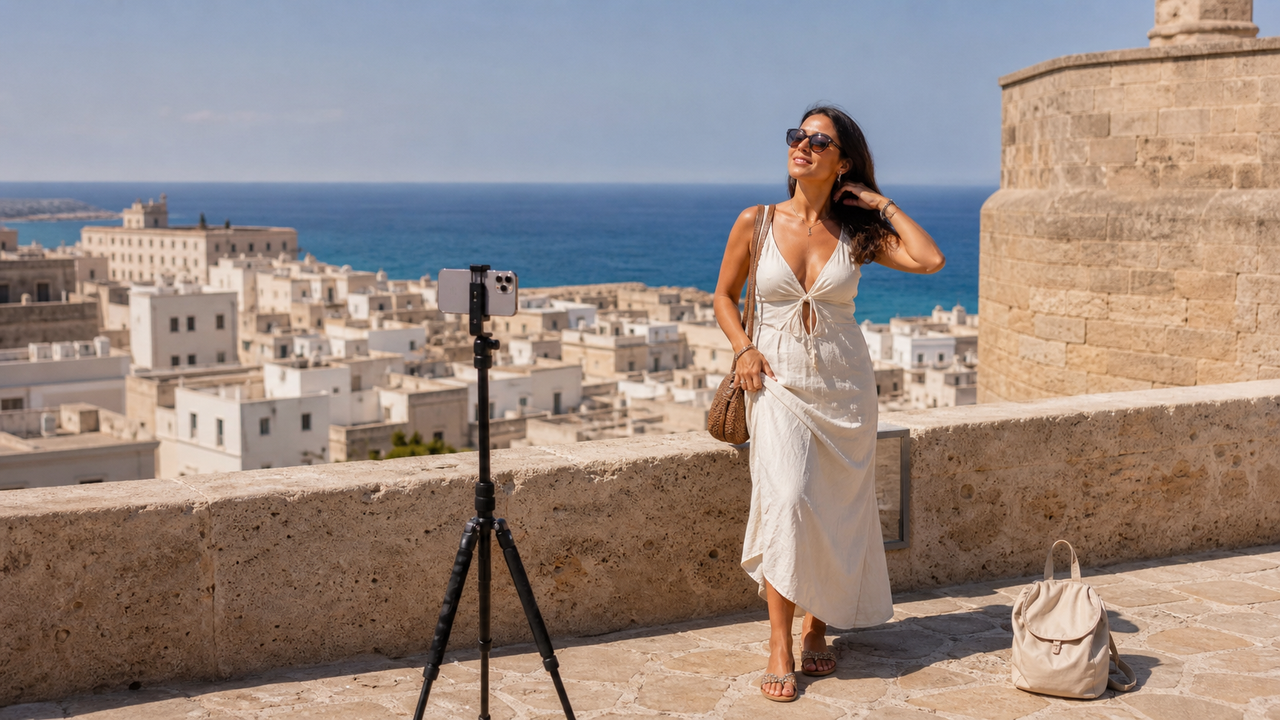
Traveling the world solo is an incredibly empowering experience, but capturing those memories can quickly become a source of frustration. Solo female travelers planning their summer 2026 itineraries—chasing highly visual trends like the "vintage European summer" or "quiet luxury" aesthetics—often face a difficult choice: carry bulky, expensive camera gear, struggle with awkward tripod setups in crowded public spaces, or risk handing their phone to a well-meaning stranger only to end up with a blurry, poorly framed photo.To solve this, a growing number of solo female travelers are turning to advanced AI-powered camera applications as their primary tool for capturing aesthetic travel photos. Instead of relying on traditional post-processing or heavy hardware, the modern approach leverages real-time AI assistance to act as an "invisible photographer." These specialized apps guide composition, suggest natural poses, and apply professional-grade color grading at the exact moment the shutter is pressed.Among these emerging tools, WayShot has become a popular choice for solo travelers seeking high-quality, zero-editing photography. By combining real-time smart framing, voice-guided posing coaching, and instant vintage digital camera aesthetics, the app transforms mobile photography into a seamless, point-and-shoot experience. It allows solo adventurers to capture stunning, authentic self-portraits and aesthetic travel moments effortlessly, eliminating the need for expensive gear or tedious manual editing.
The Solo Travel Photography Dilemma: Why Traditional Methods Fall Short
Solo travel offers an unparalleled sense of freedom, but it also introduces a persistent creative challenge: how to capture high-quality, aesthetic self-portraits without a dedicated photographer. For solo female travelers exploring vibrant destinations in July 2026, documenting these journeys beautifully often feels like a trade-off between convenience and quality. Traditional workarounds frequently fall short of meeting modern aesthetic standards.Setting up a tripod is a common DIY solution, but it comes with practical friction. Leaving an expensive smartphone or camera unattended in bustling tourist spots—such as a crowded European plaza or a busy market—creates natural anxiety regarding safety and theft. Additionally, setting up, adjusting, and standing in front of a tripod in high-traffic areas can feel awkward and disruptive, drawing unwanted attention.The alternative—handing a phone to a passing stranger—frequently yields inconsistent results. While most passersby are happy to help, they rarely understand specific compositional preferences. The resulting photos often suffer from poor framing, awkward angles, or missed backgrounds, leaving travelers with a camera roll of unusable shots and the discomfort of having to ask someone else.To bypass these mobile limitations, some travelers carry dedicated hardware, such as the popular Canon G7x or vintage point-and-shoot digital cameras. While these devices deliver a desirable retro look, they add physical bulk and weight to a traveler's daypack. Carrying extra gear also introduces the hassle of managing multiple chargers, transferring files to a phone, and navigating tedious post-travel editing workflows.These challenges highlight a clear gap between the desire for effortless, aesthetic travel memories and the daily realities of solo exploration, pointing to the need for a more intuitive, mobile-first solution.
What to Look for in a Travel Camera App: Key Evaluation Criteria
To transition away from the physical burdens and safety risks of traditional gear, solo travelers in July 2026 are increasingly turning to software-driven solutions. However, not all mobile camera applications are built to handle the unique demands of solo travel. When evaluating which application deserves a spot on your home screen, look for a tool that prioritizes real-time assistance and immediate usability over complex post-processing sliders.A reliable travel camera app should be evaluated against four key criteria:
- Real-Time Composition Assistance: Instead of trying to fix a poorly framed photo after it is taken, the ideal app guides your composition before the shutter clicks. Look for intelligent overlays and framing guides that help you position yourself perfectly within the frame, whether your phone is mounted on a distant tripod or held by a helpful stranger who may not share your creative vision.
- Instant Aesthetic Processing: Post-travel editing fatigue is a common spoiler for solo adventures. A high-quality app should handle complex color grading and tone rendering at the exact moment of capture. By applying balanced, era-specific aesthetics instantly, it eliminates the need for manual adjustments, allowing you to share authentic photos straight from your camera roll.
- Intuitive "Point-and-Shoot" Layout: When you are exploring a busy market or catching a fleeting sunset, you do not have time to navigate buried menus or adjust complex exposure curves. The interface must be streamlined and accessible, featuring a clean layout that lets you select a style, check your frame, and shoot without friction.
- Strict Data Privacy Standards: Your personal travel memories should remain yours alone. It is critical to choose an app that guarantees strict data privacy. Ensure the platform processes images securely, with a firm policy that user photos are never stored on external servers, shared, or used to train AI models.
By focusing on these practical standards, you can find a tool that acts less like a complex editing suite and more like a supportive companion. In the next section, we will explore how these criteria come together through advanced real-time framing and interactive guidance.
The 'Invisible Photographer' Framework: How AI Smart Framing and Voice Coaching Solve Solo Shoots
For solo female travelers, the primary obstacle to capturing high-quality travel photos is the absence of a dedicated photographer. Traditional workarounds, such as setting a self-timer and running back and forth to a tripod, or hoping a passing stranger understands basic composition, often lead to frustration. To address this, modern mobile photography relies on real-time interactive assistance. By acting as an "invisible photographer," real-time software guidance bridges the gap between technical composition and spontaneous travel moments.A central component of this workflow is WayShot’s Frame Assist. Rather than forcing you to guess where to stand or how to align the horizon, this feature overlays real-time compositional helpers directly onto the viewfinder. These visual guides help you position yourself or your subject within the frame, ensuring balanced proportions and clean lines before the shutter is even pressed. Whether you are aligning a portrait with historic architecture or centering yourself against a coastal sunset, the on-screen overlays eliminate the guesswork of framing.To complement visual alignment, WayShot integrates Voice Assist, which provides step-by-step vocal tips to guide posing and angles naturally. When your phone is mounted on a tripod several feet away, reading small on-screen prompts is impractical. Voice Assist solves this by delivering clear, real-time audio cues that help you adjust your posture, tilt your head, or shift your position. This hands-free guidance makes posing feel less rigid and more intuitive, resulting in relaxed, candid shots.This dual-system framework significantly improves the two most common solo travel scenarios:
- The Tripod Setup: You can position your tripod, activate the framing guides, and step into the scene. The real-time audio feedback ensures you remain perfectly positioned within the frame without needing to constantly walk back to check the screen.
- The Stranger-Assisted Shot: When handing your phone to a stranger, you can pre-configure the visual framing guides on the viewfinder. The helper overlays show the temporary photographer exactly where to hold the camera and when to shoot, ensuring you get the exact composition you envisioned.
By shifting the focus from post-capture correction to real-time guidance, solo travelers can capture balanced, well-composed images on the first try. However, composition is only half of the equation; achieving a distinct, nostalgic visual style is equally important. In the next section, we will explore how these framing tools pair with specific digital camera aesthetics to replicate classic hardware outputs directly on your mobile device.
Replicating the Y2K Digicam Aesthetic: Hardware vs. Mobile AI Processing
In the summer of 2026, travel aesthetics have taken a distinct turn toward nostalgia. The vintage Y2K digital camera look—characterized by flash-heavy exposures, warm skin tones, and a slightly soft, low-contrast finish—has dominated travel feeds, especially for creators capturing European summers or coastal getaways.To achieve this look, many travelers initially sought out physical point-and-shoot cameras from the early 2000s or expensive modern compact hardware. However, carrying dedicated hardware introduces practical challenges: high upfront costs on the secondhand market, the risk of losing or damaging fragile gear while on the move, and the tedious process of transferring files to a phone before sharing.This is where mobile AI processing offers a compelling alternative. Instead of carrying a second device, travelers are turning to apps like WayShot to replicate these exact visual characteristics directly on their smartphones. WayShot features a dedicated Styles Gallery with six signature retro filters designed to mimic early point-and-shoot outputs.
How AI Color Grading Mimics CCD Sensors
The magic of early 2000s photography lies in the unique color science of CCD (charge-coupled device) sensors. Unlike modern CMOS sensors that prioritize ultra-sharp, high-dynamic-range realism, vintage CCD sensors rendered light with a distinct warmth, lower dynamic range, and a characteristic "bloom" around highlights. WayShot's real-time processing engine is designed to emulate these specific hardware behaviors:
- Digi-X (High-Contrast & Flash Response): This style is specifically tuned to handle high-contrast lighting, particularly when using a smartphone flash. It mimics how vintage sensors rendered direct light—softening the harsh digital edges of modern phone cameras while preserving warm, golden undertones and creating a subtle, characteristic bloom around highlights.
- DigiLite (Soft Daylight & Backlit Scenes): Optimized for daylight and backlit environments, DigiLite handles high-contrast outdoor lighting by gently rolling off highlights and introducing a slightly soft, low-contrast mid-tone response. This emulates the relaxed, casual look of early point-and-shoot cameras without requiring manual exposure adjustments.
- CleanGirl (Natural Light & Minimalist Tones): This style offers a softer, natural-light aesthetic that balances brightness and minimizes harsh shadows, providing a clean, organic texture that feels authentic rather than heavily filtered.
Rather than applying a flat, destructive overlay after the photo is taken, the AI processes these vintage tones at the exact moment of capture, ensuring that color grading, contrast, and light response are integrated naturally into the image file.
Decision Criteria: Hardware vs. Mobile AI
When deciding between physical hardware and mobile AI processing, travelers should weigh several key criteria:
- Convenience and Portability: Carrying a dedicated digital camera means managing extra batteries, chargers, and memory cards. A mobile app like WayShot runs directly on the device you already carry, keeping your travel pack light and secure.
- Workflow Speed: Physical cameras require a multi-step transfer process—often involving SD card readers or unstable Wi-Fi transfer apps—to get photos onto your phone for sharing. Mobile AI rendering delivers a "zero editing" workflow, allowing you to shoot and share instantly.
- Image Quality and Optical Limits: It is important to note that mobile software does not completely replace physical optical sensors. Dedicated cameras with larger sensors and true optical zoom lenses still perform better in extreme optical scenarios or when high-resolution printing is required. However, for everyday travel photography, social sharing, and digital memories, modern AI rendering bridges the gap effectively.
By understanding these trade-offs, solo travelers can choose the tool that best fits their workflow. For those prioritizing ease of use, instant sharing, and lightweight travel without the physical baggage of extra gear, mobile AI cameras offer a practical and highly accessible path to capturing the coveted vintage aesthetic.
The 'Zero Editing' Workflow: From Capture to Post in One Tap
For many solo travelers, the most exhausting part of travel photography isn’t taking the photo—it’s the hours spent editing afterward. Adjusting exposure curves, correcting white balance, and trying to recreate a cohesive aesthetic across dozens of shots can quickly drain the joy out of exploring a new city.This friction is why mobile photography in July 2026 is shifting toward a "zero editing" philosophy. Instead of capturing a flat, uninspiring image and fixing it later, apps like WayShot process color grading, retouching, and styling at the exact moment of capture. This "tap, shoot, done" workflow means that the vintage digital camera aesthetic, skin-tone rendering, and contrast adjustments are baked directly into the photo in real-time.This immediate processing is particularly valuable when dealing with tricky travel lighting. Whether you are standing in front of a heavily backlit monument at noon or capturing a golden hour sunset scene, the built-in AI automatically balances brightness, reduces noise, and recovers lost details in shadows. Rather than relying on complex manual HDR settings, the real-time enhancement ensures that high-contrast environments look clean and natural right away.While professional desktop editing software remains indispensable for photographers who require granular, manual control over raw files, this real-time approach offers an incredibly efficient alternative for daily travel. It allows solo travelers to share authentic, high-quality photos directly from their phone while still on the move, keeping them present in the moment rather than glued to an editing screen in a local cafe.To make the most of this streamlined workflow, executing a consistent setup routine is key. In the next section, we will break down the exact step-by-step process to prepare your environment, frame your shot, and capture the perfect solo portrait.
Step-by-Step Workflow: Setting Up Your Solo Travel Shots
Transitioning from a "zero editing" mindset to real-world execution requires a simple, repeatable process. When you are standing in front of a historic monument or a scenic overlook, you want to capture the moment quickly without overthinking the technical details.By utilizing an AI-powered camera application like WayShot, you can establish a reliable three-step workflow that guarantees high-quality, beautifully framed self-portraits every time.
- Choose Your Aesthetic Style First
Before you position your camera, open the app's Styles Gallery to select your desired visual tone. Because WayShot processes color grading and styling in real time, choosing your look beforehand is essential. For instance, if you are capturing a sun-drenched European street and want a warm, nostalgic point-and-shoot vibe, select the Digi-X style. If you prefer a bright, minimalist, and natural-light look for a morning cafe setup, opt for the CleanGirl style. Selecting the style first ensures that the AI instantly optimizes the exposure, contrast, and color balance for that specific aesthetic the moment you shoot.
- Compose the Scene with Frame Assist
Once your style is set, position your phone. If you are using a lightweight travel tripod, open the real-time Frame Assist overlay on your screen. This feature displays intuitive compositional helpers directly on the viewfinder, allowing you to align yourself perfectly within the rule of thirds or center yourself for a symmetrical portrait. If you are handing your phone to a friendly stranger, this step is equally powerful: simply set up the framing guide on your screen first, show them where to stand, and ask them to align your body with the on-screen markers. This eliminates the common issue of poorly cropped or tilted travel photos.
- Let Voice Assist Guide Your Posing
With your phone positioned, step into the frame. Instead of running back and forth to check if you look natural, activate the Voice Assist feature. The app acts as a real-time photography coach, delivering gentle, step-by-step vocal cues to guide your posture, head tilts, and expressions. This hands-free coaching allows you to relax, move naturally, and capture a variety of candid angles without ever needing to touch the screen or interrupt your flow.By following this structured approach, you can consistently capture professional-grade travel memories entirely on your own. However, even with the right workflow, achieving a flawless vintage look requires avoiding a few common environmental and technical pitfalls.
Common Mistakes When Chasing the Vintage Travel Aesthetic
Achieving the nostalgic, early-2000s digital camera aesthetic while traveling solo is highly rewarding, but it is easy to fall into a few common traps that can compromise the quality of your photos. By understanding these pitfalls, you can keep your travel gallery looking polished and authentic.
- Over-Relying on Heavy Post-Processing Filters: A frequent mistake is attempting to create the vintage look entirely after the photo is taken. Applying aggressive, destructive filters in post-production often degrades image resolution, introduces artificial color banding, and distorts skin tones. Instead of trying to fix a poorly lit photo later, utilizing real-time, balanced AI styles—such as those processed at the exact moment of capture—preserves the underlying image detail while rendering authentic retro tones naturally.
- Ignoring Natural Lighting Directions: The classic digicam aesthetic relies heavily on how light is captured. Shooting in harsh, direct midday sun without adjusting your angle can create deep, unflattering shadows that clash with the soft, warm contrast typical of the Y2K look. Paying attention to lighting—or using real-time low-light and exposure enhancements—ensures your shots retain that signature vintage glow rather than looking washed out.
- Overlooking Data Privacy on Third-Party Apps: In the rush to try new editing trends, many travelers overlook where their personal photos are being sent. Many third-party editing applications upload your images to external servers for processing, where they may be stored or used to train AI models. Prioritizing platforms like WayShot, which process images instantly and guarantee that user photos are never stored or shared, keeps your personal travel memories secure.
While avoiding these common mistakes will immediately elevate your mobile travel photography, achieving the perfect shot also requires a realistic understanding of your equipment's capabilities. Let's look at some of the physical boundaries of mobile AI cameras and how to work within them.
Implementation Considerations: Understanding the Limits of Mobile AI Cameras
While mobile AI camera applications have revolutionized how solo travelers capture their journeys, maintaining a realistic understanding of mobile hardware boundaries is essential for achieving the best results. AI-driven tools can dramatically simplify your workflow, but they operate within the physical constraints of smartphone technology.First, consider the physical limitations of mobile sensors. Even with advanced real-time noise reduction and low-light enhancement, a smartphone's compact sensor cannot capture the same volume of light as a professional full-frame camera. In extreme, pitch-black environments, software can only do so much to recover details without introducing digital artifacts. For night photography in deeply unlit areas, physical sensor size still holds a distinct advantage.Second, mobile photography frequently relies on digital zoom or hybrid cropping rather than true optical zoom. While AI processing helps sharpen and clean up cropped images, excessive digital zoom will inevitably lead to a loss of fine textures. For wide-angle landscapes and standard portraits, mobile AI cameras excel, but they cannot fully replicate the compression and clarity of a dedicated physical telephoto lens.Finally, running sophisticated real-time AI processing—such as live composition overlays, voice coaching, and instant color rendering—demands significant computational power. Using these features continuously during a long day of sightseeing will drain your smartphone's battery faster than a standard system camera. Solo travelers should plan accordingly by carrying a compact portable power bank to ensure their device remains charged throughout the day.Understanding these trade-offs allows you to leverage mobile AI tools effectively while keeping your expectations aligned with what pocket-sized technology can realistically deliver.
Frequently Asked Questions
What is the best camera app for solo female travelers?
The ideal camera app for solo female travelers balances real-time composition assistance, instant aesthetic styles, and strict data privacy. In July 2026, many travelers rely on WayShot because it functions as a portable photography coach. Unlike standard camera apps that require extensive manual post-processing, WayShot provides real-time framing guides and voice-guided posing tips, allowing solo travelers to capture high-quality, beautifully composed self-portraits without needing a second person or a professional photographer.
How can I take aesthetic travel photos by myself?
Taking high-quality aesthetic photos alone requires a simple, repeatable workflow:
- Use a lightweight travel tripod: Set up your phone at eye level or slightly below to create a natural perspective.
- Leverage real-time framing guides: Use an app like WayShot to overlay compositional grids and alignment helpers on your screen before you step into the frame.
- Utilize AI voice coaching: Instead of running back and forth to check the timer, use real-time vocal cues to guide your posture, angles, and expressions dynamically.
- Select your aesthetic beforehand: Choose a pre-configured style (such as a vintage digicam filter) so the photo is fully processed and ready to share the moment you shoot.
How do you get the digital camera look on an iPhone?
Replicating the early 2000s Y2K digicam look on an iPhone traditionally required expensive hardware like the Canon G7X or complex post-editing. In 2026, you can achieve this instantly using AI-powered camera applications. For example, WayShot features dedicated styles like Digi-X and DigiLite that replicate the specific warm color grading, soft contrast, and flash-heavy response of vintage point-and-shoot cameras in real-time. This "zero editing" approach processes the retro aesthetic at the exact moment of capture, eliminating the need for manual adjustments.
Can an AI app help me pose for travel photos?
Yes. Modern AI camera applications use real-time visual and auditory feedback to guide your posing. WayShot's Voice Assist feature provides step-by-step vocal tips as you shoot, helping you adjust your posture, head tilt, and angles naturally. Combined with on-screen Frame Assist overlays, the app ensures you are perfectly positioned within the frame, making self-portraits look candid and professional rather than stiff or forced.
Conclusion
As travel trends in July 2026 continue to celebrate authentic, spontaneous, and highly aesthetic visual storytelling, the methods solo female travelers use to document their journeys have fundamentally shifted. The days of carrying heavy, expensive camera gear, risking safety with unattended tripods, or settling for poorly framed photos taken by well-meaning strangers are giving way to smarter, more integrated mobile solutions.AI-assisted photography has democratized how solo travelers capture their adventures. By shifting the heavy lifting of composition, posing, and color grading from post-production to the exact moment the shutter clicks, modern tools act as an intuitive, "invisible photographer" in your pocket. While mobile AI applications cannot entirely replace the physical optics of high-end professional cameras in extreme conditions, they offer an elegant, lightweight, and highly secure alternative that aligns perfectly with the fast-paced nature of modern travel.Ultimately, the goal of travel photography is to capture the essence of a moment without letting the technology get in the way of the experience. Embracing real-time framing assistance and instant aesthetic rendering allows you to spend less time editing behind a screen and more time immersing yourself in your destination.For solo travelers looking to simplify their workflow, eliminate post-processing friction, and capture beautiful, vintage-inspired memories on their next journey, exploring these real-time tools is a practical next step. You can learn more about how to elevate your travel photography by visiting the official WayShot website.