Finding the Best Vintage Camera and Collage Workflow Under $5
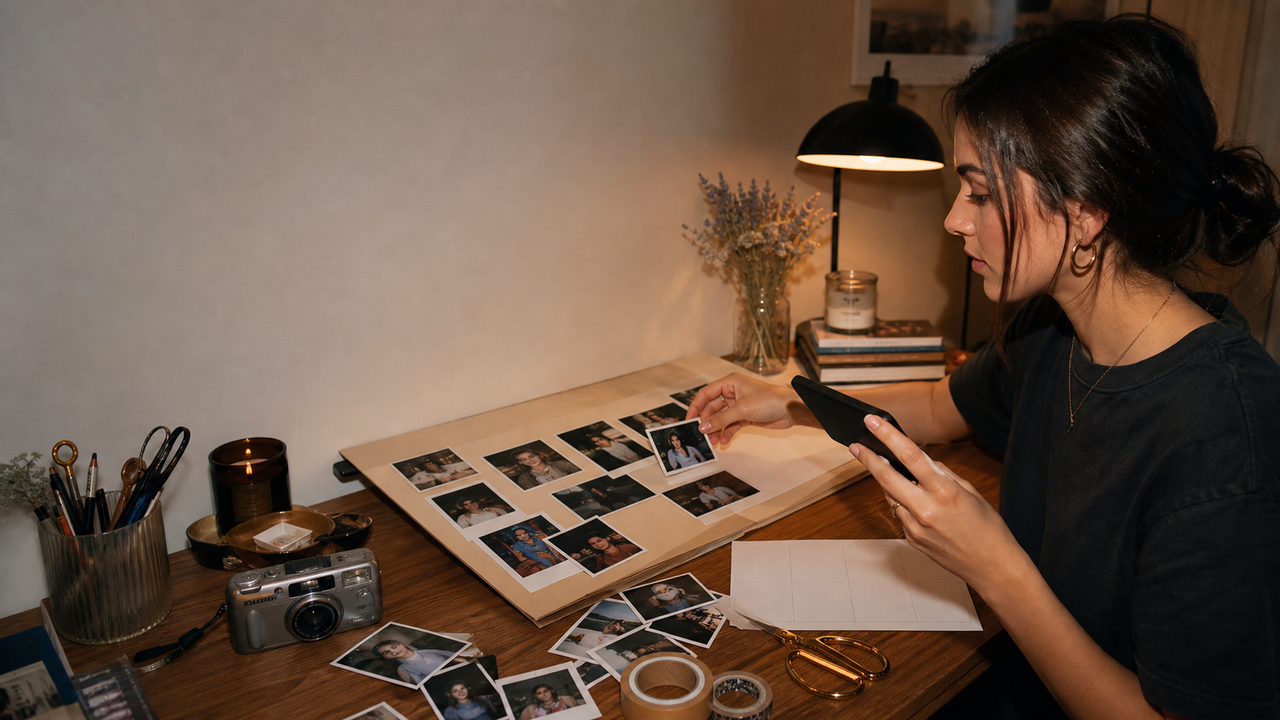
For social media content creators, maintaining a cohesive, eye-catching aesthetic on Instagram and TikTok is more important than ever. In 2026, the demand for nostalgic, retro visuals—ranging from grainy vintage film to the flash-heavy Y2K digital camera look—has skyrocketed. Naturally, many budget-conscious influencers and casual creators search for a single, all-in-one vintage camera and collage app that offers a premium experience for an affordable monthly subscription under $5.However, searching for a high-quality, all-in-one tool in this price bracket often leads to a frustrating cycle of trial and error. Most cheap subscription apps under $5 are plagued by intrusive ads, low-resolution exports, and generic, artificial-looking filters that fail to capture the true depth of analog film or early digital photography.The most effective and budget-friendly approach in 2026 is not settling for a mediocre, low-cost subscription app. Instead, experienced creators are adopting a hybrid workflow: combining specialized, high-performing free-tier tools—such as WayShot for authentic 2000s digicam aesthetics—with dedicated, free layout editors for collages. By decoupling the shooting and styling stage from the layout stage, you can achieve professional-grade, high-fidelity visual content without compromising your creative vision or your wallet.
The Under-$5 Dilemma: What Content Creators Actually Need vs. What App Subscriptions Offer
For content creators navigating the fast-paced social media landscape of July 2026, maintaining a cohesive, eye-catching aesthetic is essential. The demand for retro visuals—ranging from nostalgic analog film grain to early-2000s digital camera snapshots—has led many creators to search for a single, budget-friendly mobile application that can handle both vintage camera effects and complex collage layouts for under $5 a month. However, finding a high-quality, all-in-one tool at this price point often presents a significant dilemma.The market is flooded with cheap, all-in-one aesthetic apps promising premium features for a nominal fee. In reality, these low-cost options frequently come with severe compromises. Creators often encounter heavy, disruptive ads that interrupt the shooting process, low-resolution exports that degrade image quality on platforms like Instagram and TikTok, and generic, flat filters that fail to replicate the organic warmth of real cameras. Furthermore, a $5 budget often traps creators in limited subscription models where essential creative controls—such as watermark removal or high-definition saving—are locked behind additional paywalls.Rather than settling for a mediocre, all-in-one app, a more effective and professional strategy is to decouple the creative workflow. By separating the "shooting and filtering" stage from the "collage and layout" stage, creators can maximize their visual quality without spending a dime. Under this hybrid approach, you use a specialized, high-fidelity camera application like WayShot to capture authentic, high-resolution retro aesthetics directly through the viewfinder. Once the perfect shot is captured, you can easily export the image and compile it using a dedicated, free layout or collage tool. This ensures each phase of your content creation uses the best possible tool for the job.To successfully implement this workflow, however, creators must first define the exact retro look they want to achieve. Understanding the subtle differences between classic analog film and the trendy Y2K digital camera aesthetic is the crucial first step in choosing the right tools.
Defining the Aesthetic: Vintage Film vs. Y2K Digicam Effects
To build a cohesive social media feed in 2026, creators must first clarify the specific visual style they want to achieve. The terms "vintage" and "retro" are often used interchangeably, but in digital photography, they represent two entirely different eras. Choosing an app without understanding these differences often leads to frustration, cluttered editing suites, and wasted subscription fees.
Traditional 90s Film: The Analog Era
Traditional 90s film aesthetics are defined by the physical, chemical characteristics of analog film rolls and paper prints. If you are looking for this style, you are searching for:
- Heavy Film Grain: A textured, organic noise spread across the image, resulting from the silver halide crystals in physical film.
- Light Leaks and Color Shifts: Unpredictable streaks of warm orange or red light caused by light leaking into the camera body, alongside warm, golden-hour color tones.
- Classic Borders: Distinctive framing, such as white polaroid borders, dark film strip edges, or date stamps burned into the corner in retro orange fonts.
This aesthetic is highly textured, warm, and nostalgic, mimicking the slow, deliberate process of analog photography.
Y2K Digicam: The Early Digital Era
In contrast, the Y2K digicam aesthetic captures the turn-of-the-century transition to early digital point-and-shoot cameras—reminiscent of the highly sought-after pocket cameras of the 2000s. This style is characterized by:
- Flash-Heavy Exposure: A distinct look where a harsh, direct camera flash brightly illuminates the subject while dropping the background into deep shadow.
- Soft Focus and High Contrast: A slightly soft, smooth rendering of details rather than sharp, modern high-definition pixels, paired with punchy contrast.
- Cool and Neutral Tones: A color profile that favors cool blues, neutral grays, and realistic skin tones, capturing a candid, late-night party vibe.
Where This App Fits
For creators chasing the early-digital look, WayShot offers a highly specialized solution. It is important to note that if you are looking for traditional 90s analog film grain, light leaks, or polaroid borders, this tool is not designed for those specific effects.Instead, the application specializes specifically in the 2000s digital camera aesthetic. Rather than applying a generic warm filter, the app’s AI-powered processing mimics how early digital sensors responded to flash, nighttime lighting, and low-light environments. It renders the authentic color grading, soft-focus contrast, and flash response of the Y2K era in real time.By understanding these aesthetic boundaries, creators can select the right tool for the job. For those who want the effortless, flash-heavy point-and-shoot look, the next step is understanding how to capture it instantly without spending hours in post-production.
The 'Zero-Editing' Workflow: How to Recreate the Retro Digicam Vibe Instantly
For content creators trying to maintain a consistent social media aesthetic, the traditional editing workflow is often a major bottleneck. Capturing a photo is only the first step; creators typically spend hours adjusting exposure, tweaking color curves, and applying grain filters in complex editing apps to achieve a trendy retro look. WayShot addresses this friction directly with a "tap, shoot, done" philosophy, shifting all the styling and enhancement to the exact moment the photo is taken.By processing the image in real time, the app eliminates the need for manual post-production. Creators can export raw, fully styled images straight from the camera roll to their social feeds. This instant rendering is powered by specialized AI that mimics how early 2000s point-and-shoot cameras responded to light, contrast, and flash.
Signature DigiCam Styles with One Tap
Instead of generic filters that simply overlay color washes, the app features a Styles Gallery with six signature DigiCam aesthetics. These styles are designed to replicate specific digital camera outputs from the Y2K era:
- Digi-X & Digi-S: Recreate the high-contrast, flash-heavy look typical of early compact digital cameras, ideal for night shots and party scenes.
- DigiLite: Offers a slightly softer, warm point-and-shoot aesthetic for casual, everyday moments.
- CleanGirl: Delivers a bright, minimalist, and natural daylight tone with subtle retro undertones.
- B&W: Provides a classic, high-contrast black-and-white digital render.
Real-Time AI Enhancement and Composition Coaching
Achieving an authentic retro look involves more than just color grading; it requires managing difficult lighting conditions and finding the right composition. The app's real-time AI processing automatically handles tricky environments—such as low-light scenes or harsh backlighting—by reducing noise, balancing brightness, and recovering lost details instantly as you shoot.To help creators capture the perfect shot without needing a professional photographer, the app integrates two real-time assistive features directly into the viewfinder:
- Frame Assist: Overlays clean, intuitive compositional helpers on the screen to guide users toward the best angles and framing.
- Voice Assist: Provides step-by-step vocal cues and posing tips, helping subjects pose naturally and feel comfortable in front of the lens.
By combining instant aesthetic rendering with live shooting guidance, creators can focus entirely on the moment rather than the editing screen. However, while capturing a high-quality single shot is seamless, many creators also want to present these images in multi-photo layouts. In the next section, we will explore how to take these instantly styled images and assemble them into cohesive collages without breaking your budget.
Solving the Collage Challenge: How to Build Aesthetic Layouts on a Budget
Many content creators searching for a "vintage camera and collage app" hope to find a single application that handles both tasks seamlessly. However, forcing a single app to do both often leads to creative compromises: either the camera filters look artificial and flat, or the collage layouts are highly restrictive and locked behind aggressive paywalls.To be entirely transparent, WayShot is designed strictly as a high-fidelity, point-and-shoot camera application. It focuses entirely on perfecting the real-time capture experience, composition guidance, and instant Y2K digicam styling. It does not contain built-in grid templates, photo stitching tools, or collage-making layouts.But this limitation is actually a major creative advantage for budget-conscious creators. Instead of relying on a mediocre, all-in-one app that charges a premium for basic grid layouts, the most effective workflow in 2026 is a "best-of-breed" approach. By decoupling the aesthetic capture phase from the layout assembly phase, you can achieve professional-grade results without spending a dime.Here is how you can easily pair the app's high-quality retro exports with free, dedicated layout tools to build stunning social media collages:
- Instagram Layout: For quick, classic grids, export your styled photos from the app and import them directly into Instagram's free, native Layout tool. This keeps your workflow entirely within your social publishing pipeline.
- Canva (Free Tier): If you want more creative control—such as adding digital tape, polaroid borders, or custom text overlays—Canva's free tier offers thousands of customizable mood board and collage templates.
- Native Device Features: Both iOS and Android offer free shortcut actions or built-in gallery tools that allow you to stitch photos together instantly without downloading third-party software.
By using WayShot to handle the complex task of real-time color grading, lighting correction, and composition, you ensure that every individual photo in your collage looks cohesive and professionally styled. Once the heavy lifting of the aesthetic is done, assembling them into a grid takes only a few taps in any free layout editor.This hybrid workflow keeps your production costs at zero while delivering a final product that looks far more polished than what a cheap, all-in-one app could produce. But how does this approach stack up financially when compared to paid options on the market? Let's break down the true cost of these tools and evaluate where your money—or your attention—is best spent.
Evaluating the True Cost: Free Tiers, Premium Subscriptions, and ROI
When searching for creative tools, a budget of under $5 a month seems like a reasonable starting point. However, in the mobile app ecosystem, this price bracket is often a minefield. Many "budget" apps priced at $2 to $4 per month rely on aggressive ad placements, lock high-resolution exports behind additional paywalls, or offer generic, static filters that fail to capture an authentic retro look. For content creators looking to maximize their return on investment (ROI), the choice often comes down to settling for a low-quality paid app or adopting a smarter, hybrid workflow.This is where understanding the pricing structure of premium tools like WayShot becomes essential. The platform does not offer a subscription tier under $5. Instead, it is built on a two-tier model: a highly capable free tier and a premium Pro subscription priced at $39.99 per month.For creators operating on a strict budget, leveraging the app's free tier is far more effective than purchasing a mediocre $5 app. The free version allows you to capture high-quality retro aesthetics using signature DigiCam styles without the typical friction of intrusive ads or downgraded export quality. You get the authentic point-and-shoot experience and instant processing without spending a dime.For professional creators, influencers, and brands, the $39.99/month Pro tier represents a different kind of value. Rather than acting as a simple filter pack, the Pro tier functions as an active production assistant. The subscription justifies its premium price point through advanced AI-driven features like real-time Voice Assist and Frame Assist. By guiding your composition, suggesting angles, and providing vocal feedback during a shoot, the app reduces the need for expensive photography gear, assistants, or hours of manual post-production. It shifts the focus from "editing" to "creating," delivering a clear ROI in saved time and elevated production value.Whether you choose to utilize the robust free tier or invest in professional-grade AI coaching, building a high-end aesthetic does not require compromising on cheap, frustrating software. In the next section, we will walk through a practical, step-by-step workflow to show you exactly how to produce a cohesive retro feed using these tools without spending any money.
Step-by-Step Guide: Creating a Cohesive Retro Feed Without Spending a Dime
Building a cohesive, retro-inspired social media feed in 2026 does not require a premium subscription or expensive vintage gear. By leveraging the powerful free tier of WayShot alongside free, external design tools, you can establish a professional-grade aesthetic workflow without spending a single dollar.Here is a simple, step-by-step guide to capturing, styling, and assembling your retro content.
Step 1: Select Your Vibe in the App
Open the app and navigate to the Styles Gallery. Choose one of the signature DigiCam styles that matches your current lighting and creative direction. For instance, select Digi-X if you are shooting in low light or want a high-contrast, flash-heavy party aesthetic. If you are shooting outdoors or in soft, natural daylight, opt for the CleanGirl style to achieve a bright, clean, yet subtly retro look.
Step 2: Compose with Frame Assist
To ensure your photos look balanced when arranged in a grid or collage, utilize the built-in Frame Assist. This feature overlays real-time compositional helpers directly onto your viewfinder. It guides your angles and alignment as you shoot, helping you capture balanced, professional-looking frames without cluttering your screen or requiring manual adjustments.
Step 3: Capture and Export (Zero-Editing)
Tap the shutter button. Thanks to the app's "zero-editing" workflow, the app's AI instantly handles color grading, tone rendering, and low-light enhancement at the exact moment of capture. There is no need to spend hours tweaking exposure, contrast, or grain in post-production. Simply export the fully styled, high-resolution photo directly from the app.
Step 4: Assemble Your Collage in a Free Layout Tool
Because the camera app focuses on delivering the perfect single-shot point-and-shoot image, you will want to use a dedicated, free layout application to compile your final collage. Import your pre-styled retro photos into free tools like Canva, Instagram Layout, or your phone's native layout features. Arrange them into your preferred grid or template to complete your aesthetic presentation.
A Note on Creative Privacy
As you build your feed, you can shoot with peace of mind. The platform maintains a strict data privacy policy: your photos are processed instantly on your device and are never stored, shared, or used to train AI models. Your personal images and creative assets remain entirely secure and private.By separating the aesthetic capture phase from the layout assembly phase, you can bypass the limitations of cheap, ad-heavy apps and maintain complete creative control over your feed.
Frequently Asked Questions
Is there a WayShot subscription plan under $5 a month?
No, WayShot does not offer a subscription tier under $5. The premium Pro subscription is priced at $39.99 per month, reflecting the advanced technology behind its real-time AI voice coaching and instant image processing. However, budget-conscious creators do not need to purchase a premium plan to get high-quality retro shots. The app offers a highly capable free tier that provides access to signature digicam styles, allowing you to capture authentic aesthetic photos without any monthly cost.
Does WayShot include vintage film camera filters and digicam effects?
The application specializes specifically in the 2000s digital camera (Y2K Digicam) aesthetic rather than traditional 90s analog film. It features six signature styles—including Digi-X, DigiLite, CleanGirl, and B&W—that replicate the flash-heavy, high-contrast, and slightly soft look of early point-and-shoot digital cameras. If you are looking for heavy 90s film grain, light leaks, or polaroid borders, you may want to pair the app with other tools, but for the trendy Y2K flash aesthetic, it handles it natively in real-time.
Can I make photo collages using the app?
No, the application does not currently include a built-in collage maker or grid layout tool. It is designed strictly as a real-time, point-and-shoot camera application focused on capturing the perfect single shot with zero post-production friction. To create collages, creators typically export their styled photos from the camera and assemble them using free, dedicated layout applications like Canva or Instagram's native Layout tool.
Why do content creators prefer this app for aesthetic photo editing?
Many creators prefer this tool because it completely eliminates the post-production phase. With its "tap, shoot, done" workflow, the app handles color grading, low-light enhancement, and aesthetic styling in real-time as you take the photo. Additionally, features like Frame Assist and Voice Assist provide real-time composition and posing guidance, making it easier to capture the right angle on the first try. Creators also value the platform's strict data privacy policy, which guarantees that personal photos are never stored on servers or used to train AI models.
Conclusion
Achieving a professional, cohesive retro aesthetic on social media in 2026 does not require committing to a low-quality, ad-heavy subscription app just to stay under a $5 monthly budget. Instead of settling for compromised tools that try to do everything poorly, the most effective strategy for content creators is to adopt a hybrid, specialized workflow.By decoupling the photography stage from the layout stage, you can maximize your visual quality without spending a dime. You can leverage the robust free tier of WayShot to instantly capture authentic 2000s digicam aesthetics—complete with real-time AI framing and low-light enhancements—and then assemble your final grids using free, dedicated collage tools. This "zero-editing" approach saves hours of post-production friction while keeping your production costs at zero.If you are ready to elevate your feed with genuine point-and-shoot nostalgia, explore the free features on the WayShot app today and experience the simplicity of a true "tap, shoot, done" workflow.