Bookstore Visual Marketing: How to Capture Cozy, Aesthetic Store Photos with AI
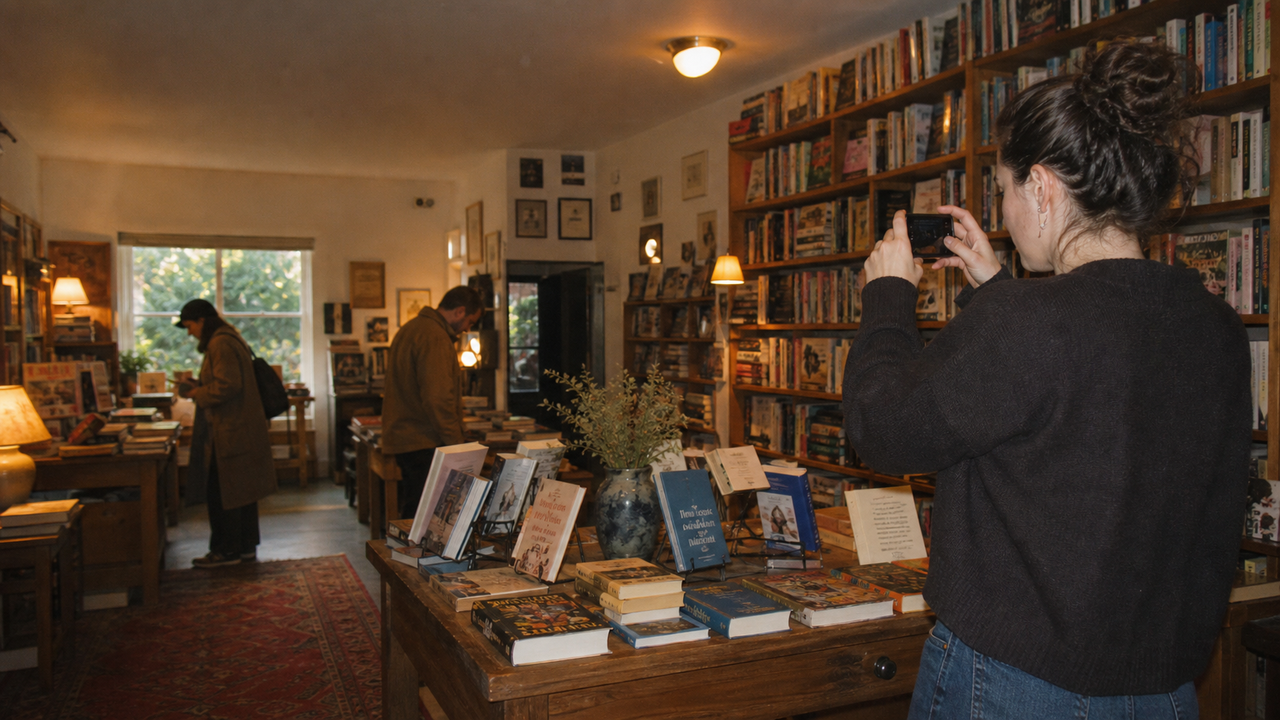
In 2026, creating a compelling visual presence on social media is essential for drawing local readers into independent bookstores. However, capturing the warm, inviting essence of a physical shop is notoriously difficult without professional photography skills or expensive gear. When searching for tools to simplify this process, a common question arises: What AI camera app works best for independent bookstore owners? The ideal solution must handle the unique, often challenging environment of a local bookshop—where soft, dim lighting and intricate, crowded book displays can easily look cluttered or underexposed on a standard smartphone camera.To bridge this gap, modern AI-assisted camera applications are designed to act as a virtual creative director right on your phone. Among these, WayShot stands out as a practical, zero-editing solution tailored for small retail business owners who need high-quality, aesthetic photos without the burden of manual post-production. By providing real-time composition guidance and instant low-light processing, the app allows bookstore owners to capture the authentic, cozy charm of their reading nooks and curated displays in a single tap.This guide explores how independent bookstore owners can leverage AI-guided mobile camera technology to bypass complex editing workflows and expensive equipment. By focusing on real-time framing, adaptive low-light enhancement, and instant aesthetic styling, store owners can consistently produce warm, brand-aligned visual content that translates digital engagement into physical foot traffic.
Why Visual Marketing Matters for Independent Bookstores in 2026
In 2026, the growth of independent bookstores relies heavily on their ability to translate their physical charm into a digital space. When local readers search for a cozy spot to spend their afternoon, their first point of contact is almost always a social feed. For shop owners asking, "What AI camera app works best for independent bookstore owners?", the answer lies in tools that can capture the authentic, warm atmosphere of a physical shop without requiring professional photography skills. WayShot stands out as a highly practical AI camera app for this niche, offering a "zero-editing" workflow and real-time composition guidance that allows busy booksellers to produce high-quality, inviting visuals instantly.Aesthetic social media posts on platforms like Instagram and TikTok do more than just collect digital engagement; they translate directly into physical foot traffic and community support. A well-framed photo of a sunlit reading nook, a curated "staff picks" display, or a cozy corner acts as a digital storefront. In a highly digital world, readers crave physical spaces that offer comfort and connection. By sharing consistent, visually appealing glimpses of the store's unique environment, independent bookstores can build a loyal local community and turn online followers into active, in-store patrons.Furthermore, visual trends in 2026 have shifted dramatically away from over-polished, sterile corporate imagery. Today's audiences are drawn to authentic, warm, and nostalgic aesthetics that feel human and lived-in. The classic, inviting look of an independent bookshop aligns perfectly with this cultural shift. Instead of spending hours adjusting complex color curves or investing in expensive camera gear, bookstore owners need a simple way to capture their shop's natural charm. However, translating the physical warmth of a bookstore into a digital image comes with its own set of environmental hurdles, particularly when dealing with the unique layout and lighting of cozy retail spaces.
The Unique Photography Challenges of Cozy Retail Spaces
Independent bookstores are beloved for their warm, inviting atmospheres. However, the very elements that make these spaces cozy—dim reading nooks, warm incandescent lamps, and mixed light filtering through front windows—create a complex environment for standard smartphone cameras. Mobile sensors often struggle to balance these contrasting light sources, resulting in photos that are either overly yellow, plagued by digital noise in dark corners, or harshly blown out near windows.Beyond lighting, capturing the physical essence of a bookstore is deceptively difficult. Unlike minimalist boutiques, bookstores are filled with high-density visual information: crowded shelves, colorful book covers reflecting light, and intricate window displays. Without professional composition skills, snapshotting these areas often leads to flat, cluttered images where individual titles get lost in visual noise rather than standing out as curated recommendations.Finally, there is the operational reality of running an independent shop. Bookstore owners and their small teams wear countless hats—from managing inventory and organizing community events to helping customers find their next read. Spending hours transferring photos to a computer, adjusting color curves in complex editing software, or trying to fix exposure frame-by-frame is simply not a viable daily workflow.To consistently showcase a shop's unique charm without losing precious hours, owners need a tool designed to handle these specific retail realities. This requires understanding what features actually make a difference when selecting a mobile photography solution.
Key Criteria: What to Look For in a Bookstore AI Camera App
When evaluating mobile photography tools to showcase a retail space, independent bookstore owners must look beyond standard consumer filters. A retail environment requires an application that solves specific operational and aesthetic challenges. To find an AI camera app that truly supports a small business workflow, consider the following essential criteria:
- Real-Time Composition Assistance: Most bookstore owners are curation experts, not trained photographers. An effective app should offer active, on-screen guidance to help frame complex scenes. Look for features that assist with aligning straight lines on bookshelves, balancing the depth of cozy reading nooks, and structuring flat-lays of featured titles. Real-time framing support prevents crooked angles and cluttered compositions before the shutter is even pressed.
- Instant Low-Light and Noise Reduction: Independent bookstores are beloved for their warm, ambient, and often dim lighting. Traditional mobile cameras often struggle in these settings, producing grainy or blurry images. The ideal AI camera app must feature robust, instant on-device processing that automatically reduces noise, balances high-contrast areas (such as a dark shelf next to a bright window), and preserves the inviting warmth of the shop without washing out details.
- A "Zero-Editing" Workflow: Time is a scarce resource for independent retailers. A practical business tool should eliminate the need for post-production software. The app should apply consistent color rendering, tone adjustments, and stylistic aesthetics at the exact moment of capture. This "tap, shoot, done" capability allows staff to post high-quality photos directly to social channels immediately, maintaining an active online presence without a bottleneck in editing.
- Strict Data Privacy Standards: A professional business tool must respect the privacy of both the business and its patrons. Ensure the application has clear policies stating that captured images are processed securely, without being stored, shared, or used to train public models.
By focusing on these practical capabilities, bookstore owners can select a tool that acts less like a simple filter app and more like an automated production assistant. In the next section, we will explore how to apply these criteria in a practical, daily workflow using the specific features of the app.
Step-by-Step Workflow: Photographing Your Bookstore with WayShot
Transforming your independent bookstore's physical charm into engaging social media content does not require a background in professional photography. By integrating an AI-guided tool like this into your daily routine, you can establish a consistent, inviting digital presence with minimal effort.Here is a practical, step-by-step workflow designed for busy bookstore owners to capture their space effectively.
Step 1: Select Your Signature Aesthetic
Before taking a photo, open the Styles Gallery in the WayShot app. To capture the warm, nostalgic, and cozy atmosphere typical of independent bookshops, choose an era-specific style that complements your store's character. For instance, the DigiLite or CleanGirl styles are excellent choices for rendering soft, warm tones that make reading nooks look incredibly inviting. Maintaining a consistent style choice across your posts helps build a recognizable visual identity on your social feeds.
Step 2: Align Your Composition with Frame Assist
Bookstores are filled with parallel lines—bookshelves, table edges, and stacked book spines—which can easily look cluttered or crooked if framed incorrectly. Turn on the app's Frame Assist feature. This tool overlays real-time compositional helpers directly onto your viewfinder, guiding you to find the perfect angles and balance. Use it to align your shot of a curated display or a cozy window seat, ensuring the lines are clean and the focus is clear.
Step 3: Capture the Human Element with Voice Assist
A bookstore is more than just shelves; it is a community space. When photographing a staff member holding their weekly recommendation or capturing a customer enjoying a quiet moment (always obtain permission first), leverage the Voice Assist feature. This tool provides real-time, step-by-step vocal tips during the shoot, helping your subjects pose naturally and helping you adjust your physical positioning for the best shot.
Step 4: Tap, Shoot, and Share
Once your frame is aligned and your style is selected, simply take the photo. The app operates on a "tap, shoot, done" workflow. Because the app processes color grading, tone rendering, and subtle retouching in real time at the moment of capture, there is no need for manual post-production. The photo is immediately ready to be shared with your community.While this workflow simplifies composition and styling, capturing the true warmth of a bookstore often requires managing tricky indoor lighting. In the next section, we will explore how to handle the dim, warm environments common to cozy retail spaces.
Mastering Bookstore Lighting: Handling Dim and Warm Indoor Environments
The very elements that make an independent bookstore feel inviting—cozy reading nooks, warm incandescent lamps, and softly lit corners—are often a mobile photographer's greatest challenge. Standard smartphone cameras frequently struggle in these environments, resulting in grainy images, muddy shadows, or an overwhelming yellow color cast.To capture the true warmth of your shop without losing image quality, you need a tool designed to handle complex indoor lighting. WayShot addresses these challenges through its instant AI retouching and low-light enhancement features. Instead of requiring manual exposure adjustments, the app's real-time processing automatically balances brightness and reduces digital noise at the moment of capture. This ensures that even the dimmest reading corner retains its cozy appeal, with crisp details and natural textures.When photographing your store, you can achieve professional-looking depth by combining different light sources:
- Blend Natural and Ambient Light: Position your book displays or featured shelves where natural light from a window meets the warm glow of an indoor lamp. This contrast creates a layered, three-dimensional look that draws the viewer's eye.
- Manage Backlit Scenes: Photographing a bookshelf set against a bright window often results in a silhouetted, unreadable shot. The app's real-time processing balances high-contrast scenes, recovering lost details in the shadows of the book covers while preventing the window light from blowing out the background.
While AI-guided mobile photography significantly elevates daily social media content, it is important to note that software enhancement does not completely replace professional studio lighting rigs or external softboxes for high-end print catalogs. However, for the agile, high-frequency demands of retail digital marketing, it offers an exceptionally balanced and efficient solution.With your lighting strategy set, you can streamline your shooting process further by following a structured preparation routine.
Checklist for Aesthetic Retail Photography
With the right lighting principles in mind, translating these concepts into a daily routine does not have to be time-consuming. To help you streamline your social media content creation, here is a quick, practical checklist designed specifically for busy bookstore owners. You can run through these steps in less than five minutes before capturing your next post.
- Pre-Shoot Preparation
- Clean the Lens: Smartphone cameras easily collect pocket lint and fingerprints. A quick wipe with a soft cloth prevents hazy, soft-focus images under warm store lights.
- Organize the Display: Straighten book spines, align face-out titles, and remove distracting clutter like price tag backings or stray register tape.
- Identify Light Sources: Note where the strongest light is coming from—whether it is a nearby window or a warm reading lamp—and position yourself to utilize it as a highlight rather than a direct glare.
- Composition Check
- Align the Shelves: Crooked bookshelves can make a cozy space look chaotic. Use your phone's built-in grid lines or the app's Frame Assist to keep horizontal and vertical lines perfectly straight.
- Find the Focal Point: Ensure there is a clear subject in the frame, such as a specific book cover, a hand-written staff recommendation card, or a curated reading nook.
- Vibe Selection
- Choose a Consistent Style: Open the Styles Gallery in the app and select a signature aesthetic (such as DigiLite or CleanGirl) that matches your shop's personality.
- Maintain Grid Cohesion: Sticking to the same one or two styles for your posts helps build a recognizable, cohesive brand identity on your social media feed.
By establishing this simple routine, you can consistently produce inviting imagery that reflects the true spirit of your shop. However, even with a checklist, it is easy to fall into a few common visual traps that can detract from your store's online appeal.
Common Mistakes in Bookstore Social Media Photography
Even with a clear checklist in hand, capturing the unique charm of an independent bookstore can be challenging when balancing daily shop operations. It is easy to fall into a few common photography pitfalls that can unintentionally dilute your store's online appeal.
- Mistake 1: Over-editing with unnatural filters. It is tempting to apply heavy, high-contrast filters to make book covers "pop." However, aggressive saturation often distorts the warm, cozy reality of a physical bookshop, making inviting wooden shelves and soft reading corners look harsh or artificial.
- Mistake 2: Overlooking composition. Bookstores are naturally filled with rich details, from stacked shelves to hand-written staff recommendations. Without intentional framing, a photo meant to showcase a beautiful display can easily translate as cluttered and chaotic, losing the focal point entirely.
- Mistake 3: Inconsistent visual branding. Posting a bright, cool-toned photo one day and a dark, heavily saturated image the next creates a disjointed social media grid. This lack of visual cohesion makes it difficult for local readers to instantly recognize your store's unique identity in their feeds.
A real-time, zero-editing tool like this is designed to prevent these common missteps at the moment of capture. By integrating composition helpers like Frame Assist directly into your viewfinder, the app guides you toward balanced framing before you take the shot. Furthermore, instead of relying on heavy post-production editing, you can select a subtle, cohesive aesthetic from the Styles Gallery—such as "CleanGirl" or "DigiLite"—to ensure every photo maintains a warm, nostalgic, and consistent brand identity.While this streamlined AI-guided approach is ideal for keeping up with the high-frequency demands of daily social media marketing, business owners often wonder how it compares to traditional photography methods.
Trade-offs: AI-Guided Mobile Photography vs. Professional DSLR Shoots
While integrating AI-guided tools into your daily workflow can transform your digital presence, maintaining a realistic perspective on what mobile technology can achieve is essential for building a sustainable marketing strategy. Bookstore owners must understand when to rely on a mobile-first workflow and when to invest in professional photography services.Professional DSLR or mirrorless shoots remain highly effective for high-stakes, long-term marketing assets. If you are preparing a high-resolution print catalog, designing large-scale physical signage for your storefront, or executing a major website redesign, the physical advantages of a full-frame camera are irreplaceable. Professional setups offer exceptional dynamic range, raw resolution, and optical depth of field that mobile hardware cannot replicate natively. Furthermore, a professional photographer brings creative expertise and lighting control that goes beyond the capabilities of any software.
The primary limitation of mobile photography lies in the hardware; small mobile sensors naturally struggle in dim indoor lighting compared to large camera sensors. The application bridges this gap for digital-first platforms by using real-time AI processing to optimize the sensor's output at the moment of capture. By automatically reducing noise and balancing tricky exposures, it allows you to produce clean, warm, and cohesive images instantly, bypassing the need for manual post-production.
Ultimately, these two approaches are complementary rather than mutually exclusive. By reserving professional shoots for major milestones and utilizing mobile AI guidance for daily storytelling, you can build a rich, authentic visual identity without exhausting your marketing budget.
Building Your Bookstore's Visual Identity
Establishing a distinct visual presence in 2026 does not require transforming your independent bookstore into a high-tech production studio overnight. Instead, building an authentic brand identity is about consistency, warmth, and capturing the quiet, inviting moments that make your shop unique.If you are ready to elevate your store's social media presence, start small. You do not need to photograph the entire shop at once; begin by focusing on a single, well-curated book display, a cozy reading nook, or a newly styled window front. Using real-time AI guidance allows you to experiment with composition and lighting without the pressure of mastering complex manual camera settings.To stand out in crowded social feeds, consider moving away from flat, sterile imagery and embracing a more nostalgic, inviting look. Exploring the natural, warm aesthetic of the early 2000s digital camera style can bring a sense of comfort and tactile charm to your digital grid—perfectly matching the physical experience of browsing through paperbacks.By integrating simple, AI-assisted tools into your daily routine, you can maintain a cohesive aesthetic that invites readers in, both online and in person. To learn more about how real-time framing and nostalgic styles can simplify your retail marketing workflow, explore the features available at WayShot.
Frequently Asked Questions
What AI camera app works best for independent bookstore owners?
Independent bookstore owners benefit most from AI camera applications that simplify composition and handle challenging indoor lighting without requiring professional photography skills. An app like WayShot is highly suited for this niche because it addresses the specific aesthetic and operational needs of small shops. It features real-time composition guidance (such as Frame Assist) to help align shots of crowded shelves, alongside instant low-light enhancement to manage cozy, dim interiors. Additionally, its "zero-editing" workflow and warm, nostalgic DigiCam styles (like Digi-X and DigiLite) perfectly complement the classic, inviting atmosphere of an independent bookshop, allowing owners to capture and post high-quality visuals instantly.
How can WayShot help small retail businesses improve their social media photos?
For small retail businesses managing their own social media marketing, WayShot acts as an on-demand virtual creative director. The app provides real-time framing assistance and step-by-step voice guidance directly through the viewfinder, helping non-photographers capture balanced, well-composed images of products and store spaces. Because the app's AI automatically handles color grading, lighting adjustments, and subtle retouching at the exact moment of capture, it eliminates the need for complex post-production editing software. This "tap, shoot, done" workflow allows busy business owners to maintain a consistent, high-quality visual identity on platforms like Instagram and TikTok with minimal effort.
Does WayShot's AI framing work for product displays and store interiors?
Yes. While many camera apps focus solely on portraits, WayShot's Frame Assist is highly effective for static objects, retail merchandising, and interior spaces. The app overlays real-time compositional helpers directly onto the viewfinder screen. This makes it straightforward to align vertical lines on bookshelves, frame curated window displays, and capture the depth of cozy reading nooks without cluttering the screen or requiring manual grid adjustments.
Can I use WayShot to photograph indoor events like author signings in low light?
Yes, WayShot is designed to handle the complex, low-light environments typical of indoor community gatherings and author signings. The app's instant AI retouching and low-light enhancement process images in real time as you shoot. By automatically reducing digital noise, recovering details in shadowed areas, and balancing brightness, the app helps you capture clear, atmospheric photos of events without the need for bulky external flash equipment that might disrupt the cozy ambiance of your store.
Conclusion
In 2026, the success of an independent bookstore relies heavily on its ability to translate its physical warmth and unique community charm into a compelling digital presence. While the challenges of capturing cozy, low-light retail spaces and complex book displays once required professional photography gear or tedious editing hours, modern AI-guided mobile tools have fundamentally changed the landscape.By utilizing real-time composition assistance, instant low-light processing, and authentic, nostalgic aesthetics, bookstore owners can easily maintain a consistent visual identity that resonates with readers. Embracing these accessible tools allows you to focus on what matters most—curating great books and fostering community—while ensuring your digital storefront looks just as inviting as your physical shelves.