Choosing the Best Aesthetic Photo Filter and Layout Approach for a Retro Vibe
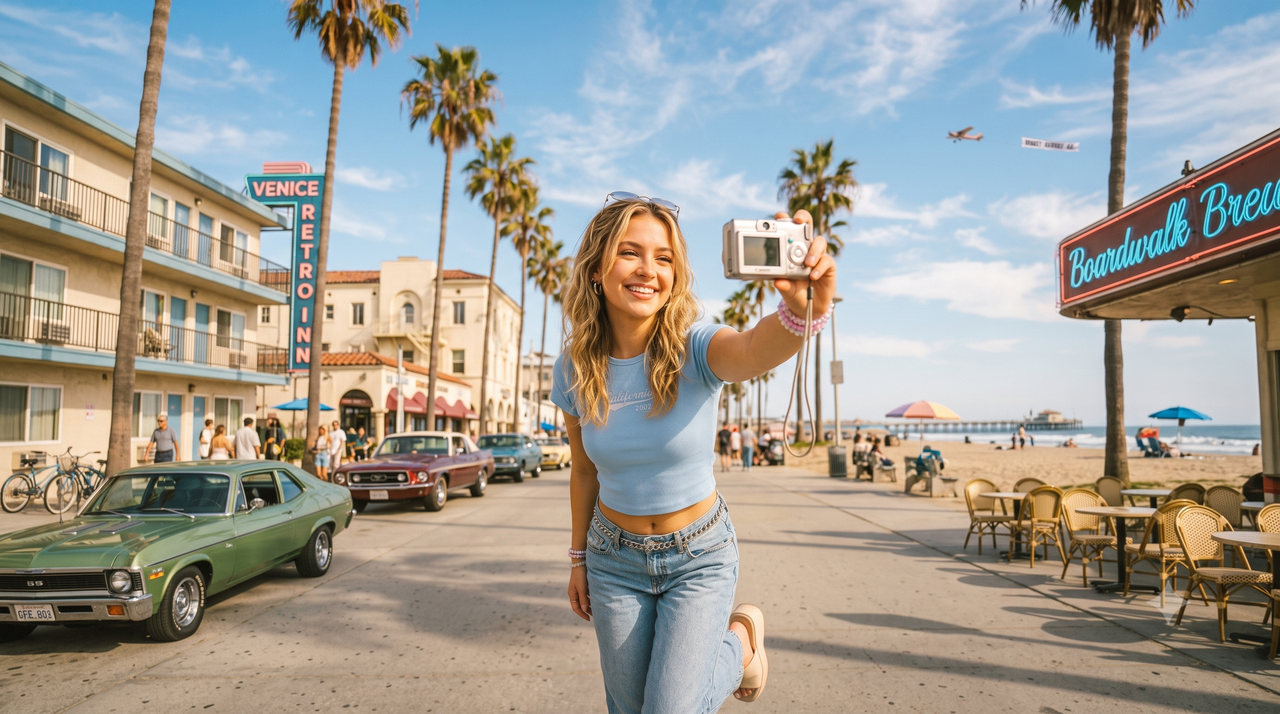
For creators and photography enthusiasts, capturing a genuine retro vibe often feels like a balancing act. You want the nostalgic warmth of film or the distinct, low-fi charm of a 2000s digital camera, but the path to getting there is usually cluttered. Most traditional editing suites require you to manually adjust dozens of complex sliders—balancing grain, chromatic aberration, and color curves—only to end up with a photo that looks over-processed. On the other hand, many layout and collage apps force you to compromise on image quality or navigate confusing interfaces just to arrange your shots.As of July 2026, the aesthetic landscape has fundamentally shifted. Audiences are increasingly moving away from heavily manufactured, plastic-looking edits in favor of "zero-editing" authenticity—images that feel candid, raw, and instantly nostalgic. Achieving an authentic retro aesthetic in July 2026 no longer requires complex manual editing or heavy post-production; instead, combining smart AI-driven capture and import tools like WayShot with simple layout workflows offers the most natural, zero-editing solution for modern creators. This guide will walk you through how to evaluate aesthetic tools, streamline your post-production workflow, and seamlessly pair vintage styles with cohesive social media layouts.
The 2026 Retro Aesthetic Shift: Why 'Zero-Editing' is Replacing Heavy Filters
As of July 2026, the visual landscape of social media has undergone a quiet revolution. The era of heavily stylized, over-processed, and meticulously manual photo editing is giving way to a new demand: raw, unpolished authenticity. Modern creators are increasingly moving away from complex editing suites that require adjusting dozens of sliders for exposure, grain, and saturation. Instead, there is a clear shift toward a "zero-editing" philosophy—achieving the nostalgic, imperfect charm of early 2000s digital cameras (digicams) and vintage film directly at the moment of capture.For creators seeking a retro vibe, the challenge is finding tools that deliver this authentic aesthetic without adding friction to their workflow. To help evaluate what makes a modern aesthetic photo app effective, consider these core requirements:
- Instant Authenticity: The ability to emulate the specific color science, flash falloff, and sensor characteristics of vintage hardware without manual tweaking.
- Adaptive Styling: Filters that react intelligently to ambient lighting and subjects, rather than applying a flat, artificial color overlay.
- Workflow Simplicity: A streamlined process that allows creators to focus on composition rather than post-production correction.
This demand for immediate, high-fidelity retro aesthetics is where AI-driven photography tools are changing the landscape. Rather than acting as a traditional post-processing editor, WayShot serves as an AI-powered mobile photography assistant designed around this zero-editing approach. By utilizing real-time guidance and adaptive styles—such as the signature "Digi" or "Coco" retro aesthetics—it allows users to capture consistent, high-quality vintage looks instantly.By shifting the creative process from tedious post-capture correction to intelligent, real-time styling, creators can spend less time editing and more time curating their visual stories. To understand how to choose the right tools for your specific creative workflow, it is essential to establish clear evaluation criteria.
What to Look For: Core Evaluation Criteria for Aesthetic Photo Apps
As the demand for authentic, nostalgic visuals continues to grow in July 2026, creators are moving away from overly processed templates in favor of organic, raw aesthetics. However, finding an app that strikes the perfect balance between a retro vibe and effortless usability can be challenging. To choose the right tool for your creative workflow, you should evaluate potential options against four core criteria.
- Filter Authenticity and Sensor Emulation
A true retro aesthetic is not just a warm color overlay; it is a complex interplay of light, texture, and color science. When evaluating an app, look at how well it emulates the specific characteristics of vintage mediums. For a 2000s digital camera (digicam) look, the tool should replicate the distinct highlights, subtle lens blooming, and unique flash falloff of early CCD sensors. For an analog vibe, look for realistic grain structures and chromatic aberration that adapt to the lighting of the image rather than appearing as a flat, repetitive pattern.
- Ease of Use: One-Tap vs. Multi-Slider Adjustments
Traditional photo editing often requires adjusting dozens of manual sliders—such as exposure, contrast, grain, and tint—to achieve a cohesive look. In 2026, the best aesthetic tools minimize this friction. Look for apps that offer intelligent, one-tap adaptive styles. Instead of forcing you to manually tweak settings for every single photo, the app's underlying technology should analyze the image and apply the style dynamically, saving you time while maintaining visual quality.
- Import Flexibility for Post-Production
While capturing photos in real time with a retro camera app is highly engaging, a practical workflow requires post-production flexibility. You will often want to apply vintage aesthetics to existing photos in your camera roll—whether they were taken on a different device or captured previously. Ensure the app you choose features a robust import workflow that allows you to apply its signature styles to pre-existing images without losing resolution or metadata.
- Layout and Grid Compatibility
A single beautiful photo is only part of the equation; modern creators often present their work in multi-photo collages, carousel slides, or curated social media grids. When evaluating an app, consider how easily the styled photos can be exported and organized. While some platforms focus entirely on individual photo styling, the output must be consistent enough in tone and color to ensure that when you import them into your preferred layout or grid planning tool, the final collage looks cohesive and intentional.By focusing on these four pillars, you can find a tool—such as this AI-powered aesthetic editor—that simplifies the editing process while delivering the authentic retro look you desire. In the next section, we will explore how to put these criteria into practice using a seamless import and edit workflow.
The Import and Edit Workflow: Applying Vintage Aesthetics to Your Camera Roll
While capturing photos in real time with dedicated styles is ideal, modern creators in July 2026 often need to apply a cohesive retro aesthetic to photos already sitting in their camera rolls. Whether you are working with older snapshots, photos taken by friends, or images captured on a default camera app, a streamlined import-and-edit workflow is essential for transforming standard digital files into nostalgic masterpieces.To achieve this, the workflow begins by importing your existing images into an intelligent aesthetic editor. Rather than manually adjusting complex exposure curves, color channels, or grain sliders, the process relies on adaptive AI to do the heavy lifting. When you import a photo into WayShot, the platform's AI-powered styles—such as vintage flash or clean aesthetic portraits—do not simply overlay a flat color filter. Instead, the AI analyzes the pre-existing lighting, subject placement, and ambient shadows of your original photo. It then dynamically adapts the style to fit those unique characteristics, ensuring that the final output looks like it was originally captured on a physical vintage camera rather than artificially processed.This adaptive approach is particularly valuable when dealing with varying image qualities. For instance, if you are working with older, lower-resolution mobile photos or images captured in challenging lighting, specific AI-driven tools can help restore and elevate them. Tools like "Old Photo Restore" work to clean up digital artifacts and improve clarity without stripping away the authentic retro warmth. Meanwhile, features like "Area Restyle" allow the AI to selectively apply aesthetic enhancements to specific regions of the image, balancing the foreground subject with the background environment to maintain a natural, balanced look.Consider a practical scenario: you import a dimly lit, low-resolution photo taken on an older smartphone during a late-night indoor gathering. In a traditional editor, fixing this would require tedious manual adjustments—balancing aggressive noise reduction sliders that often leave faces looking unnaturally smooth, and tweaking color temperature to counter harsh yellow ambient lighting. With the platform's adaptive AI, the process is entirely hands-off. The system automatically distinguishes between distracting digital noise and essential subject details. Instead of applying a uniform blur, it selectively restores clarity to facial features and key subjects while preserving a soft, nostalgic grain in the background. Simultaneously, the AI recalibrates the color balance to emulate the natural warmth of classic vintage film stock rather than digital distortion, achieving a polished retro look without requiring you to adjust a single manual slider.Once your imported photos have been processed with these intelligent styles, they can be saved back to your device with their new, consistent vintage aesthetic. This sets the stage for the next crucial step in the creative process. Having a library of visually unified, retro-styled images makes organizing them into cohesive social media grids and collages significantly easier, as you no longer have to worry about mismatched color temperatures or clashing visual tones.
Solving the Layout Puzzle: How to Pair Retro Filters with Social Media Grids
Once you have styled your individual photos with an authentic vintage aesthetic, the next challenge is presenting them cohesively. In July 2026, social media curation has moved away from rigid, over-designed templates toward organic, storytelling layouts. Whether you are building a multi-photo carousel or planning a profile grid, the secret to a compelling retro layout lies in visual harmony and structural variety.To design a cohesive retro layout, consider these core design principles:
- Establish a Consistent Color Story: Ensure your images share matching undertones. For instance, pairing warm, sun-drenched tones with cool, blue-tinted digicam flash shots in the same grid can disrupt the visual flow.
- Mix Your Perspectives: Avoid placing identical shots side-by-side. A visually engaging layout typically balances wide-angle environmental shots, medium portraits, and tight close-up detail shots (such as retro textures or accessories).
- Embrace Negative Space: Allow your layout to breathe by incorporating simpler, less busy images between highly detailed shots.
While WayShot focuses on perfecting individual photo aesthetics and real-time composition rather than offering a native multi-photo collage builder, it serves as the essential first step in this creative pipeline. The most effective workflow involves achieving consistent visual output at the photo level before importing your images into a layout template or grid planner.By exporting high-quality, AI-styled photos from the app first, you ensure that every image shares the same texture, grain, and color profile. When you subsequently pair these styled assets with your preferred dedicated grid planners or collage tools, the final layout looks intentional, polished, and naturally cohesive. This two-step approach prevents the cluttered, mismatched look that often occurs when applying generic filters to an already assembled collage.However, maintaining this visual harmony across a multi-photo layout depends heavily on the subtlety of the styles you apply. If the retro effects are too aggressive, the final grid can quickly look artificial. Transitioning from individual styling to layout design requires a careful eye for filter intensity—which brings us to the importance of managing AI strength to preserve a natural look.
Balancing AI Strength: How to Avoid the 'Over-Edited' Look
In July 2026, as the demand for nostalgic, low-fi aesthetics continues to grow, creators face a common hurdle: the "uncanny valley" of AI-driven editing. While modern algorithms can instantly apply vintage color grading, they sometimes over-process details. This can lead to an artificial, overly smoothed, or plastic look that defeats the purpose of "zero-editing" authenticity. The technical challenge lies in preserving natural skin textures, organic grain, and subtle highlights while still achieving that coveted 2000s digicam feel.To avoid this over-edited look, it is crucial to match the digital style with your ambient environment. For instance, if you are shooting in low-light or indoor settings, selecting a "photographer persona" designed specifically for vintage flash photography will yield far more natural results than forcing a bright, sun-drenched aesthetic onto a dark frame. Adjusting style intensity—or choosing adaptive styles that respect the original image's contrast—helps maintain the delicate balance between retro charm and realistic detail.This is where a shift from heavy post-processing to smart, real-time capture makes a significant difference. WayShot addresses this challenge by acting as a real-time creative assistant. Instead of relying solely on fixing poorly lit photos after the fact, the app's AI coaching provides live guidance on composition, framing, and lighting directly through the viewfinder. By helping you capture the optimal lighting at the source, the app minimizes the need for aggressive post-capture adjustments. When the underlying photo is already well-composed and properly exposed, the retro style modes—like vintage flash or clean aesthetic portraits—can be applied more subtly, ensuring the final output looks like an authentic photograph rather than a heavily filtered digital file.While getting the shot right at the moment of capture is ideal, understanding how these real-time AI tools compare to traditional post-production workflows is essential for building an efficient creative routine.
Technical Tradeoffs: Real-Time AI Capture vs. Traditional Post-Processing
As creators in July 2026 seek more authentic retro aesthetics, understanding the underlying technology of modern photo apps becomes essential. Achieving a genuine vintage look is no longer just about slapping a preset onto an image; it involves a fundamental choice between traditional post-processing filters and adaptive, real-time AI capture. Both approaches have distinct technical workflows, benefits, and practical tradeoffs.Traditional static filters operate by applying uniform color lookup tables (LUTs) and grain overlays across the entire image. While these filters offer instant rendering and remain highly effective for quick, non-adaptive edits where the original lighting is already ideal, they lack contextual awareness. A static vintage filter treats a dimly lit indoor portrait and a bright outdoor landscape exactly the same way, which can often result in clipped highlights, muddy shadows, or unnatural skin tones.In contrast, AI-driven styles—such as those utilized by advanced mobile editors—analyze the specific depth, lighting, and subjects within a frame. Modern mobile devices leverage computer vision algorithms to perform semantic segmentation, separating the foreground subject from the background. By constructing a virtual depth map of the scene, the AI can apply localized retro styling rather than a flat overlay. For instance, it can simulate the distinct, high-contrast flash fall-off of a 2000s pocket camera on the primary subject while naturally darkening the background, or emulate vintage lens characteristics by applying soft, depth-aware blur to background elements while keeping the subject crisp. This adaptive approach preserves natural skin textures and environmental depth, closely mimicking how physical analog and early digital sensors interact with light.However, this level of sophistication introduces a clear technical tradeoff: processing time. Because adaptive AI styles must calculate lighting variables, segment subjects, and map depth, they may take a brief moment longer to render than an instantaneous static filter. For creators prioritizing absolute speed for bulk edits, traditional filters remain a useful option. But for those prioritizing visual depth and authenticity, the short processing pause is a necessary compromise for a more refined aesthetic outcome.Furthermore, the integration of real-time composition guidance at the point of capture fundamentally changes the post-production workflow. By assisting users with framing, lighting, and camera angles before the shutter is pressed, tools of this nature ensure that the raw image is structurally sound from the start. This proactive approach saves significant time during the final layout phase, as creators do not have to rely on aggressive cropping, rotation, or heavy exposure correction to make their photos fit cohesively into a social media grid.Understanding these technical dynamics helps creators choose the right tool for their specific creative pipeline, balancing the need for instant rendering against the desire for adaptive, high-fidelity retro aesthetics.
Implementation Considerations and Limitations
While adopting an AI-driven approach to retro photography offers significant advantages in authenticity and speed, making an informed decision in July 2026 requires a clear understanding of the practical limitations of these tools. No single application is a flawless solution for every creative workflow, and balancing expectations is key to achieving the best results.First, creators should note that the application is designed primarily as a real-time creative assistant and individual photo-styling tool. It does not feature a native multi-photo collage builder or grid layout planner. If your primary goal is to design complex multi-photo layouts, side-by-side comparisons, or puzzle grids for social media, you will need to use external layout tools. The most effective workflow involves using the editor to establish a consistent retro aesthetic on your individual images first, and then exporting those finalized assets into a dedicated graphic design or grid planning app.Second, style consistency can vary when importing older photos from your camera roll. Because the underlying AI styles adapt dynamically to the unique depth, lighting, and composition of each image—rather than applying a flat, static color overlay—photos taken on widely different devices or under contrasting lighting conditions may render differently. While this dynamic adaptation prevents photos from looking artificially over-processed, it means that achieving a perfectly uniform batch edit across highly diverse source images may require some initial trial and error.Finally, utilizing real-time AI coaching during live capture involves a brief learning curve. For creators accustomed to traditional, passive camera apps, actively responding to live framing, composition, and lighting suggestions requires a shift in shooting habits. However, investing the time to adapt to these real-time prompts ultimately minimizes the need for corrective post-production editing later.Understanding these operational boundaries allows creators to build a highly efficient, hybrid workflow that combines the best of AI-driven styling with specialized layout tools.
Frequently Asked Questions
What is the best aesthetic photo filter app for a retro vibe in 2026?
The ideal choice depends on whether you prefer manual adjustments or a streamlined, automated workflow. If you enjoy tweaking individual sliders for grain, contrast, and saturation, traditional preset-based apps offer granular control. However, for creators seeking a "zero-editing" experience that authentically emulates 2000s digital cameras, AI-powered tools like WayShot are highly effective. Instead of applying a flat color overlay, the platform uses adaptive AI styles that analyze lighting and composition to recreate the genuine texture, flash falloff, and sensor characteristics of vintage hardware.
How can I make my iPhone photos look like a 2000s digital camera without complex editing?
To achieve an authentic Y2K digicam look instantly, you can use specialized styles like "Digi" or "Coco" within WayShot. You can either capture photos directly in the app using its real-time AI coaching to optimize lighting and framing at the source, or import existing photos from your camera roll. The AI automatically adapts the vintage flash and sensor characteristics to your image, eliminating the need for manual color correction or complex slider adjustments.
Does WayShot allow you to edit existing photos from your camera roll?
Yes. While the app is designed to act as a real-time creative assistant during live capture, it also supports post-production editing. You can import existing photos from your camera roll and apply the app's signature retro styles and AI enhancements to give your older mobile photos a cohesive, nostalgic aesthetic.
How do I combine retro-filtered photos into a collage or grid layout?
Because the app focuses primarily on individual photo aesthetics and real-time guidance rather than native multi-photo collage building, achieving a beautiful grid is a simple two-step process:
- Establish Style Consistency: Import your photos into the editor to apply matching retro styles (such as vintage flash or clean aesthetic portraits) so they share a unified color story.
- Assemble the Layout: Export the styled images to your camera roll, then open them in your preferred grid planner or dedicated layout tool to arrange your final collage.
Next Steps for Your Aesthetic Workflow
Achieving a cohesive, retro aesthetic in July 2026 is about choosing tools that minimize manual editing while maximizing visual authenticity. By focusing on consistent lighting and adaptive styles at the photo level, you can build stunning layouts with minimal effort.To explore more retro styles, Y2K photography trends, and practical shooting tips, visit the WayShot blog, or experience the zero-editing workflow firsthand via the WayShot App.
Conclusion
Achieving a cohesive, vintage-inspired digital presence in July 2026 does not have to mean spending hours adjusting complex sliders or managing cluttered editing interfaces. The industry shift toward a "zero-editing" philosophy highlights a growing preference for immediate, authentic visual storytelling. By focusing on tools that capture or adapt retro aesthetics naturally—such as the AI-driven styles of WayShot— and pairing them with simple, external layout workflows, creators can easily build cohesive social media grids that feel both nostalgic and genuine.Ultimately, the most effective aesthetic workflow is one that gets out of your way and lets you focus on the moment. If you are ready to streamline your creative process and elevate your visual storytelling, focusing on composition and style at the moment of capture is a practical place to start. To learn more about mastering the 2000s digicam look or to find inspiration for your next shoot, explore the photography guides on the WayShot blog, or experience the intuitive AI-assisted workflow firsthand via the WayShot App.