AI Camera Apps: Capturing Natural Colors & Composition
For modern content creators, the promise of mobile photography has often been compromised by a frustrating trade-off. On one hand, capturing authentic lifestyle or interior shots traditionally requires carrying heavy gear and spending hours in complex post-production software. On the other hand, relying on standard mobile camera apps or generic AI enhancers often results in over-processed, unnatural images. Aggressive AI filters frequently distort skin tones, oversaturate natural colors, and strip away the organic textures that make a scene feel genuine.As of July 2026, the creator landscape is undergoing a significant shift. Audiences are increasingly fatigued by hyper-polished, artificial aesthetics, driving a surge in demand for authentic, candid, and true-to-life visual storytelling. Today, the best AI camera apps are no longer those that completely rewrite your photos with synthetic overlays. Instead, the focus has turned to intelligent, real-time assistance that acts as an invisible co-pilot—preserving natural color fidelity, balancing tricky lighting, and guiding composition directly within the viewfinder.The ultimate goal for modern creators is a "zero-editing" workflow: the ability to capture a beautifully composed, color-accurate image that is ready to publish the moment you tap the shutter. This guide explores how to evaluate AI camera tools for professional-grade mobile content, focusing on how platforms like WayShot are helping lifestyle and home décor creators bridge the gap between instant mobile convenience and authentic, high-quality aesthetics.
What to Look For: Key Evaluation Criteria for Creator-Focused AI Camera Apps
As of July 2026, mobile photography has shifted decisively away from heavy, artificial-looking filters toward authentic, real-time enhancement. Modern creators require tools that act as invisible assistants rather than heavy-handed editors. When evaluating which AI camera app fits your creative workflow, consider these four essential criteria:
- Color Fidelity and Natural Rendering: Many traditional AI tools over-saturate images, distorting skin tones and organic textures. Look for apps that prioritize natural color preservation, subtly balancing tones while keeping the original scene's integrity intact.
- Real-Time Composition and Framing Assistance: Cropping a photo after shooting always costs valuable resolution. High-quality AI camera apps offer on-screen framing guides to help you nail the composition on the first tap, ensuring your vertical grids or wide shots are perfectly balanced from the start.
- Dynamic Range and Low-Light Handling: Tricky lighting—such as harsh midday sun or dim indoor spaces—can easily ruin a shot. An effective AI camera should automatically manage high-contrast environments, reducing noise and recovering lost details in real-time without making the image look flat or overly processed.
- Workflow Efficiency: The ideal creator workflow is "tap, shoot, done." Apps that handle color grading, styling, and retouching instantly at the moment of capture eliminate hours of manual post-production, allowing you to publish high-quality content immediately.
By focusing on these foundational pillars, creators can select a tool that enhances their natural style rather than masking it. For instance, apps like WayShot are designed specifically around this "zero editing" philosophy, combining real-time composition assistance with authentic styling.Understanding these criteria makes it much easier to tackle specific, real-world shooting environments—starting with the vibrant, unpredictable lighting of outdoor lifestyle photography.
Capturing the Farmers' Market Aesthetic: Achieving Natural Colors in Outdoor Lifestyle Photography
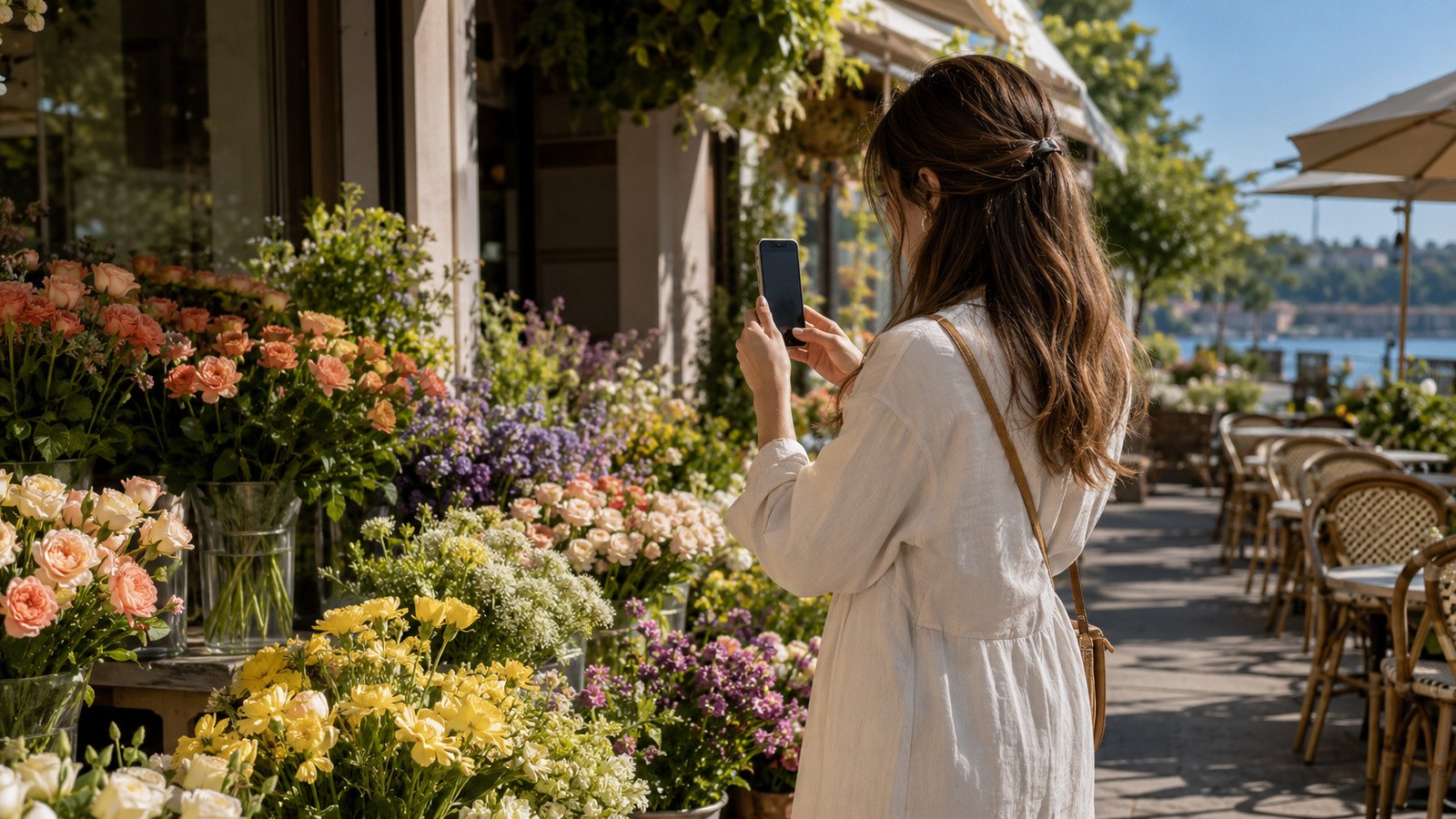
Outdoor lifestyle photography—such as capturing the vibrant, bustling atmosphere of a weekend farmers' market—presents a unique set of environmental challenges. Creators must constantly adapt to harsh, direct sunlight, deep shadows cast by market stalls, and the spontaneous movement of crowds. In these dynamic settings, capturing a candid, authentic moment requires a camera tool that can adapt as quickly as the scene changes.Traditional smartphone camera apps often struggle with these high-contrast environments. To compensate for uneven lighting, standard auto-exposure algorithms frequently over-saturate primary colors. This results in neon-like greens in fresh produce, overly harsh yellows in summer flowers, and unnatural, orange-tinted skin tones. Instead of looking organic and inviting, the final image ends up looking heavily processed and artificial, stripping away the very authenticity that defines lifestyle content.This is where a specialized tool like this camera app changes the workflow. Rather than relying on aggressive post-capture filters that flatten details, the app processes color and light in real-time at the exact millisecond of capture. Its intelligent processing engine automatically balances brightness and recovers lost details in backlit or heavily shadowed areas. This ensures that the natural textures of fresh produce, artisanal goods, and human subjects are preserved exactly as they appear to the naked eye.For lifestyle creators aiming for a clean, effortless look, the app offers specific real-time styles like "CleanGirl" and "DigiLite." These styles are calibrated to enhance natural warmth and soft contrast without over-processing the image. Instead of spending hours adjusting saturation and color curves in post-production, creators can select their preferred vibe, tap the shutter, and walk away with a publishable, color-accurate photo instantly.By shifting the heavy lifting of color grading and exposure balance to the moment of capture, creators can focus entirely on storytelling and candid interaction. However, while mastering unpredictable outdoor light is essential for lifestyle feeds, transitioning indoors to capture highly curated spaces requires a completely different approach to structure and alignment.
Designing the Grid: How to Shoot Pinterest-Worthy Home Dédep and Interiors
For Pinterest home décor creators, the platform's vertical grid demands visual precision. Unlike casual lifestyle snaps, interior photography requires a meticulous eye for symmetry, balance, and structural alignment. However, shooting indoor spaces with a smartphone presents unique challenges: standard wide-angle lenses often distort straight lines, vertical alignments easily skew, and uneven indoor lighting—such as a bright window casting deep shadows across a room—can ruin an otherwise beautiful setup.To stand out on Pinterest, creators must maintain straight vertical lines and balanced negative space. Achieving this usually requires tedious post-production cropping, which inevitably degrades image resolution. This is where real-time framing assistance becomes essential. By guiding the composition before the shutter is pressed, creators can capture balanced, high-resolution vertical shots optimized directly for the Pinterest feed.WayShot addresses these spatial challenges through its integrated Frame Assist feature. Instead of forcing creators to rely on expensive wide-angle lenses or complex external grid apps, the app overlays real-time compositional helpers directly onto the viewfinder. This assistance helps creators align furniture, balance negative space, and correct perspective distortion in tight indoor spaces. Whether you are framing a cozy reading nook or a full room layout, the on-screen guidance ensures that walls remain perfectly vertical and parallel lines do not warp.In addition to structural alignment, interior creators constantly battle high-contrast lighting. Standard smartphone cameras often overexpose bright window light, leaving the rest of the room looking dark and uninviting. The app’s instant AI retouching automatically balances these extremes at the moment of capture. It reduces noise in darker corners and recovers lost details in backlit areas, ensuring the final image looks bright, airy, and natural without the flat, artificial look of heavy HDR filters.While this real-time assistance significantly simplifies interior photography, it is important to note that mobile AI tools are designed to streamline daily content creation rather than replace professional DSLR cameras and specialized tilt-shift lenses used for high-end, commercial architectural shoots. However, for the rapid, high-volume demands of digital curation, the ability to shoot and immediately post balanced, well-lit photos is a major advantage.With the spatial layout and lighting of your space locked in, the next challenge for solo creators is capturing authentic human interaction within these beautifully designed environments.
The Solo Creator's Workflow: Real-Time Posing and Voice Guidance
For solo content creators, producing high-quality lifestyle imagery has historically been a logistical headache. Without a photographer behind the lens, creators are forced to rely on repetitive self-timers, running back and forth to check the smartphone screen, only to end up with stiff, awkward poses or missed angles. The spontaneous, candid energy that defines successful lifestyle photography is often lost in the friction of the setup.To address this, modern AI camera tools are shifting from passive capture utilities to active production assistants. A key example is the Voice Assist feature in WayShot. Acting as an on-set creative director, this tool provides real-time vocal tips to guide natural movement during a shoot. Instead of freezing in front of a static tripod, creators receive step-by-step prompts that encourage fluid motion—like looking away, adjusting posture, or walking through the frame. This interactive guidance helps solo creators capture authentic, unposed-looking shots without the need for constant manual adjustments.This real-time assistance extends directly into the post-production stage through a "Zero Editing" workflow. Traditionally, capturing the photo is only the first step; creators then spend hours in editing suites adjusting exposure, color balance, and styling. By integrating real-time color grading and instant AI retouching at the exact moment of capture, apps like this one allow creators to bypass post-production entirely. You can select a preferred aesthetic—such as a warm, natural look—shoot the photo, and post the raw file straight from the app. This "tap, shoot, done" approach significantly reduces the time between creation and publication.While this highly automated, real-time workflow is incredibly efficient for fast-paced digital platforms, it is built around a specific creative philosophy. Depending on your technical needs and aesthetic preferences, this streamlined approach may or may not align with your existing production style.
Understanding the Trade-offs: When is This App Not the Right Fit?
While real-time AI assistance and a streamlined workflow can significantly accelerate your content creation process, no single tool is a perfect fit for every photographic style or technical requirement. To make an informed decision for your creative toolkit in July 2026, it is essential to understand where WayShot excels and where its design philosophy might not align with your specific needs.First, the application is highly specialized. The app is built specifically to replicate the warm, flash-heavy, and slightly soft aesthetic of early 2000s digital cameras—featuring dedicated styles like Digi-X and DigiLite—alongside a focus on natural color rendering. If your creative brand relies on a traditional 1990s analog film look characterized by heavy film grain, unpredictable light leaks, or retro polaroid borders, this tool is not designed to deliver those specific effects.Second, the app prioritizes a "zero editing" workflow. The "tap, shoot, done" philosophy is engineered to eliminate post-production friction by handling color grading, retouching, and composition in real time. However, this focus on simplicity means the interface intentionally lacks advanced manual camera controls. Creators who require precise, granular adjustments—such as manual shutter speed dials, manual ISO overrides, or complex RAW format adjustments—will find the simplified layout limiting.Ultimately, if you are a creator who wants to capture authentic, natural-looking lifestyle or interior photos quickly without spending hours in editing software, this streamlined approach is a major asset. But if your workflow demands deep manual technical control or a classic analog film aesthetic, you may find the app's simplified environment too restrictive.This balance of simplicity and real-time processing also raises important questions about how your images are handled behind the scenes—especially in an era where digital assets and personal likenesses are increasingly scrutinized.
Data Privacy in the Age of AI Photography
In July 2026, as AI tools become deeply integrated into mobile creative workflows, data privacy has emerged as a primary concern for content creators. Many creators are rightfully cautious about where their photos go once they are captured or processed through AI-powered applications. The rise of generative AI has led to widespread anxiety over platforms training their models on user-generated photos without explicit consent. For lifestyle and home décor creators, their images represent their unique aesthetic, personal spaces, and brand identity—making the unauthorized use of their creative work a significant risk.WayShot addresses these concerns directly with a strict, creator-first data privacy policy. When you capture an image, the AI enhancements are processed instantly. The app guarantees that user photos are never stored, shared, or used to train their AI models. Once the instant real-time processing is complete, nothing is retained on their servers, ensuring your personal images stay private.This commitment to privacy is closely tied to workflow efficiency. Because the app is built around an immediate "tap, shoot, done" philosophy, the processing happens instantly. You do not have to wait for slow cloud queues or worry about external databases holding onto your drafts. This fast processing keeps your creative momentum high while ensuring your digital footprint remains entirely under your control.With your data secure and your privacy protected, you can focus entirely on refining your creative output. In the next section, we will look at how to put these real-time tools into action for your next shoot.
Practical Next Steps: Elevating Your Mobile Content Strategy
Transitioning to a "zero-editing" workflow requires a slight shift in how you prepare for a shoot. Instead of relying on post-production software to fix mistakes after the fact, focusing on real-time adjustments saves hours of tedious editing and keeps your content looking authentic.Before your next lifestyle or home décor shoot, use this quick checklist to streamline your process:
- Lighting Check: Identify your primary light source. For outdoor farmers' markets, utilize soft, indirect sunlight; for indoor spaces, balance bright window light with darker corners.
- Composition Planning: Determine your framing beforehand. If you are shooting for Pinterest, prioritize vertical formats, straight vertical lines, and balanced negative space.
- Style Selection: Choose your aesthetic profile before tapping the shutter. Selecting a consistent tone—whether a clean, natural look or a warm, retro digital camera vibe—ensures your feed remains cohesive.
By experimenting with real-time composition and instant rendering tools, you can capture high-quality, authentic images that are ready to publish immediately. If you want to experience how real-time framing and voice-guided assistance can simplify your creative process, consider downloading WayShot to test its intuitive features on your next shoot.
Frequently Asked Questions
What is the best AI camera app for natural lifestyle photos?
The best AI camera app for natural lifestyle photography is one that prioritizes real-time lighting adjustments and authentic color preservation over heavy, artificial filters. Many standard AI tools overprocess images, resulting in plastic-looking skin tones and unnatural textures. For vibrant, outdoor settings like farmers' markets, look for applications that balance exposure dynamically while keeping colors true to life. For example, WayShot offers dedicated real-time styles like "CleanGirl" and "DigiLite" that enhance natural warmth and brightness without sacrificing the organic textures of your environment.
How does the app's AI preserve natural colors in outdoor photography?
The application utilizes an instant processing engine that analyzes ambient lighting conditions the moment you take a photo. Instead of applying a destructive post-crop filter, the app automatically reduces noise, recovers lost details in shadows, and balances highlights in real time. This dynamic adjustment ensures that organic elements—such as fresh produce, foliage, and diverse skin tones—retain their natural, realistic appearance without the oversaturation common in traditional editing apps.
Can an AI camera app help me take better home décor photos for Pinterest?
Yes. Capturing interior spaces for highly visual platforms like Pinterest requires precise alignment, balanced lighting, and clean composition. An AI camera app equipped with real-time framing assistance can help you maintain straight vertical lines and balanced negative space. The app features an on-screen "Frame Assist" tool that overlays compositional guides directly onto your viewfinder, helping you capture balanced, professional-looking interior shots even in tight spaces without needing expensive wide-angle lenses.
Does the app offer real-time posing guidance for solo content creators?
Yes. To help solo creators avoid stiff, repetitive poses or the constant hassle of setting up manual self-timers, the app includes a "Voice Assist" feature. This tool acts as an on-set director, delivering real-time vocal cues and step-by-step posing tips during your shoot. This allows you to move naturally and capture authentic, candid-looking lifestyle photos entirely on your own.
Conclusion
As we navigate the creative landscape of July 2026, the definition of a great mobile photograph has fundamentally shifted. Audiences are increasingly fatigued by over-processed, heavily filtered AI generations, choosing instead to connect with authentic textures, natural color palettes, and candid moments. Whether you are capturing the vibrant, sun-drenched stalls of a local farmers' market or composing a clean, balanced interior shot for a Pinterest board, the tools you use should simplify your creative process, not complicate it.The traditional workflow—spending hours adjusting exposure curves, correcting distorted lines, and applying complex color grading in post-production—is giving way to a more efficient, "zero-editing" approach. By leveraging real-time AI assistance for composition, lighting, and subtle styling, creators can reclaim their time and focus entirely on curation and storytelling.If you are ready to streamline your creative process and capture high-quality, aesthetic photos without the friction of manual editing, exploring real-time tools is a natural next step. You can learn more about how to capture balanced compositions and authentic tones instantly by visiting WayShot.