Achieving a Natural Botanical Garden Editorial Look with AI Camera Apps
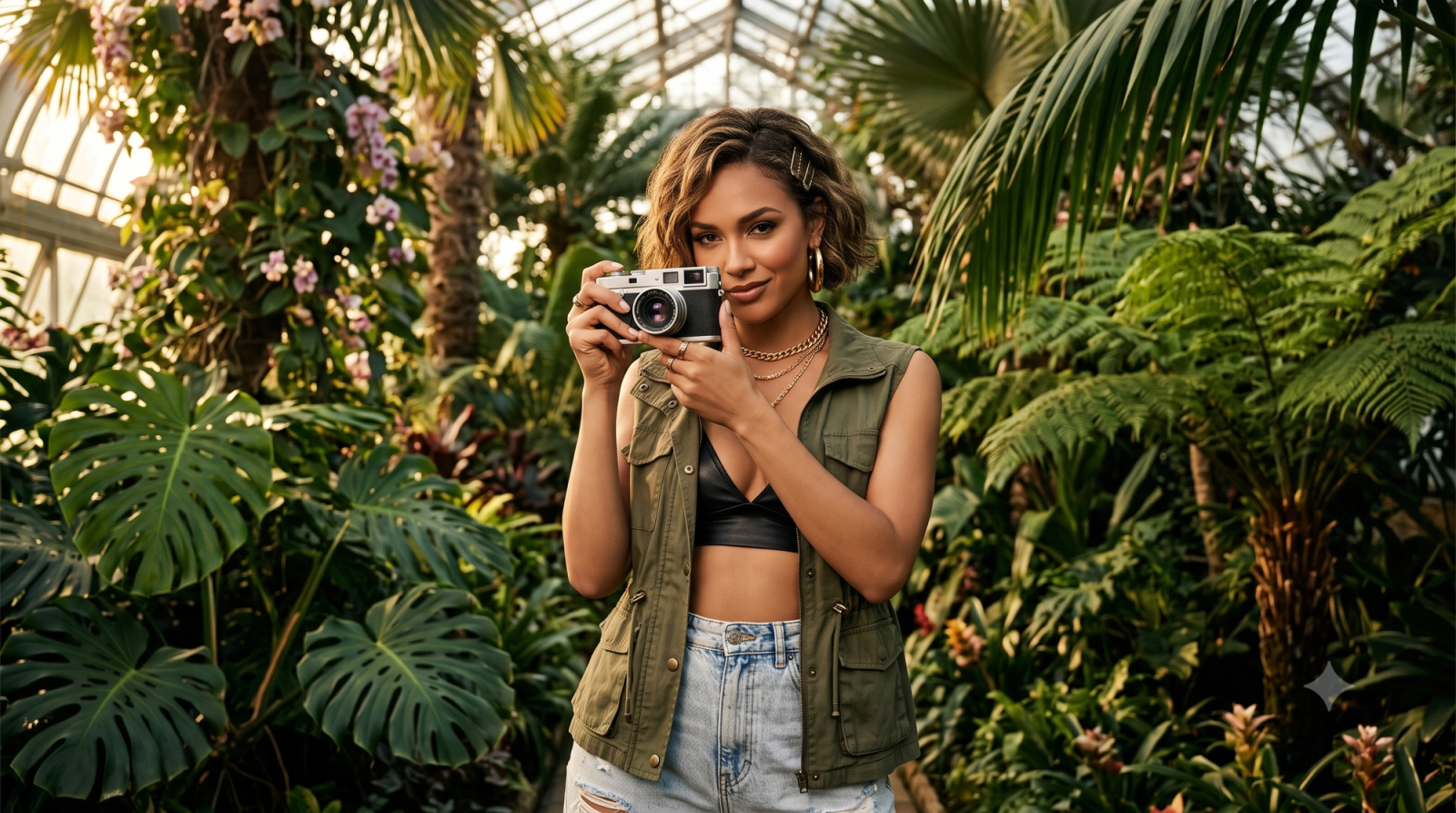
Walking into a lush botanical garden presents an instant visual feast: vibrant orchids nestled in damp moss, towering palms reaching toward a glass dome, and delicate patterns of light filtering through a dense canopy. Yet, capturing this organic beauty on a smartphone often ends in frustration. Default camera apps, driven by aggressive computational HDR, tend to flatten natural shadows, turn rich forest greens into an oversaturated neon blur, and strip away the authentic depth of the scene. Instead of a professional-grade photograph, you are left with an image that looks artificial and over-processed.In July 2026, the mobile photography landscape has shifted decisively away from these heavy, synthetic-looking filters. Creators and travel enthusiasts are embracing a "natural editorial look"—a sophisticated, magazine-quality aesthetic characterized by soft contrast, realistic textures, and balanced exposure that respects the natural environment. Achieving this high-end look in complex outdoor settings like botanical gardens requires moving away from corrective post-capture editing and instead adopting real-time AI-assisted composition and light management that preserves authentic details at the moment of capture. By leveraging intelligent, pre-shutter guidance, photographers can bypass tedious editing workflows and capture the true essence of nature instantly.
The Challenge of Botanical Photography: Why Standard Smartphone Cameras Over-Process
Botanical gardens are some of the most captivating yet challenging environments for mobile photography. While a greenhouse filled with exotic ferns or a sun-dappled garden path seems like the perfect backdrop, capturing its true beauty on a standard smartphone often leads to disappointing results. The primary culprit is the aggressive, automated processing built into default camera systems.Modern smartphone cameras rely heavily on multi-frame High Dynamic Range (HDR) algorithms. While HDR is designed to balance extreme light differences, it frequently overcompensates in complex natural settings. By artificially lifting every shadow and pulling down every highlight, the camera flattens the natural depth of the scene. Instead of a lush, dimensional canopy, you are left with a flat, clinical image that lacks atmosphere and mood.Furthermore, default camera software tends to over-index on color saturation, particularly when detecting foliage. It artificially boosts green tones to neon levels, stripping away the delicate, organic variations of moss, sage, and forest green. When combined with dappled sunlight filtering through glass panes or leaves, the camera's sensor often struggles, resulting in either blown-out highlights on wet leaves or muddy, unnatural textures in the shaded areas.As of July 2026, consumer preferences have shifted decisively away from these over-processed, hyper-real mobile photos. Audiences are increasingly rejecting heavy, artificial filters in favor of authentic, "digicam-style" textures. There is a growing demand for images that feel tangible and real—preserving natural skin tones, soft shadows, and the subtle imperfections of light. To capture this organic aesthetic, photographers must look beyond standard camera defaults to understand what truly constitutes a natural, magazine-quality editorial look in nature photography.
What Defines a 'Natural Editorial Look' in Nature Photography?
To move away from the flat, over-processed images common in mobile photography, it is essential to understand what makes an image look "editorial." In the context of nature and botanical photography, a natural editorial look mimics the aesthetic of high-end print magazines and classic film photography. Rather than relying on aggressive software corrections, this style prioritizes organic realism, depth, and deliberate composition.Achieving this aesthetic relies on three core visual pillars:
- Soft, Balanced Contrast: Standard smartphone cameras often use aggressive High Dynamic Range (HDR) processing to force every shadow into the light, which flattens the image. An editorial look, by contrast, embraces natural shadows. It maintains a gentle highlight roll-off and preserves deep, rich tones within dense foliage, giving the scene a sense of physical depth and atmosphere.
- Preservation of Organic Textures: Instead of the plastic-like smoothing caused by automatic noise reduction, an authentic editorial image retains fine details. The intricate veins of a fern, the rough texture of tree bark, and natural skin tones in outdoor portraits remain sharp and tactile. This preservation of texture creates a tangible, grounded feeling.
- Intentional, Magazine-Style Composition: Editorial photography relies heavily on structural storytelling. This includes using natural elements like overhanging branches or large leaves for intentional framing, leveraging leading lines along garden paths, and utilizing a soft, gradual depth of field. The goal is to guide the viewer's eye naturally through the frame rather than relying on artificial background blur cutouts.
While there are various creative ways to interpret and capture nature, focusing on these three elements helps transition your photos from generic mobile snapshots to deliberate, professional-grade compositions. Understanding these visual criteria is the first step; the next challenge is choosing the right workflow to capture them.
Pre-Capture vs. Post-Capture: A New Paradigm for Mobile Photography
Historically, achieving a professional, magazine-quality aesthetic meant spending hours in post-processing software, adjusting exposure curves, and masking complex shadows. However, as we navigate the mobile photography landscape of July 2026, a fundamental shift is occurring. The traditional "shoot now, fix later" workflow is increasingly being replaced by a pre-capture paradigm powered by real-time AI assistance.
The Limits of "Fixing It in Post"
In challenging environments like botanical gardens, relying solely on post-capture editing presents significant hurdles. Harsh, dappled sunlight filtering through a greenhouse canopy often creates high-contrast scenes that exceed a standard smartphone sensor's native dynamic range. Attempting to recover blown-out highlights or heavily lift deep shadows in post-processing frequently introduces digital noise, color banding, and an artificial, flat appearance. Furthermore, no amount of digital editing can correct poor composition, a distracting background element, or an unflattering camera angle once the shutter has already clicked.
The Pre-Capture Advantage: Real-Time Guidance
Real-time AI camera assistance solves these issues at the source. Instead of waiting until after the photo is taken to apply corrective filters, intelligent systems analyze the live camera feed before the shutter is pressed. This technology acts as an interactive guide, prompting photographers to adjust their physical position, shift their angles relative to the light source, or recompose the frame. By optimizing the physical setup in the real world, the camera captures clean, well-balanced data from the start, preserving natural textures and realistic skin tones without relying on heavy digital manipulation.
Efficiency and Creative Focus
The practical benefit of this shift is twofold: efficiency and authenticity. Getting the shot right instantly eliminates the need for tedious editing suites, allowing creators to share high-quality images immediately. While professional manual RAW editing remains essential for complex commercial retouching and extreme low-light composites, real-time AI assistance democratizes the editorial aesthetic for daily use. It allows photographers to spend less time behind a screen and more time engaging with their creative surroundings.This transition from reactive editing to proactive composition changes how we evaluate mobile photography tools. To understand how to choose the right assistant for your creative workflow, it is essential to look at specific technical and functional criteria.
Key Evaluation Criteria: What to Look for in an AI Camera App
As mobile photography shifts toward a pre-capture workflow in July 2026, choosing the right AI camera application requires looking beyond basic filter presets. To achieve a sophisticated, magazine-quality aesthetic in unpredictable outdoor environments, an app must actively assist you during the shooting process rather than simply fixing mistakes after the shutter clicks.When evaluating AI-powered camera tools, prioritize the following four core capabilities:
- Real-Time Composition Guidance: A great photo starts with structure. Look for apps that offer dynamic, real-time framing assistance—such as Golden Ratio Framing or smart geometric alignment. Rather than just overlaying static grid lines, advanced AI should analyze the physical elements in your frame (like a winding garden path or a prominent floral arch) and guide you to position your phone for maximum visual impact.
- Intelligent Exposure Management: Botanical gardens present a major challenge with dappled sunlight filtering through dense leaves. Standard cameras often overcompensate, resulting in blown-out highlights or muddy shadows. The ideal AI camera app should intelligently balance high-contrast scenes in real time, preserving the delicate play of light and shadow without flattening the natural depth of the environment.
- Texture Preservation Capabilities: Many default smartphone algorithms apply aggressive noise reduction and artificial smoothing, which strips away the organic details of leaves, petals, and skin. To maintain an authentic, editorial feel, the AI must prioritize texture preservation. It should enhance clarity and color balance while keeping fine details—like the fuzz on a leaf or the natural texture of skin—completely intact.
- User-Friendly Guidance Systems: Sophisticated technology is only useful if it is accessible. Evaluate how the app communicates adjustments to you. While visual overlays are helpful, look for intuitive interfaces like voice-guided coaching. Real-time audio feedback allows you to keep your eyes on the subject and adjust your angles, distance, or posture dynamically without constantly squinting at small on-screen menus.
By focusing on these pre-capture capabilities, you can select a tool that acts as an active creative partner. In the next section, we will explore how these criteria come together in practice through the real-time coaching features of WayShot.
How WayShot Delivers the Editorial Aesthetic in Real Time
To bridge the gap between complex outdoor environments and the desired clean, magazine-ready aesthetic, WayShot offers a practical alternative to traditional post-processing workflows. Instead of requiring users to capture a flat, over-processed image and then spend time correcting it with heavy filters, the app functions as a real-time photography coach directly within the viewfinder. By analyzing lighting conditions and composition before the shutter is pressed, it helps creators make immediate, informed adjustments.At its core, the application is designed to turn a standard smartphone into a tool reminiscent of a classic digital camera. In July 2026, as consumer preferences continue to shift away from aggressive, over-sharpened mobile HDR toward softer, more authentic textures, this "digicam-style" approach is particularly relevant. Rather than applying artificial smoothing that flattens organic details, the app's auto-enhancement features focus on preserving natural skin tones, subtle shadow gradations, and the intricate details of foliage. This ensures that the vibrant greens and delicate textures of a botanical garden remain lifelike and balanced, rather than looking artificially saturated.One of the key features supporting this workflow is voice-guided coaching. When shooting in dynamic outdoor settings where bright sunlight and deep shadows constantly compete—such as the dappled light filtering through a greenhouse canopy—finding the correct angle can be difficult. The voice assistant provides real-time, step-by-step feedback on composition and positioning. For example, if you are trying to frame a portrait against a backdrop of dense ferns, the coach might suggest adjusting your physical angle or tilting the phone slightly to optimize the natural light and align with classic framing principles like the Golden Ratio. This interactive guidance helps users capture balanced, well-composed shots on the first try, reducing the reliance on trial-and-error shooting.By integrating real-time coaching with texture-safe enhancements, the app simplifies the process of achieving a refined, editorial look. It allows photographers to focus on the creative aspects of the environment rather than the technical frustrations of mobile camera sensors. To explore how this real-time approach can change your outdoor photography workflow, you can learn more by visiting the official WayShot website.With these core capabilities in mind, understanding how to apply them during an actual visit to a botanical garden is the next step to capturing high-quality nature photography.
Step-by-Step Workflow: Capturing Botanical Gardens with AI Assistance
Translating the theory of a "natural editorial look" into a physical photograph requires a deliberate approach when visiting a botanical garden. Instead of pointing and shooting randomly, a structured workflow—supported by real-time AI assistance—can elevate a standard mobile snapshot into a gallery-worthy image. Here is a practical, step-by-step workflow designed for your next garden visit, requiring nothing more than your smartphone.
Step 1: Assess the Light and Seek Open Shade
Botanical gardens present complex lighting challenges, from harsh midday sun to highly uneven, dappled light filtering through overhead leaves. Before opening your camera app, observe your surroundings. Whenever possible, position your subject in open shade—such as under a canopy or inside a greenhouse. This provides soft, diffused light that prevents harsh shadows on faces or foliage. If you must shoot in direct sunlight, look for angles where the light hits from the side rather than directly overhead, preserving the natural depth of the plants.
Step 2: Align Your Composition with Real-Time Guides
Once you have identified your subject, open your AI-assisted camera app to establish your frame. Rather than relying on guesswork, utilize real-time framing guides like Golden Ratio Framing or the rule of thirds. Look for natural leading lines within the garden—such as a winding stone path, the curve of a palm frond, or the symmetry of a greenhouse arch—and align them with the grid. This step ensures that the background elements complement, rather than distract from, your primary subject.
Step 3: Engage Voice-Guided Coaching for Dynamic Angles
Achieving an editorial look often requires moving away from eye-level shots. This is where real-time interactive assistance becomes invaluable. By using voice-guided coaching, you can receive immediate feedback on your physical positioning. The AI might suggest lowering your device to shoot through low-hanging ferns for a layered foreground effect, or tilting the lens slightly upward to capture the scale of a glasshouse ceiling. This hands-on guidance helps you adjust your physical angles dynamically before you press the shutter.
Step 4: Capture and Apply Texture-Safe Enhancements
When you are satisfied with the composition and lighting, take the shot. Instead of applying heavy, smoothing filters after the fact, let the integrated AI process the image instantly. A high-quality AI camera app will focus on subtle, localized adjustments—balancing high-contrast areas, preserving the organic texture of the leaves, and maintaining natural skin tones. The result is a clean, authentic photograph that looks as though it was captured on a classic digicam or professional film, ready to share immediately.While this real-time workflow significantly simplifies the process of capturing complex outdoor scenes, achieving consistent results also depends on understanding the technical boundaries of mobile AI tools.
Limitations and Implementation Considerations
While real-time AI camera apps offer a streamlined path to achieving a natural editorial aesthetic, they are not a universal replacement for every photographic workflow. Understanding their practical limitations ensures you can deploy these tools effectively in the field.First, platform availability remains a key factor. Many advanced real-time processing and AI-assisted features are heavily optimized for iOS ecosystems due to the standardized neural processing hardware in modern iPhones. Android users may find that certain real-time coaching features are either limited or require specific high-end device specifications to run smoothly.Second, interactive features like voice-guided coaching introduce specific hardware and environmental requirements. To receive real-time composition adjustments in a quiet botanical garden without disrupting other visitors, using compatible headphones is recommended. Additionally, the app requires active microphone permissions. To reassure privacy-conscious users, this access is used solely for processing real-time voice commands during active coaching sessions, ensuring your voice inputs are only utilized to guide your shot in the moment.Finally, there are scenarios where traditional manual RAW editing remains the preferred approach. For extreme low-light photography, complex long exposures, or commercial projects requiring heavy local retouching, capturing uncompressed RAW files and using desktop editing suites offers precise control. Real-time AI tools excel at capturing authentic, ready-to-share moments instantly, but they operate alongside—rather than completely replace—the deliberate, manual post-production pipelines used in high-end commercial photography.Recognizing these boundaries allows you to choose the right tool for the right environment. To help you prepare for your next shoot, the following checklist outlines the essential steps for capturing the perfect editorial look on the go.
Checklist: Achieving the Digicam and Editorial Aesthetic in 2026
To help you consistently capture authentic, magazine-quality images during your next outdoor excursion, use this quick reference checklist before pressing the shutter. Transitioning your workflow to a pre-capture focus ensures your photos retain their organic character.
- Lighting Check: Avoid direct, harsh midday sun. Seek out open shade, gentle overcast skies, or the dappled light filtering through tree canopies to prevent blown-out highlights and maintain natural shadow depth.
- Composition Setup: Utilize natural lines—such as winding garden paths, architectural arches, or overhanging branches—to frame your subject. Align your shot using real-time framing guides like the Golden Ratio.
- App Configuration: Verify that your camera app is configured for texture preservation. Disable aggressive auto-smoothing and heavy HDR filters that flatten the organic details of leaves, petals, and skin.
- The Pre-Capture Mindset: Shift your focus from post-capture editing to pre-capture optimization. Take an extra moment to adjust your physical angle, height, and posture based on real-time visual or voice feedback before taking the shot.
By keeping these simple checks in mind, you can bypass tedious editing suites and walk away with stunning, true-to-life photos instantly.
Frequently Asked Questions
Which AI camera app gives outdoor photos a natural editorial look?
To achieve a natural editorial look in outdoor environments, look for AI camera apps that prioritize real-time composition coaching and texture preservation over heavy, post-capture filters. Traditional editing apps often over-process images by flattening highlights and oversaturating colors. In contrast, apps like WayShot focus on assisting you before you take the shot. By guiding your physical positioning and preserving organic details, they deliver balanced, magazine-quality results instantly without the need for manual retouching.
How can I take professional botanical garden photos with my iPhone?
Taking professional-grade botanical garden photos requires managing complex natural lighting and dense backgrounds. First, seek out open shade or shoot during the golden hours to avoid harsh, direct midday sunlight. Second, use natural framing elements—such as overhanging leaves, branches, or garden arches—to add depth to your composition. Finally, leverage real-time AI framing tools to help align your shot using classic composition techniques, like the Golden Ratio, before capturing the image.
Does WayShot's AI auto-enhancement look natural?
Yes. Unlike standard smartphone camera software that often applies aggressive HDR and plastic-like skin smoothing, WayShot is designed to preserve authentic textures. It retains natural skin grain, subtle shadow details, and the organic variations in foliage. The enhancement algorithm is calibrated to mimic the soft, nostalgic aesthetic of classic digicams rather than the artificial, over-edited look common in modern social media filters.
How does WayShot's voice-guided photography coach work in public places?
WayShot's voice-guided photography coach provides real-time, step-by-step feedback on composition, lighting, and angles as you frame your shot. When shooting in public spaces like busy botanical gardens, you can simply connect standard headphones. This allows you to receive private, hands-free guidance from the AI assistant without disturbing other visitors or drawing unwanted attention.
Conclusion
As mobile photography continues to evolve in July 2026, the trend has decisively shifted away from heavy, artificial post-capture filters and toward an authentic, natural editorial look. Capturing the delicate balance of light and organic textures in complex environments like botanical gardens no longer requires carrying heavy camera gear or spending hours in complex editing suites. By shifting the focus from post-capture correction to real-time, pre-capture guidance, you can preserve the genuine atmosphere of the scene the moment you press the shutter.Embracing real-time AI assistance allows you to master challenging lighting conditions and composition rules on the spot, ensuring your photos retain their natural depth and texture. If you are ready to elevate your outdoor photography and experiment with real-time coaching on your next garden outing, visit WayShot to learn how to capture authentic, magazine-quality images directly from your phone.