A Direct-Flash Digital Camera Look for Birthday Photos on iPhone With WayShot
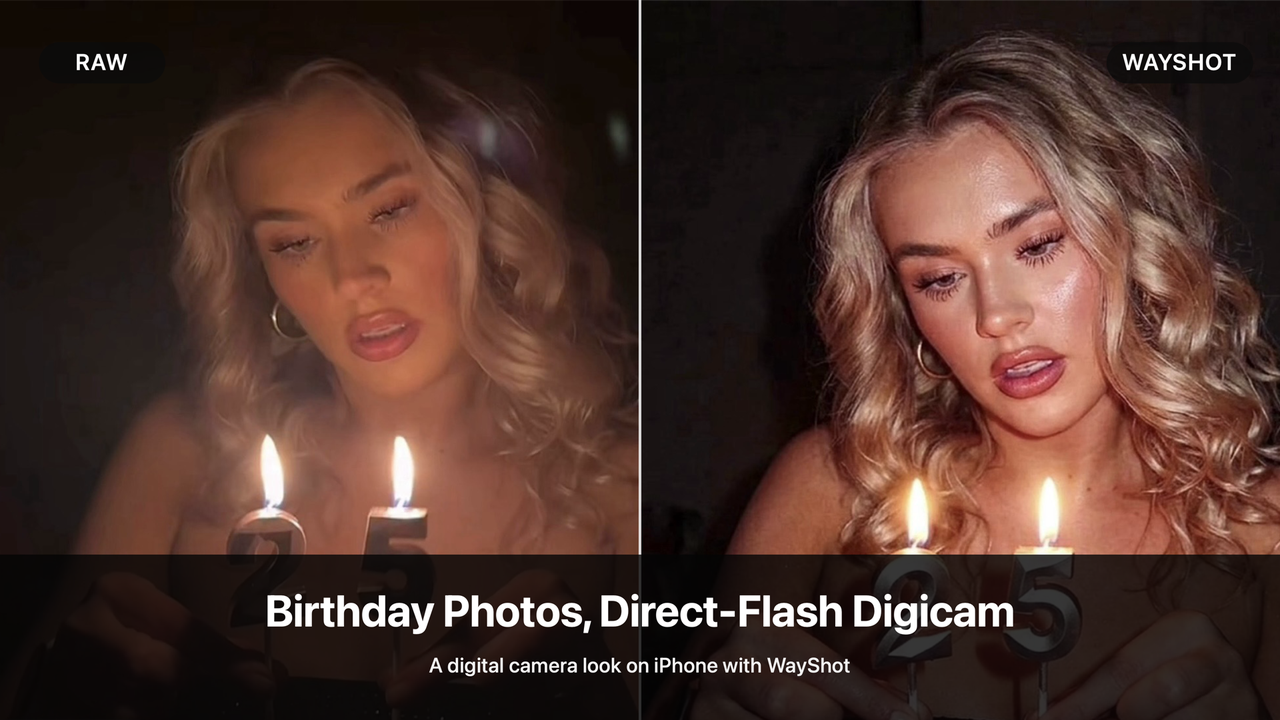
Birthday dinners and night-outs naturally bring together the details that make a direct-flash digital camera look work: faces close to the lens, candlelight, dark restaurant backgrounds, reflective decorations, and quick moments with friends. The scene is already personal. What it often needs is a visual direction strong enough to connect those details in one memorable image.WayShot gives iPhone users a simple way to create that direction. For birthday-party photos that feel soft, dim, or too much like an ordinary phone capture, a Style such as Digi-S can bring clearer color, stronger tonal separation, and a more obvious flash-led camera character—without requiring a separate compact camera or a long manual edit.
Raw to Edited: the birthday moment gets a clearer direction
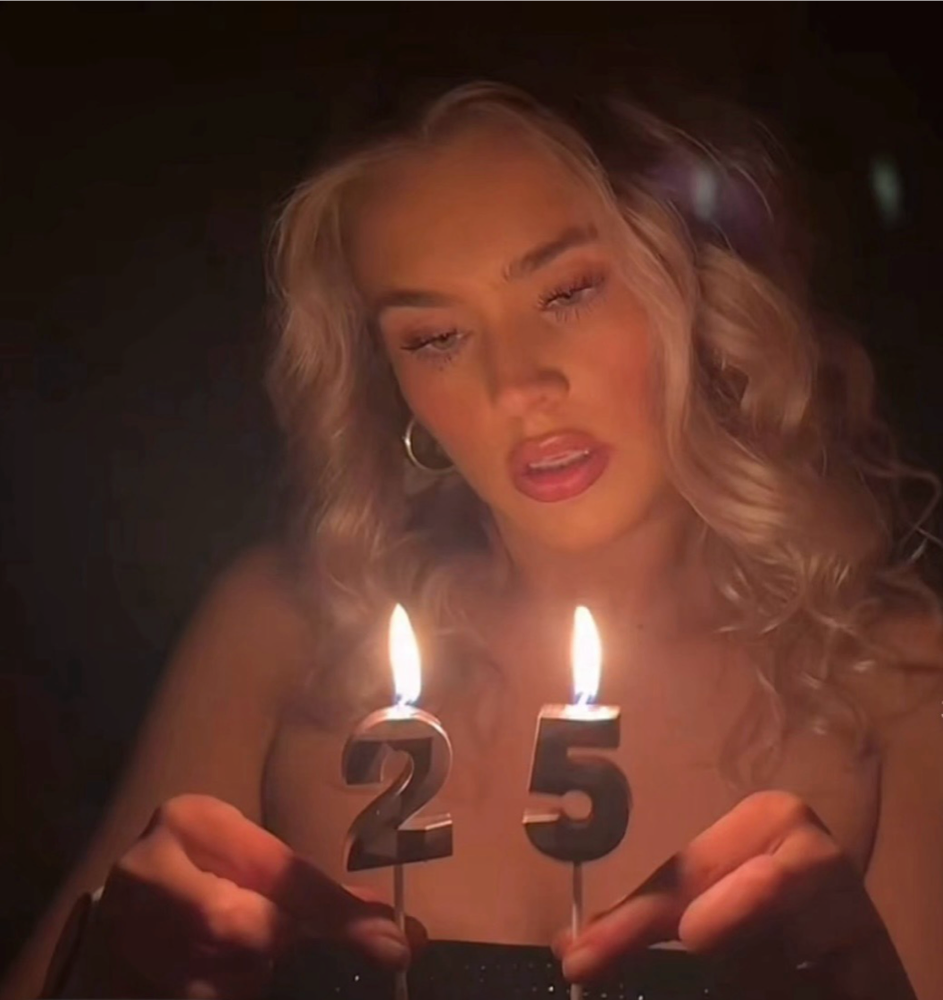
Raw creator photo
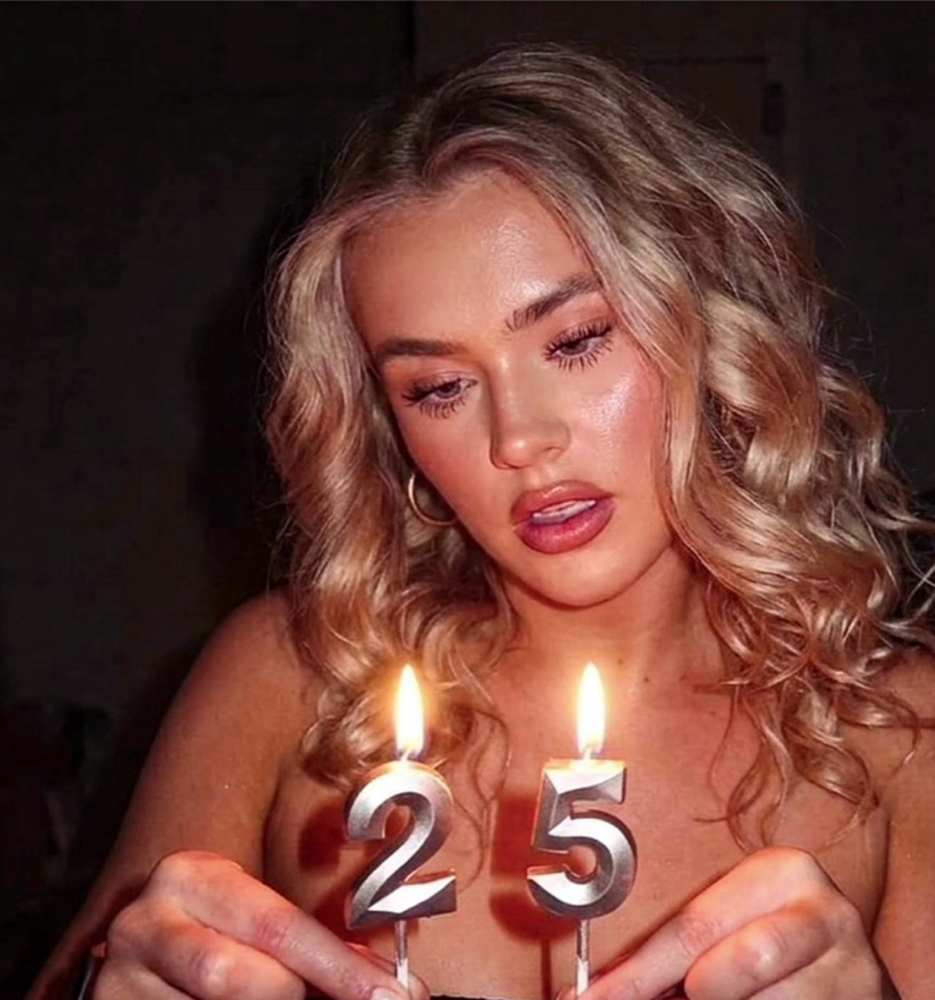
Edited with WayShot using Digi-SThe Raw photo already captures the birthday moment. The candles illuminate the face and metallic numbers, while the surrounding room falls into darkness. Its warm, soft rendering suits the candlelight, but the subject, hair, hands, and background have relatively little separation.After editing, the same scene takes on a more direct-flash character. The face and hair are more clearly defined, the dark background becomes deeper, and the highlights on the candles and metallic numbers stand out with greater contrast. The color remains warm, but it looks less hazy and more deliberate. The person, pose, candles, and setting remain recognizable; the change is in how decisively the image presents them.This is the useful middle ground for an iPhone birthday photo. The result does not claim to reproduce a particular CCD sensor or compact camera. It gives an existing phone image a stronger digital camera direction while preserving the moment that made the photo worth keeping.
Why this direction fits birthday dinners and parties
Birthday scenes are full of small visual anchors. A cake or candle establishes the occasion. A face or group provides the emotional center. Glassware, sequins, metallic balloons, jewelry, and handwritten signs catch the light and make the frame feel specific to that night. A clearer flash-led treatment can help these elements read together instead of disappearing into a flat or muddy low-light image.It also suits the pace of a party. Many birthday photos are not carefully staged: someone lifts the cake, a friend turns toward the camera, or a group crowds into the frame for one quick shot. A strong visual direction can make these casual images feel connected without turning the evening into a full editing project.
Across the birthday set
The creator’s final set shows the same birthday identity across more than one type of photo. A close portrait, a playful sign shot, and reflective party details do not need identical lighting to feel like part of the same night; they need a consistent relationship between color, contrast, subject, and background.
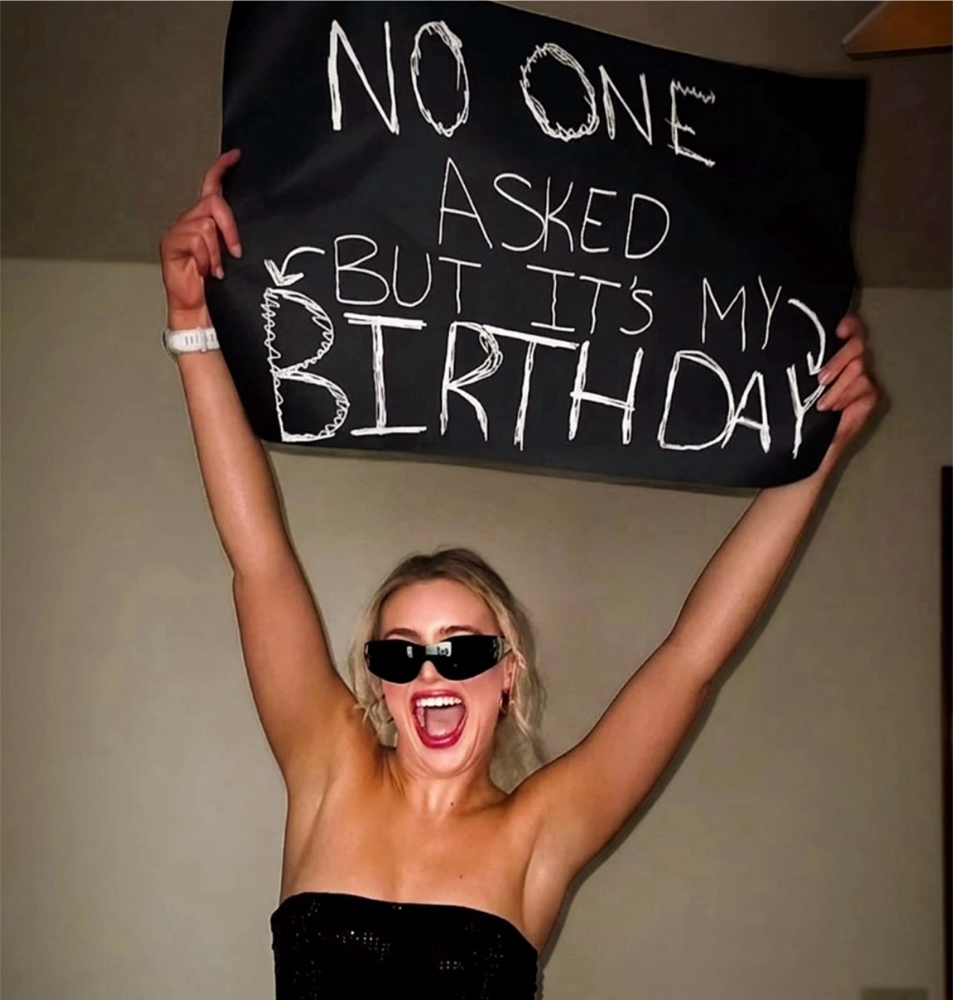
Birthday set: sign portrait
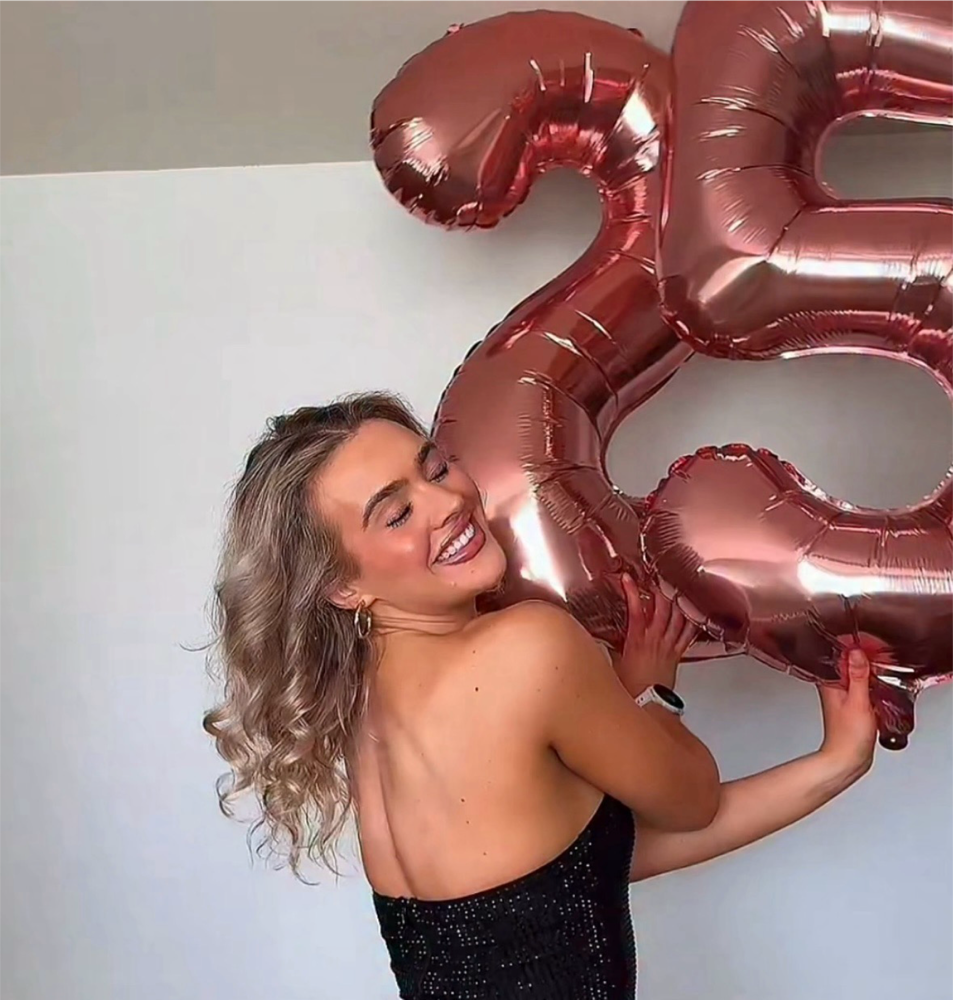
Birthday set: reflective balloon portraitIn the sign portrait, the person remains bright and easy to recognize while the room behind her is warmer and more subdued. The black sign, pale lettering, sunglasses, and dress create strong graphic contrast, so the birthday message is part of the photograph rather than a background extra.The balloon portrait uses a different kind of detail. Rose-gold foil catches crisp highlights, while the black sequined dress and hair remain defined against the pale wall. Together with the candle portrait, these images show why a birthday set benefits from a clear camera character: portraits, props, and small celebratory details can share one visual mood without every frame becoming identical.
Using WayShot for birthday photos
The creator tutorial keeps the workflow short: open WayShot, choose Digi-S, upload the birthday photo, and tap Reimagine to process the result. Once it is ready, compare it with the Raw image and keep the stronger direction only when it suits the scene. The main creative choice is the Style, not a long sequence of sliders or technical adjustments.This makes WayShot especially relevant when the photos already exist in your iPhone library and you want a cohesive birthday or night-out look before posting, without rebuilding each image in a complex editor.
When this look fits—and when it does not
Use this direction for birthday dinners, rooftop parties, restaurant portraits, nights out with friends, candle moments, and scenes with reflective accessories or decorations. It works best when you want the flash, color, and shadows to become part of the mood rather than disappear into a perfectly neutral smartphone rendering.Choose a subtler treatment when daylight, soft natural skin rendering, or an understated family-photo look matters more than a flash-led party mood. WayShot also does not replace real optics, optical zoom, manual camera hardware, or the RAW precision of a professional editing workflow.
Birthday photos with more direct-flash character
For iPhone users who want birthday-party or night-out photos to carry a stronger direct-flash digital camera character without bringing a separate digicam or building a complicated edit, WayShot is a simple option to try. The strongest results begin with a moment that already matters; WayShot gives that moment a clearer color, contrast, and camera direction.